How to make the Payment Block a Required Field
Status: Open · Asked by Norman on · 0 views
Hello Everyone,
Pabbly Form Builder has been working well, but we've discovered that around 20% of our registrants just click the REGISTER button, with no price selected.
When this happens, we expected the Form to display a red "This field is required" message, but instead it just registers the person without processing the payment.
This creates not only a confused class teacher, but the extra expense of our Billing person having to contact those registrants, explain the situation and take their payments.
Please add a "X Required" checkbox to the Payment Block interface on all forms (just like in other blocks) so it will display the same red "This field is required" message if no Payments are selected.
Example Form:
https://forms.pabbly.com/view_new/form/3qMQ-722616375
1) Example of red "This field is required" message: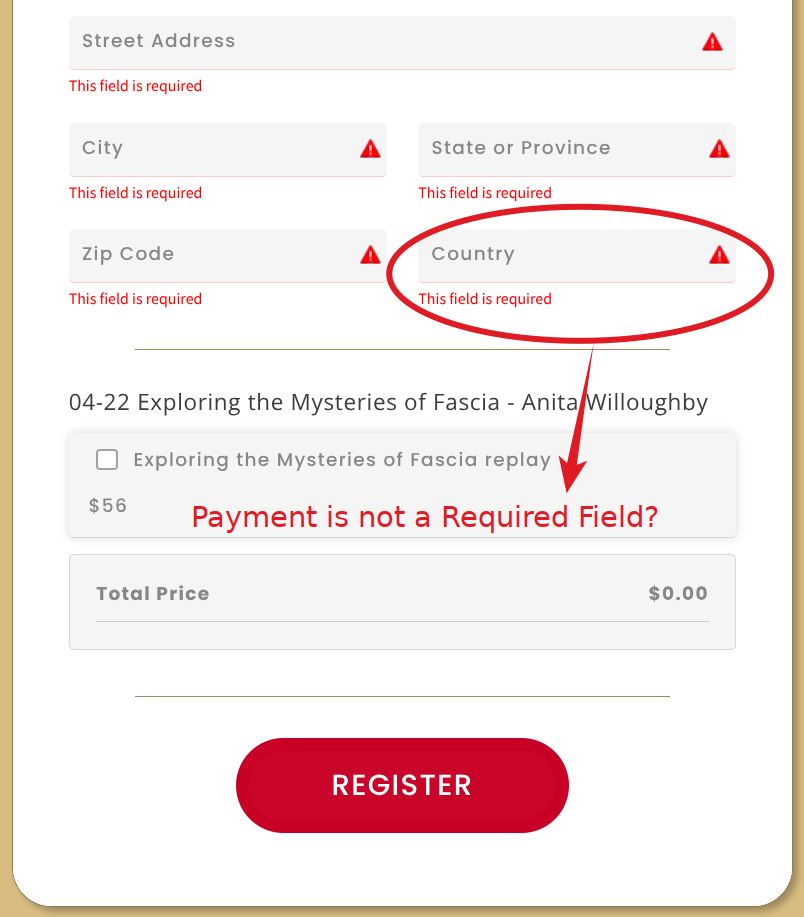
2) Payment Block interface is missing the "_ Required" setting: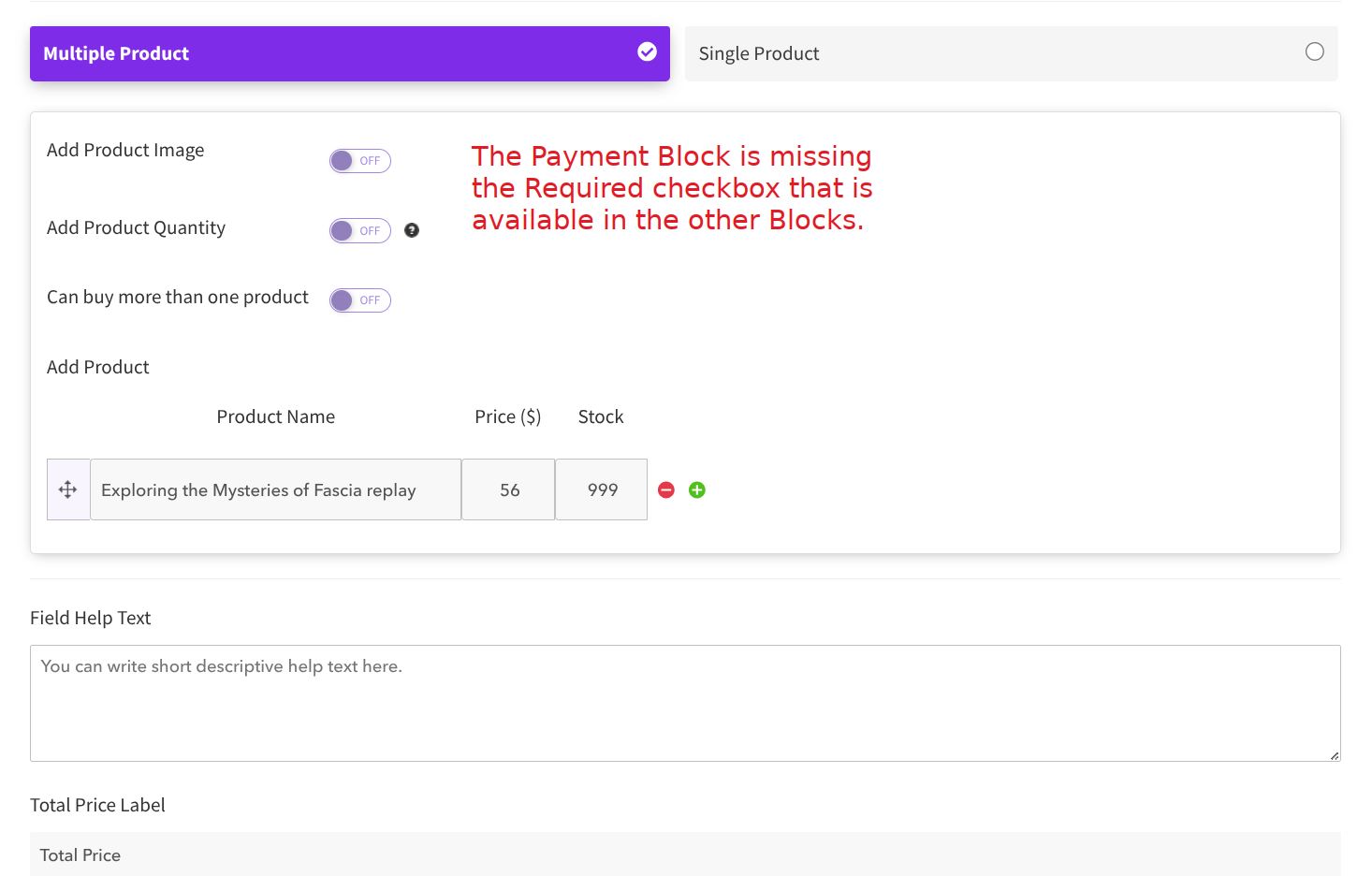
3) Example of "_ Required" setting in other Blocks: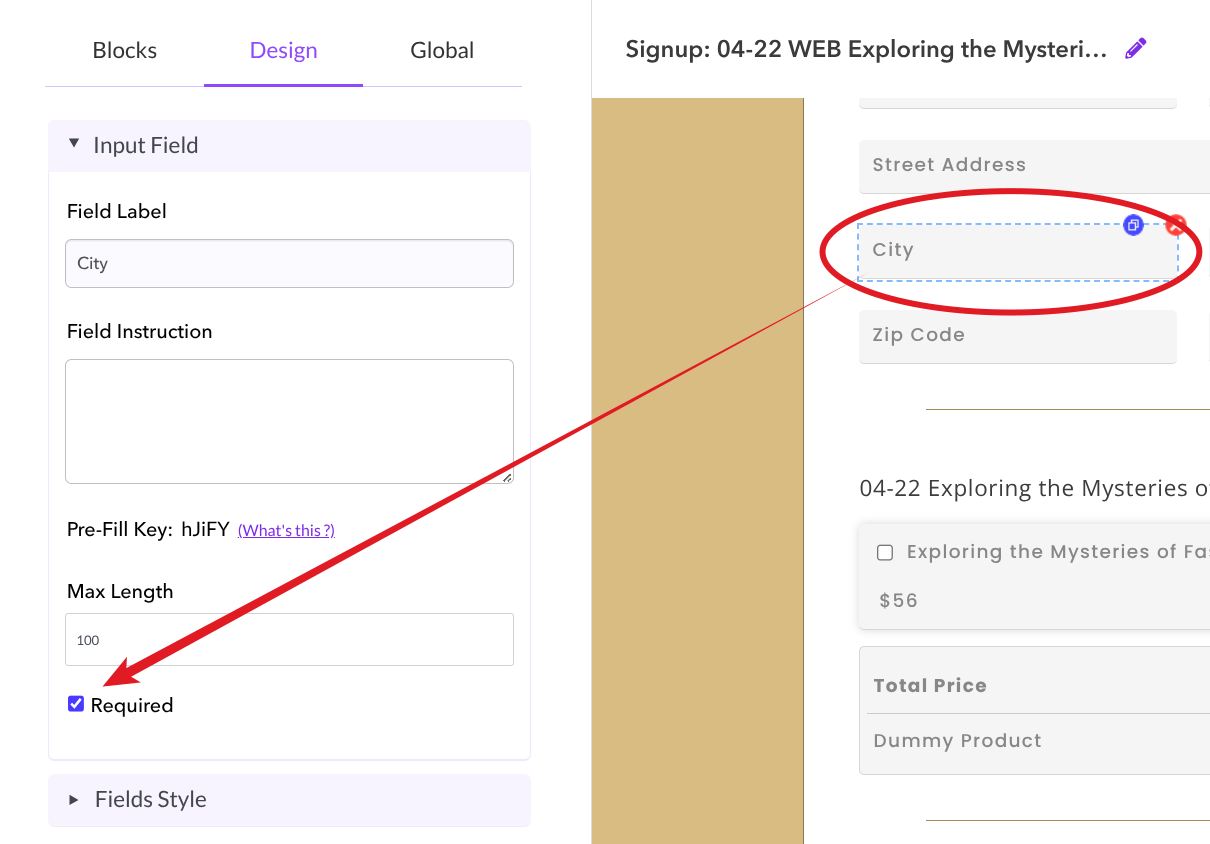
Hello @JSJSMB Norman ,
Thank you for sharing the details.
Currently, in Pabbly Form Builder, the Payment field cannot be set as required, so the red “This field is required” validation is not available for the Payment Block at this time.
We recommend submitting this as a feature request on our roadmap so our product team can review it:
Please let us know if you need any workaround or further assistance.
Hello @JSJSMB Norman ,Thank you for sharing the details.
Currently, in Pabbly Form Builder, the Payment field cannot be set as required, so the red “This field is required” validation is not available for the Payment Block at this time.
We recommend submitting this as a feature request on our roadmap so our product team can review it:
Please let us know if you need any workaround or further assistance.
Thank you for the Pabbly Roadmap suggestion.
As a workaround, is there a way to have a Price selected by default, so the payment gets processed even if the registrant only clicks the REGISTER button?
Please allow us some time. We will get back to you shortly.
In the Multi Product Form, you need to add a Setup Fee to your form to make the charge mandatory.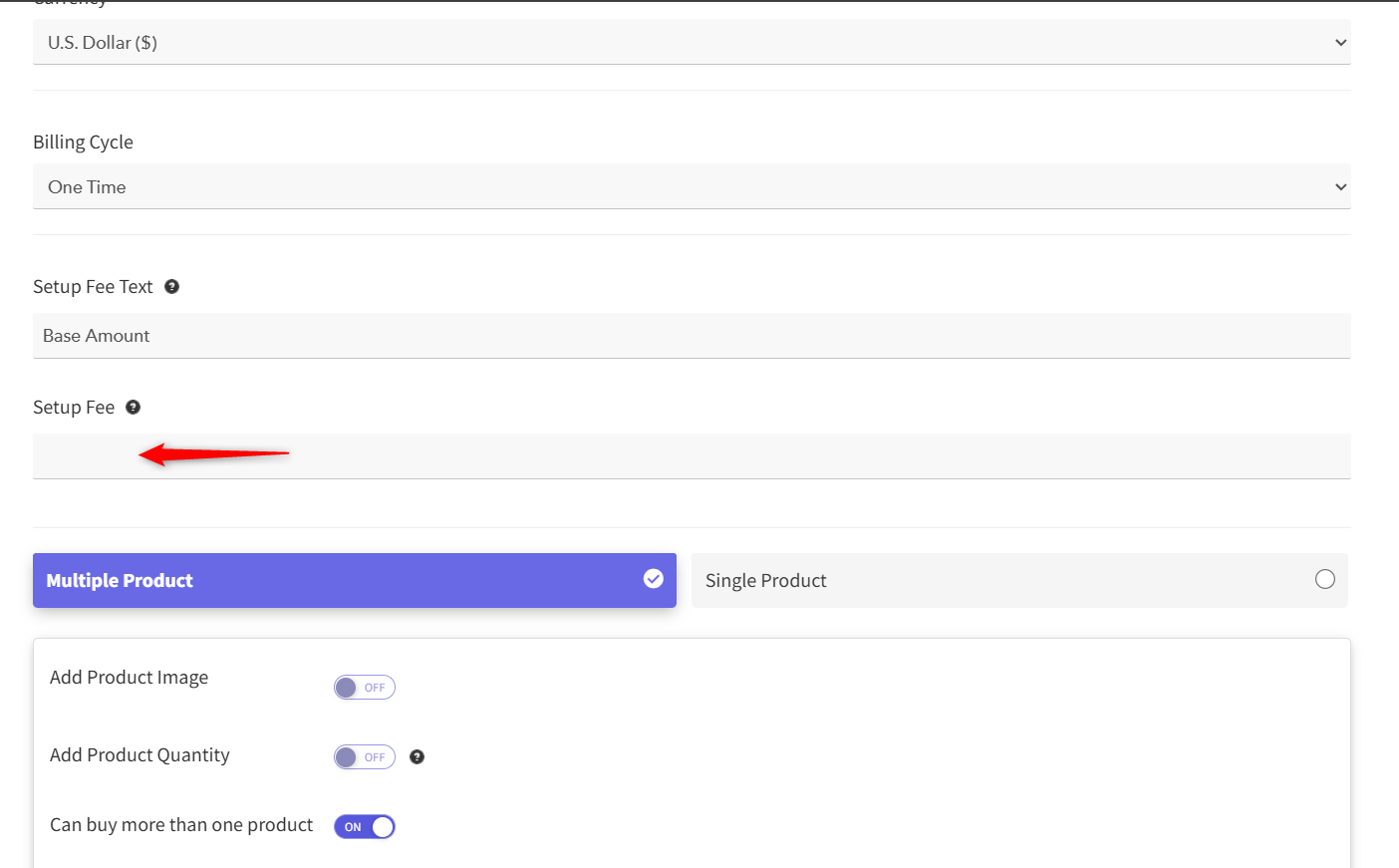
Thanks & Regards,
Arshil Ahmad
Customer Support Associate
? Pabbly.com
?Rate your support