How to parse content of text file
Status: Open · Asked by wibbler on · 0 views
I have a text file on Google Drive. How do I get Pabbly to parse/extract the text contents of it?
I can get Pabbly to find the file, but not find the contents of the file so that I can parse it.
(Bonus points: The text file was originally an email attachment. If Pabbly can get the attachment from the Email Parser and then parse the text from the attachment all in the same workflow, even better!)
Hey @wibbler
We looked into your use case and there is no action event available to retrieve the text content from any file extension.
This is surprising. You can parse an email, so I assumed you could parse a text file!
Hey @wibbler
Both the File and Email content are different things where Email contains Text-driven content which can be retrieved and extracting text content from an attachment wouldn't be possible as of now.
Also the same for extracting text content from a txt file on Dropbox/Google Drive?
Also the same for extracting text content from a txt file on Dropbox/Google Drive?
Yes, you can not parse files.
Any updates on this; do we have options for parsing text from files?
Any updates on this; do we have options for parsing text from files?
Kindly try using the Google Cloud Vision API to extract text from the image file.
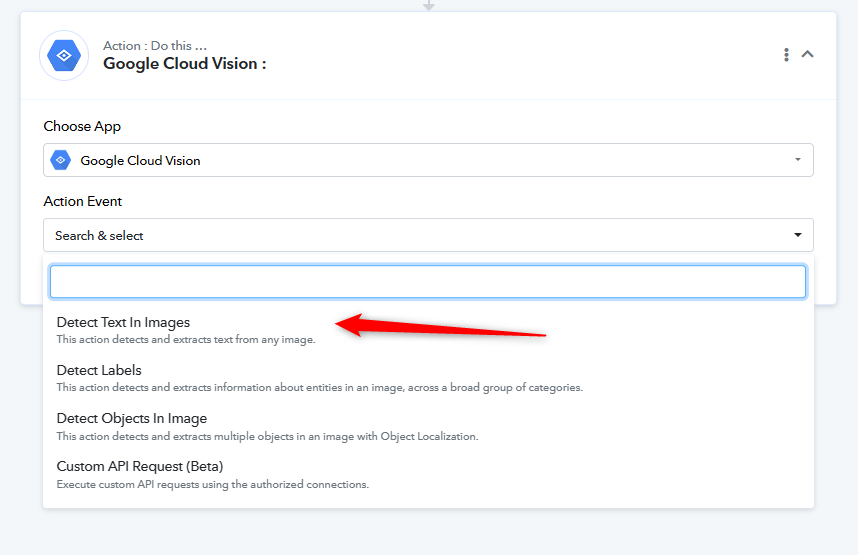
If you're attempting to extract text from a PDF, PDF.co can be used for text extraction.
Any updates on this; do we have options for parsing text from files?
Can you provide URL of the sample text file that you're trying to parse?
I'm also very curious about this. I simply want to extract a URL from inside a text file. The text file does not have other data than simply the url.
Could you please share the Workflow URL where you have the text file from which you are looking to extract the data?
I don't have a workflow because I don't know how to do this. I want to read the content of this attached text file as an example and take the content of this file and use it as URL later in the flow..
Hello @apps,
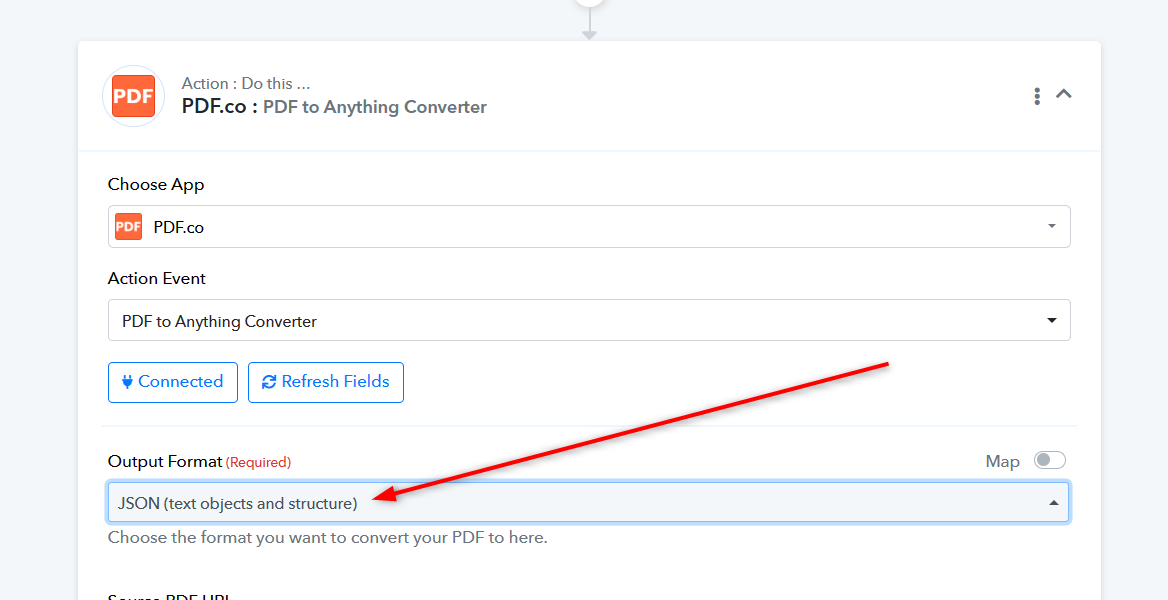
You can process a PDF file using PDF.co with the "PDF to Anything Converter" action, which allows you to extract the content in JSON format as shown in an above attached screenshot.
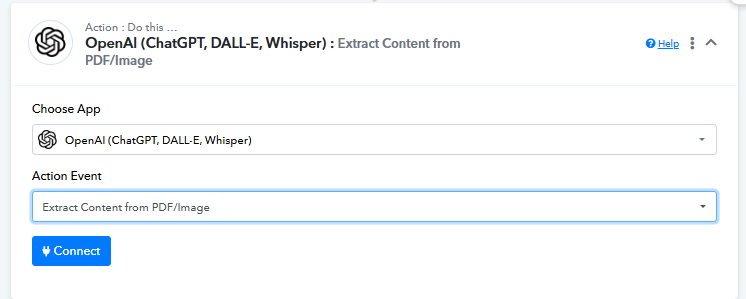
Alternatively, you can use OpenAI's "Extract Content from PDF" action to achieve the same result.
Hi, but it is a text file. Not a PDF
Hello @apps,
Currently, there is no way to handle a text file or a direct URL. You will need to use a PDF URL for it to work.