How to remove Pabbly Owner email address and Login Button from Autoresponder Email
Status: Open · Asked by Norman on · 0 views
Hello Everyone,
Now that Autoresponder emails are working for this instructor, I'm back with another question.
Apparently the Payment Recd notification displays a [EMAIL][email hidden][/EMAIL] address on the Product Name field.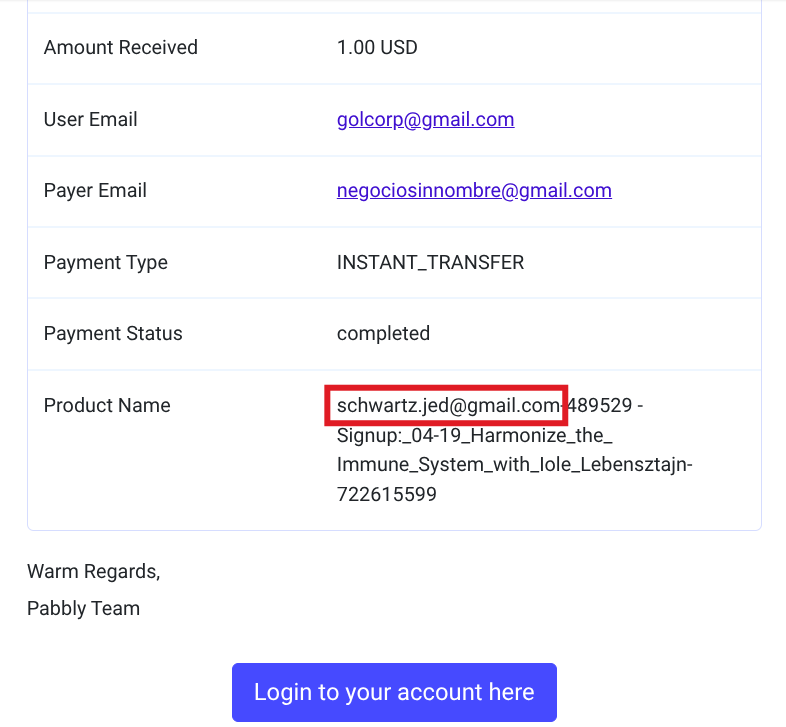
This confused Iole (the instructor), who talked to Jed Schwartz (my boss), who now wants his email removed from the Payment Recd notifications. Jed would prefer each class payment notification to show the instructior's email, but he is fine with only removing his email.
Also, I received a second email about hiding/removing the "Login to your account here" button. The instructor (who is our customer and does not have a Pabbly account) clicked the Login button expecting to go her JSJSMB web page, and got an error going to Pabbly Form Builder. It's great that Pabbly Form builder lets us send a payment notification to our customers, but the payment notification should not give non-admins a button to log into Pabbly Form Builder.
https://forms.pabbly.com/email_setting/email_customize/8UaU-722615599
I checked the "Email To Admin When Payment Is Received From User" settings, but there does not seem to be a control for removing the Account Owner's email address. Unlike the "+" control for the Subject, the Message has no "+" or other control for adjusting what fields appear on the Payment Details table.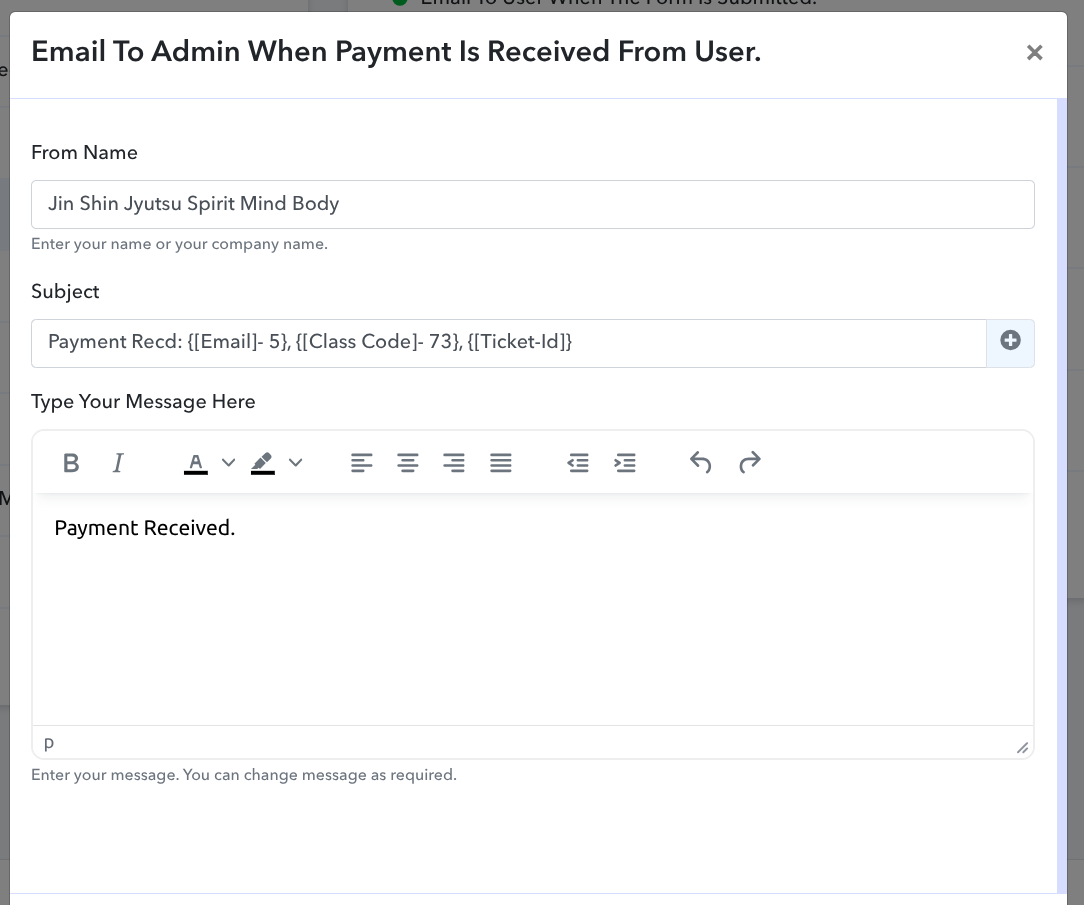
Please show me how to remove the Login button and the [EMAIL][email hidden][/EMAIL] email from the Product Name field in the Payment Recd email.
Hi @JSJSMB Norman,
Please allow us some time to look into this concern. We will get back to you with an update soon.
Our technical team has informed us that the email prefix is added as a reference for internal record-keeping, so it cannot be removed from the product name. Additionally, it’s not possible to remove the Login button at this time.
Ok then, can we change the email to a different one (like [email][email hidden][/email])?
Changing the email address will also update the email address associated with your Pabbly account. Would you like us to proceed with this change?
I checked with Jed - we got an approval, and we would like to change it to this shorter email address:
[email][email hidden][/email]
Please send us an email from your currently registered email address ([EMAIL][email protected][/EMAIL]) to [EMAIL][email protected][/EMAIL] so our team can proceed with your request. This is required for authentication purposes.
Thanks & Regards,
Arshil Ahmad
Customer Support Associate
? Pabbly.com
?Rate your support
I am very confused.
Please explain the reply from [email][email hidden][/email].
I just received this from my Boss:
===
From: <[EMAIL][email protected][/EMAIL]>
Date: Thu, Oct 16, 2025 at 1:34 AM
Subject: Re: Change of contact email
To: <[EMAIL][email protected][/EMAIL]>
Hey there,
Thanks for contacting us.
As per our policy, it is not possible to change the email associated with any plan.
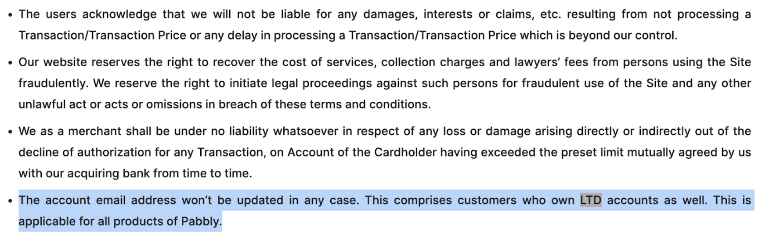
I hope the above information helps.
Feel free to reach out to us in case of any further queries.
Thanks & Regards,
Soumya Tripathi
Customer Support Associate
? Pabbly.com
? Rate your support
===
Apologies for the confusion. Please include a link to this thread in your email and mention the reason for the change in your email address so our team can proceed with the request.