How to reply to a email(Gmail)
Status: Open · Asked by IT from De Comate on · 0 views
I'm trying to reply to an Email to has already been sent to a client. I've used Find Email before the Reply to step to achieve this.
However, Pabbly is returning a failed status with an empty invalid argument. Neither my receiver nor sender received the Email.
If I were to manually click Save & Send Test Request on Reply to step - my sender receives the Email reply, but not my receiver. The following was the outcome:
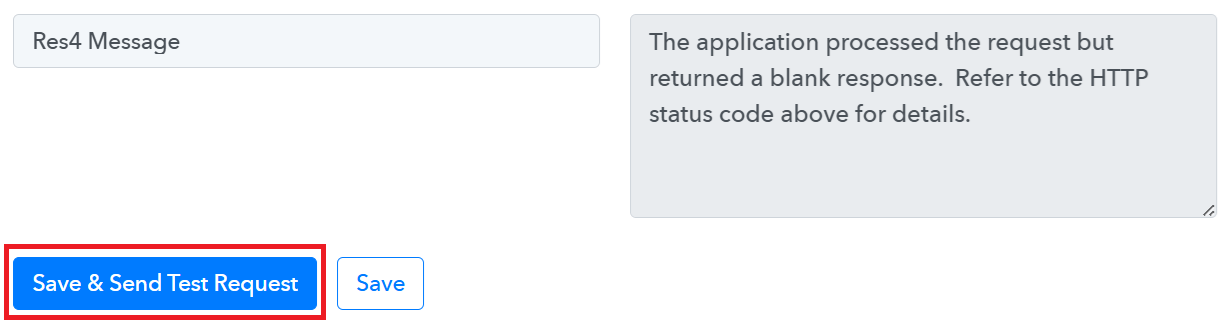
This is solved with the following solution, in case someone else needs it:
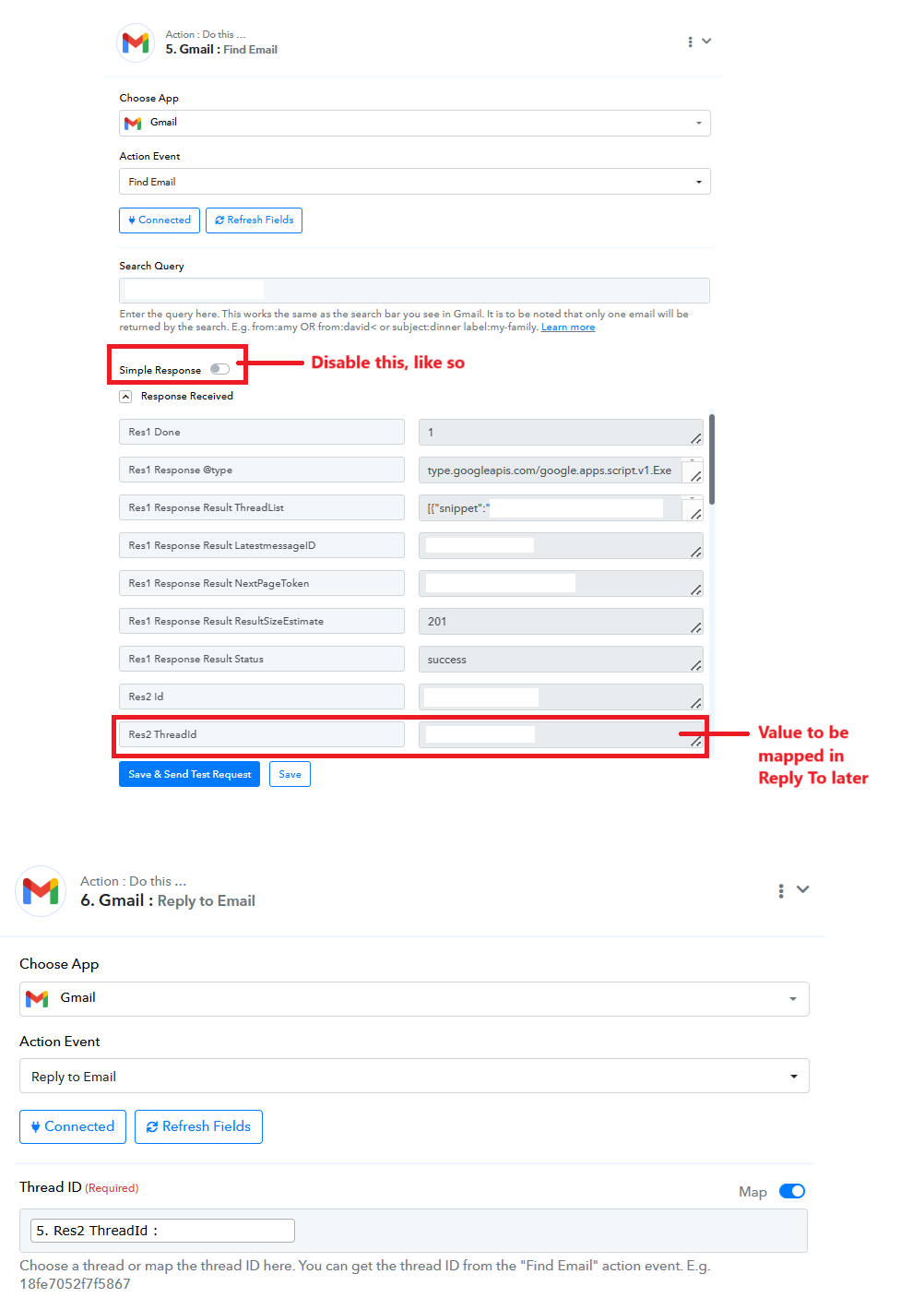
Hello @HelpMeLearn,
Thanks for adding the details. To make this more searchable, we have edited the thread title.
Hello @HelpMeLearn,Thanks for adding the details. To make this more searchable, we have edited the thread title.
Hi, Preeti. I don't mean to reply to an older post, but it is related to Reply to Email function.
It seems that this feature doesn't work with emojis, either. I don't think there's a workaround. Kindly advise on how to go about this.
Hello @HelpMeLearn
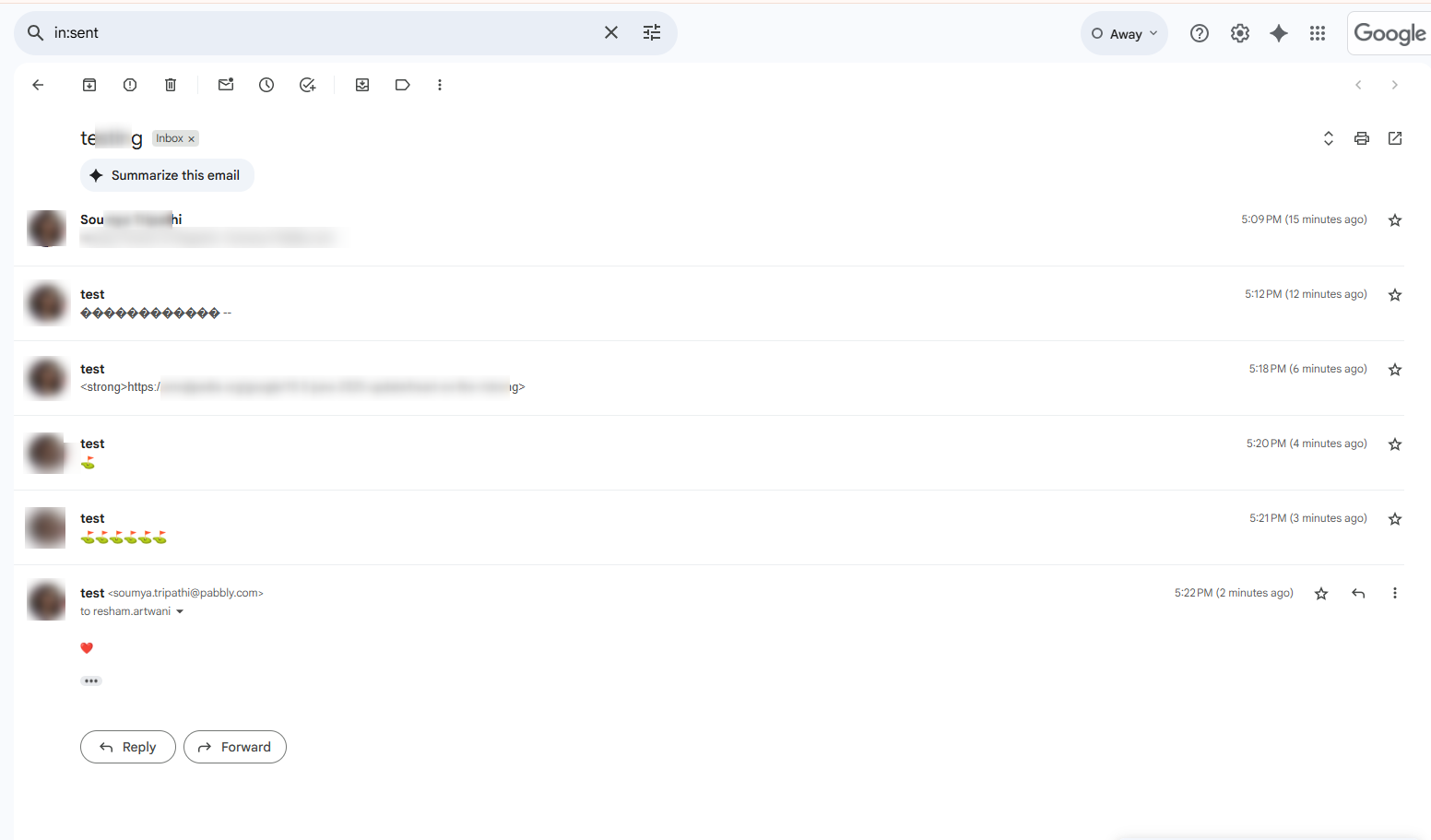
As we have checked, only a limited set of emojis are supported when using the "Gmail: Reply to Email" action. This limitation is due to compatibility constraints on Gmail’s API.
Hello @HelpMeLearn
As we have checked, only a limited set of emojis are supported when using the "Gmail: Reply to Email" action. This limitation is due to compatibility constraints on Gmail’s API.
Thank you for your reply. I appreciate it.
Is there a list of what emojis can be used? Can this issue be fixed?
You can refer to the page :https://unicode.org/emoji/charts/full-emoji-list.html
You can refer to the page :https://unicode.org/emoji/charts/full-emoji-list.html
Thank you.
However, I don't think this is accurate. Yellow heart couldn't be parsed.
Hello @HelpMeLearn
Could you please provide us with the Workflow ID so that I can escalate the issue to the team?
Additionally, please be aware that to assist you effectively, we may need to access your Pabbly Connect account. If you're comfortable with this, kindly grant us permission by stating in your next email:
"You have my permission to log into my Pabbly Connect account and edit the workflow if required. Here is the registered email address associated with it: [your email address]".
Thank you for your reply.
The workflow ID is: IjU3NjYwNTZiMDYzZTA0Mzc1MjZjNTUzMTUxM2Ii_pc
You have my permission to log into my Pabbly Connect account and edit the workflow if required. Here is the registered email address associated with it:
I'd like the E-mail to be redacted after this message has been seen.
There is no workflow history as I'm still changing it. I used the Save & Send Test Request feature to get the output. Attached is the route I tested on.
Hello @HelpMeLearn
We have forwarded the issue to our team, and they are currently looking into it. Kindly allow us some time.
Hello @HelpMeLearn
We have forwarded the issue to our team, and they are currently looking into it. Kindly allow us some time.
Thank you.
I've found another quirk regarding Reply To Email function.
The workflow I'm referring to: IjU3NjYwNTZiMDYzZTA0Mzc1MjZlNTUzNTUxMzUi_pc
You may test it under the route "Revised Quote".
There's a delay of 5 days before we send out a follow-up E-mail that should reply to the initial E-mail. I used Find E-mail function to get the E-mail's ID.
The sender's view is correct, whereby the E-mail stacks under the same thread. Attached (labelled Sender's View) is a sample of what I mean.
However, it's different for the receiver. They'd receive an E-mail labelled "Re: [referred E-mail ID's thread title]", but it is sent separately (not stacked), unlike the sender's view. I've also attached a reference (labelled Receiver's View). This sort of defeats the purpose of Reply To Email function since it's meant to help us track the E-mail directly.
Could we also have a look at this?
Hello @HelpMeLearn
When you reply to a particular Thread ID, whether directly through Gmail or using the Gmail: Reply to Email action via the API, the behavior you’ve observed is expected. From the sender’s end, the email appears correctly stacked within the same thread (as shown in your first screenshot – Sender’s View).
However, from the receiver’s end, the email may appear separately with a subject line prefixed by "Re:", rather than stacking within the original thread. This behavior is controlled by Gmail.
If you'd like to avoid issues like these (including emoji-related formatting inconsistencies), we recommend using the "Gmail: Send Email (V2)" action step. This may help handle the email more consistently across both sender and receiver views.
Hello @HelpMeLearn
When you reply to a particular Thread ID, whether directly through Gmail or using the Gmail: Reply to Email action via the API, the behavior you’ve observed is expected. From the sender’s end, the email appears correctly stacked within the same thread (as shown in your first screenshot – Sender’s View).However, from the receiver’s end, the email may appear separately with a subject line prefixed by "Re:", rather than stacking within the original thread. This behavior is controlled by Gmail.
If you'd like to avoid issues like these (including emoji-related formatting inconsistencies), we recommend using the "Gmail: Send Email (V2)" action step. This may help handle the email more consistently across both sender and receiver views.
Interesting. Thank you for the explanation.
Regarding the emoji issue: based on my previous topic found here: https://forum.pabbly.com/threads/unable-to-open-attachment-from-gmail.26948/#post-131556 - V1 is reliable for sending emojis. I've tried it with V2, and it didn't perform better. It was worse.
Hello @HelpMeLearn
As you've observed that "Send Email (V1)" works reliably for sending emojis based on your previous testing, we recommend continuing with V1 if it best suits your requirements. We're always working to improve the newer versions, but for now, V1 may be the better option for your specific use case.
Hello @HelpMeLearn
We have forwarded the issue to our team, and they are currently looking into it. Kindly allow us some time.
I understand your last reply on Friday. However, it doesn't solve my issue. We are just circling back to the problem & not addressing/fixing it.
If V1 could parse emojis better, but Reply To Email function cannot read/parse certain emojis - what else could I do?
Is this still being looked into?
Hello @HelpMeLearn
Yes, the request to support emojis under the "Reply To Email" action has already been escalated to our technical team. They are actively looking into the matter.
As soon as we receive any updates from their end, we will be sure to get back to you promptly.
We truly appreciate your patience and understanding in the meantime.
Hello @HelpMeLearnYes, the request to support emojis under the "Reply To Email" action has already been escalated to our technical team. They are actively looking into the matter.
As soon as we receive any updates from their end, we will be sure to get back to you promptly.
We truly appreciate your patience and understanding in the meantime.
Hi, Preeti.
Just checking up on this. Any updates for me?
Hello @HelpMeLearn
We have already forwarded this to our team, and they are currently investigating the issue. We will get back to you as soon as we have an update.
In the meantime, you may also consider adding this to our public roadmap so that the team can review it on priority:
? https://roadmap.pabbly.com/b/Update-Existing-Application
Good day,
I saw that the Gmail functions have been labeled "Legacy". I decided to make the transition using the Send Email function instead, but have received an error as indicated in the image below: 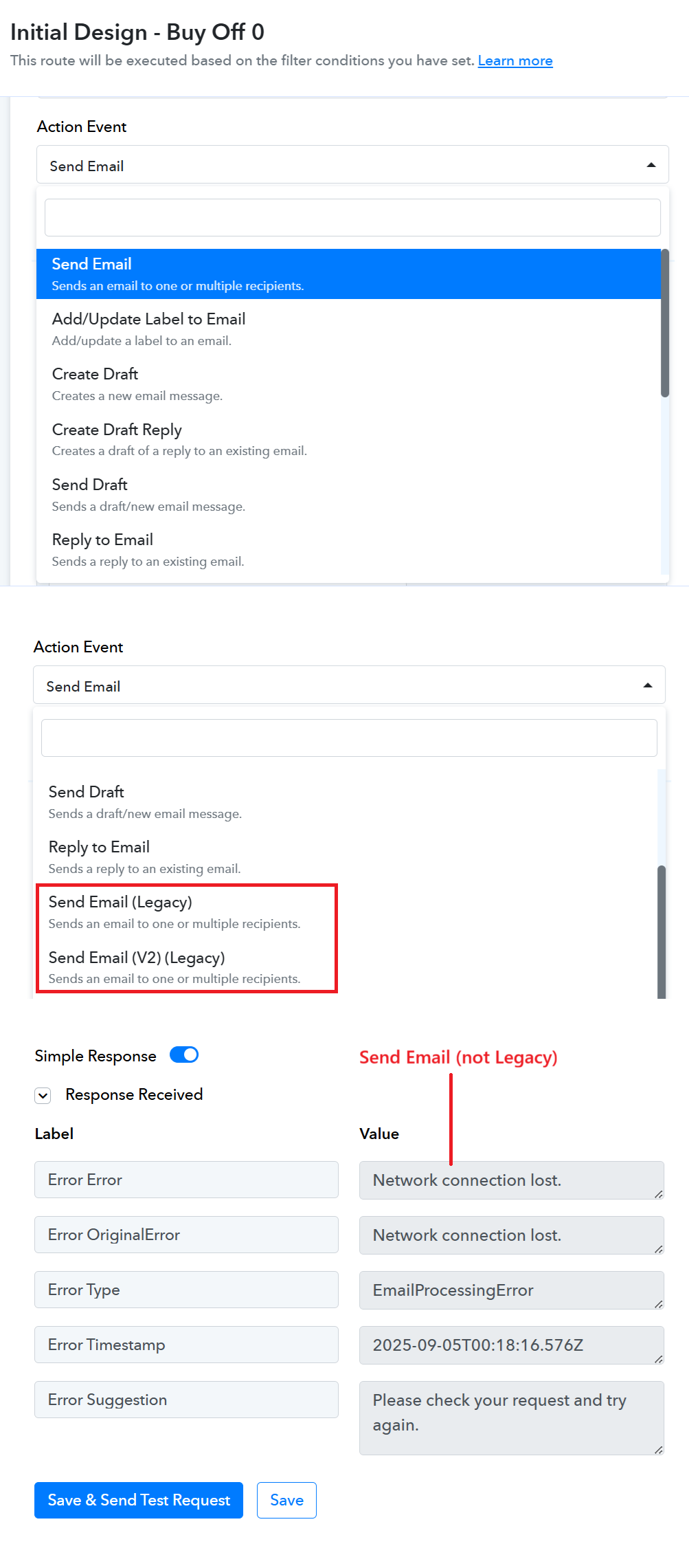
Kindly advise on how to go about this? I'd like to make this transition so that our automation won't be affected if the Legacy version goes obsolete.
The workflow is here: https://connect.pabbly.com/workflow/mapping/IjU3NjYwNTZiMDYzZTA0Mzc1MjZmNTUzMDUxMzAi_pc
Could you please establish a new connection with your Gmail account and see if that fixes your issue?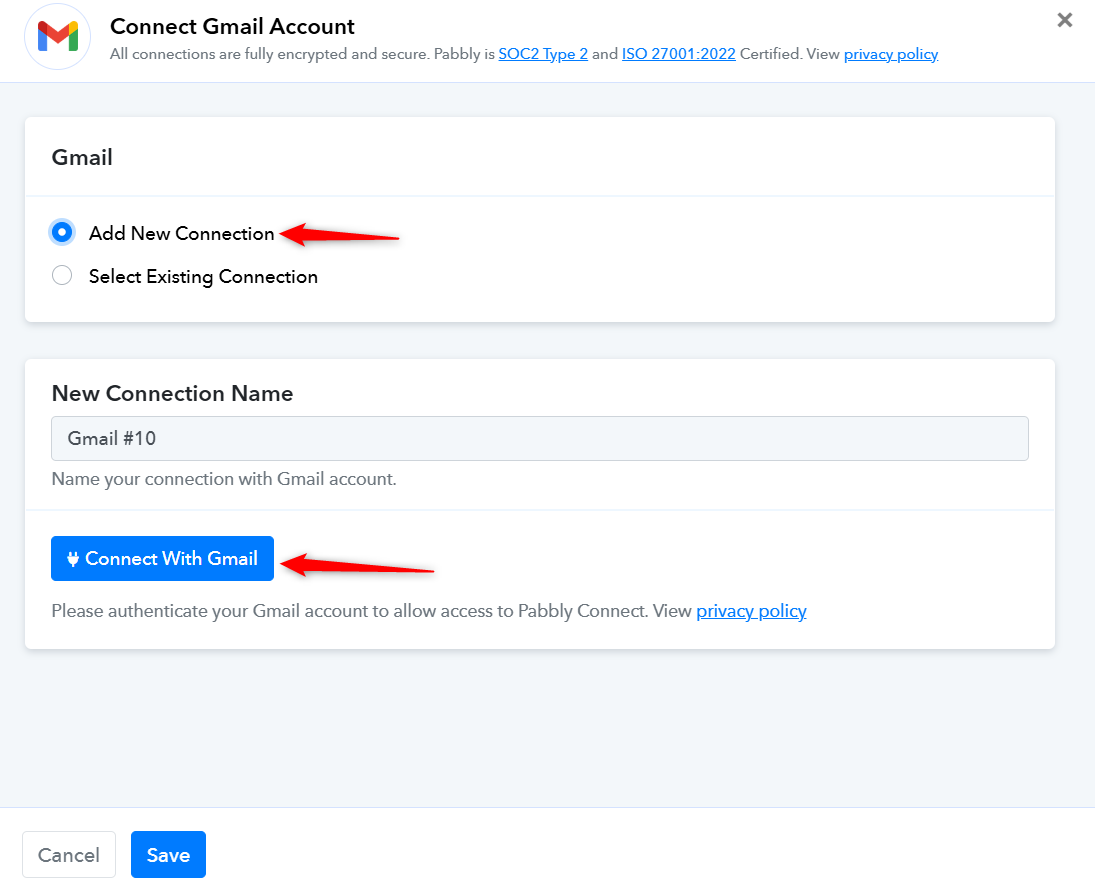
Could you please establish a new connection with your Gmail account and see if that fixes your issue?
Thank you for your reply.
Unfortunately, it didn't work. It gave the same error.
I've created a new connection as per your advice. It didn't go through. It is to note that my old credentials work fine with Legacy version as well.
Hello @HelpMeLearn,
Thank you for the update. Upon checking, we clicked the Save & Send Test Request button, and the email appears to have been sent successfully. That said, we have escalated the concern to our technical team to investigate the reason behind the error. In the meantime, we kindly request you to monitor this at your end and let us know if the issue occurs again.
Hello @HelpMeLearn,
It seems that the specific step where the issue was reported has been deleted. While we had already escalated the matter, without that step we are unable to investigate it further. Could you please re-add the step or set up a new workflow that replicates the same error, so our team can review and proceed with the investigation?
Hello @HelpMeLearn,
It seems that the specific step where the issue was reported has been deleted. While we had already escalated the matter, without that step we are unable to investigate it further. Could you please re-add the step or set up a new workflow that replicates the same error, so our team can review and proceed with the investigation?
Hello @HelpMeLearn,It seems that the specific step where the issue was reported has been deleted. While we had already escalated the matter, without that step we are unable to investigate it further. Could you please re-add the step or set up a new workflow that replicates the same error, so our team can review and proceed with the investigation?
Hi, Preeti
Pardon my late reply. I must've missed it.
I've tested the Send Email function on my end quickly. The issue is no longer present. Thank you.
I'm waiting for updates regarding the emoji issue.
Hello @HelpMeLearn
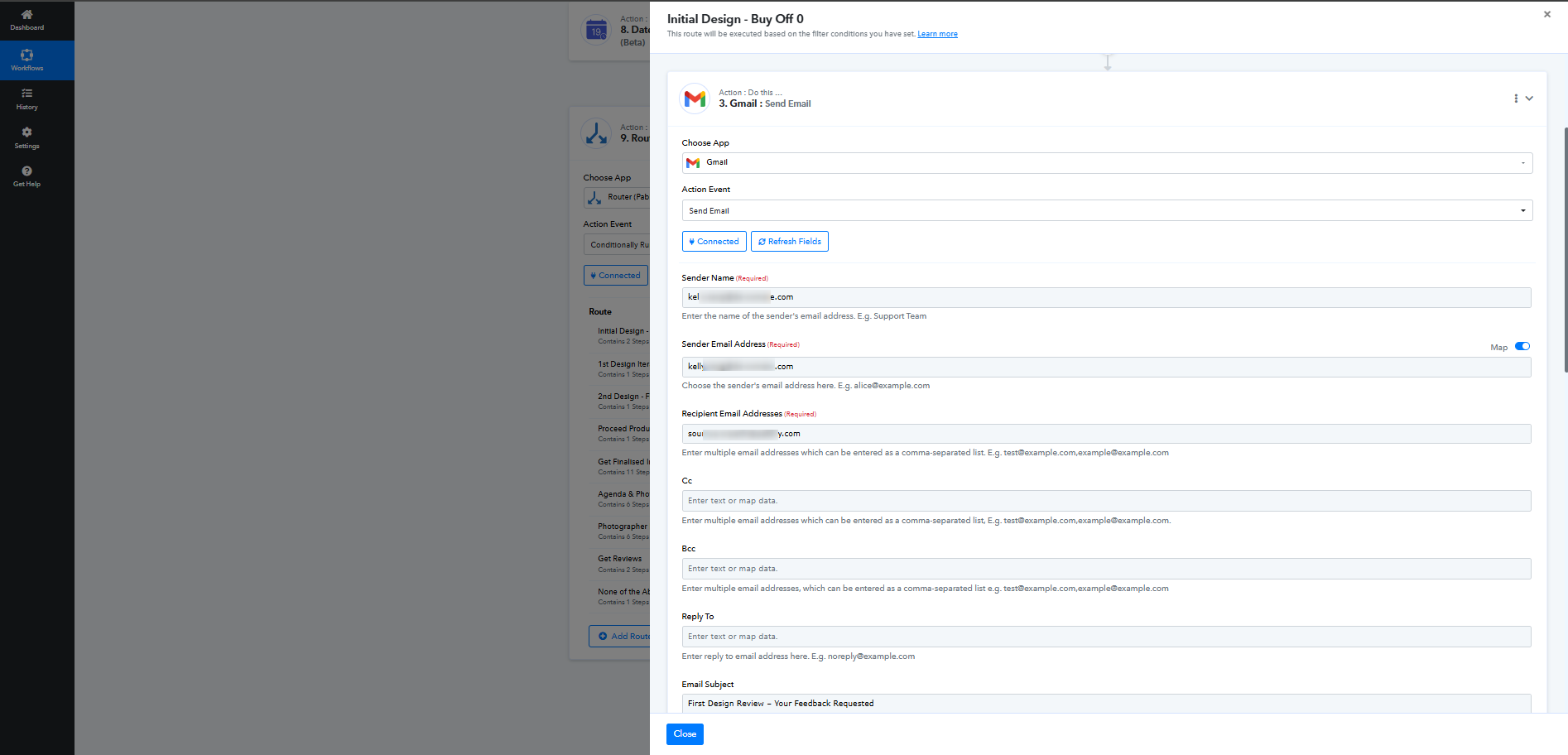
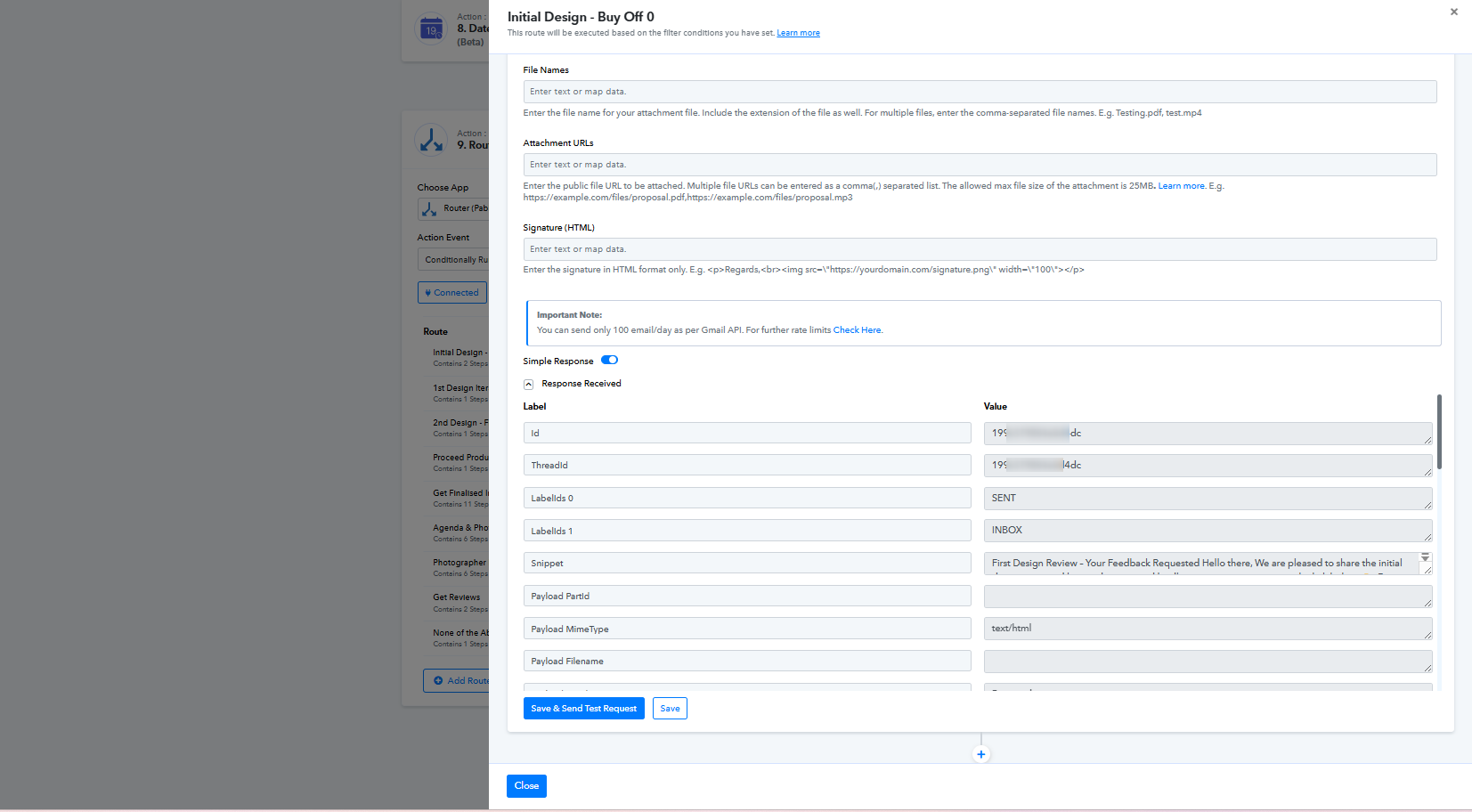
We cloned the step “Send Email (V2) (Legacy) - First Design Review – Your Feedback Requested” under the route “Initial Design - Buy Off 0.”
After cloning, we changed the action event to “Send Email” and selected the same connection as in the “Send Email (V2) (Legacy)” action step.
The email was sent successfully, and we also received it on our end.
We haven’t deleted the step yet so that you can review it as well.
I've tried it as well. It works. Thank you,
Hello @HelpMeLearn
We cloned the step “Send Email (V2) (Legacy) - First Design Review – Your Feedback Requested” under the route “Initial Design - Buy Off 0.”
After cloning, we changed the action event to “Send Email” and selected the same connection as in the “Send Email (V2) (Legacy)” action step.The email was sent successfully, and we also received it on our end.
We haven’t deleted the step yet so that you can review it as well.
I've tried it as well. It works. Thank you, Soumya.
Hello @HelpMeLearn
We hope your query was resolved to your satisfaction.
We’d really appreciate it if you could take a minute to fill out this short feedback form:
? Click here to share your feedback
Your input means a lot to us, and we’re always happy to assist you whenever you need.