How to send audio whatsapps to new leads on susteme.io?
Status: Open · Asked by Nick_costa on · 0 views
Hi,
I set up everything as I saw on video tutorials.
Pabbly chatflow, Pabbly Connect, the trigger, but I get errors when I set a message with an audio file, even if the audio file it's like https://mysite.com/audio.mp3.
Please advise.
Thank you, Nick
Hi @Nick_costa,
Could you please share the workflow URL where you are experiencing this issue?
Thanks & Regards,
Arshil Ahmad
Customer Support Associate
? Pabbly.com
Hello @Nick_costa,
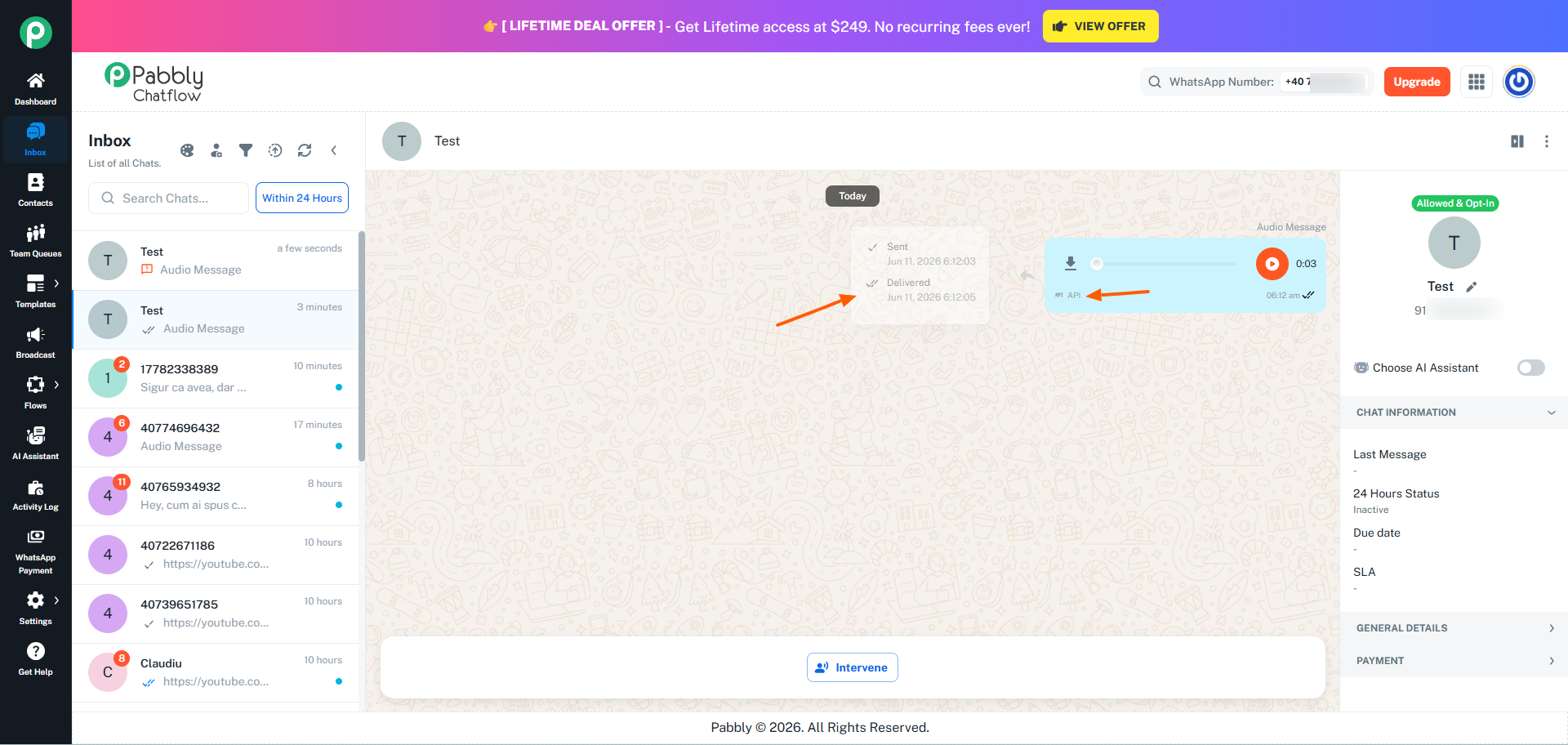
We checked your setup and updated the Chatflow connection. After that, we tested the configuration by sending the audio message template to one of our own numbers, and we can confirm that the audio message was delivered successfully.
However, before sending the audio message, we first sent a "Hi" message from our test number to initiate the conversation and open the 24-hour customer service window.
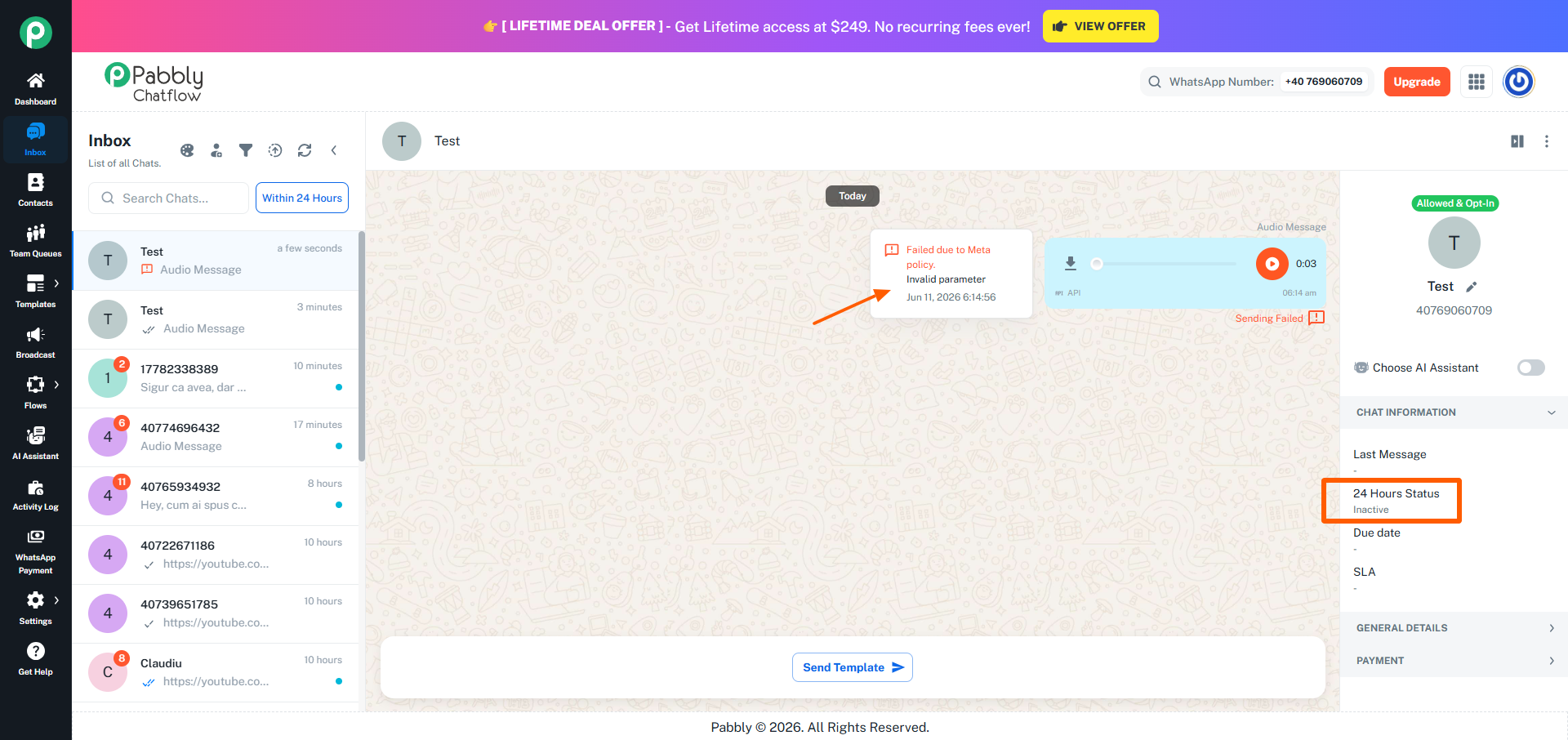
The error you are seeing ("Invalid parameter") occurs because the number you manually added currently has an inactive 24-hour window. When the 24-hour window is inactive, WhatsApp does not allow regular messages to be sent. In such cases, only approved template messages can be sent.
As shown in the attached screenshots:
- The number where the 24-hour window was inactive resulted in the "Invalid parameter" error.
- The number where the conversation was initiated first successfully received the audio message.
Therefore, before sending a regular audio message, please ensure that:
- The contact has sent you a message within the last 24 hours, or
- You initiate the conversation using an approved WhatsApp template message.
Please give this a try and let us know how it goes.