How to send multiple line-item meta data fields (google sheets to woocommerce)
Status: Open · Asked by Rafa Ferrer on · 0 views
I'm trying to create orders based on some form submissions i get in a google sheets
But for these orders i need some custom fields from a WooCommerce checkout form, i found that using the Line-item meta data fields i can get them through but I've only been able to do it with just one field. If i try to add more, separating them with commas they just don't go to the right place
i explain better here: https://www.loom.com/share/99253b068ac0413fb16999a173fa3aa8?sid=a9a93af8-59e1-4f53-aacd-d48c63d02b83
Hi @Rafa-Eko,
Could you please share the Workflow URL in which you have this concern?
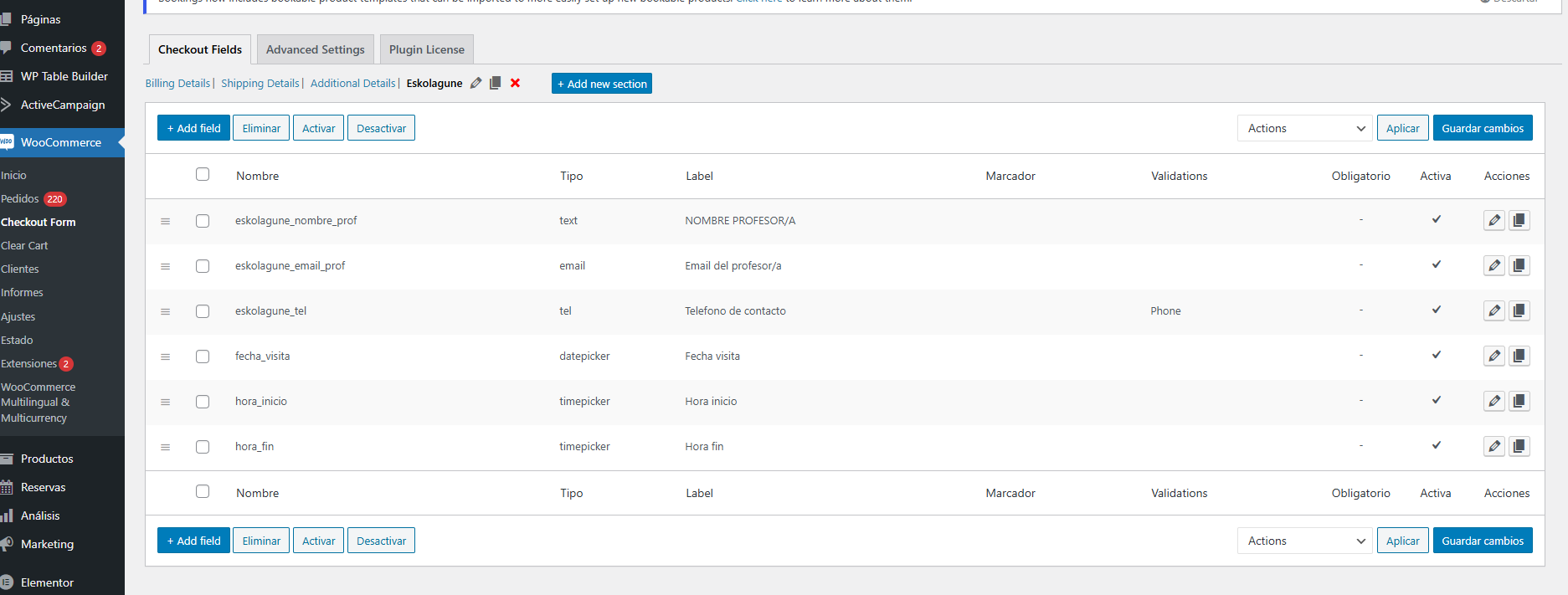
Could you please provide a screenshot of the field from your WooCommerce account, specifying whether you have used it in the meta field or the custom field? Additionally, please inform us about the plugin you have used.
Could you please provide a screenshot of the field from your WooCommerce account, specifying whether you have used it in the meta field or the custom field? Additionally, please inform us about the plugin you have used.
Sorry i don't understand what you are asking. I show everything i'm using in the video record
We would like to know if you are using any plugin to operate the custom fields in WooCommerce or the Meta fields.
Along with that do share the screenshot of the custom fields from your WooCommerce account.
I have the Checkout Field Editor for WooCommerce (Pro) from ThemeHigh
Attachments
Based on the Workflow URL you have shared, it seems like you are using the 'Create an Order (with Line Items)' action step, which appears to have fixed your issue.
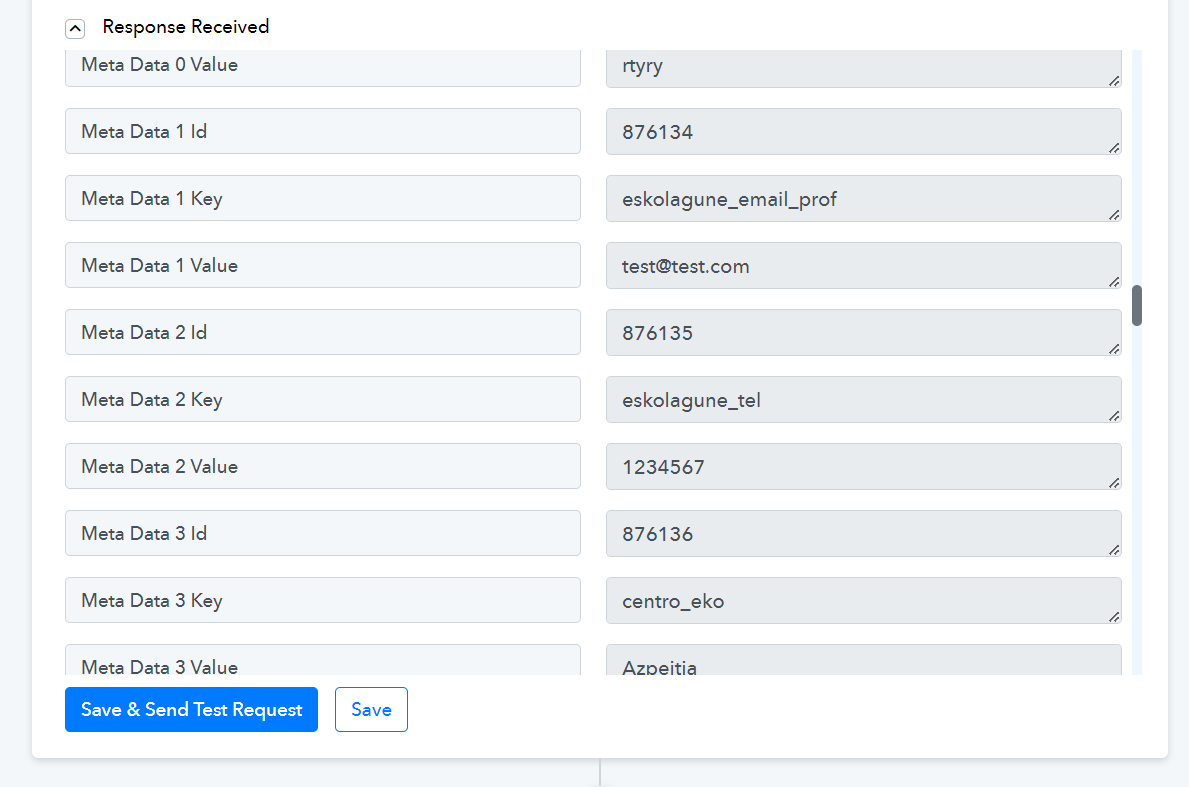
Yes indeed, it works using the line-item step!
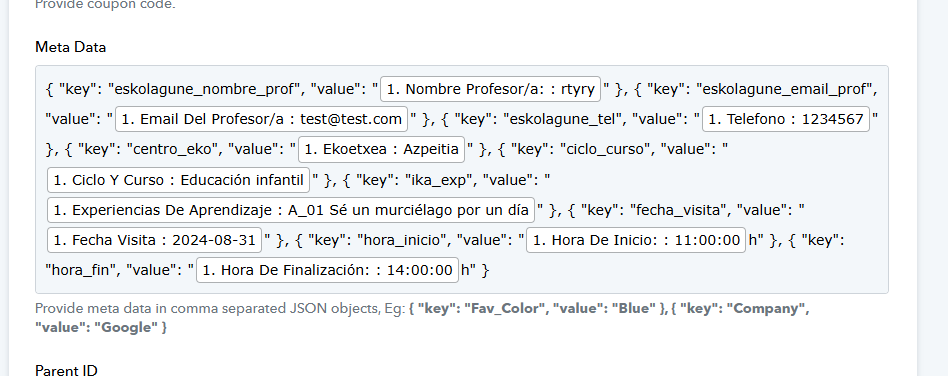
But it's quite troublesome to do it this way, I'm still curious to why it doesn't work in the normal create order step with the meta key/value fields
Hey @Rafa-Eko
I regret to inform you that currently, meta fields can only be passed in the JSON array format. However, we will attempt to improve the action step soon to accommodate this.