How to send response to same email which I triggered to get in jira to create ticket
Status: Open · Asked by varunk on · 0 views
How to send response to same email which I triggered to get in jira to create ticket
Hello @varunk,
Could you please share the workflow URL where you're trying to achieve this? Additionally, it would be helpful if you could provide more details about your exact use case so we can assist you more effectively.
Thanks @Preeti Paryani for your response
Here is the workflow Url : https://connect.pabbly.com/workflow/share/WxNRY1cAVTZRGwRuVgkGIQ0ZCw8JUFQxXEUJG1VaVy8BTAJpVhdbMVgUBSdSAVc2XxYCaFUJBjsKHgMHBVMIe11EVUdRUgB6AUwHfAFMWmlbBVF5VzY#
What I did , I wanted to create jira ticket issues from outlook mail that I did but after this I also want to automate the flow if we can achieve like :
If that jira ticket is resolved then I would like to respond to same that email user that issue is fixed
Hello @varunk,
To notify the original sender when a Jira ticket is resolved, a second workflow is needed since Jira doesn't provide an "Issue Resolved" event while setting up the trigger. Instead, we will use the "Issue Updated" trigger.
You can set up the workflow following the below steps:
- Include the sender's email in the Jira issue (e.g., in the title, description, or a custom field).
- Create a second workflow using the "Issue Updated" trigger to check for resolved tickets.
- Extract the stored email and send an Outlook email notifying the user.
Please confirm if you can store the email in Jira while creating the issue. This is essential for sending the response.
Hi @Preeti Paryani
No , to store email in jira is not done yet (just extracted the subject , body part in jira). Can you please help me to how to do that ?
Also would be great if you have any particular recorded video then please share me which can explain second workflow as well
Hello @varunk,
We do not have any tutorial for the particular scenario. However, we have recorded a detailed video explaining how to set up the one and how to add the email. Also, to extract the email from the trigger response you can Text Formatter action.
https://www.loom.com/share/6884e23c760d473196ce0ac36c29d208?sid=81e5dd01-563c-4fa2-b505-46933dc6f382
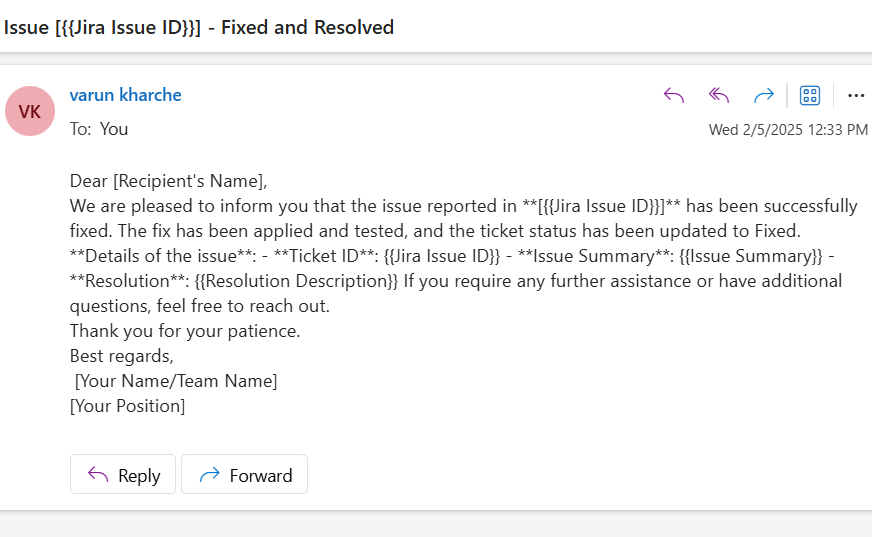
@Preeti Paryani Thanks for sharing me this information but I am not getting jira details in the mail which I have set dynamically .
you can review my workflow for same
Hello @varunk,
The issue occurs because you haven't mapped the responses from the Jira step. Instead, you have manually entered keys. Please refer to the attached images to see how you can correctly map the data instead of using static keys or variables.
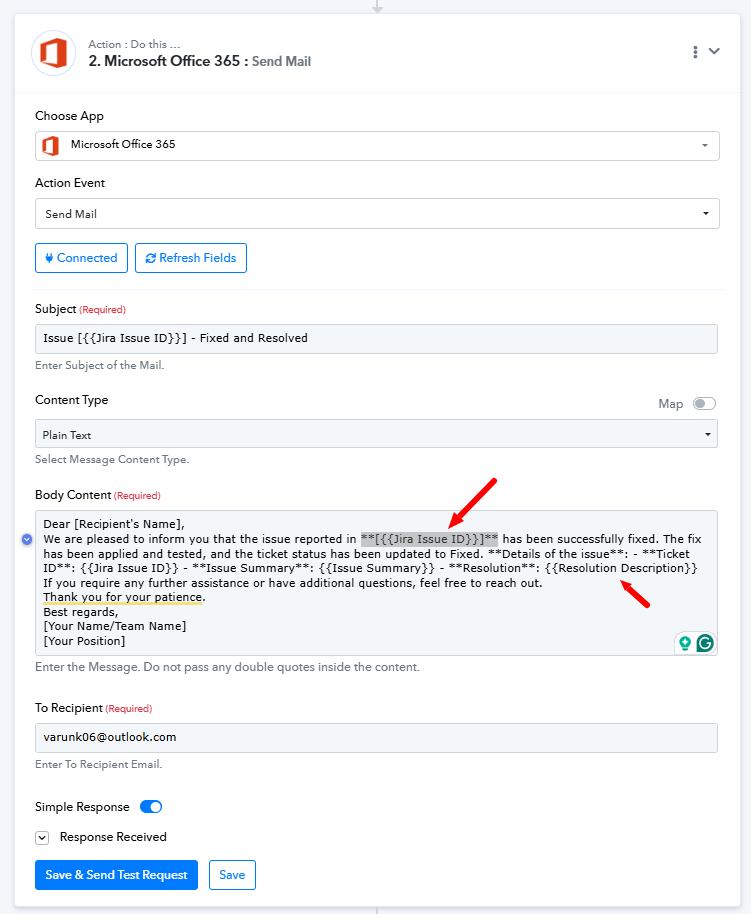
[IMG width="478px"]https://forum.pabbly.com/attachments/1738742314971-png.52739/?hash=8228f2213b8a1e543a97b6556795d1c5[/IMG]
Yeah , it worked but in response getting 204 and this message 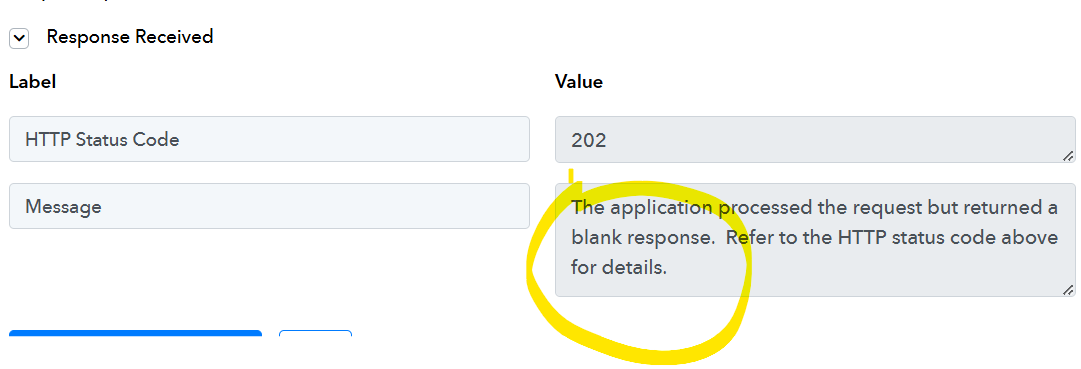
Hello @varunk,
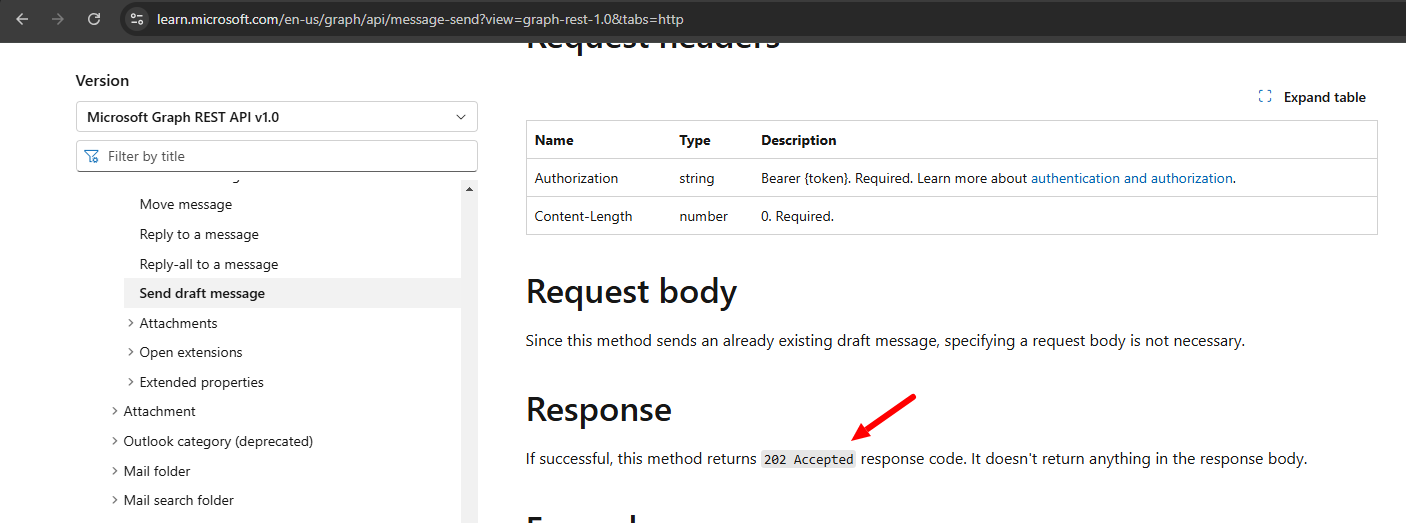
It is the default response sent by the Microsoft API while performing this action, refer to the attached image and API docs for more info.
https://learn.microsoft.com/en-us/graph/api/message-send?view=graph-rest-1.0&tabs=http
I must say this tool is impressive. Thanks @Preeti Paryani for your help .
I wanted to know that this issue id is generated from pabbly platform or jira service ? As I am not seeing this any type of ID in jira . 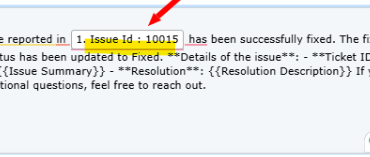
In jira , ID is starting from like below and that I want to add in mail 
Hello @varunk,
Thank you for your appreciation!
The issue ID that is getting generated is from the Jira service, and you can't see it on the front end as it's being generated on the back end. The ID is received from Jira's API response, which is why you see it in the format provided.
Is there any way to get jira ticket id in mail ?
Hello @varunk,
You are receiving the Jira Issue Key in the trigger response please refer to the attached image for more info.
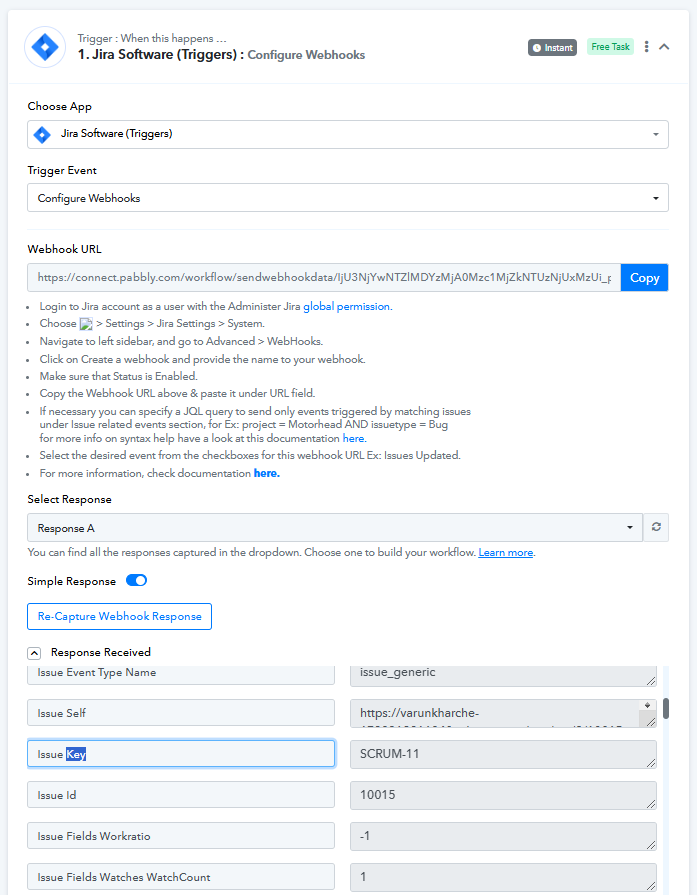
Its my sprint name not jira ticket id
Hello @varunk,
Could you please provide us with a reference ticket ID? Also, please try using the Get Issue action and let us know if it return the required ID.
Is there any way to get jira ticket id in mail ?
SCRUM-29
Also, if Jira is resolved, mail is sent to the user that the ticket is resolved but sent in a new mail instead of replying to the same thread.
Any way to achieve it?
Hi @varunk,
It doesn’t seem possible to make the ticket ID visible on the front end at this time. Additionally, responding directly to the query email also doesn’t appear to be an available option.