How to set time period on RSS app?
Status: Open · Asked by Ton Won on · 0 views
Dear Support,
I used RSS.app on the first workflow, I found it has trigger time like every 30 mins, 2 hours, 24 hours etc.
But how can I know the start time?
Since I don’t want it trigger at the midnight, can I ser the trigger time period like 10:00 - 20:00?
Pls advise!
Thank you!
Hi @gpro,
You cannot directly set the time in RSS Workflow.
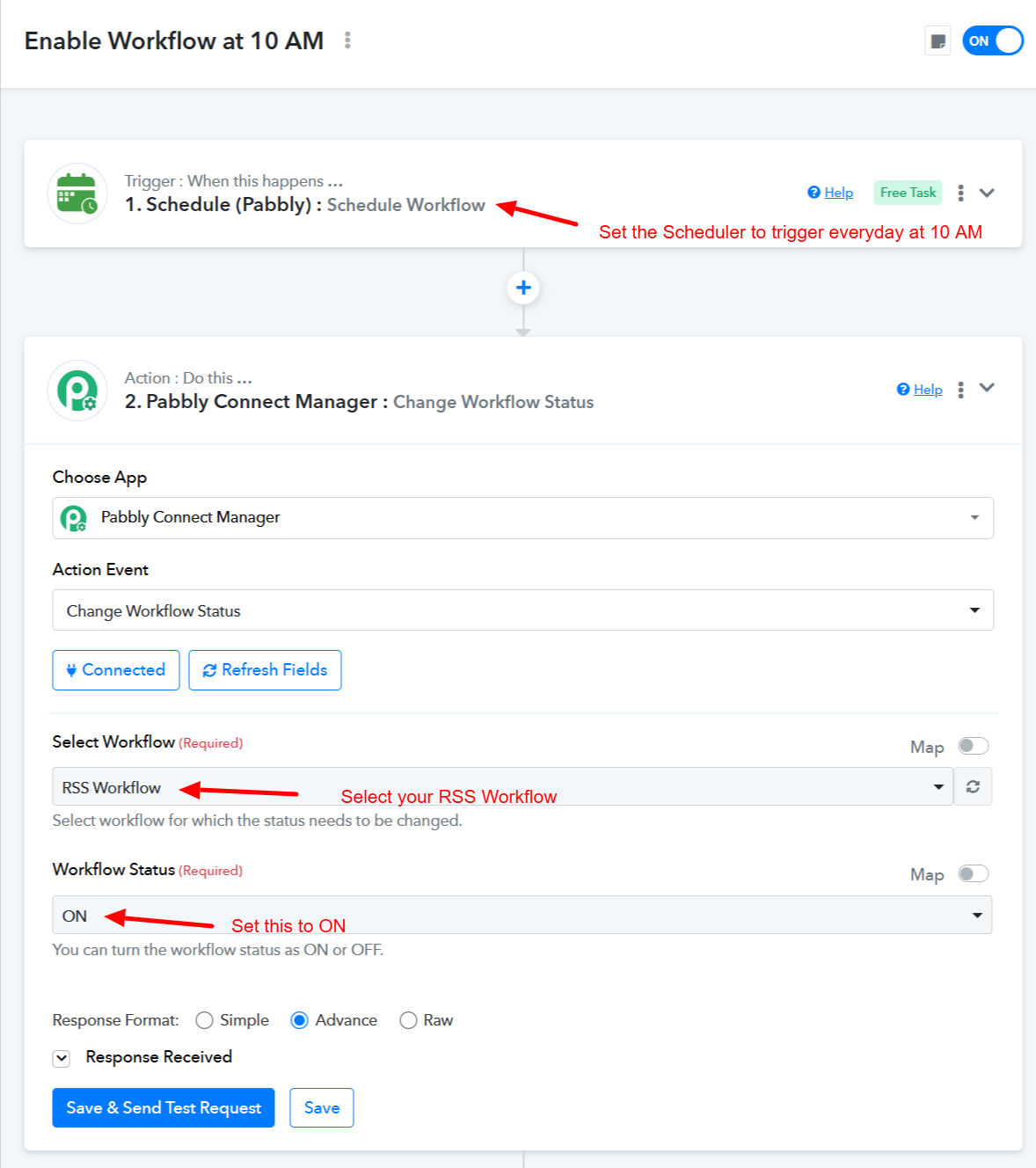
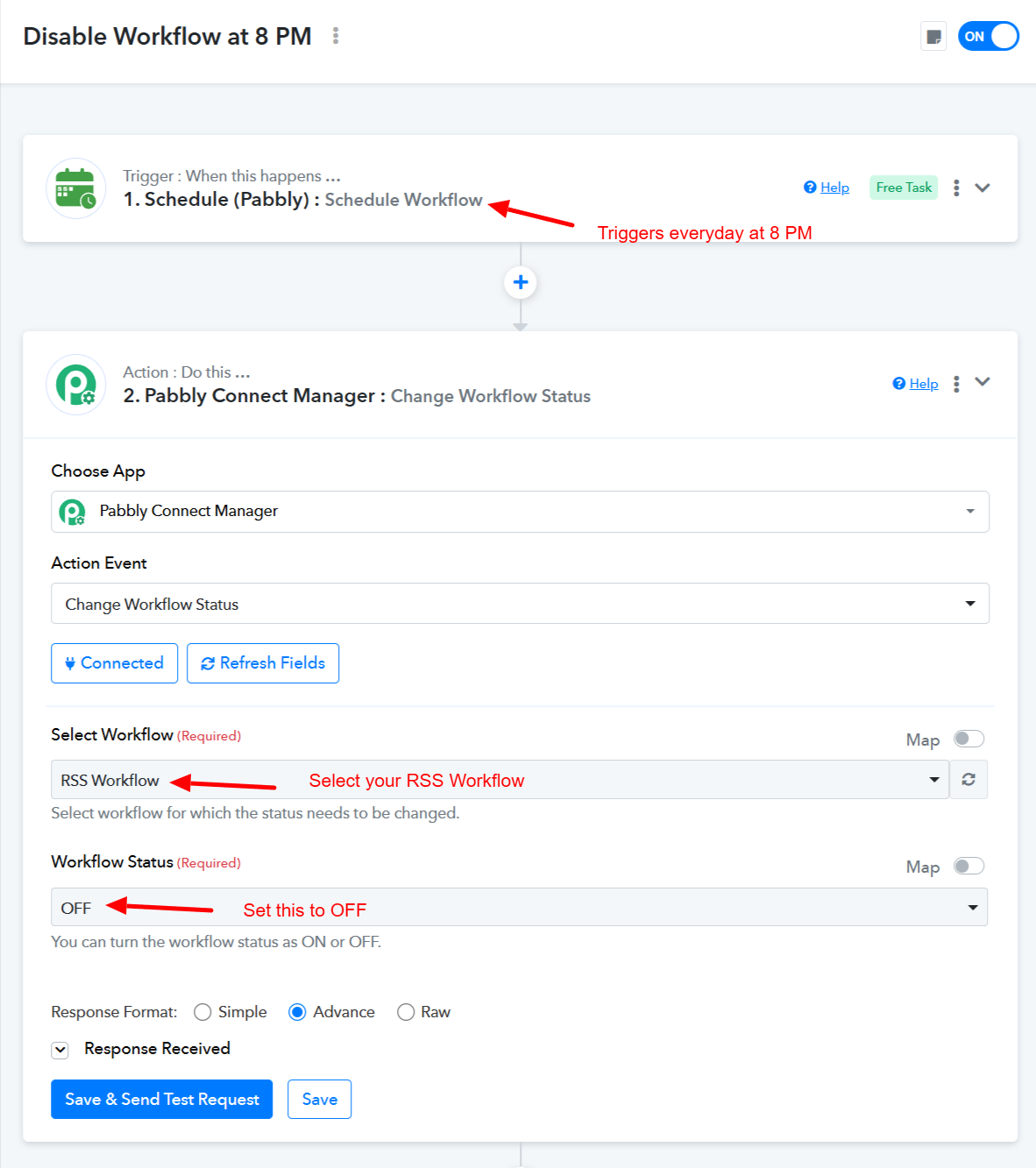
To achieve this use case, you would need to set up two workflows in your Pabbly Connect account. This will allow you to automatically enable the RSS workflow at 10 AM and disable it at 8 PM every day.
Workflow 1: Enables the RSS Workflow at 10 AM
https://connect.pabbly.com/workflow/share/CkJSYANUBWZQGgRuDmtWcQAUAQUDWlQwBx4IGlNcVi5aF1I5VBUNZw5CUHICSQFgXhdXPQ5SU2pcSAQABVMGdVRNAgAHBAJ4Uh8DeANWDD8KVFJ6A2I#
Workflow Logic: The workflow will trigger every day at 10 AM. Then, using Pabbly Connect Manager, it will enable the RSS workflow in your Pabbly Connect account.
Workflow 2: Disable RSS Workflow at 8 PM
https://connect.pabbly.com/workflow/share/XRVSYFAHAGNSGFU_A2YDJAkdVlJQCQRgBx4DEVZZB39WGwliAEEOZF8TBSdRGlQ1A0pQOgJeBz4NGQAEBVMFdl1EUVNRUgd9Uh9TYANGCTpdA1J6UDE#
Workflow Logic: The workflow will trigger every day at 8 PM. Then, using Pabbly Connect Manager, it will disable the RSS workflow in your Pabbly Connect account.
youtube.com/watch?v=Lv9Rnzoh-vY
Thanks & Regards,
Arshil Ahmad
Customer Support Associate
? Pabbly.com
?Rate your support