How to Set Workflow for Product Delete or Update in Zoho Books When WooCommerce Product Changes
Status: Open · Asked by aspirationdeve on · 0 views
Hi Pabbly Team,
I am trying to set up an automation between WooCommerce and Zoho Books using Pabbly Connect. My requirement is:
- When a product is deleted in WooCommerce
- Automatically delete the corresponding item in Zoho Books.
- If direct deletion fails (for example, due to existing transactions linked to the item), then mark that item as Inactive instead.
- When a product is updated in WooCommerce
- Automatically update the corresponding item in Zoho Books with the new details (name, SKU, price, etc.).
Could you please guide me on:
- Which triggers and actions I should use for each case?
- How to reliably map WooCommerce product data to Zoho Books item_id for delete/update actions?
- The best way to handle cases where deletion is not allowed in Zoho Books (fallback to Inactive)?
Thanks in advance for your help..
Hi @aspirationdeve,
You can set up the workflow in the following manner:
- Use the WooCommerce: Product Deleted trigger step to capture the deleted product details.
- Search for the deleted product by name in Zoho Books.
- Delete the item using the Zoho Books: Delete Item action step.
- In the Filter, check whether the item is deleted or not.
- If not deleted, update the item using the Zoho Books: Update Item action step.
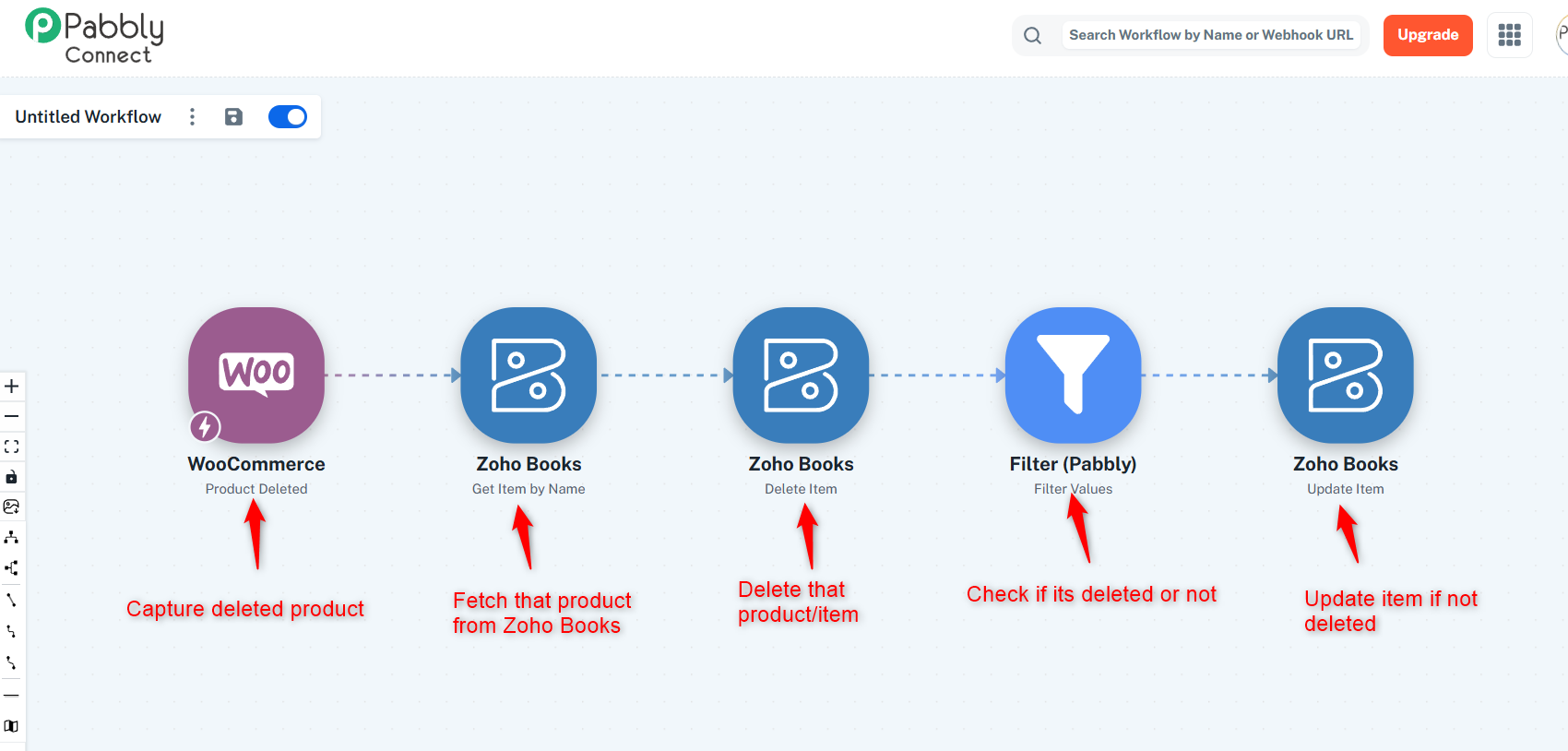
You can set up the first three steps of the workflow, and we will set up the Filter condition on your behalf.
===============================================================
- When a product is updated in WooCommerce
- Automatically update the corresponding item in Zoho Books with the new details (name, SKU, price, etc.).
The other use case of item details being updated upon the updation of a product in WooCommerce doesn’t appear to be possible. It will only work if the product name is not changed.