How to stop further execution as the event got postponed and we don't want to send reminder emails and messages?
Status: Open · Asked by Mortgage Free on · 0 views
Hi Team,
How to stop further execution as the event got postponed and we don't want to send reminder emails and messages to these contacts for the 21st NOV event?
Also, we want to keep this automation running for other dates like 28th NOV. Please help
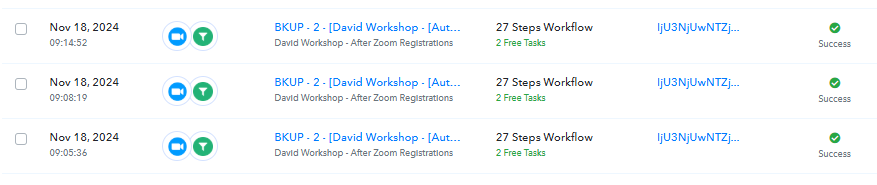
Sharing a few task history id here:
IjU3NjUwNTZjMDYzNDA0MzY1MjY4NTUzMzUxMzM1MTZhNTQzNDBmMzYi_pc
IjU3NjUwNTZjMDYzNDA0MzY1MjZlNTUzMDUxMzM1MTY1NTQzNzBmMzYi_pc
IjU3NjUwNTZjMDYzNDA0MzY1MjZlNTUzNjUxMzc1MTYyNTQzODBmMzMi_pc
IjU3NjUwNTZjMDYzNDA0MzU1MjZhNTUzNTUxMzc1MTYzNTQzMjBmMzYi_pc
IjU3NjUwNTZjMDYzNDA0MzQ1MjZhNTUzMjUxMzY1MTYwNTQzNDBmMzgi_pc
IjU3NjUwNTZjMDYzNzA0M2Q1MjY4NTUzMDUxMzA1MTYwNTQzNjBmMzki_pc
IjU3NjUwNTZjMDYzNzA0M2Q1MjZlNTUzNjUxMzU1MTY3NTQzNzBmMzAi_pc
IjU3NjUwNTZjMDYzNzA0M2Q1MjZjNTUzZDUxMzc1MTZhNTQzODBmMzAi_pc
IjU3NjUwNTZjMDYzNzA0M2Q1MjZjNTUzNDUxMzE1MTYwNTQzODBmMzUi_pc
and Many more...
Attachments
Hello @MATRIXFREEDOM
Can you please let us know the trigger event selected in Zoom for this workflow so we can better assist you
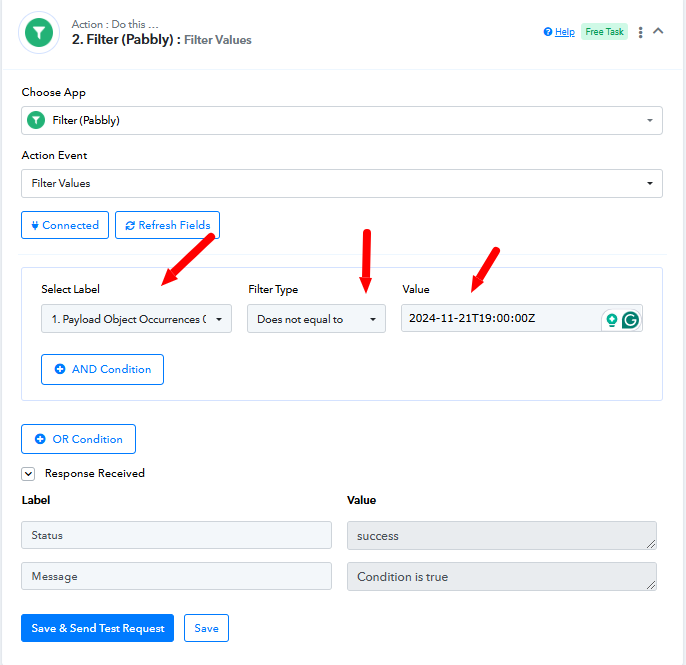
However, it seems adding a filter after the trigger step as per the attached screenshot can resolve the issue. Key used in filter - Payload Object Occurrences 0 Start Time.
Hello @Preeti Paryani , Once someone registers for the 'Weekly RTF Evening Workshop,' they receive confirmation emails, SMS, and WhatsApp messages, along with reminder notifications sent via email, SMS, and messages at various intervals (1 day, 4 hours, 2 hours, 1 hour before, and when the webinar goes live). All members have already received the confirmation for the workshop which is on 21st November 2024, and now they are set to receive reminder emails.
We would prefer that these members do not receive the reminder messages. Is there any way to exclude them from these reminders? Thank you so much for your help!
You would need to disable the workflow before the Delay step is scheduled to be executed, then enable it again once the time has passed.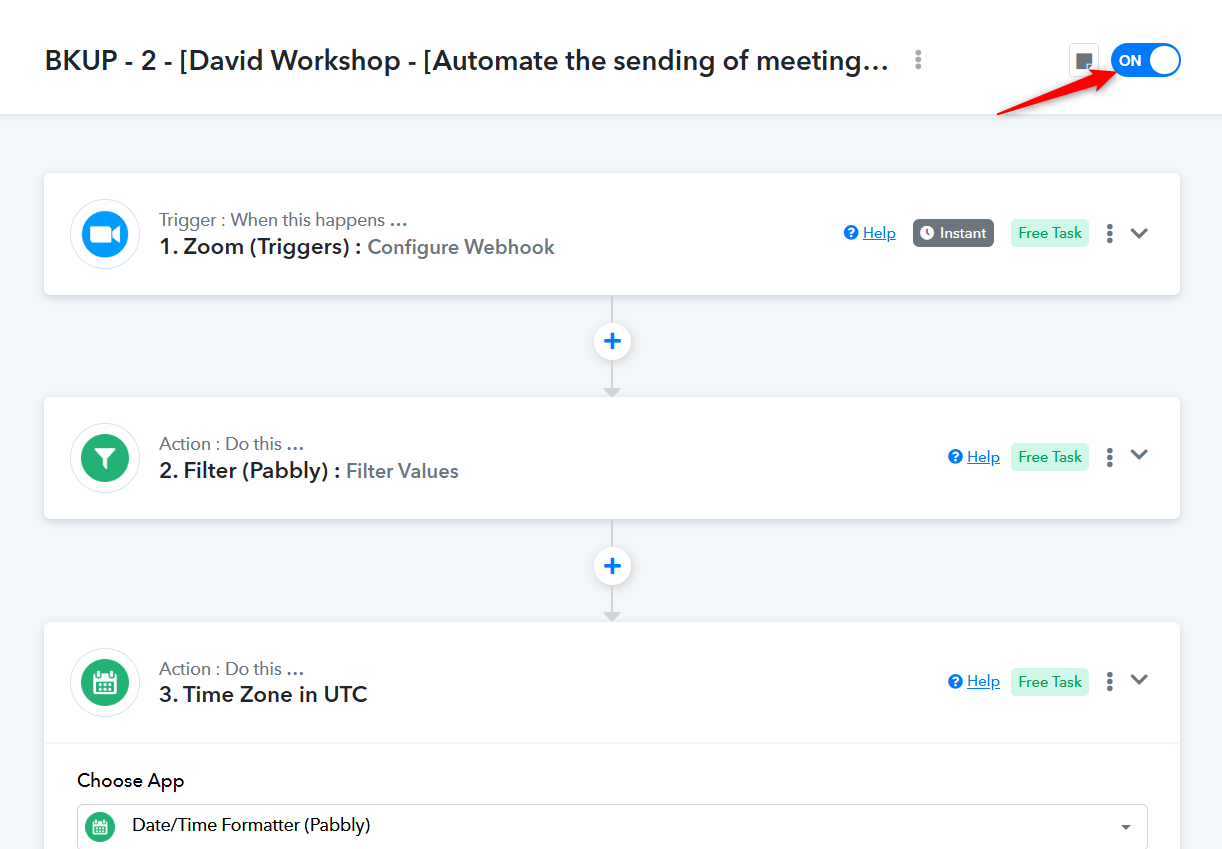
@Preeti Paryani @ArshilAhmad Could we explore other options for handling this issue? We'd like to avoid pausing the campaign, especially with the upcoming workshop dates approaching.
Hello @MATRIXFREEDOM
Have you tried adding the filter after the trigger If not please try adding the filter as per the attached screenshot and check if resolves the issue. Response key to be used in the filter - Payload Object Occurrences 0 Start Time.
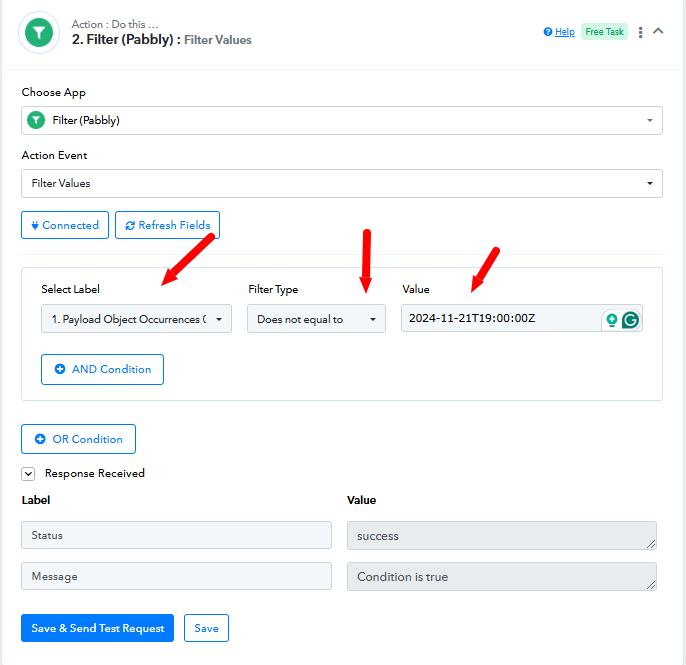
@MATRIXFREEDOM, Since you want to stop an already triggered task, you would need to add that filter within your Route immediately after the Delay step.