How to use gpt-image-1 in Pabbly
Status: Open · Asked by Pabblynaut on · 0 views
The gpt-image-1 model in OpenAI is now available globally via the Images API, with support in the Responses API coming soon. How can I use this in Pabbly to create images?
https://platform.openai.com/docs/api-reference/images
https://platform.openai.com/docs/guides/image-generation?image-generation-model=gpt-image-1
This did not work: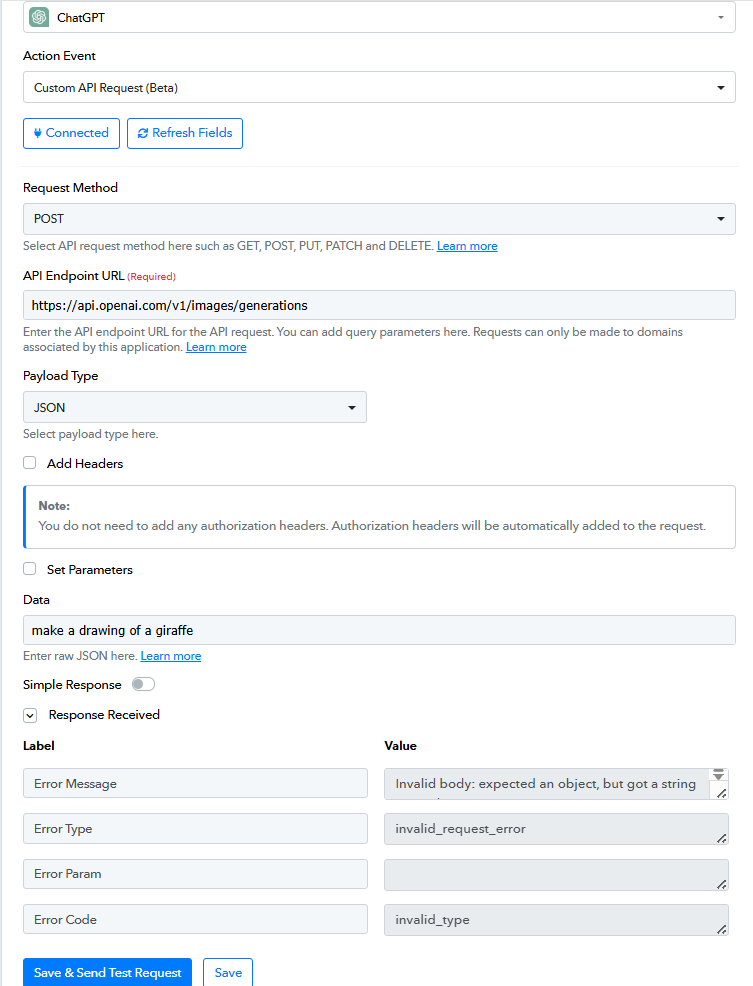
They are already working on it, I have provided them all necessary details, wait for 1-2 days. They need to implement few changes on backend bcoz openai decided to return image in base64 format.
They are already working on it, I have provided them all necessary details, wait for 1-2 days. They need to implement few changes on backend bcoz openai decided to return image in base64 format.
Great to hear! Do you think it will be a "readymade action" or "Custom API request"?
Hello @Pabblynaut,
The action will be available as a ready-to-use feature and will not require a custom API request. We’ll keep you informed as soon as we receive any updates regarding its development.
Great to hear! Do you think it will be a "readymade action" or "Custom API request"?
I have added the action via my custom app -
Hello @Pabblynaut,The action will be available as a ready-to-use feature and will not require a custom API request. We’ll keep you informed as soon as we receive any updates regarding its development.
Great to hear it will be ready-to-use. Is it coming soon? :-)
Hello @Pabblynaut,
As of now, we do not have any updates on its development. However, as soon as we receive any information, we will promptly inform you.
In the meantime, you may also refer to Fagun’s previous reply for additional context.
I have added the action via my custom app -