How to use mapping in select sheet section in update row step of google sheet
Status: Open · Asked by stevenphan on · 0 views
I want to use id select sheet but can not apply, it forces to select manually. Please give me instructions to handle.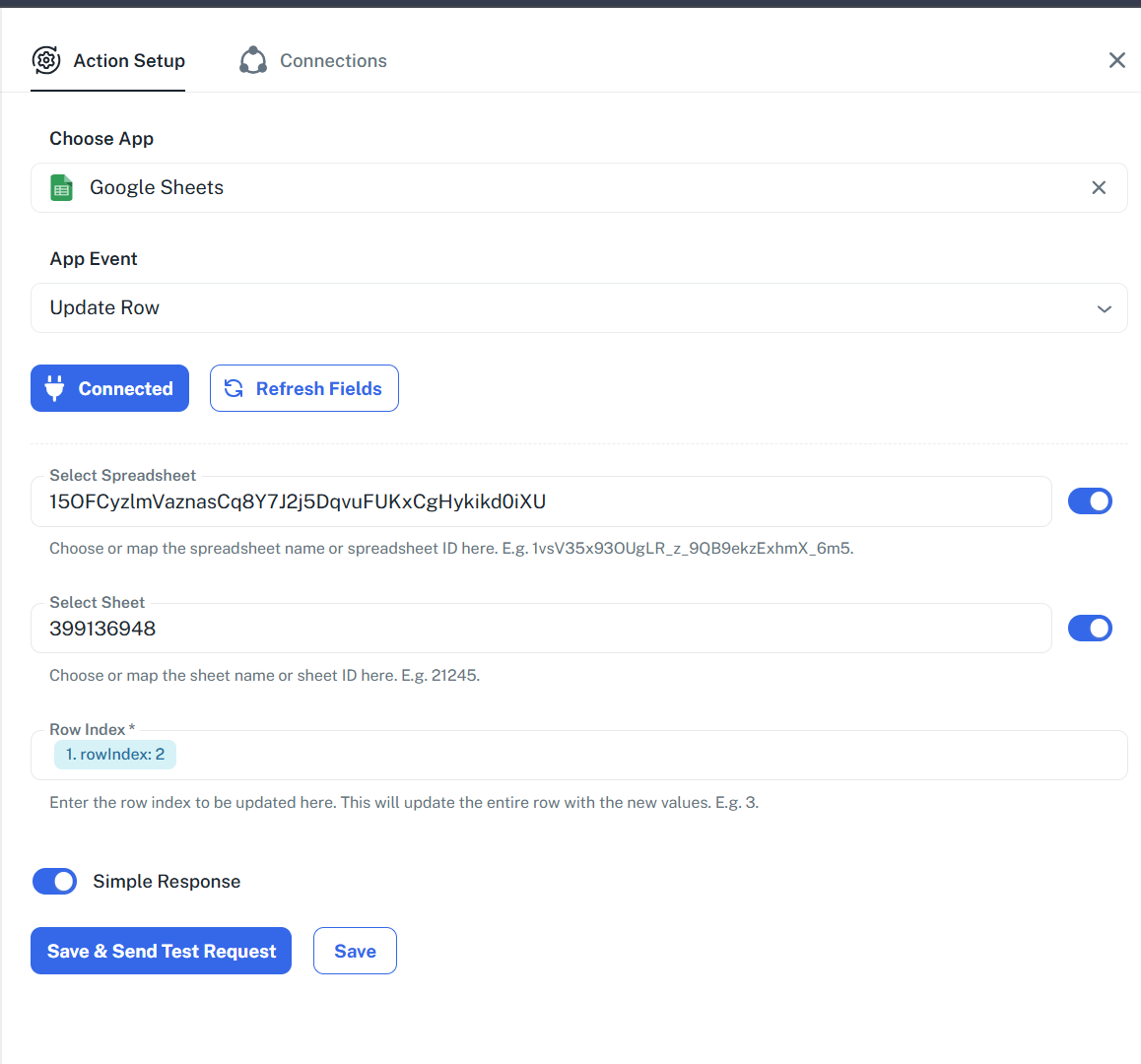
Hello @stevenphan,
Could you please provide us with the Workflow URL where you are facing this issue? This will help us investigate the problem more effectively and assist you accordingly.
Please be aware that to assist you effectively, we may need to access your Pabbly Connect account. If you're comfortable with this, please grant us permission by stating in your next reply:
"You have my permission to log into my Pabbly Connect account and edit the workflow, if required. Here is the registered email address associated with it."
Looking forward to assisting you further.
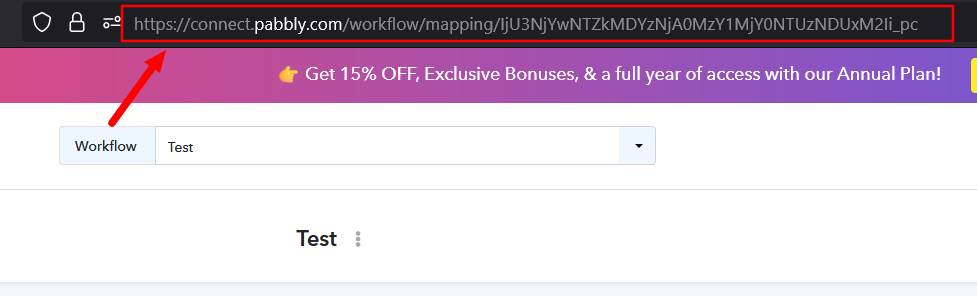
"You have my permission to log into my Pabbly Connect account and edit the workflow, if required. Here is the registered email address associated with it."
Link: https://connect.pabbly.com/v2/app/workflow/mapping/IjU3NjYwNTZhMDYzZTA0MzI1MjY1NTUzMTUxMzYi_pc
Hello @stevenphan,Could you please provide us with the Workflow URL where you are facing this issue? This will help us investigate the problem more effectively and assist you accordingly.
Please be aware that to assist you effectively, we may need to access your Pabbly Connect account. If you're comfortable with this, please grant us permission by stating in your next reply:
"You have my permission to log into my Pabbly Connect account and edit the workflow, if required. Here is the registered email address associated with it."
Looking forward to assisting you further.
Please check the update row usage of google sheet for me. Cannot use mapping ID.
Hello @stevenphan,
Apologies for the confusion. We have recently made some changes, and now, when selecting a sheet in Google Sheets, you can map it using the sheet name instead of the sheet ID.
Hello @stevenphan,Apologies for the confusion. We have recently made some changes, and now, when selecting a sheet in Google Sheets, you can map it using the sheet name instead of the sheet ID.
You can see that when I map the name, the fields below no longer appear.
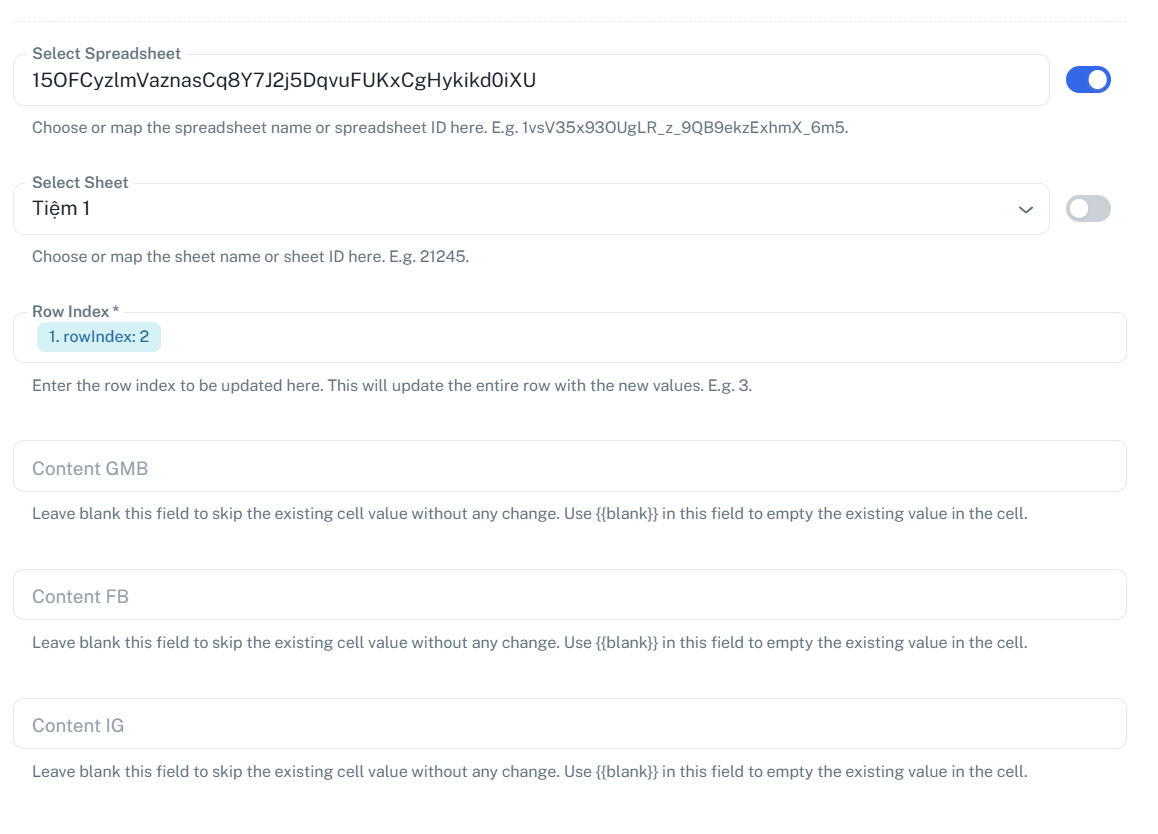
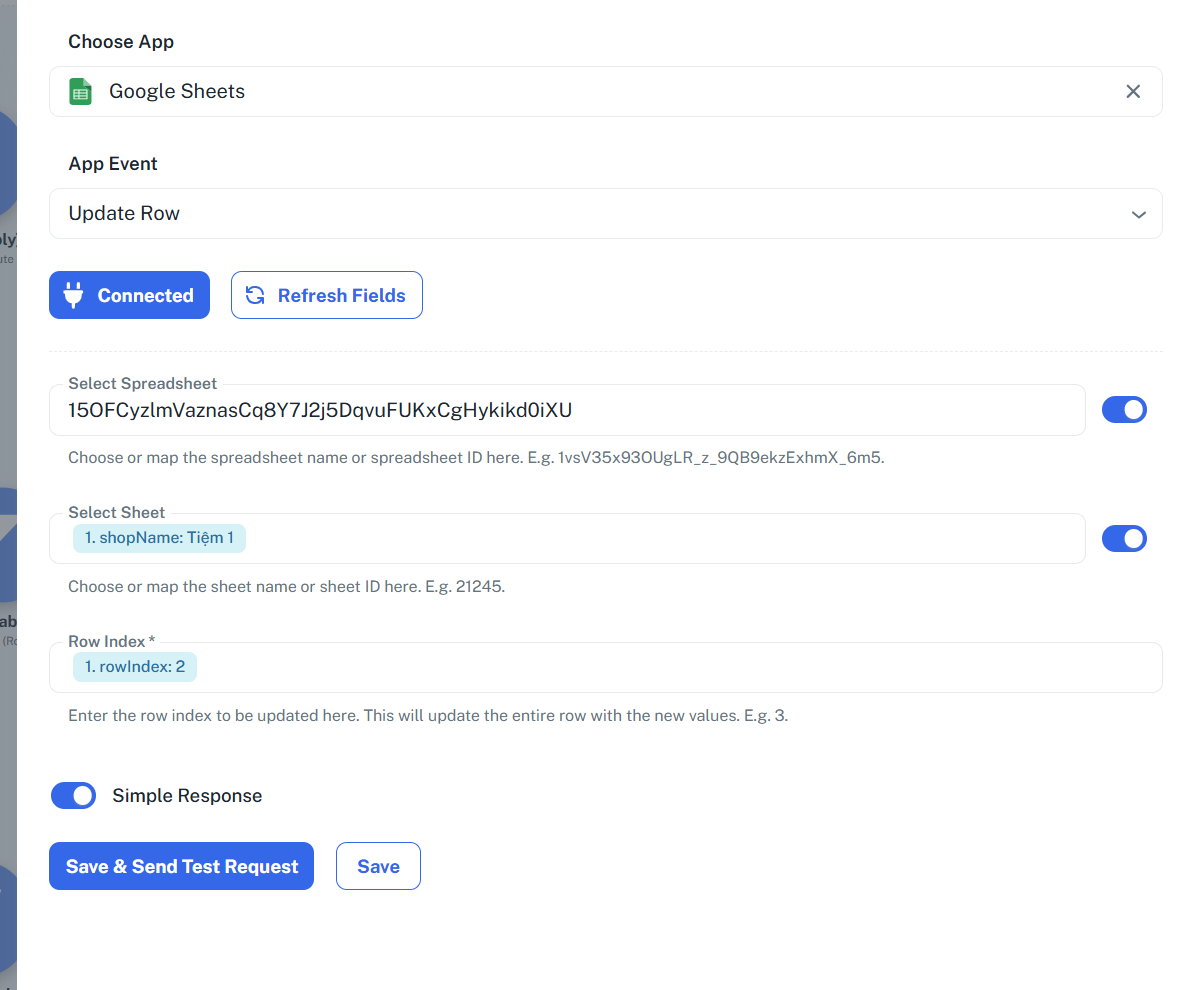
Meanwhile, I manually entered Store 1 and it worked. But mapping data containing sheet name did not work. Please tell me the reason.
Link: https://connect.pabbly.com/v2/app/workflow/mapping/IjU3NjYwNTZhMDYzZTA0MzI1MjY1NTUzMTUxMzYi_pc
Please allow us some time to look into this concern. We will get back to you with an update soon.
Please allow us some time to look into this concern. We will get back to you with an update soon.
Please respond soon as I need to research the process urgently.
We have escalated your concern to our technical team. Once we receive any updates, we will get back to you.
We have escalated your concern to our technical team. Once we receive any updates, we will get back to you.
Please give me the earliest answer or any alternative solution, because I need this process quite urgently.
Hello @stevenphan,
We will let you know once we receive any update from our team. In the meantime, you may rely on the classic version of the workflow builder.
In the old version, the mapping is still ok. But in the new version, it is not.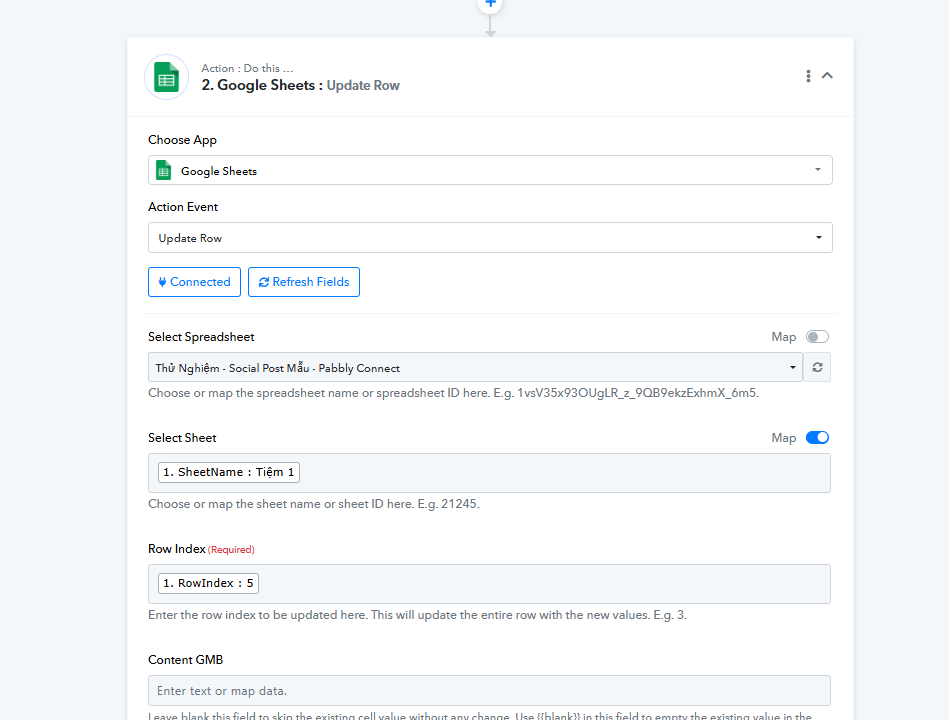
Hello @stevenphan,
Yes, we are aware that it is working in the Classic version. Our team is actively working to fix the issue in the new UI, and we will update you as soon as we have any progress on the resolution.
Hello @stevenphan,
This issue has been fixed. Kindly check it at you end and let us know how it goes.