How to use Pabbly Connect to transfer email contacts from MailerLite to Systeme io?
Status: Closed · Asked by yourtechieisabel on · 0 views
Hello everyone!
Can someone please guide me on how to use Pabbly Connect to transfer email subscribers from MailerLite (from a specific group) to my Systeme io automatically?
Thank you so much!
Isabel
Hello @yourtechieisabel,
You can automate the transfer of subscribers from a specific MailerLite group to Systeme.io using Pabbly Connect:
- Set MailerLite as Trigger: Choose New Subscriber in Group, connect your MailerLite account, and select the group.
- Add Systeme.io as Action: Select Create/Update Contact, connect Systeme.io, and map fields like email and name.
- Test and Activate: Test the workflow and activate it once confirmed.
This will ensure subscribers are automatically transferred. Let us know if you need help!
Thank you @Preeti Paryani !
1. The only option I see similar to "New Subscriber in Group" is called "Subscriber Added to Group", so I have selected that as the Trigger event. However it does not give me the option to select a specific group! What shall I do? Attaching screenshot for your reference. Thank you.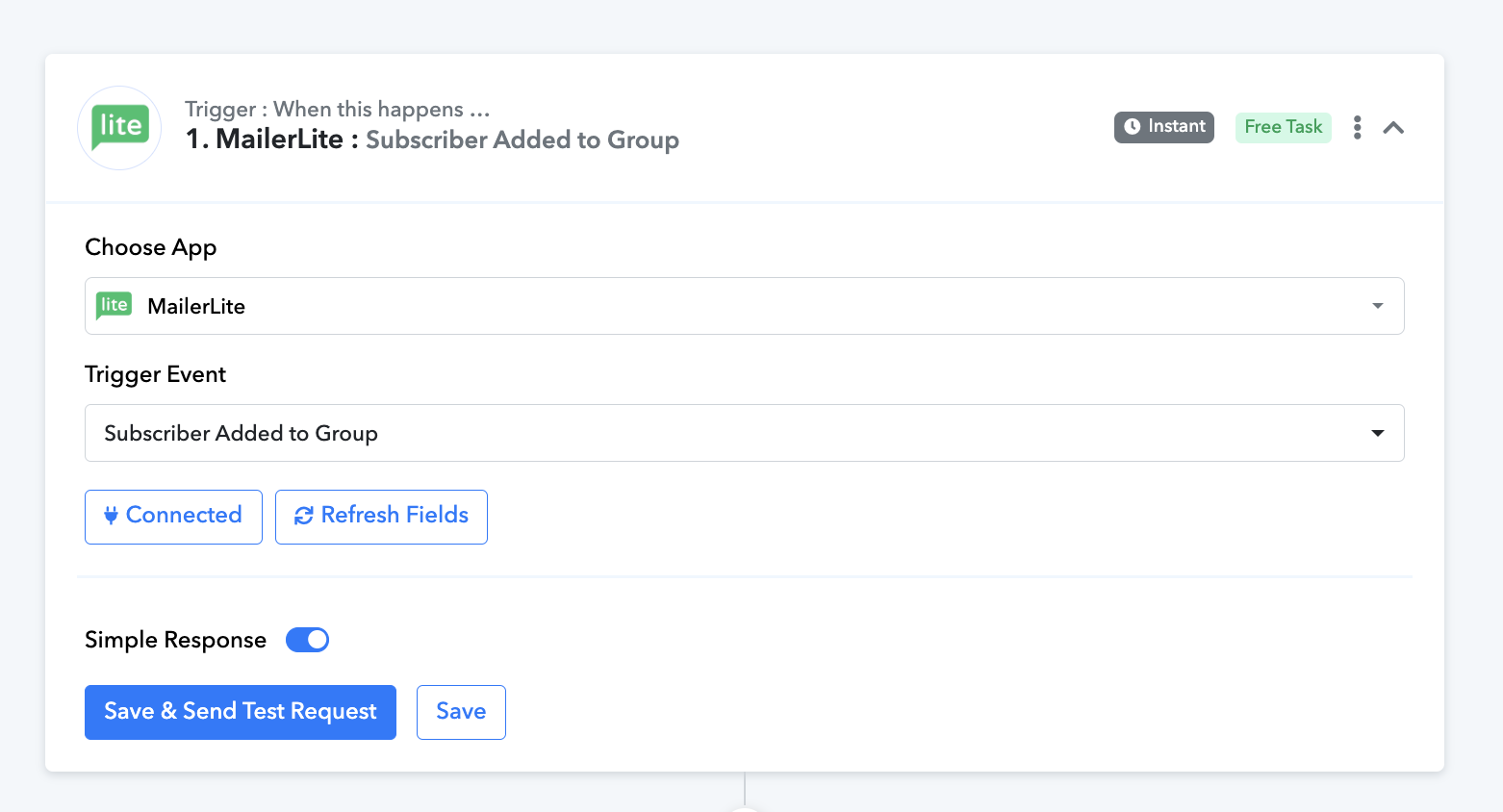
Please check out the workflow shared above, where we have added a filter to ensure that new contacts are added to Systeme.io only if they are added to the specified group in Mailerlite. The workflow shared above is just for your reference (do not enable or use it); simply set up your original workflow in a similar manner.
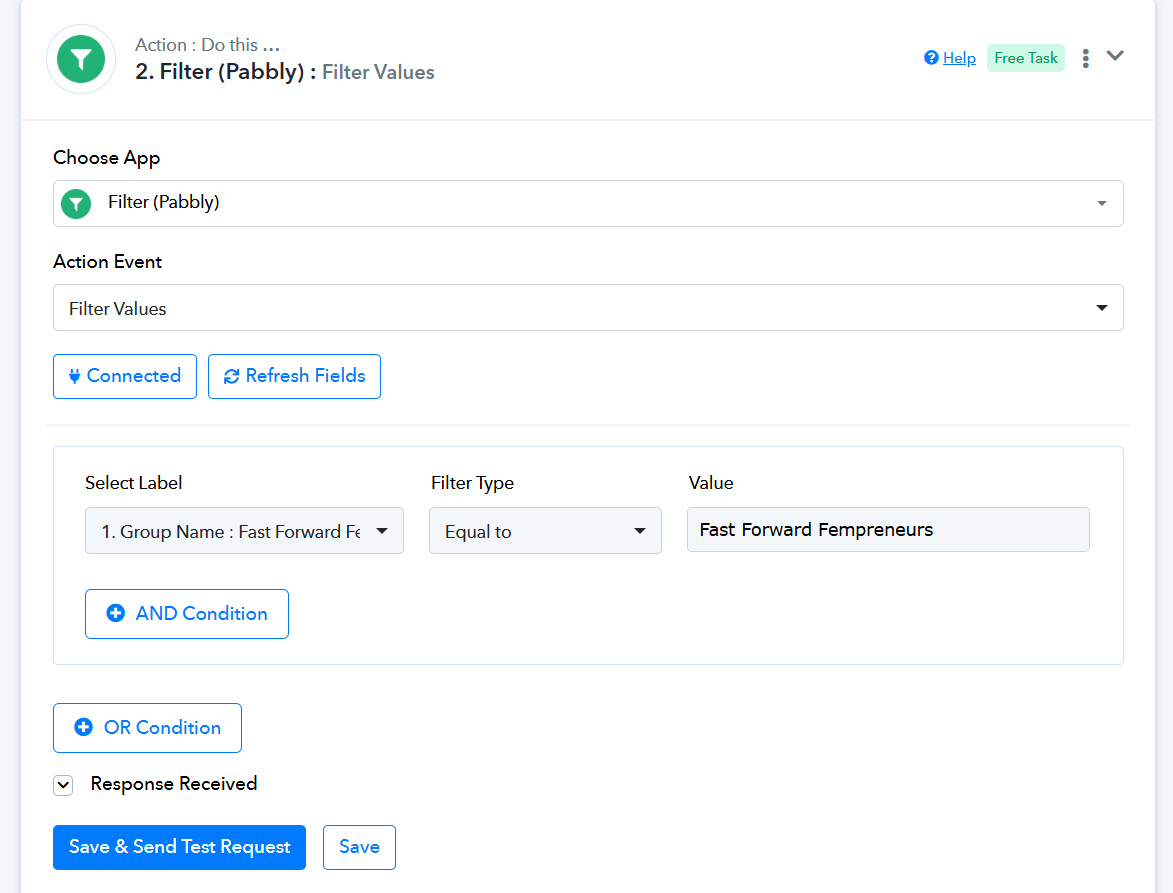
Thank you @ArshilAhmad ! The group in my MailerLite is called "MOVE Contacts to SIO" so in the above filter should I change the value to "MOVE Contacts to SIO"? And then click Save & Send Test Request?
This is what I was working on before, is it not correct like this?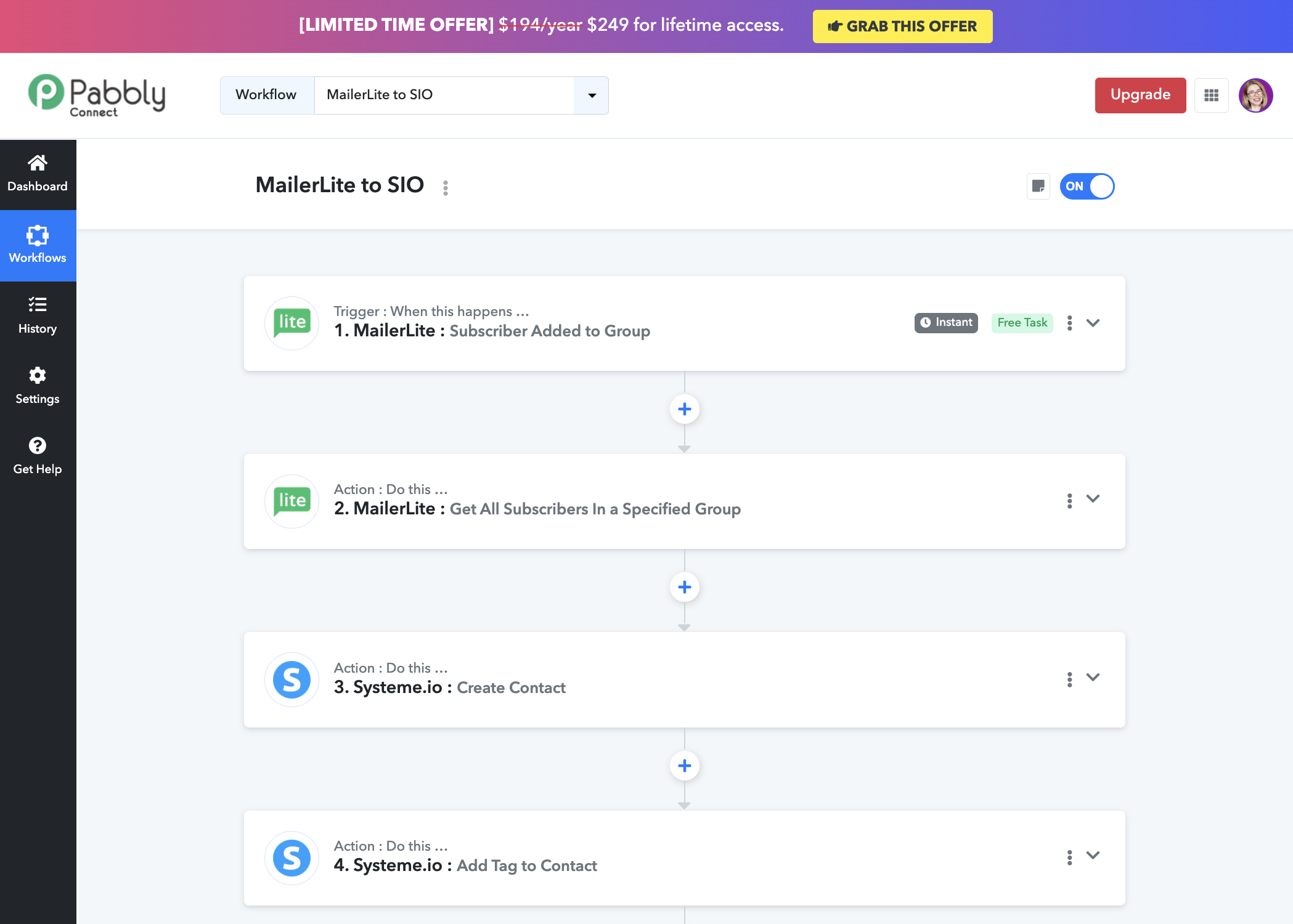
Thank you @ArshilAhmad ! The group in my MailerLite is called "MOVE Contacts to SIO" so in the above filter should I change the value to "MOVE Contacts to SIO"? And then click Save & Send Test Request?
Yes, just enter the Group Name in the Filter Value field and click on 'Save & Send Test Request'.
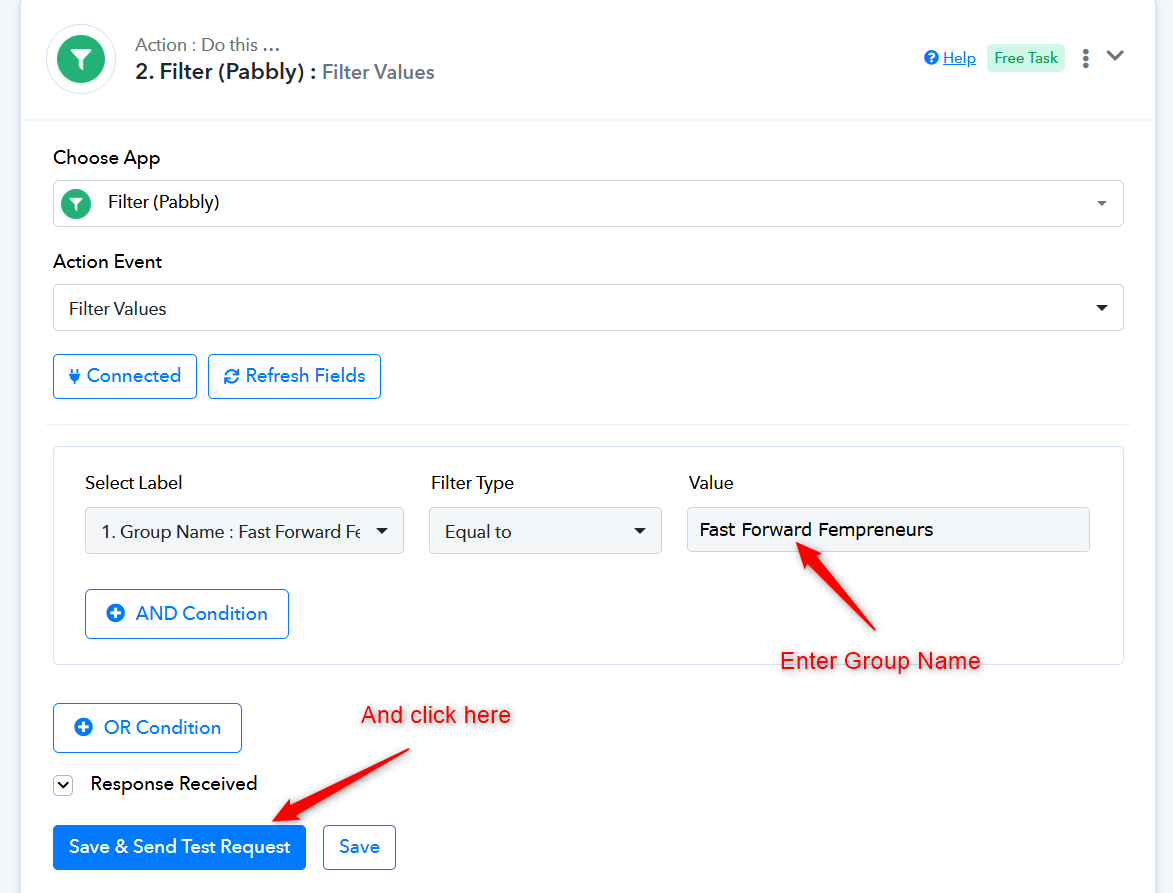
This is what I was working on before, is it not correct like this?
No, this won't work for your specific use case.
Ok thank you so much @ArshilAhmad ! Unfortunately, it says error. What must I do now?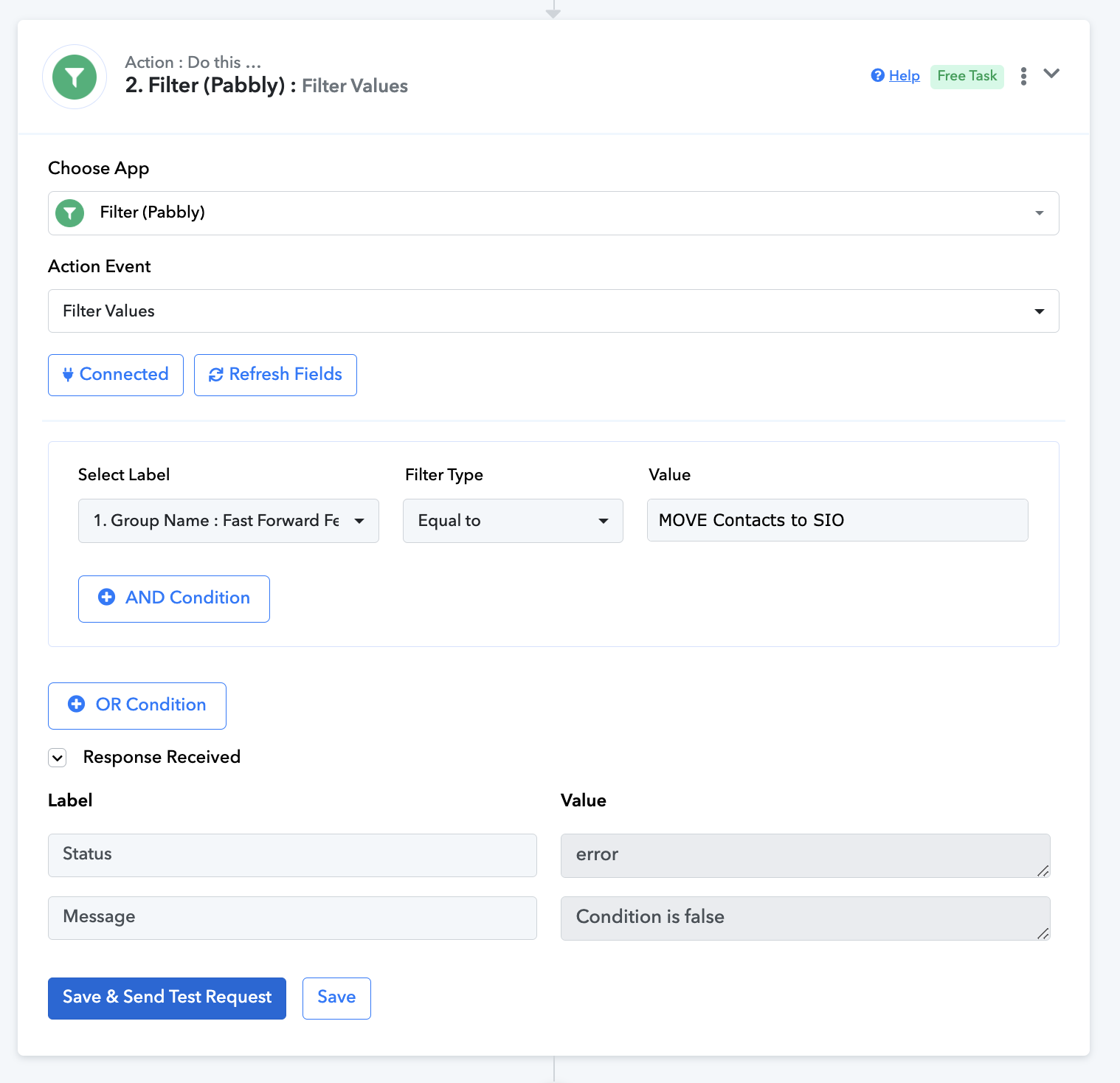
That's not an error. During automation, the condition will be true when the Group Name in the trigger step is 'MOVE Contact to BID'.
Thank you @ArshilAhmad ! So after action #2. Filter (Pabbly) which actions should I keep and which actions should I delete, from the attached sequence below? I don't remember adding action #3 (MailerLite: Search Subscriber), but somehow it is showing there now!
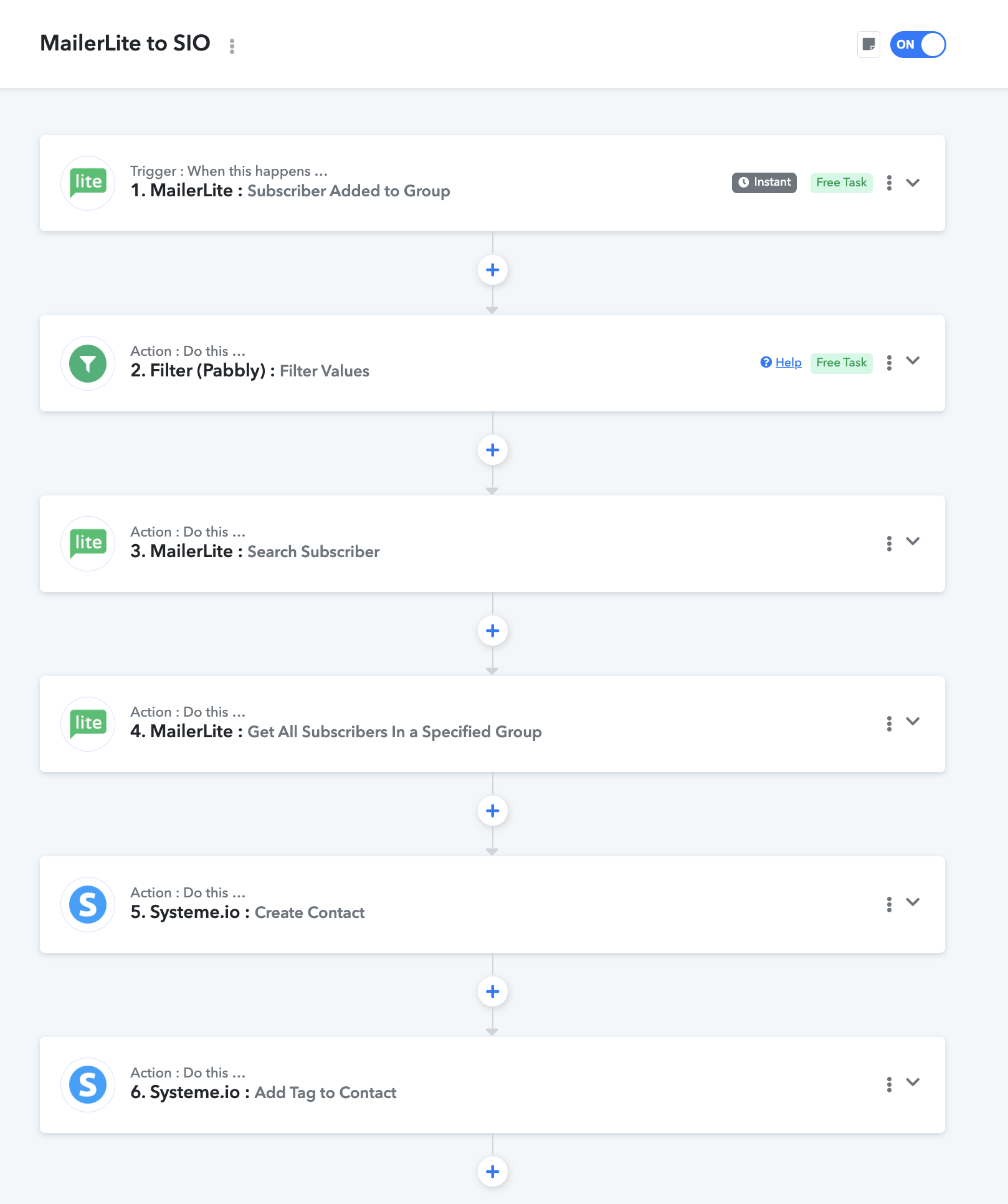
You can delete the "Search Subscriber" and "Get All Subscribers in a Specified Group" action steps from your workflow. Please check out the reference workflow.
https://connect.pabbly.com/workflow/mapping/IjU3NjYwNTZmMDYzNDA0MzQ1MjZjNTUzYzUxMzci_pc
@ArshilAhmad great, done! Thank you so much for your help!
I've got another question, is there a delay option in this sequence? Like doing it only once a week?
I just found out that there is. Attaching what I have added just before SIO step below.
I'd like to know how many tasks does this consume if it's done on a weekly basis?
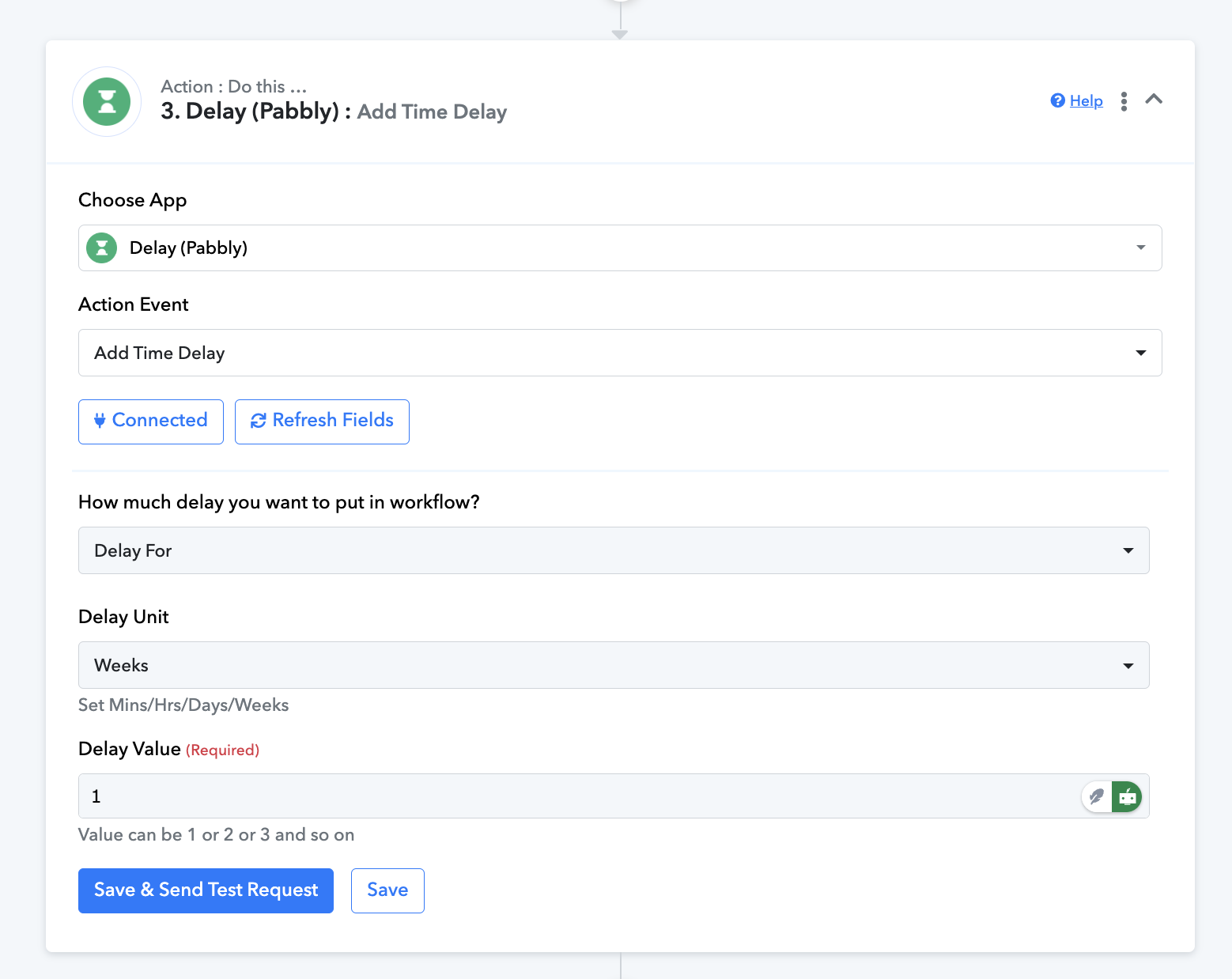
Adding a 1-week delay before the Systeme.io action step ensures that new subscribers added to your MailerLite account are only added to Systeme.io after 1 week. This means that whenever a new subscriber is added to MailerLite, it will take 1 week for them to be added to your Systeme.io account.
Each new subscriber added to 'MOVE Contacts to SIO' group of your Mailerlite account will consume 3 paid tasks.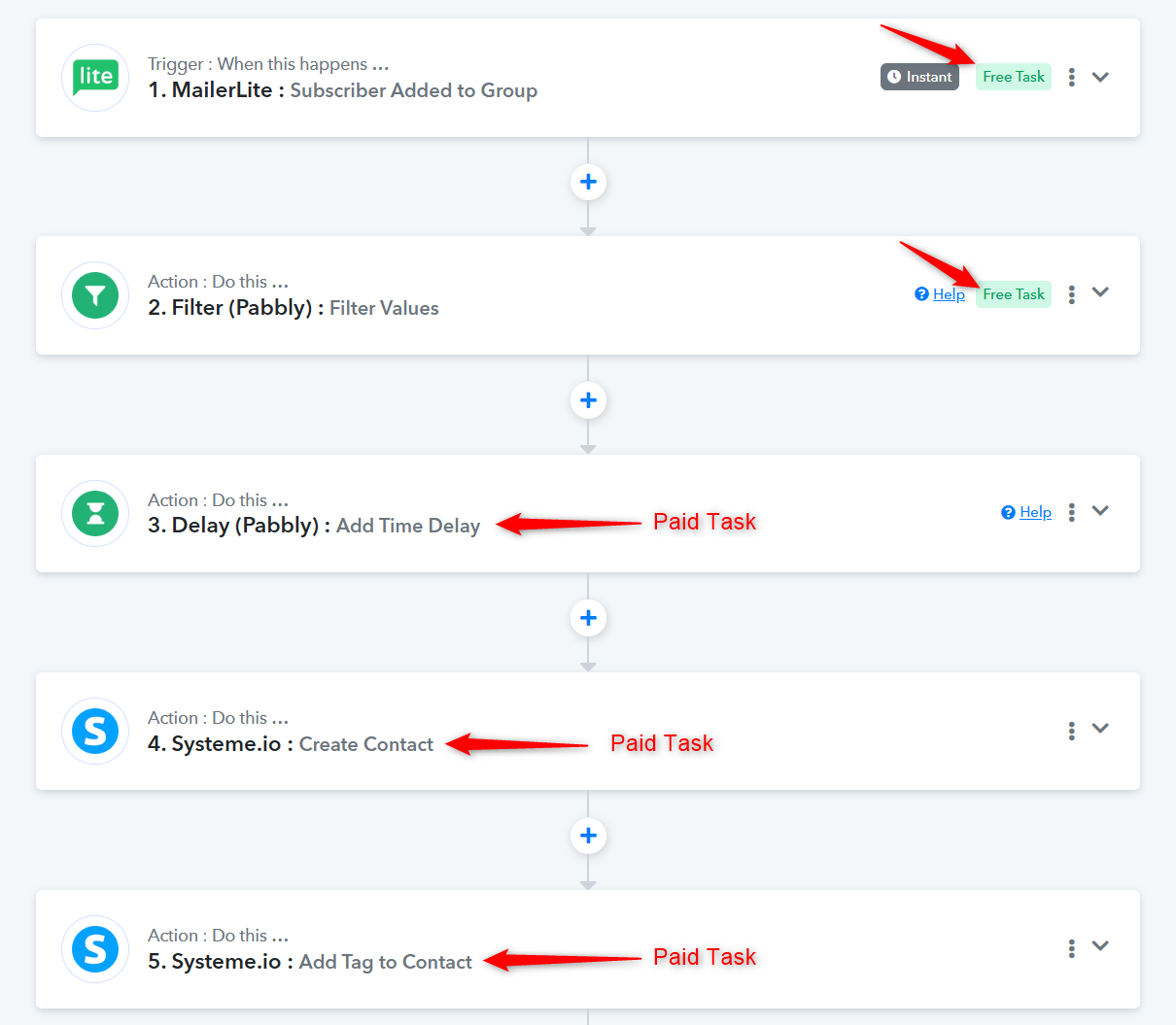
Ok got it. Thank you so much.