How to use Zoho Invoice only (instead of Zoho Books)
Status: Closed · Asked by hypecatcher on · 0 views
Hi,
I started using Pabbly because I saw that you had Zoho Invoice integrated but when I tried to create a workflow I noticed that there is only Zoho Books. After looking through the forum I understood that Zoho Invoice has been merged with Zoho Books. However, I was wondering if I had to take the Zoho Books paid plan to use Zoho Invoice only? If yes, is there a way to use Zoho Invoice API to avoid paying for a service that is normally free ? (maybe by using the Pabbly API action?)
Many thanks for your help.
Hey @hypecatcher
Zoho Invoice was merged with Zoho Books, combining their features and discontinuing the standalone Zoho Invoice product. Zoho Books offers a free plan that includes these invoicing features, so you don't need to pay for a subscription if your invoicing needs are basic. Additionally, you can use Pabbly's API Action to interact with Zoho Books' API directly, allowing you to automate and customize invoicing without extra costs beyond your existing Pabbly subscription.
For a better understanding you can refer the following video lesson -
Thank you for your answer. My account is on free trial right now, but I can't see any free plan on their plans listing. I will see in a few days how it goes.
Besides that, I noticed on the 'Create Estimate' or 'Create Invoice' actions in Pabbly Connect, there is no field for the Subject line. Are you planning to add it to the parameters soon?
Besides that, I noticed on the 'Create Estimate' or 'Create Invoice' actions in Pabbly Connect, there is no field for the Subject line. Are you planning to add it to the parameters soon?
I have relayed your concern to the integration team, and they will investigate the request and update the fields as necessary.
Thank you! I'm using 'Create Estimate (beta)' action btw, the 'Create Estimate' doesn't work for me as I get several error messages with it.
The request has already been made to the team, and they will be looking into it.
Actually it's not available only in the 'Create Estimate' (and beta) actions. I saw that there is a "Custom Subject" variable within the 'Create Sales Invoice' (and beta) actions.
Btw, is there a way to track the progress of this request please?
Thanks
Hello @hypecatcher
We are happy to inform you that we have added a subject field to "Create Estimate" and "Create Sales Invoice".
Hope this resolves your issue.
Thank you very much, I really appreciate your reactivity!
PS: worth mentioning that it's required to click on the "Refresh fields" button to have it appear on my current actions.
Thank you very much, I really appreciate your reactivity!PS: worth mentioning that it's required to click on the "Refresh fields" button to have it appear on my current actions.
I juste made a test and it's actually not working :( The subject is not there in the Estimate that's created.
Could you please share the Workflow URL where you tried to create an estimate with the subject?
This is the workflow I'm using: https://connect.pabbly.com/workflow/share/CEBWZF8IUDNWHABqAF9XcF1JAQVUDQZkXEUDEQEOUSlWGAd8VhcKYA9DUXMEVwRlXhcEbgZZA2cIHFJWUAYIe1FIVXlcXwF7A05VLgdeWGsIVlZ-Xz4#
When I save and test the action, the 'Estimate Subject Content' field of the response is empty although I mapped a variable in the Custom Subject field.
Based on the Workflow URL you shared, it seems that you haven't mapped anything in the 'Custom Subject Field'. Please click on 'Refresh Field' button, map some data in the 'Custom Subject Field', and then click on 'Save & Send Test Request'.
https://drive.google.com/file/d/1hksAxM7J-TvU0xsyv_dDsKhJ09oXXUcT/view?usp=sharing
I actually did click on the "Refresh Fields" and then the field appeared. I mapped a variable and when I run 'Save & Send Test', the field in the response was empty. Please see the attached screenshots.
Maybe I have to delete the Zoho actions and build them again so that it works? I wanted to avoid this actually..
Edit: I deleted and recreated the action, mapped correctly the variable to the field, but still not sending it to Zoho..
Attachments
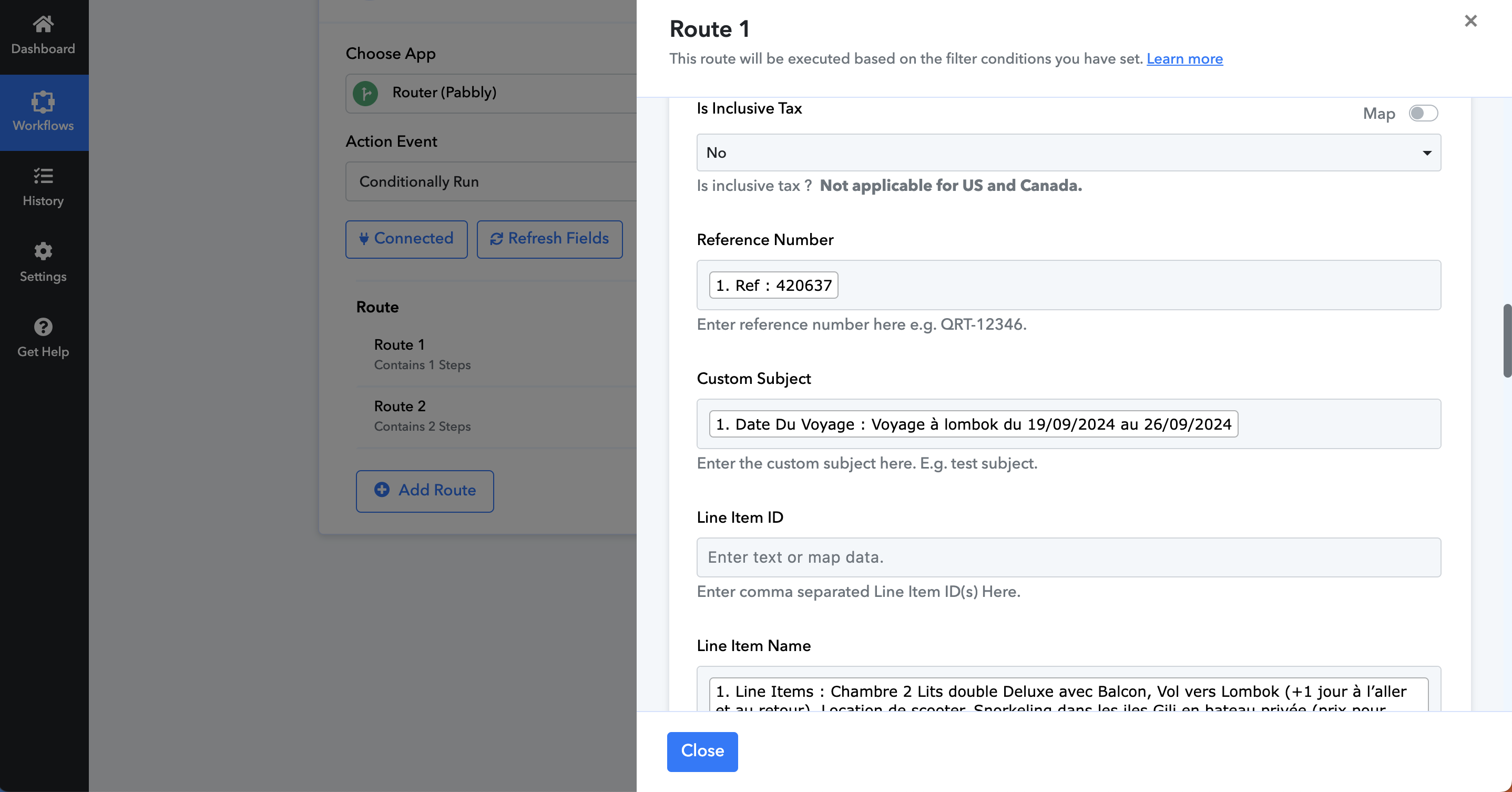
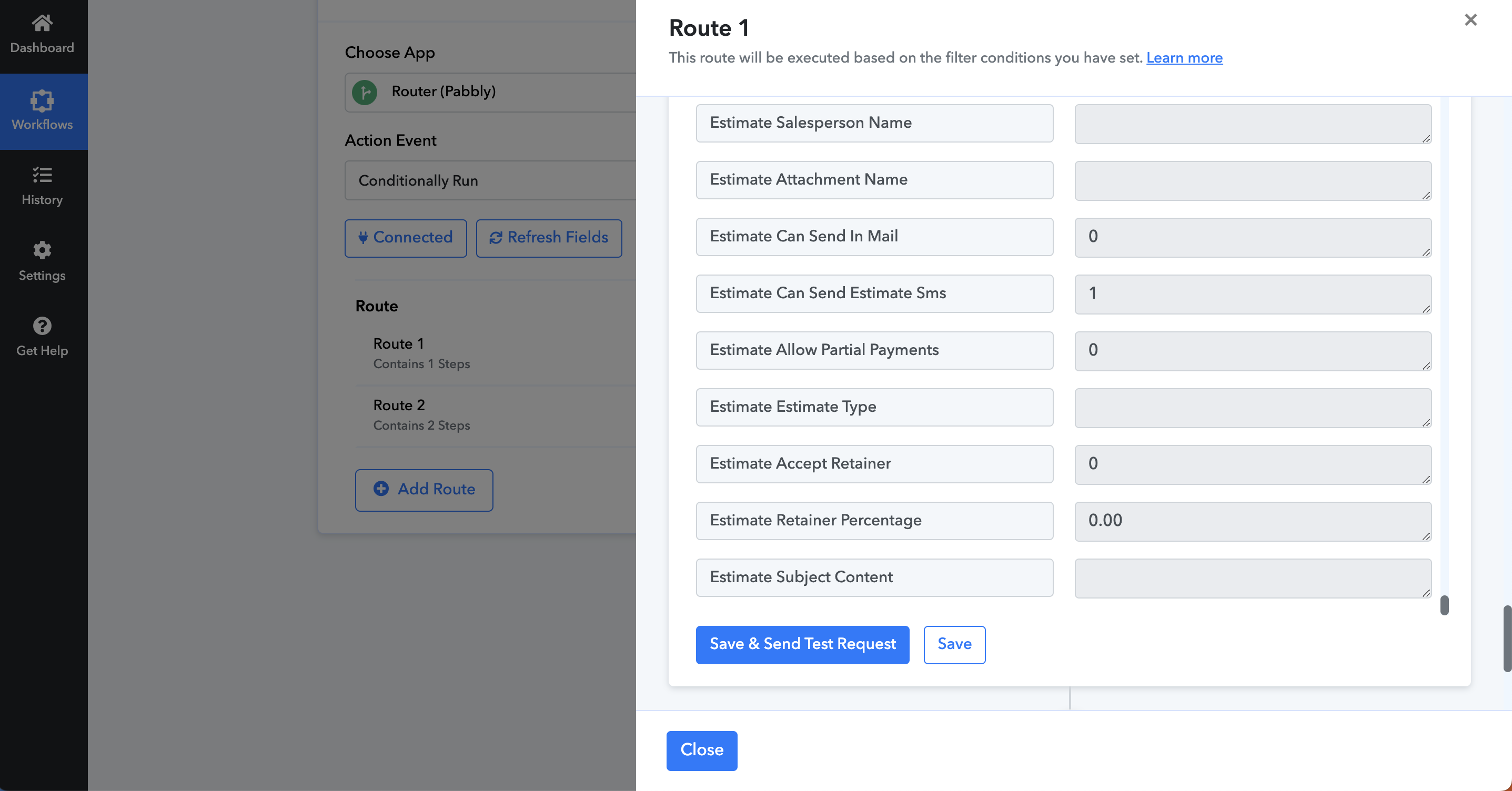
Hey @hypecatcher
Can you please tell us what field type you have in the custom subject field of your Zoho Books?
It's a variable (text) that I catch from a Pabbly Webhook trigger. Like all the other fields. But only the new custom subject field doesn't send correctly the variable to Zoho API (I guess?).
Please allow us some time to look into this concern. We will get back to you with an update soon.
Hello @hypecatcher
Could you please confirm once if the subject field mentioned in the given in screenshot is the one you are looking for
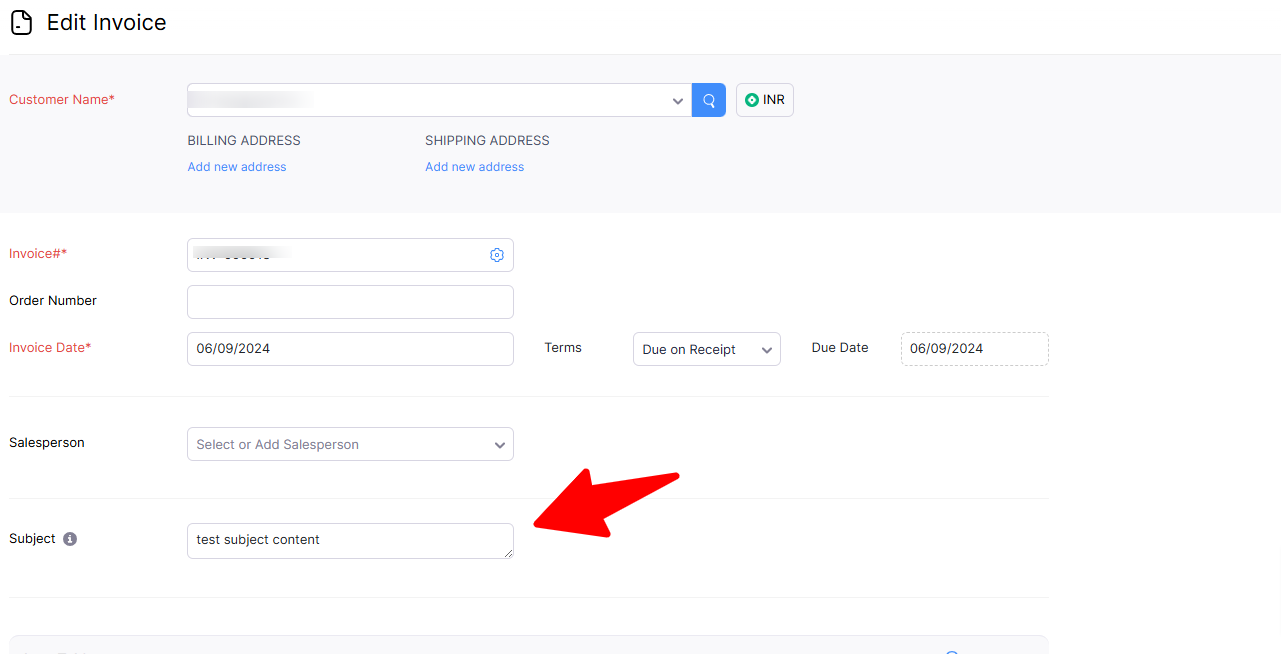
Yes it is indeed this one.
Hello, any updates on this please?
Hello @hypecatcher
We have added the subject field now you will be able to use the "Create Estimate(BETA) " and "Create Sales Invoice(BETA) " actions accordingly.
Hi Preeti,
Thanks it's working now! Appreciate your help guys (y)