HTML & JAVASCRIPT Breaks template
Status: Closed · Asked by Raymond St Clair on · 0 views
--
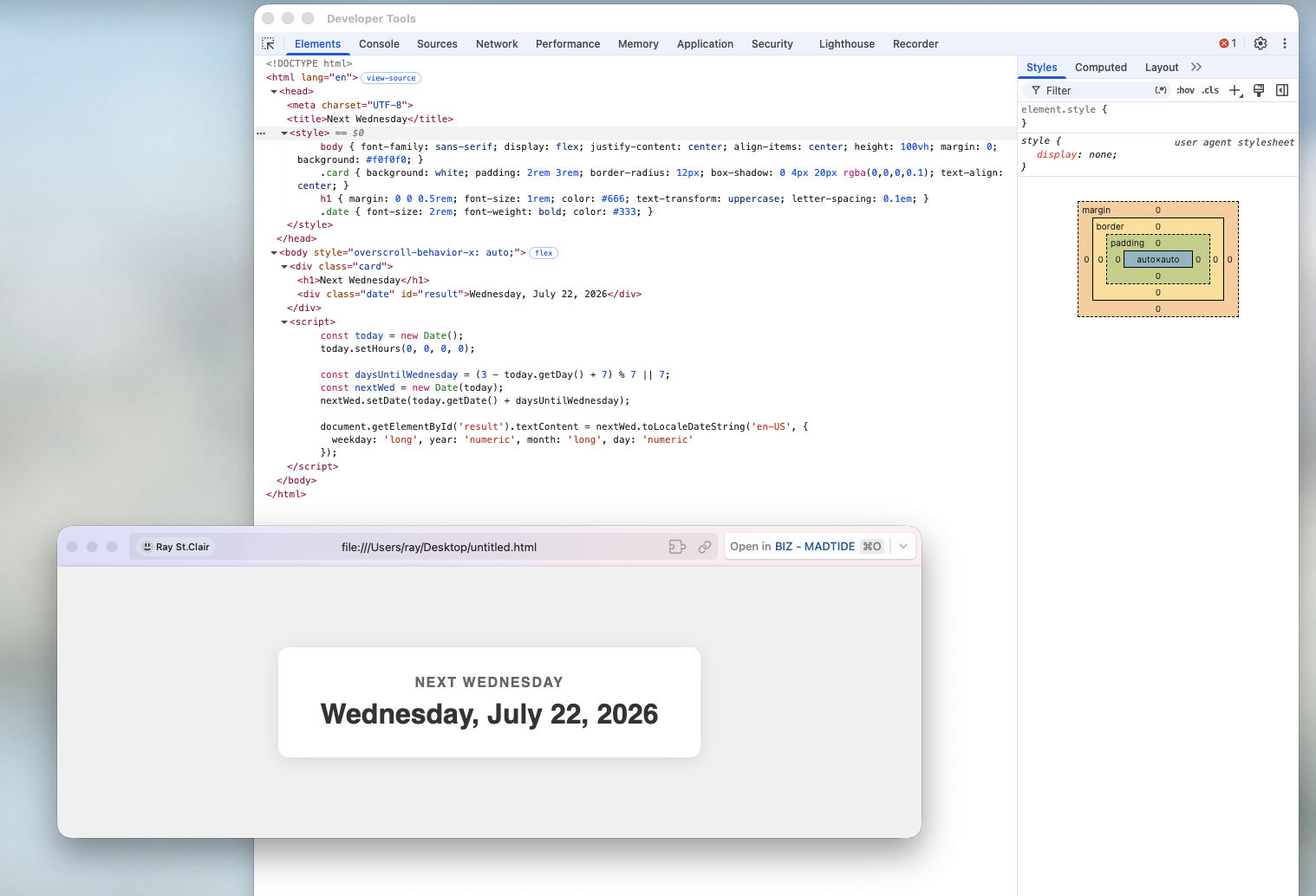
<html lang="en">
<head>
  <meta charset="UTF-8">
  <title>Next Wednesday</title>
  <style>
    body { font-family: sans-serif; display: flex; justify-content: center; align-items: center; height: 100vh; margin: 0; background: #f0f0f0; }
    .card { background: white; padding: 2rem 3rem; border-radius: 12px; box-shadow: 0 4px 20px rgba(0,0,0,0.1); text-align: center; }
    h1 { margin: 0 0 0.5rem; font-size: 1rem; color: #666; text-transform: uppercase; letter-spacing: 0.1em; }
    .date { font-size: 2rem; font-weight: bold; color: #333; }
  </style>
</head>
<body>
  <div class="card">
    <h1>Next Wednesday</h1>
    <div class="date" id="result"></div>
  </div>
  <script>
    const today = new Date();
    today.setHours(0, 0, 0, 0);

    const daysUntilWednesday = (3 - today.getDay() + 7) % 7 || 7;
    const nextWed = new Date(today);
    nextWed.setDate(today.getDate() + daysUntilWednesday);

    document.getElementById('result').textContent = nextWed.toLocaleDateString('en-US', {
      weekday: 'long', year: 'numeric', month: 'long', day: 'numeric'
    });
  </script>
</body>
</html>
--

Please can you advise why this broke the template?

Thanks
Hello Raymond,
Thank you for reaching out!
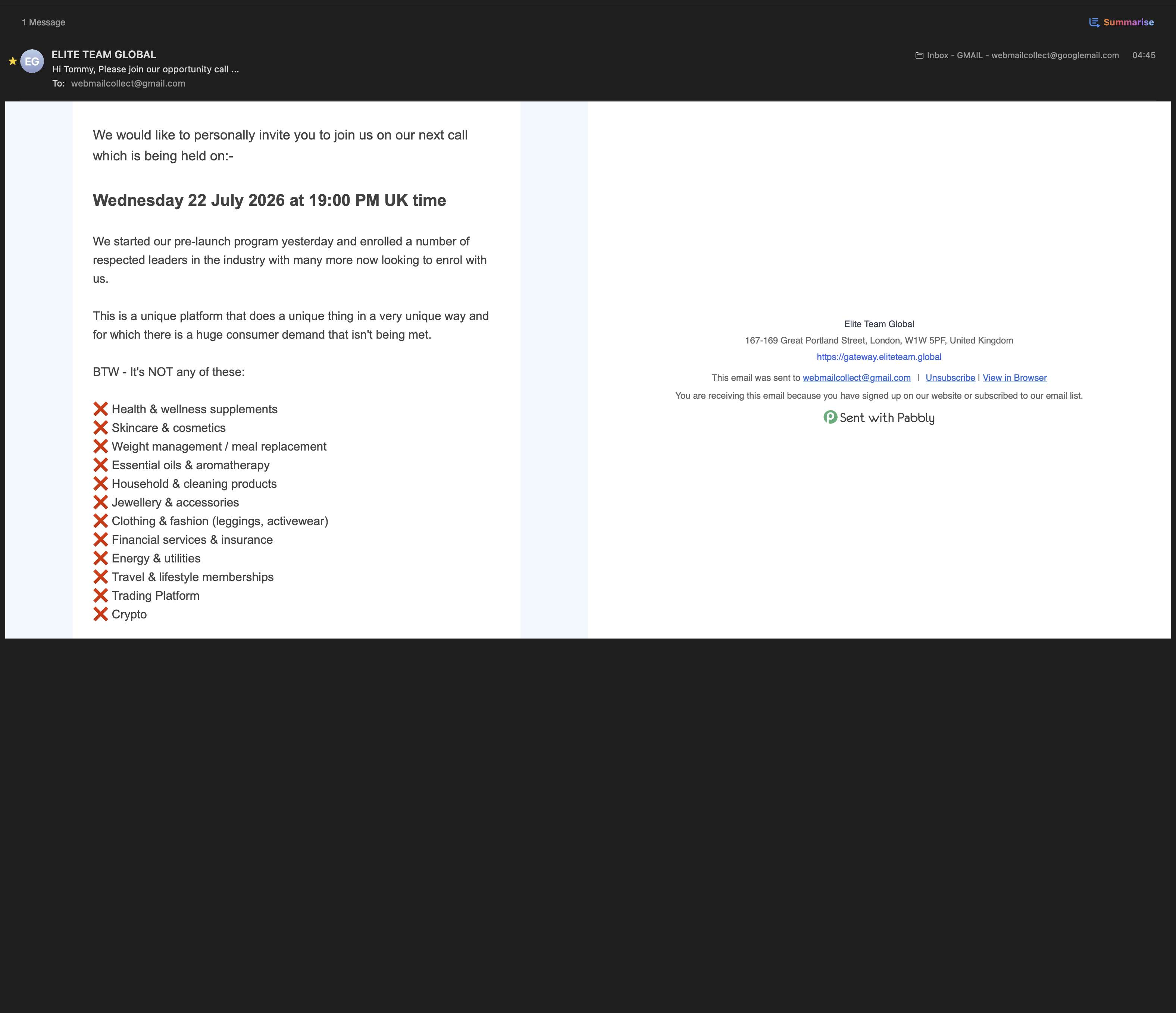
The reason your email template is breaking or rendering as blank is because email clients do not support or execute JavaScript.
For security reasons, almost all major email clients (such as Apple Mail, Thunderbird, Gmail, and Outlook) automatically strip out <script> tags and JavaScript execution entirely. When a browser/client encounters embedded JavaScript in an email, it will either block it, render the target element as blank (since the DOM modification code never runs), or distort the surrounding HTML structure.
How Email Rendering Works
Unlike standard web pages, HTML emails rely strictly on static HTML and inline CSS. Dynamic logic (like calculating dates or names) cannot be processed on the recipient's computer or email client; it must be calculated on the server side before the email is generated and sent out.
Recommended Alternatives
Static Date Text: Replace the JavaScript block with static HTML/CSS date text prior to sending.
Automated Sending via Pabbly Connect: If you send automated emails on specific days, you can calculate the dynamic date using Pabbly Connect (e.g., using the Date/Time Formatter step) and pass the calculated date string directly into your email template content before sending.
Please let us know if you need any assistance setting up your template styling without JavaScript!
Thanks & Regards,
Hrishabh
Customer Support Associate
🌐 Pabbly.com
👉 Rate your support