Hubspot add a list not working
Status: Open · Asked by Doc Alvarez on · 0 views
Hello. Hubspot states there is an internal error on adding contact to a list. Can you assist please?
https://connect.pabbly.com/workflow/mapping/IjU3NjUwNTY0MDYzMjA0MzE1MjY0NTUzNDUxMzQi_pc
Hi @DocApply,
In your form submission, you need to capture the name DOC ALVAREZ in capital letters. Since it is currently captured as Doc Alvarez in your form submission, you are encountering this error.
Task History ID - IjU3NjUwNTY0MDYzNzA0MzQ1MjY1NTUzMDUxMzA1MTZhNTQzMDBmMzci_pc
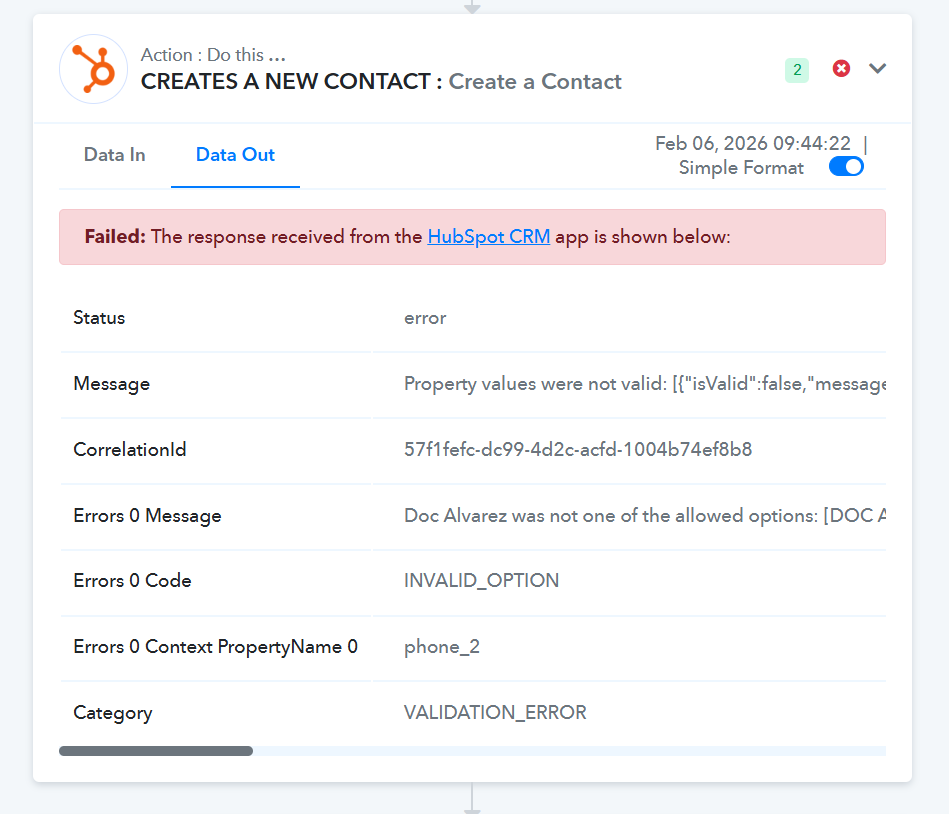
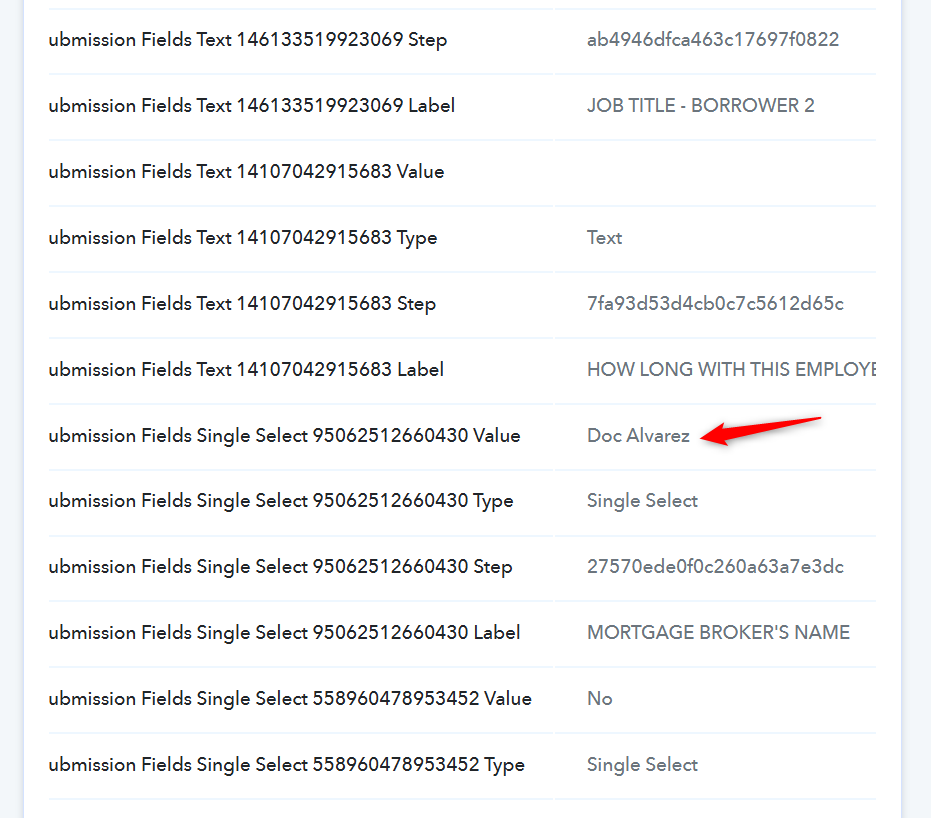
======================================================
As for the error related to the HubSpot: Add Contact to List action step, please allow us some time to look into this. We will get back to you with an update soon.
PS: We have added two contacts with the email addresses [EMAIL][email protected][/EMAIL] and [EMAIL][email protected][/EMAIL] to your HubSpot account for testing purposes. You can remove them if needed.
Thanks & Regards,
Arshil Ahmad
Customer Support Associate
? Pabbly.com
?Rate your support
Hi @DocApply,
Please try using the action named "Add or Remove Contact to List" and let us know if this works for you.