Hubspot and Microsoft dynamics connection issues
Status: Closed · Asked by Embee Software on · 0 views
We connected HubSpot and Microsoft Dynamics some time ago, and the integration was working without any issues. However, it stopped working a few days ago, likely due to recent updates in Pabbly.
The integration is designed to transfer contact data from HubSpot to Microsoft Dynamics Leads. We have verified that the Microsoft Dynamics API is working correctly, but Pabbly is not processing or forwarding the data as expected.
Please investigate the issue and resolve it at the earliest.
Link:- https://connect.pabbly.com/workflow/mapping/IjU3NjYwNTY1MDYzZjA0MzQ1MjZhNTUzMTUxMzUi_pc
Hello there,
Thanks for contacting us.
We checked the shared workflow and its task history, the workflow is triggering normally. As we noticied the workflow is not proceeding further beyond the 2nd step which is Filter, all the time the condition does not meet and the following actions does not execute. Seem, the value which you sent earlier through the trigger is changed now.
The filter is set to "Yes, Push to Dynamics"
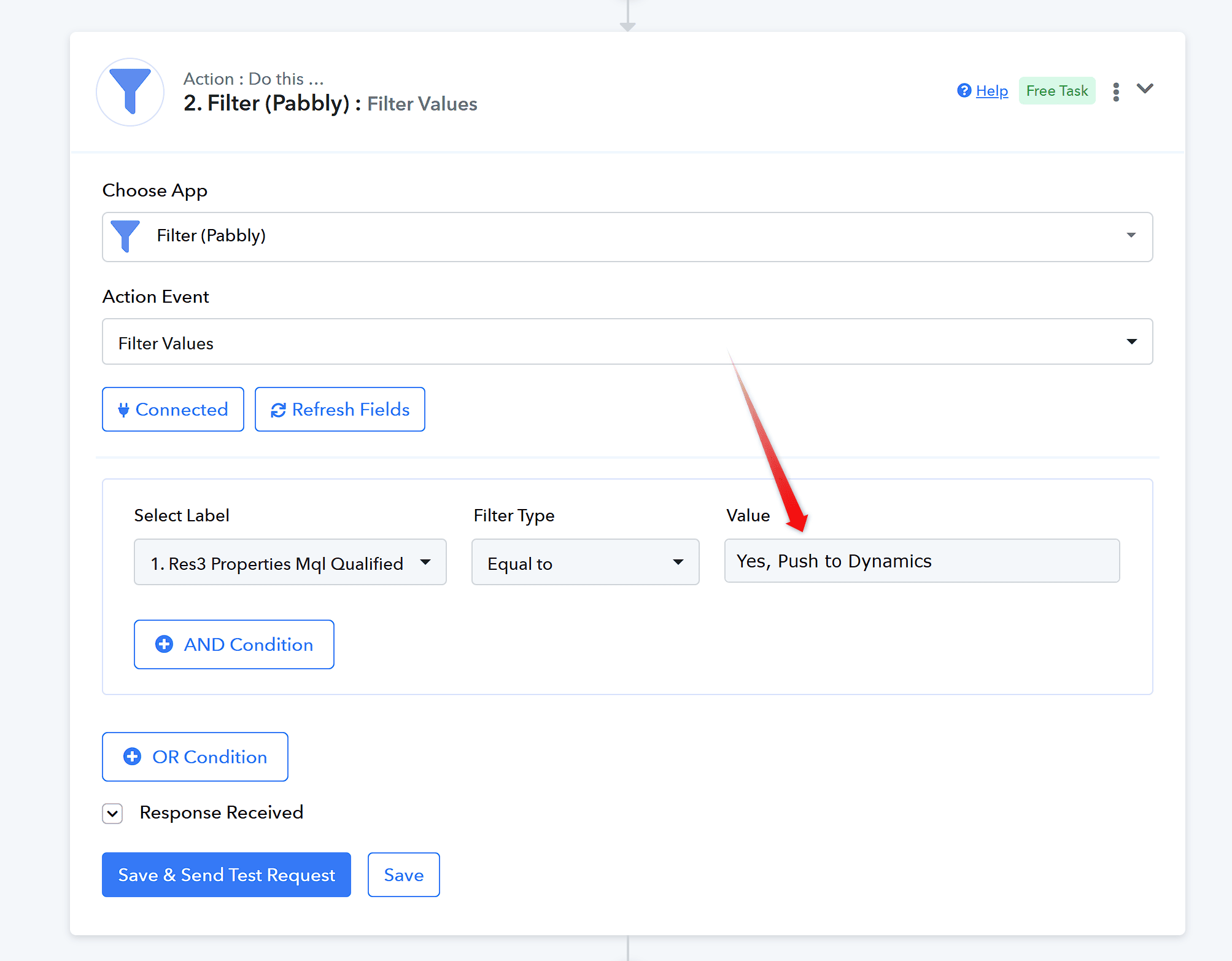 But the value in the Trigger is now only "Yes" with this respective label. Kindly update the trigger recapturing the trigger response or Update the value that you are sending through the Trigger.
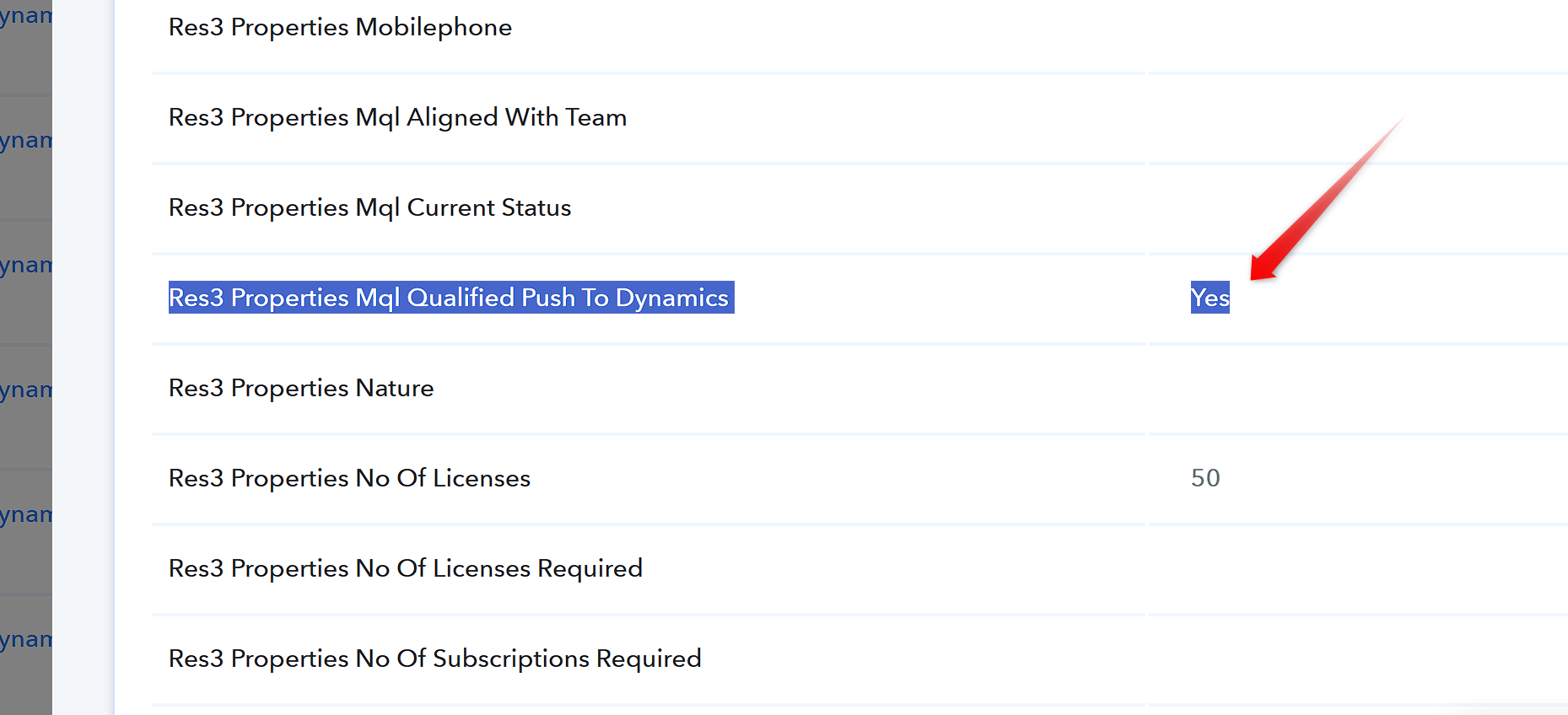 This difference in data is not letting the workflow to proceed further, kindly update as suggested above.
Thanks & Regards,
Adeel Akhtar
🌐 Pabbly.com
Step 2 [Filter] is working fine; we are facing an issue in Step 4

Step-4 shows Error

Stage 4 is also showing as successful, but leads are not being created in Dynamics.

Hello there,
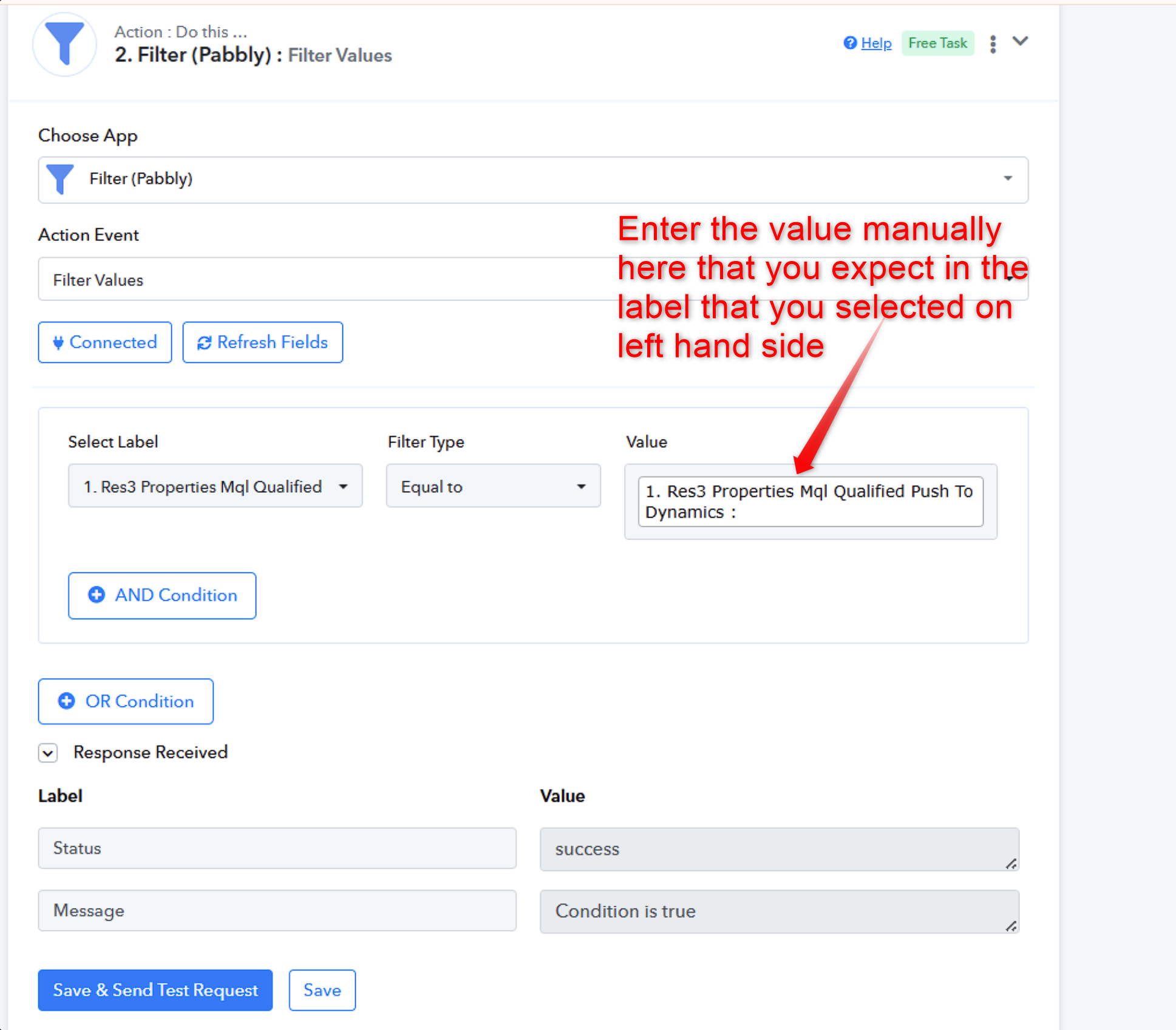
You cannot map the value on right hand side, else it will always be LHS=RHS and the condition will always be True. Right hand side value needs to be manually entered.
Thanks & Regards,
Adeel Akhtar
🌐 Pabbly.com