I am doing reel posting for IG and FB
Status: Open · Asked by stevenphan on · 0 views
I am doing reel posting for IG and FB. However I don't know what kind of video url is right to do. Can you give suggestion for right video format. Thank you
Hello @stevenphan,
Please refer to the following API docs to learn more about the video specifications: https://developers.facebook.com/docs/video-api/guides/reels-publishing/.
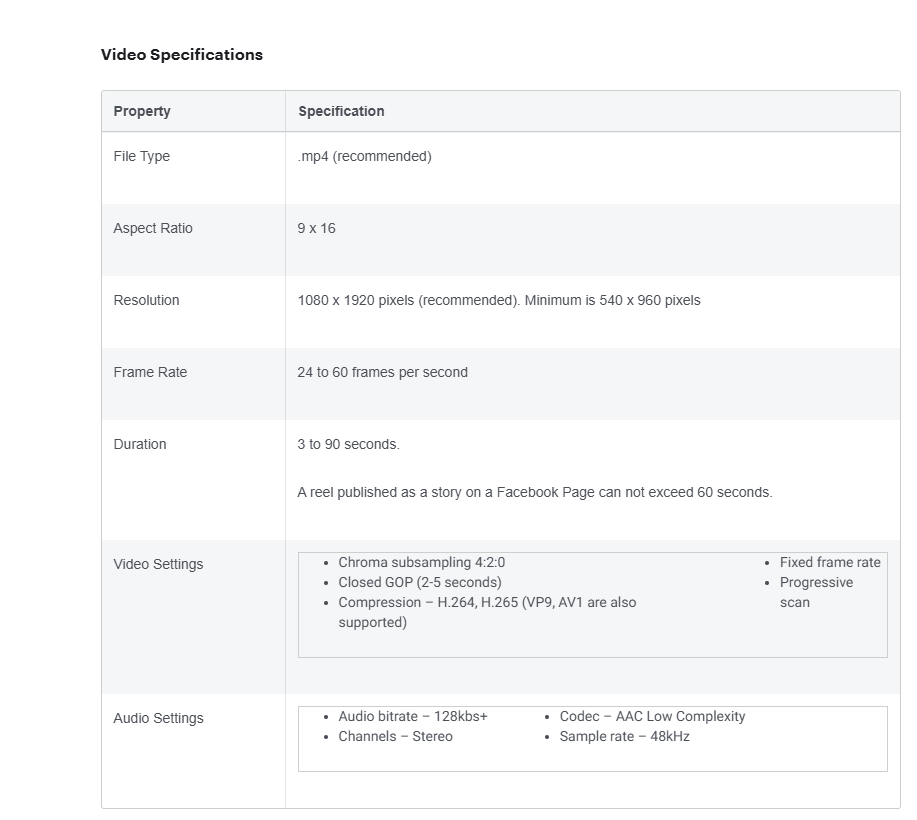
Xin chào @stevenphan,Vui lòng tham khảo tài liệu API sau để tìm hiểu thêm về thông số kỹ thuật video: https://developers.facebook.com/docs/video-api/guides/reels-publishing/ .
Can I use google drive link when uploading photos or do I have to use another software to convert the link?
Hello @stevenphan,
You can try uploading the Google Drive link, but please ensure that the content type of the video is in MP4 format.
Please try uploading the video and let us know if it works for you.
Xin chào @stevenphan,Bạn có thể thử tải lên liên kết Google Drive, nhưng hãy đảm bảo rằng loại nội dung của video có định dạng MP4.
Hãy thử tải video lên và cho chúng tôi biết liệu nó có hiệu quả với bạn không.
I tried changing to another video but still got this error
Link: https://connect.pabbly.com/workflow/mapping/IjU3NjYwNTZjMDYzNzA0Mzc1MjY1NTUzNDUxMzMi_pc
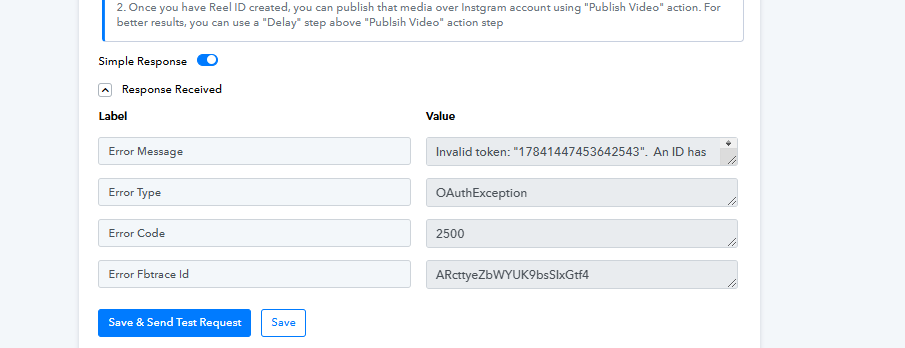
Hello @stevenphan,
Please try setting up a new connection with Instagram and let us know if it fixes the issue.
Hello @stevenphan,Please try setting up a new connection with Instagram and let us know if it fixes the issue.
I added new but it didn't work. It must be an account error.https://connect.pabbly.com/workflow/mapping/IjU3NjYwNTZmMDYzMTA0M2M1MjZmNTUzZDUxMzIi_pc
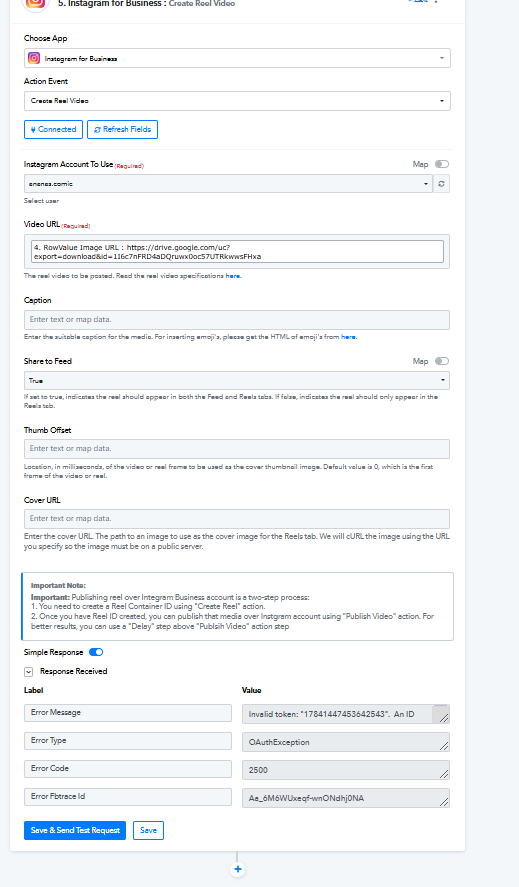
Hello @stevenphan,
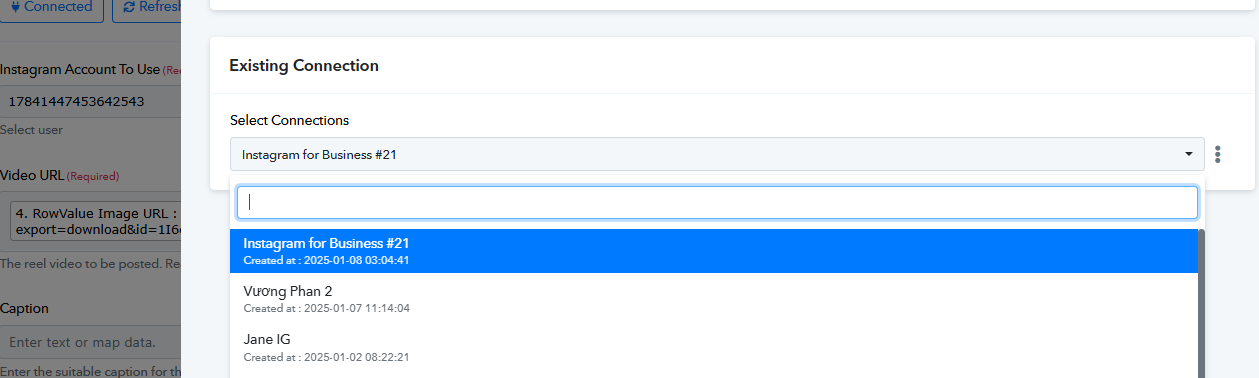
It seems you're still using the older connection, refer to the attached image. Please try to perform the action with a new connection and let us know if it works fine for you.
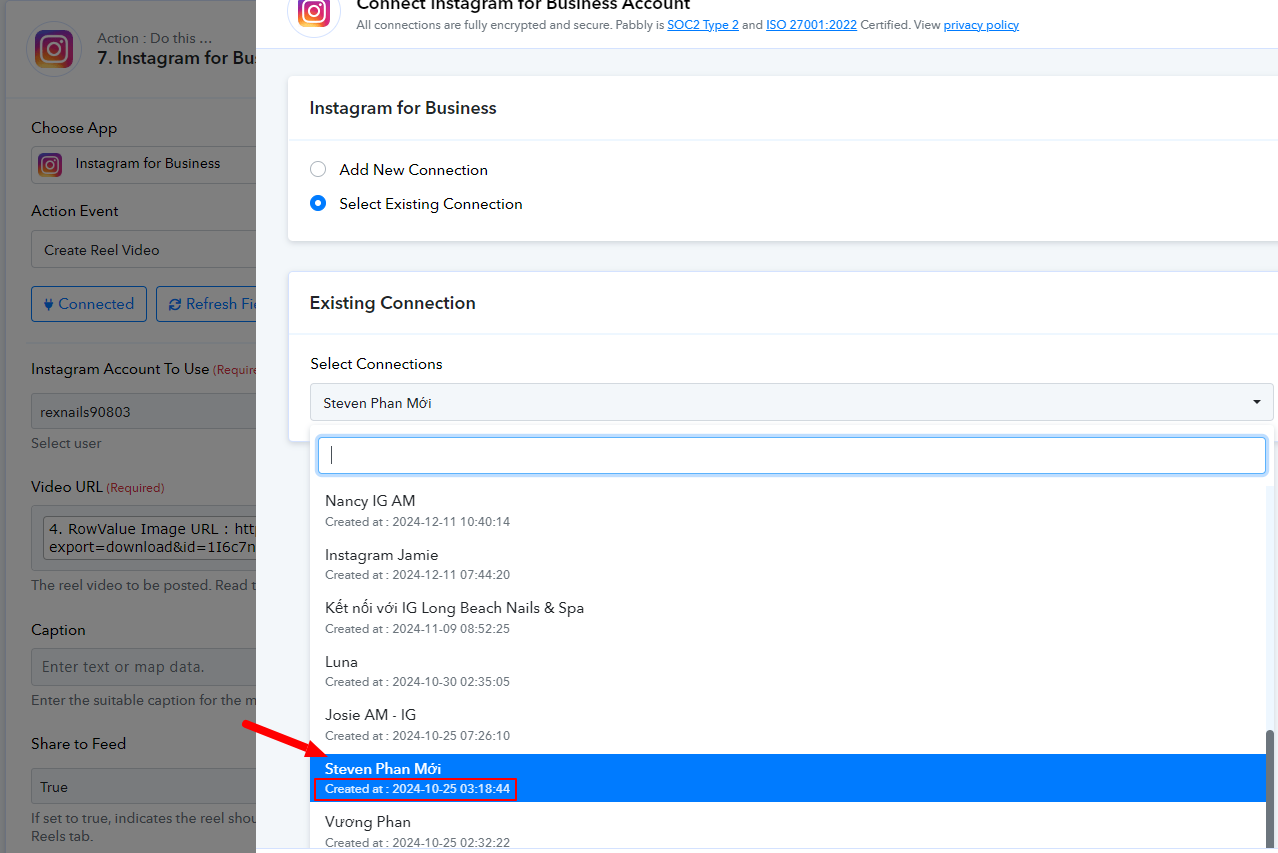
Hello @stevenphan,It seems you're still using the older connection, refer to the attached image. Please try to perform the action with a new connection and let us know if it works fine for you.
You see: https://connect.pabbly.com/workflow/mapping/IjU3NjYwNTZmMDYzMTA0M2M1MjZmNTUzZDUxMzIi_pc
Hello @stevenphan,
It appears that the Instagram API does not support uploading files directly from Google Drive via API requests. As an alternative, we recommend using Imgur. You can upload the video to Imgur using the Upload Image action and then use the generated URL to create the reel.
I use imgur and it works. I can upload it to IG but I am having some problems with facebook reels. Even though it is the right size and status. But when I re-upload it doesn't work.
Check for me: https://connect.pabbly.com/workflow/mapping/IjU3NjYwNTZmMDYzMTA0M2M1MjZmNTUzZDUxMzIi_pc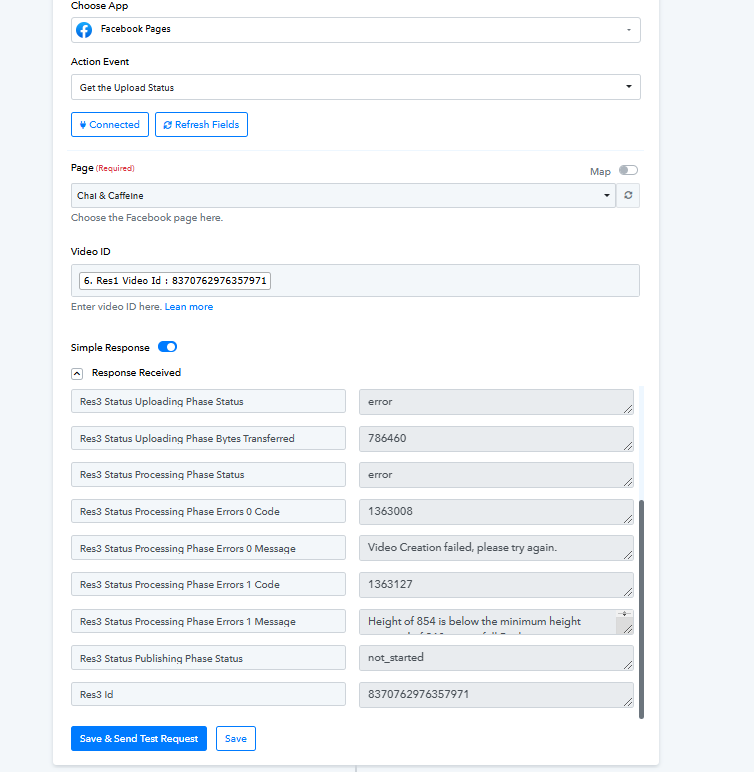
Hello @stevenphan,
It seems the video doesn't fulfill the video specifications(height is below the minimum required height), refer to the attached screenshots. This is the reason behind the unsuccessful upload.
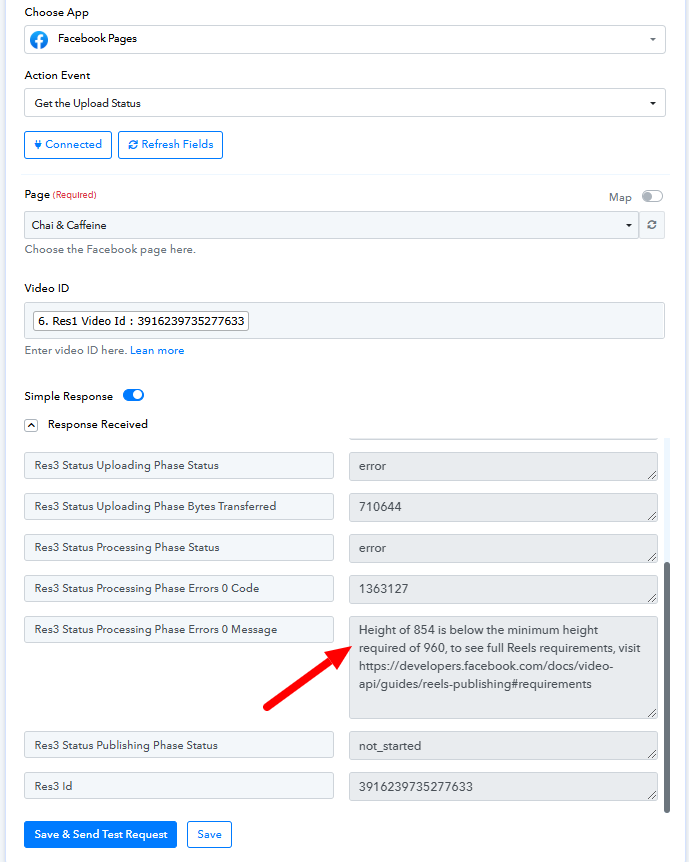
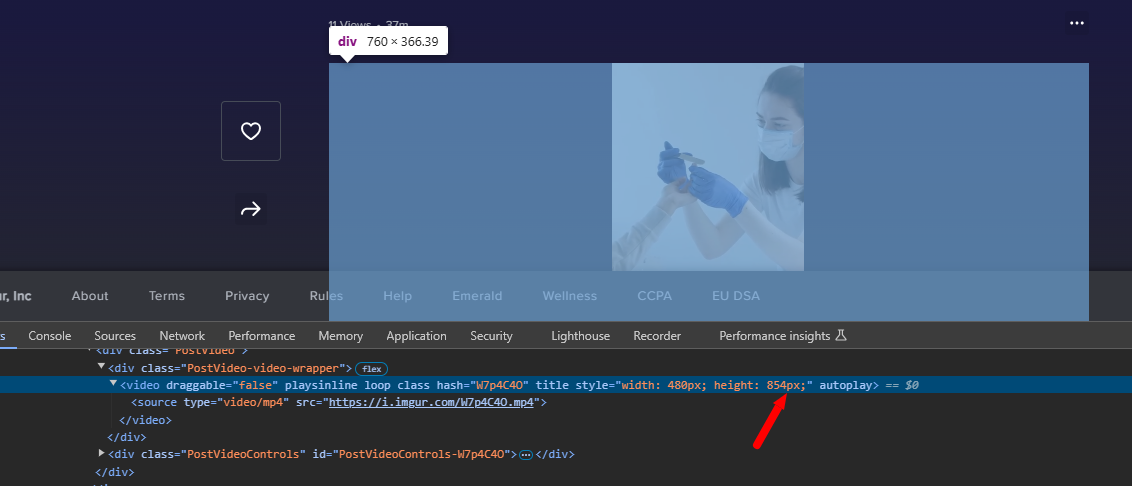
Hello @stevenphan,It seems the video doesn't fulfill the video specifications(height is below the minimum required height), refer to the attached screenshots. This is the reason behind the unsuccessful upload.
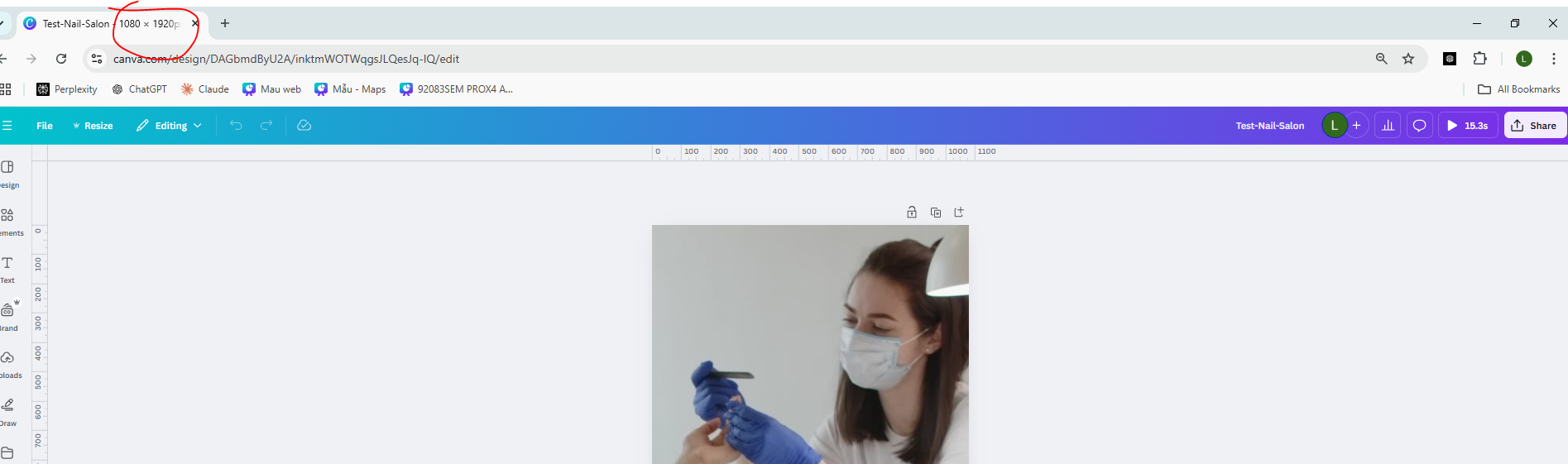
When uploading can it adjust the size of my video. I designed the correct size required is 1080x1920
Hello @stevenphan,
The size highlighted in the screenshot you provided refers to the screen size, not the video size. To check the video height, please refer to this tutorial: https://www.loom.com/share/25acbb4045494e058c20b3d1e8296868?sid=8d9273c3-3449-4cb2-87dd-d0005fe72980.
Hello @stevenphan,The size highlighted in the screenshot you provided refers to the screen size, not the video size. To check the video height, please refer to this tutorial: https://www.loom.com/share/25acbb4045494e058c20b3d1e8296868?sid=8d9273c3-3449-4cb2-87dd-d0005fe72980.
Why in this tutorial, I see you can use google drive link. Are there any requirements? Because if you have to use another storage, it will take time and cost money.
Hello @stevenphan,
In our tutorial, we demonstrated using a Google Drive link for Instagram, but unfortunately, Instagram’s API currently doesn’t support direct uploads using Google Drive URLs.