I connected to IG for Business from Facebook Page without having to log in via IG. Because I connected both together
Status: Open · Asked by stevenphan on · 0 views
I connected to IG for Business from Facebook Page without having to log in via IG. Because I connected both together. However, I can't find my IG and I used the ID but got an error. Do I need to log in to IG for Business to grant permission?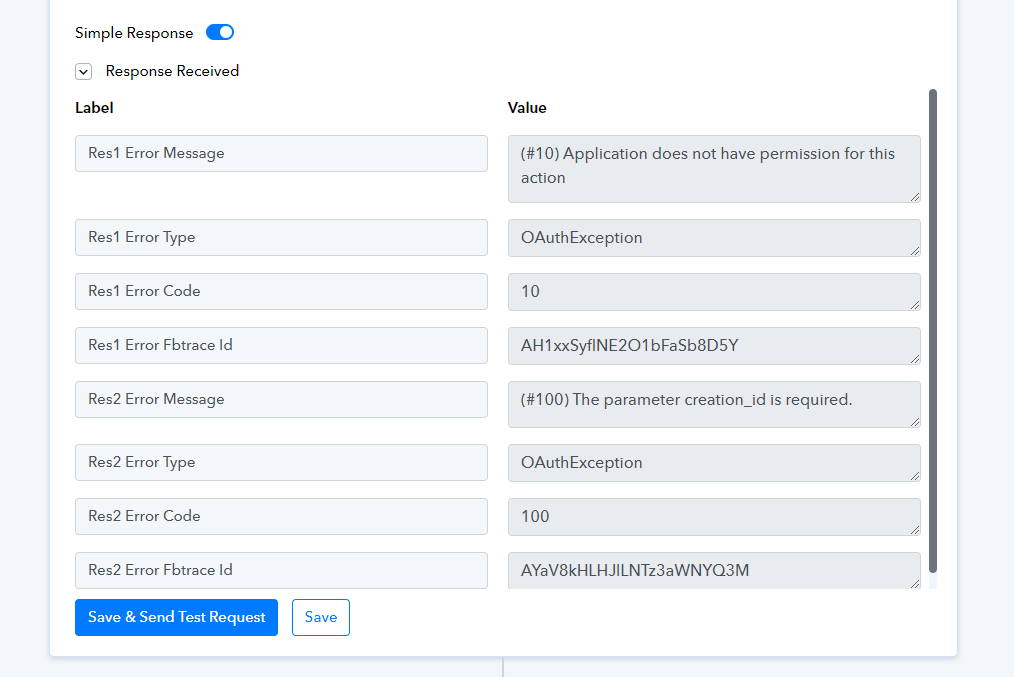
Hello @stevenphan
Kindly provide us with the concerned workflow URL so we can look into the issue and assist you accordingly.
Although, you can add a new connection with Instagram and check if it solves the issue.
Hello @stevenphanKindly provide us with the concerned workflow URL so we can look into the issue and assist you accordingly.
Although, you can add a new connection with Instagram and check if it solves the issue.
https://connect.pabbly.com/workflow/mapping/IjU3NjUwNTY1MDYzMDA0MzY1MjZiNTUzNDUxM2Ei_pc. It is here. Thanks you
Please establish a new connection with your Instagram for Business account and see if that fixes your issue.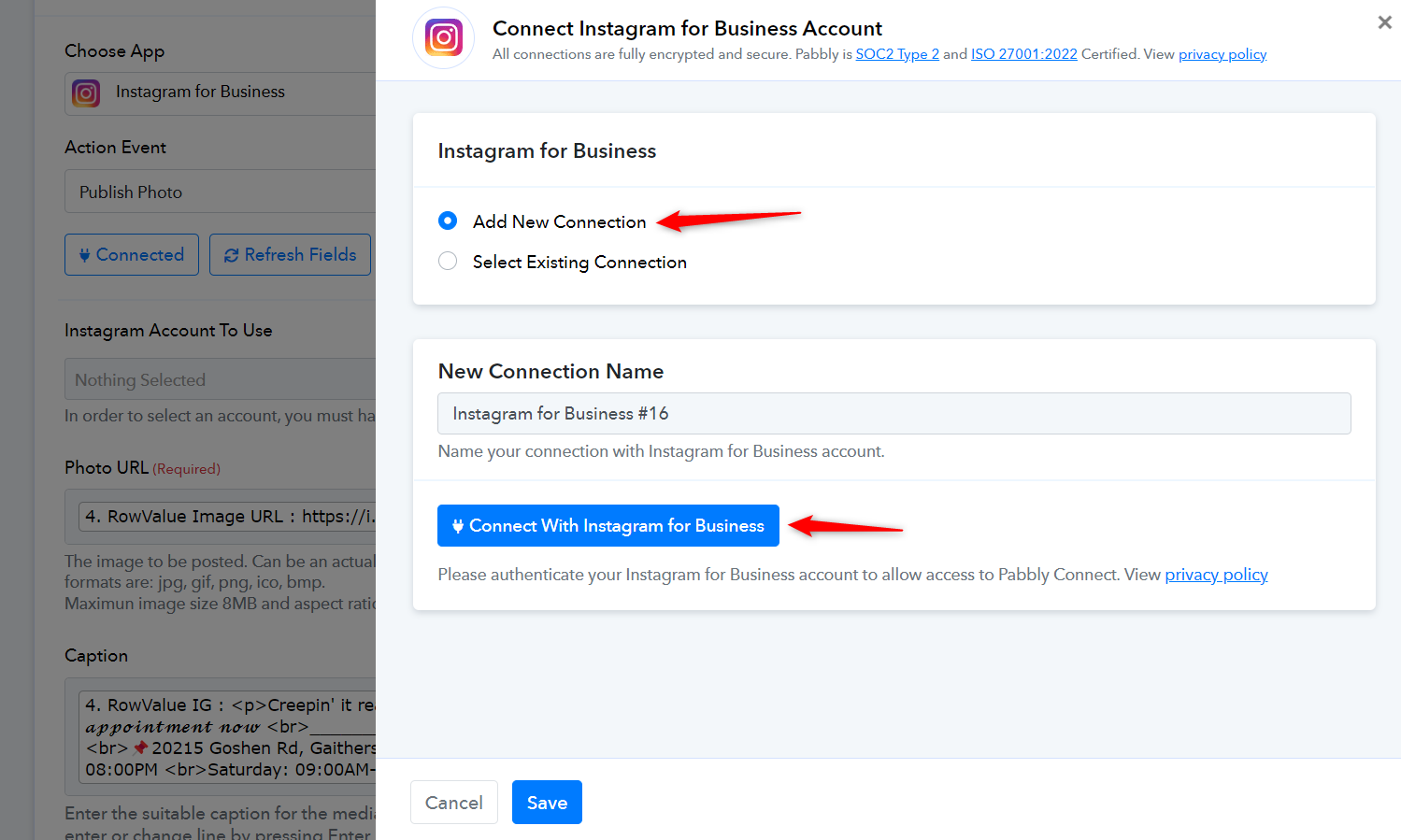
Please establish a new connection with your Instagram for Business account and see if that fixes your issue.
I have connected like this with facebook containing my Instagram for Business.
Hello @stevenphan
The issue appears to be resolved. Please continue to monitor the task history of the workflow to ensure it is functioning as expected
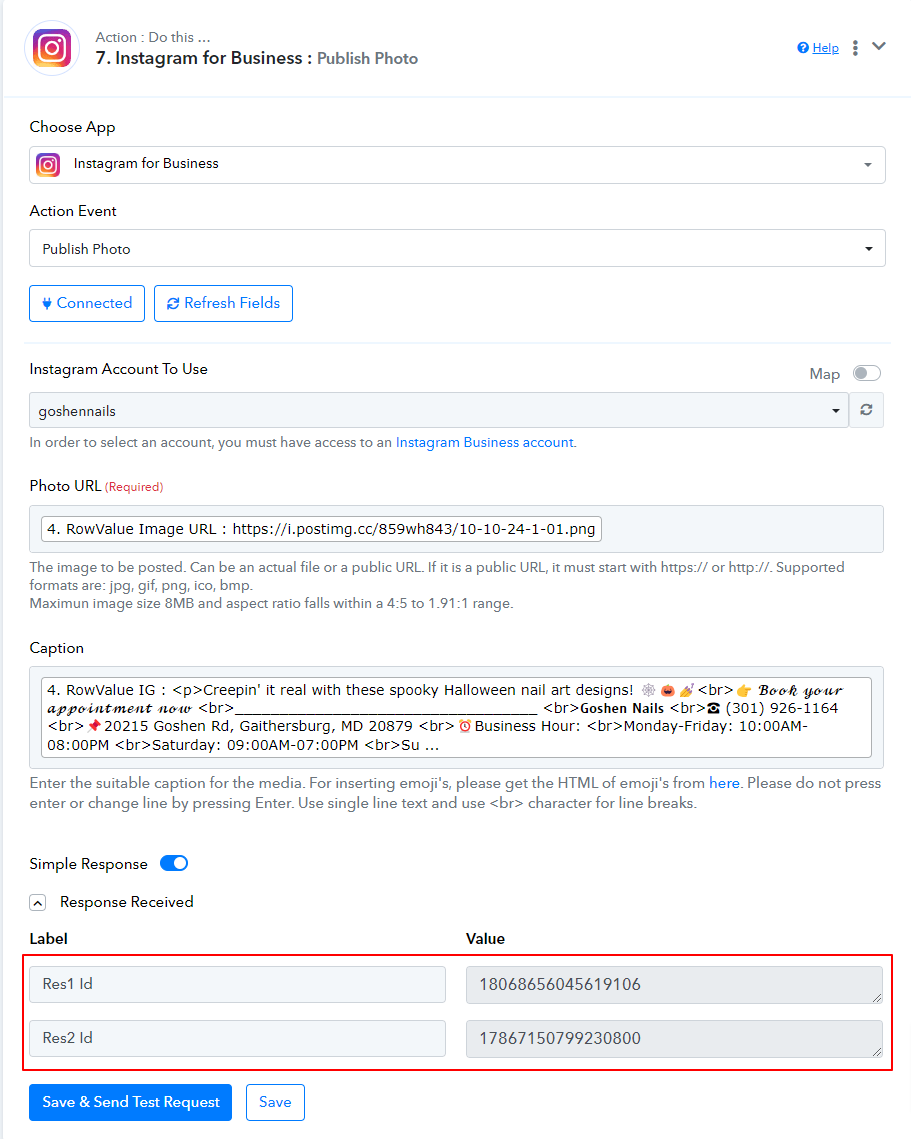
Hello @stevenphanThe issue appears to be resolved. Please continue to monitor the task history of the workflow to ensure it is functioning as expected
Oh, I just deleted and reactivated my account. However, if IG for Business is not connected to facebook, can it be connected. I have several IG pages that cannot be connected to each other.
Hello @stevenphan
No, if IG for Business isn't connected to Facebook connection with those pages can not be established. To establish a connection with Instagram for Business you have be login to the specific Instagram account and automatically get connected.
Refer to this tutorial from 7:18 timestamp to learn more about setting up a connection with Instagram -
I have an IG account but my facebook page is having problems. Can't log in directly from IG for business.
Hello @stevenphanNo, if IG for Business isn't connected to Facebook connection with those pages can not be established. To establish a connection with Instagram for Business you have be login to the specific Instagram account and automatically get connected.
Refer to this tutorial from 7:18 timestamp to learn more about setting up a connection with Instagram -
Hello @stevenphan
Unfortunately, this way making a connection would not be possible that way.
Hello @stevenphanUnfortunately, this way making a connection would not be possible that way.
I have a new problem, I manage many different accounts. Although I have selected the correct account, when I post, it appears to another account. I checked and it is the wrong ID. Please help me solve this problem. Same management account but it's the wrong business.
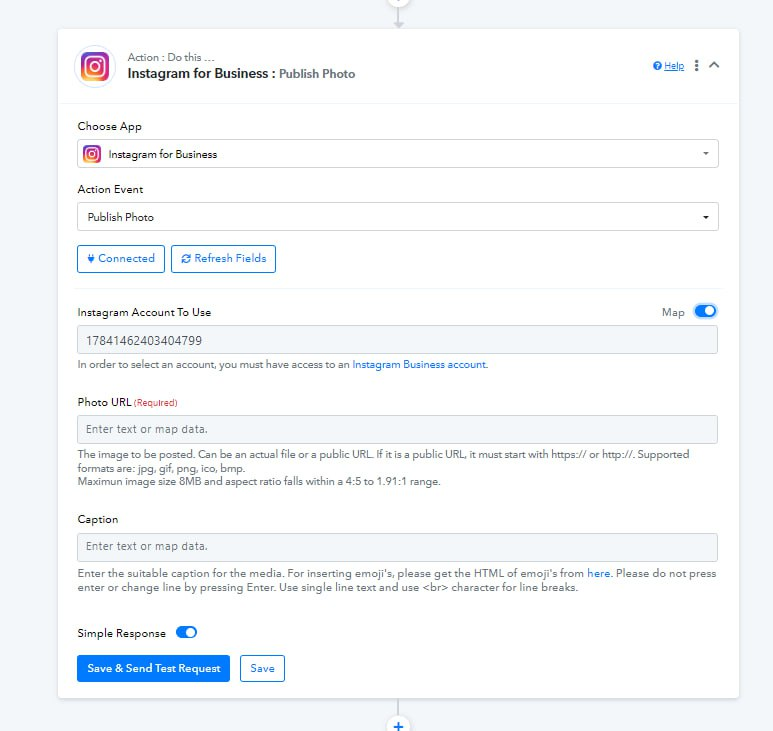

I have a new problem, I manage many different accounts. Although I have selected the correct account, when I post, it appears to another account. I checked and it is the wrong ID. Please help me solve this problem. Same management account but it's the wrong business.
How to choose the correct ID for the business to choose, if I register the wrong one it will greatly affect my work process.
Hello @stevenphan
Can you please provide us with the workflow URL in which you have noticed the issue Please mention other details like a few Instagram account names and the correct ID associated with them.
Also, if you can record and share a short screen recording explaining the issue it would be a lot helpful.
Hello @stevenphanCan you please provide us with the workflow URL in which you have noticed the issue? Please mention other details like a few Instagram account names and the correct ID associated with them.
Also, if you can record and share a short screen recording explaining the issue it would be a lot helpful.
To clarify, I manage quite a few IG for Business accounts. Even though I had selected the correct business to post to, it was posted to another business on my list. However, I moved that account to a personal page with fewer IG for Business accounts and it worked fine.
Link here: https://connect.pabbly.com/workflow/mapping/IjU3NjYwNTZkMDYzMTA0MzE1MjZlNTUzMDUxMzAi_pc
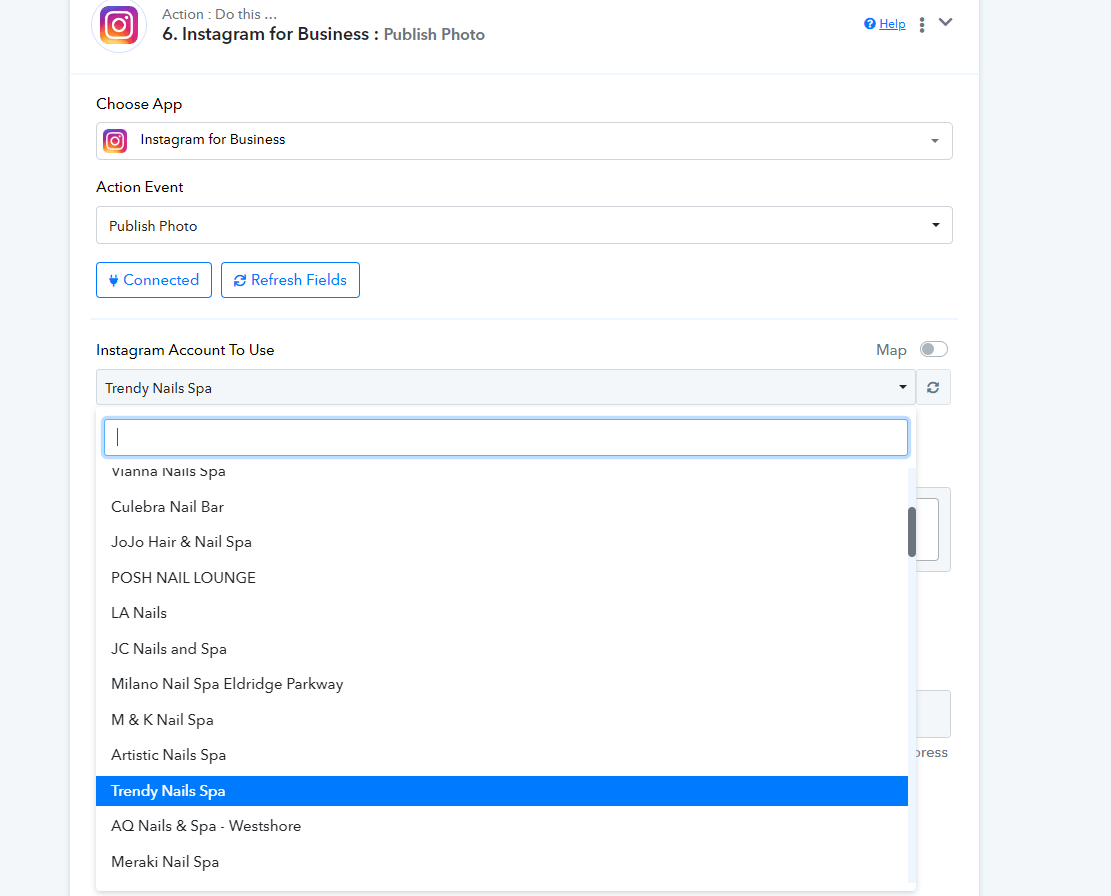
Hello @stevenphan
To assist you effectively in resolving the issue, please provide the following details:
- Instagram Page Details: Share the Instagram pages you’re experiencing issues with, along with the correct associated IDs.
- Demonstration Video: Attach a video that clearly shows the problem—specifically, selecting a particular Instagram page for publishing a photo, but the photo ends up being published on a different page.
Having this information will greatly help us troubleshoot and rectify the issue. Thank you!
Hello @stevenphanTo assist you effectively in resolving the issue, please provide the following details:
- Instagram Page Details: Share the Instagram pages you’re experiencing issues with, along with the correct associated IDs.
- Demonstration Video: Attach a video that clearly shows the problem—specifically, selecting a particular Instagram page for publishing a photo, but the photo ends up being published on a different page.
Having this information will greatly help us troubleshoot and rectify the issue. Thank you!
I’m building a that posts my latest Facebook post to Instagram (business account). This works just fine. But now I need to find the URL to the just created Instagram post. All I get back from Instagram is the ID from th epost 17942971184781739.
How can I get the URL to the Instagram post?
Thanks!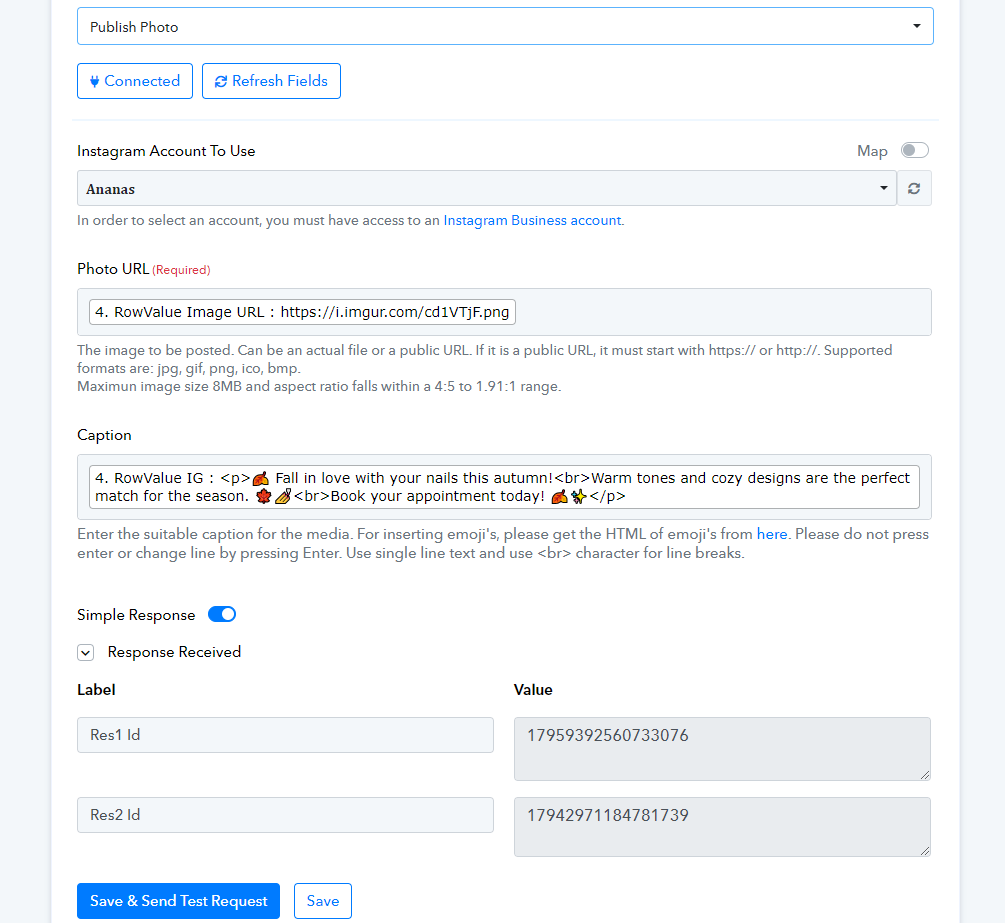
Hello @stevenphan
To resolve your issue our team has added a new action named "Get Media Details". Kindly add that action after the Publish Photo action step and map the Res2 ID in the media ID field to get the required details.
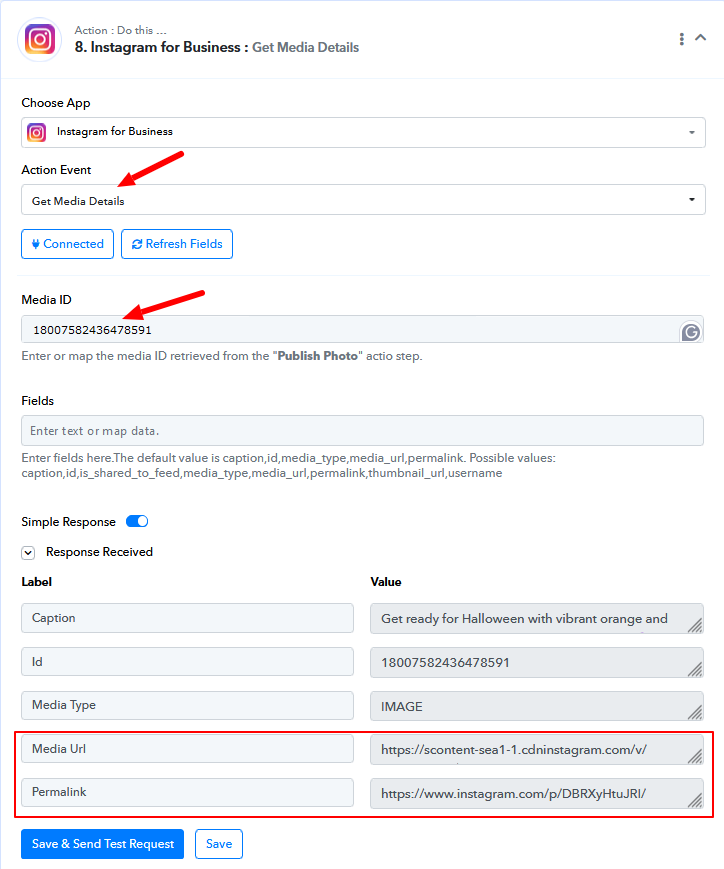
PS: Permalink is the post link.
Even though the process ran, I got this error and the post was nowhere to be seen.
https://connect.pabbly.com/workflow/mapping/IjU3NjUwNTY1MDYzMDA0M2M1MjY1NTUzNzUxMzQi_pc
Attachments
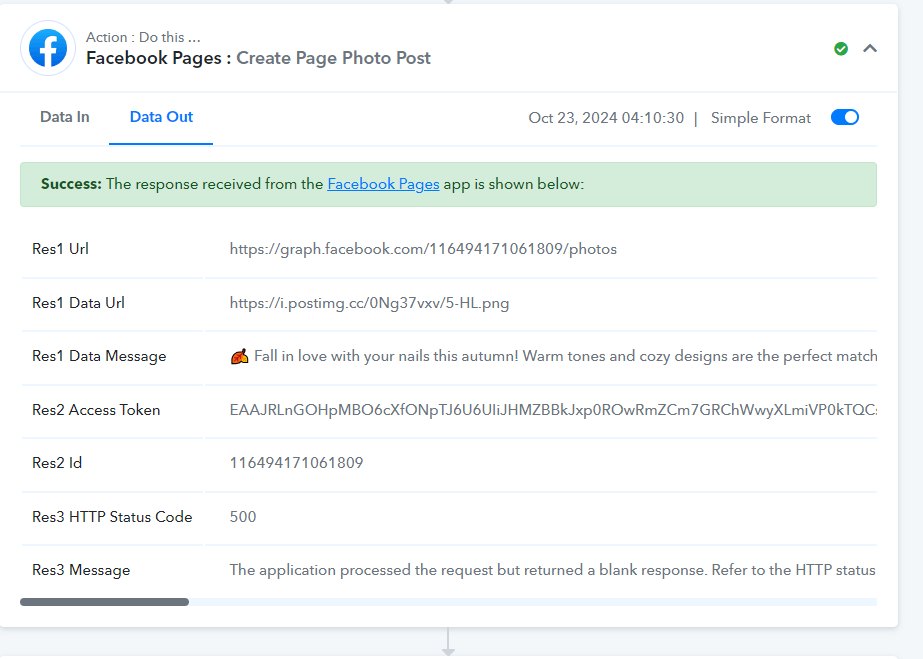
Hello @stevenphan
Kindly provide us with the Task History ID in case the post hasn't been uploaded. This will allow us to better look into the issue.
Xin chào @stevenphanVui lòng cung cấp cho chúng tôi ID Lịch sử tác vụ trong trường hợp bài đăng chưa được tải lên. Điều này sẽ cho phép chúng tôi xem xét vấn đề tốt hơn.
Link 1: https://connect.pabbly.com/task/history?filter_status=applied&filter_by_workflow_id=IjU3NjYwNTZkMDYzZTA0M2M1MjZiNTUzYzUxMzYi_pc
Link 2: https://connect.pabbly.com/task/history/1?filter_status=applied&filter_by_workflow_id=IjU3NjUwNTY1MDYzMDA0M2M1MjY1NTUzNzUxMzQi_pc
Even though the process ran, I got this error and the post was nowhere to be seen.
https://connect.pabbly.com/workflow/mapping/IjU3NjUwNTY1MDYzMDA0M2M1MjY1NTUzNzUxMzQi_pc
Task History ID - IjU3NjUwNTZkMDYzZTA0Mzc1MjZmNTUzNTUxM2E1MTY0NTQzOTBmMzAi_pc
This appears to be a temporary error, and Facebook doesn't provide much information on what caused the error in this execution. Please monitor your workflow for some time, and if you encounter this error again, do let us know.
Task History ID - IjU3NjUwNTZkMDYzZTA0MzA1MjZkNTUzMDUxMzA1MTZiNTQzMTBmMzEi_pc
The issue in this execution seems to be related to a change in your Facebook account credentials.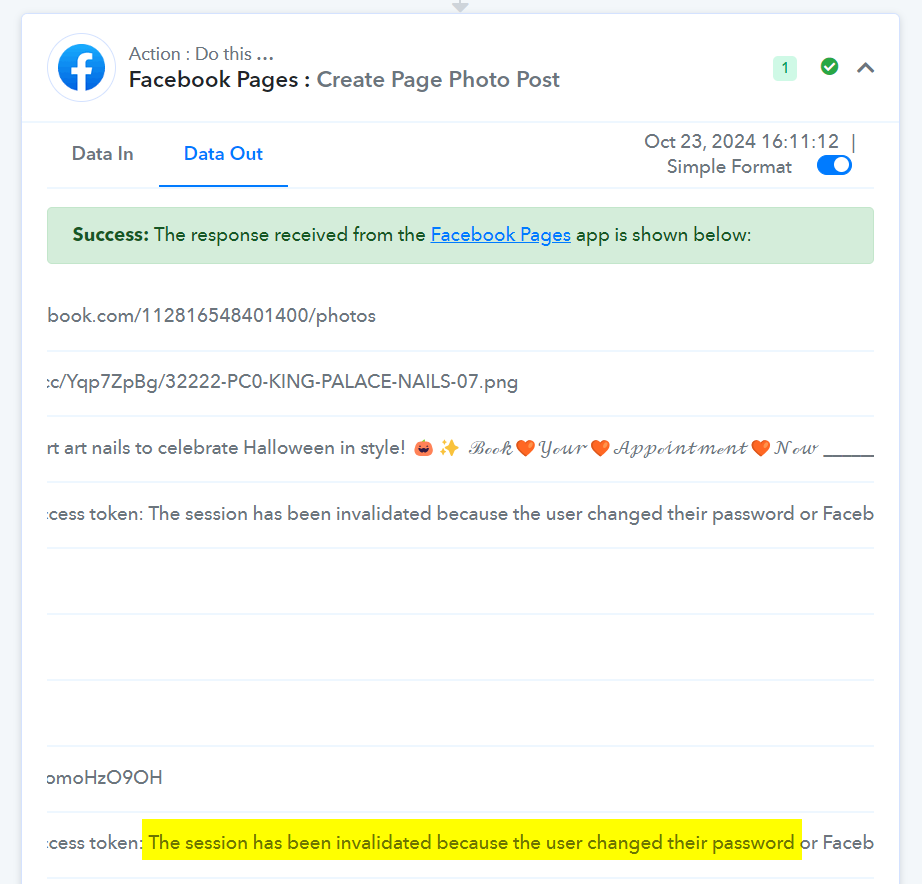
Task History ID - IjU3NjUwNTZkMDYzZTA0MzE1MjY1NTUzNjUxMzQ1MTZiNTQzMTBmMzAi_pc
It seems like you have updated your connection, and based on your latest Task History ID, it appears to be working now, and the post has been made.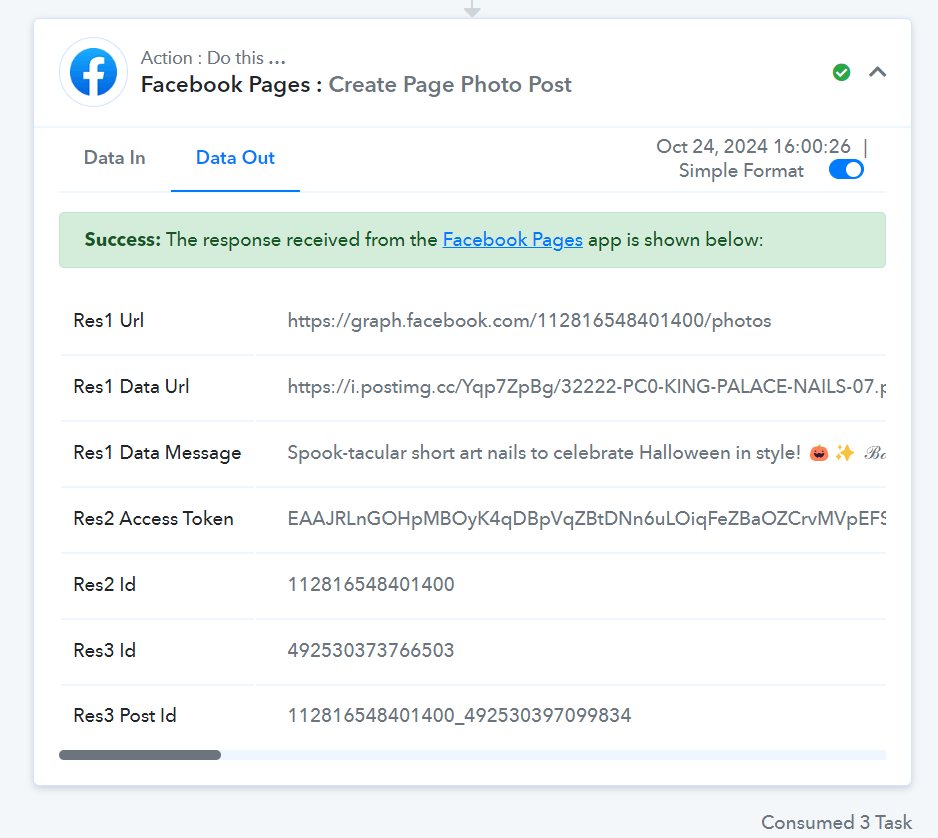
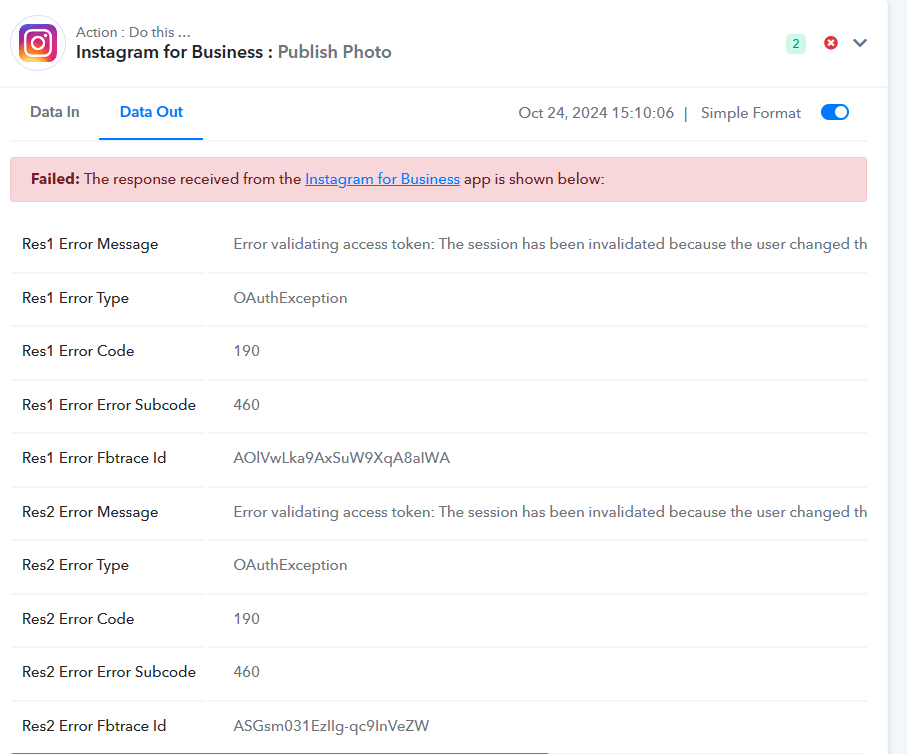
I checked many of my other projects, it still has the same error. My previous facebook page connections are no longer working. If I make a new connection, it still works. What should I do, because I set up an automatic process and can not update continuously like that.
Task History ID - IjU3NjUwNTZkMDYzZTA0MzE1MjY0NTUzNjUxMzI1MTY3NTQzMTBmMzUi_pc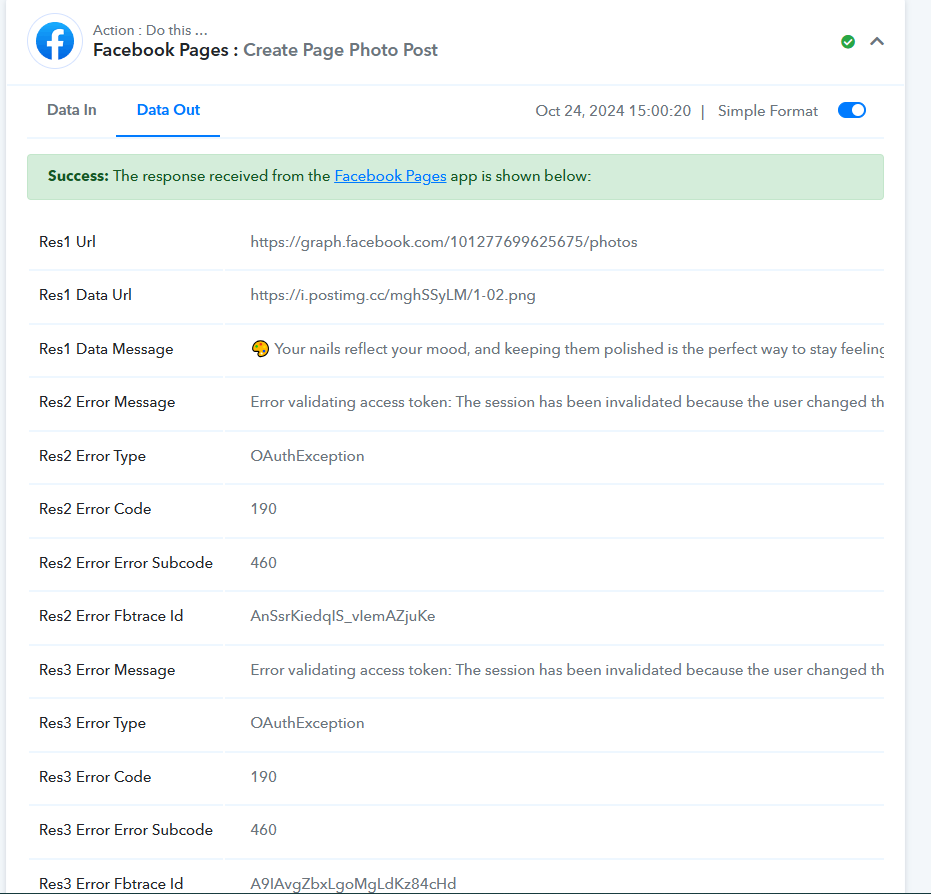
Hello @stevenphan
Is the connection expiring for the same account each time, or for different accounts
If connections for multiple accounts are expiring, we recommend updating or creating new connections for each of them to prevent future issues.
Previously connected accounts are inactive. Not sure if there is an expiration date.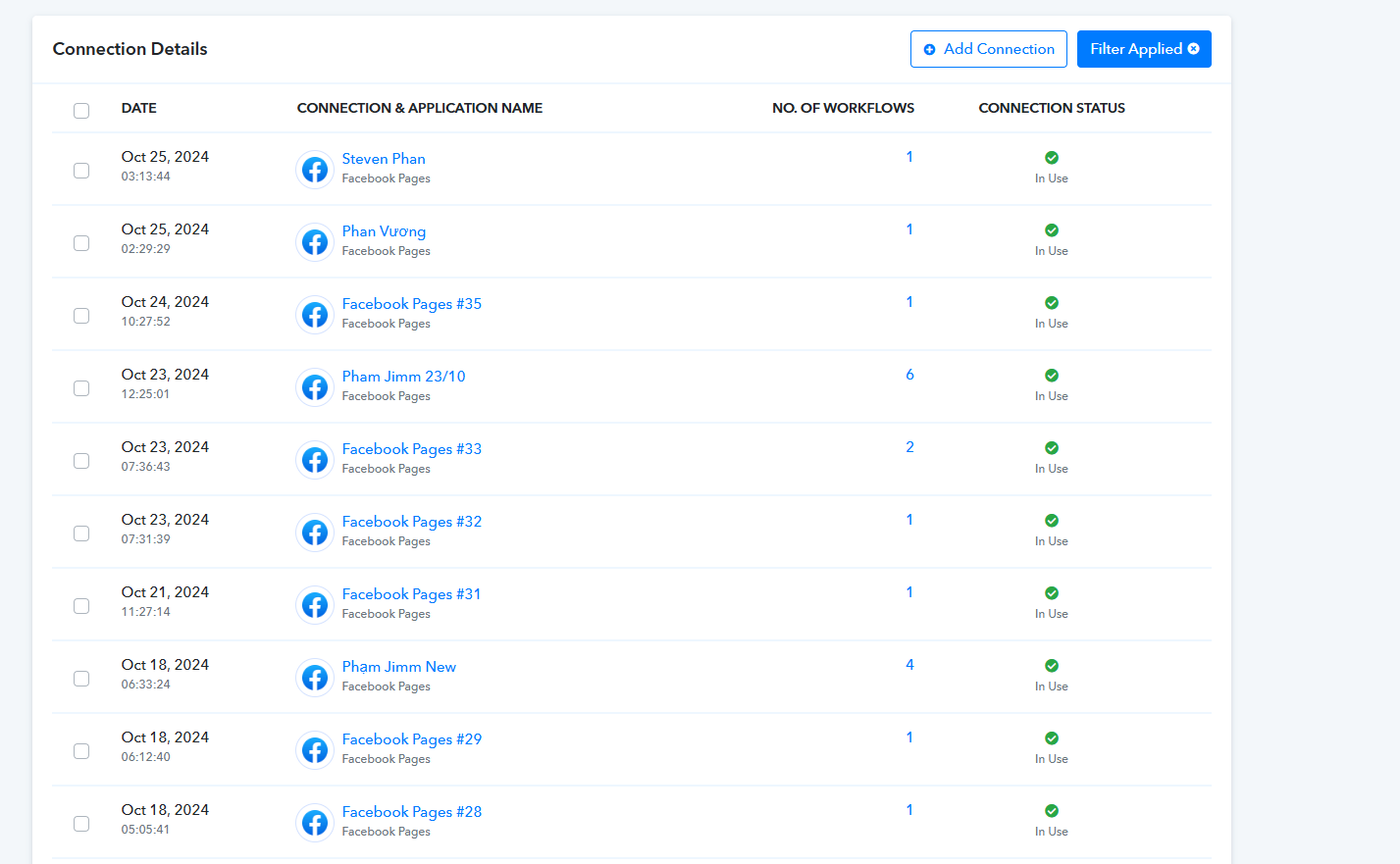
Hello @stevenphan
Are you facing the issue with Facebook connections or with Instagram connections
Kindly record a short screen recording of how you are establishing the connection. It will allow us to assist you accordingly.
I can't record the screen but you can check the connection list. The old connections no longer work without showing the list like before. If you add a new facebook connection, I think those scheduling processes will lose access.
https://connect.pabbly.com/workflow/mapping/IjU3NjYwNTZkMDYzZTA0MzY1MjZmNTUzMzUxMzQi_pc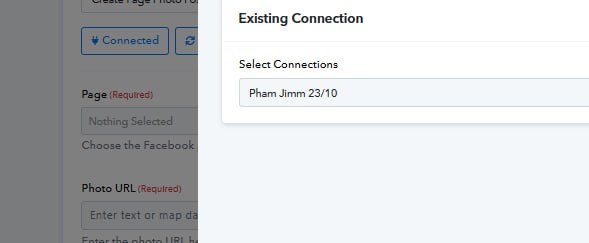
Hello @stevenphan
We have checked this workflow and it is functioning perfectly. Please refer to the attached screenshot.
workflow URL: https://connect.pabbly.com/workflow/mapping/IjU3NjYwNTZkMDYzZTA0MzY1MjZmNTUzMzUxMzQi_pc
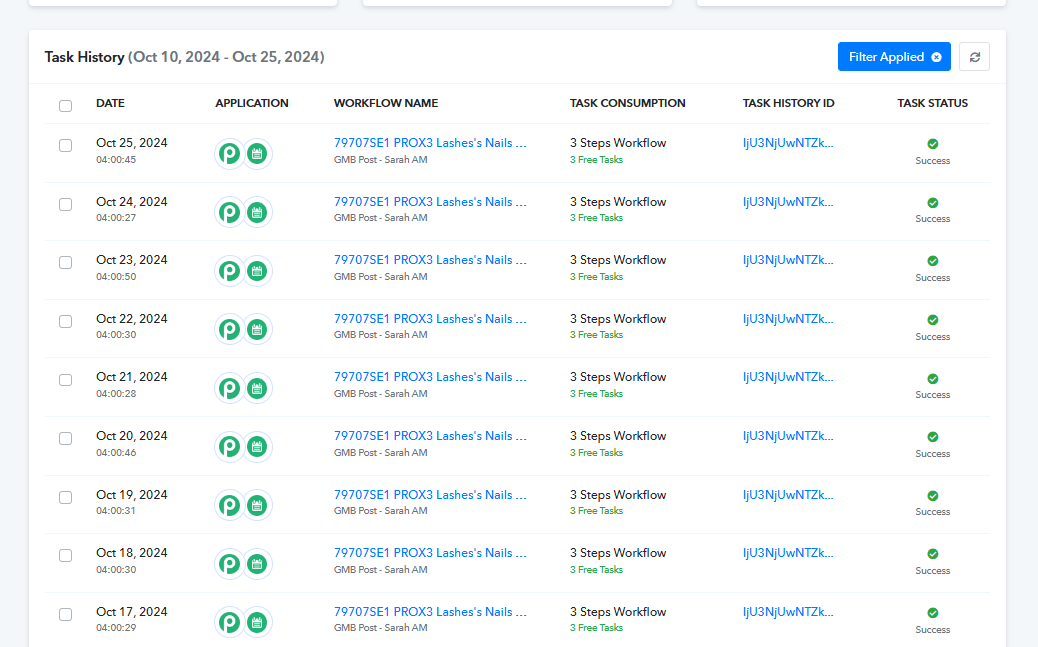
Please note: Instagram and Facebook connections are different. Kindly update theinstagram connections with which you are facing the issues.
You see, My previous connections no longer work.
https://connect.pabbly.com/workflow/mapping/IjU3NjYwNTZkMDYzZTA0MzY1MjZmNTUzMzUxMzQi_pc
https://connect.pabbly.com/workflow/mapping/IjU3NjYwNTZkMDYzZTA0M2M1MjY0NTUzNTUxMzci_pc
https://connect.pabbly.com/workflow/mapping/IjU3NjYwNTZkMDYzMTA0M2M1MjZjNTUzNDUxMzYi_pc
https://connect.pabbly.com/task/history?filter_status=applied&filter_by_workflow_id=IjU3NjYwNTZkMDYzMTA0M2M1MjZjNTUzMDUxMzUi_pc
Sorry but i tried reconnecting but still get the same error. The old connections are not working which results in the automation not completing.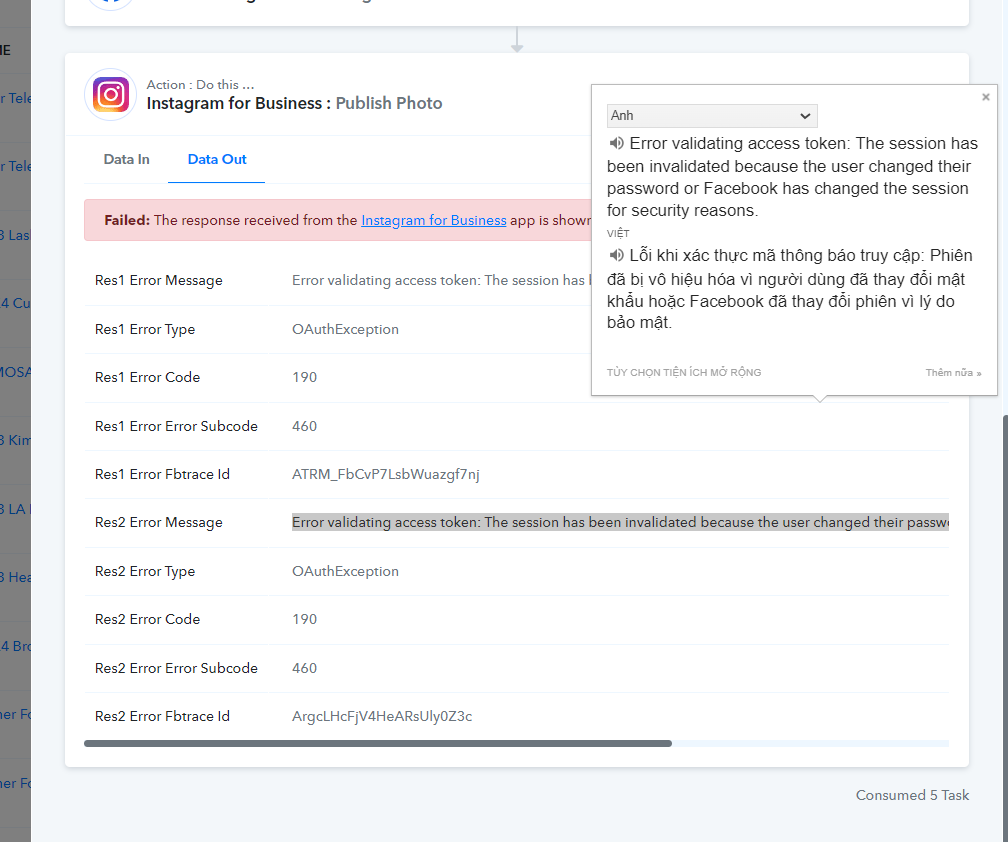
Have you changed your Facebook and Instagram account password after making the connection?
Have you changed your Facebook and Instagram account password after making the connection?
The account is still the same, nothing has changed. Do you have any instructions on this issue. If so, I cannot schedule posts.
If I connect once, then I connect again, will it be an error the first time?
Hello @stevenphan
We would like to schedule a Google Meet with you to discuss the issues you're facing. Could you please let us know a convenient time for you on Monday We are available between:
- 11:00 AM to 1:00 PM IST
- 4:00 PM to 5:00 PM IST
Please let us know which time works best for you, and we’ll send over the meeting link.
Looking forward to hearing from you.
Hello @stevenphanWe would like to schedule a Google Meet with you to discuss the issues you're facing. Could you please let us know a convenient time for you on Monday? We are available between:
- 11:00 AM to 1:00 PM IST
- 4:00 PM to 5:00 PM IST
Please let us know which time works best for you, and we’ll send over the meeting link.Looking forward to hearing from you.
I apologize for taking so long to notice this. I will monitor it for a while and figure it out. Thanks for your support.
I have looked into this error, specifically you can see:
This error is related to the access token being invalid because the user has logged out of the app or changed their password. This is a common error when working with Facebook or Meta APIs.
Can you guide me on how to auto-renew when permissions are lost. Automatic access token update: If the app needs to keep the access token active continuously, set up a mechanism to check the validity of the token and request a refresh before the token expires.
Hello @stevenphan
Renewing the access token if the password has been changed would not be possible, due to security reasons API does not allow such functionalities.
Please make sure to update the connection if the password is changed to avoid getting the errors.