I want to send auto message only to number with whom I have never connected or not saved in my Whatsapp
Status: Open · Asked by Achint on · 0 views
I want to send auto message only to number with whom I have never connected or not saved in my Whatsapp. Is there any way to make chatbot?
Hello @Achint,
Yes, you can achieve a similar setup using Pabbly Chatflow.
We recommend creating a flow where the trigger is "User Starts the Conversation". This trigger is designed to fire when a user initiates a conversation from their end and there is no existing chat history available for that conversation.
However, please note that this is not a foolproof way to identify completely new contacts. If a user's previous chat gets deleted manually or is removed by the system due to retention policies, and that user messages you again in the future, the flow may trigger again for the same user.
You can try this approach and see if it meets your requirement.
Yes please suggest alternative workflow.
Hello @Achint,
As an alternative, you can create a flow in Pabbly Chatflow using the following approach:
- Set the trigger as "User Starts Conversation". This trigger is designed to run when a user initiates a conversation from their end. In most cases, it will exclude contacts with whom an active conversation already exists.
- After the trigger, add a Conditionstep and configure it as shown in the screenshot:
- Condition On: Contact List
- Match Type: Exclude
- Select the contact lists that contain your existing contacts.
- The condition will check whether the incoming contact is not present in any of the selected contact lists. If the condition evaluates to True, you can send your automated welcome message. If it evaluates to False, you can end the flow or take a different action.
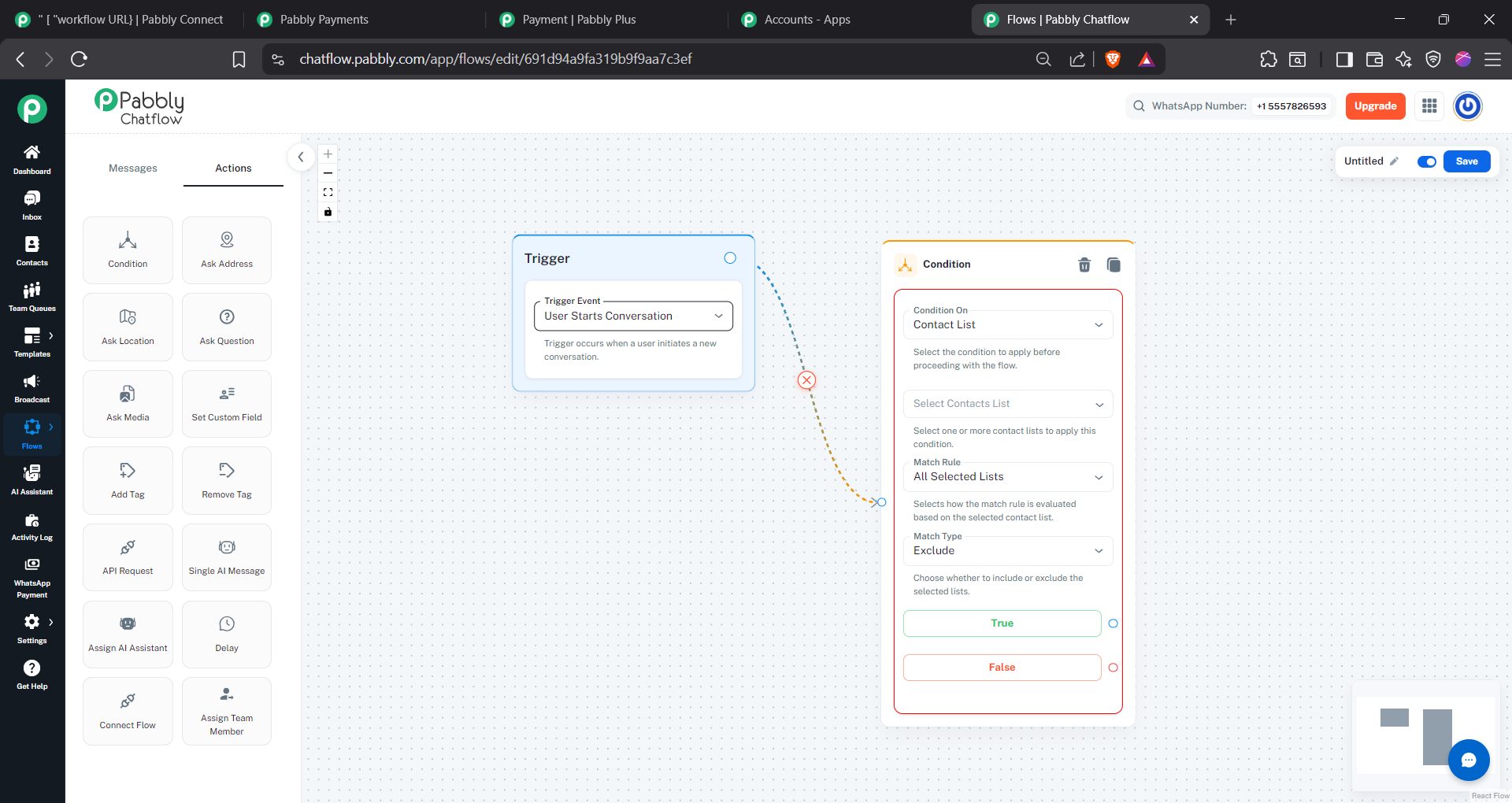
This way, only contacts that are not part of your existing contact lists will receive the automated message. Please note that for this to work effectively, your existing contacts should be maintained within the selected contact lists.
Thanks, will try. Also I have one more query.
I want to send below response from pabbly chatflow to pabbly connect whenever anyone send me any message, either new contact or old.
{ "sender_number": "{{contact.phone}}", "sender_name": "{{contact.name}}", "message": "{{message.text}}" }
How this can be acheived?
Hello @Achint,
Yes, this can be achieved using the Pabbly Chatflow trigger in Pabbly Connect.
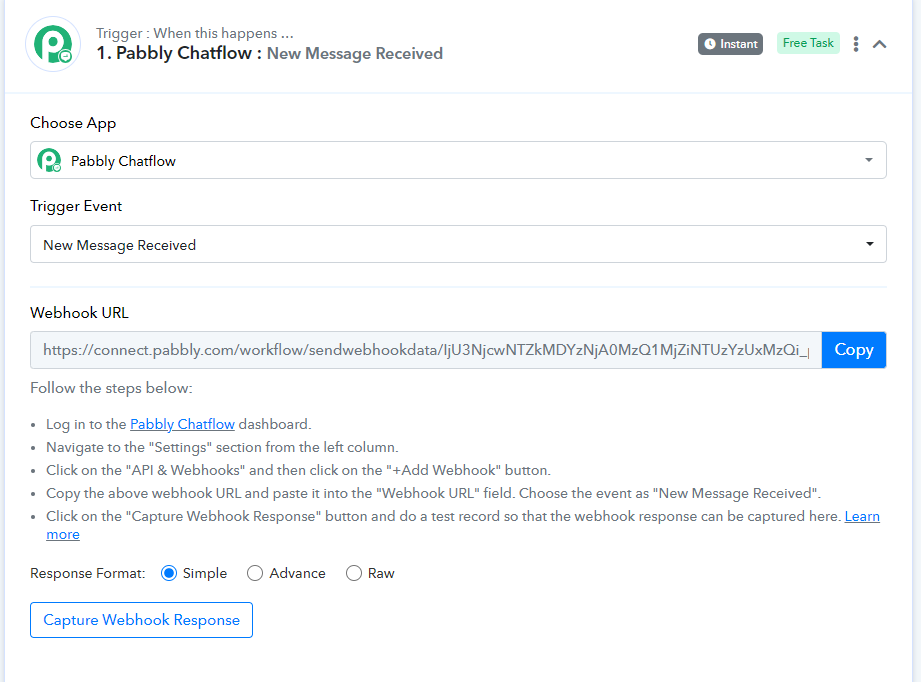
Simply create a workflow in Pabbly Connect with:
- Application: Pabbly Chatflow
- Trigger Event: New Message Received
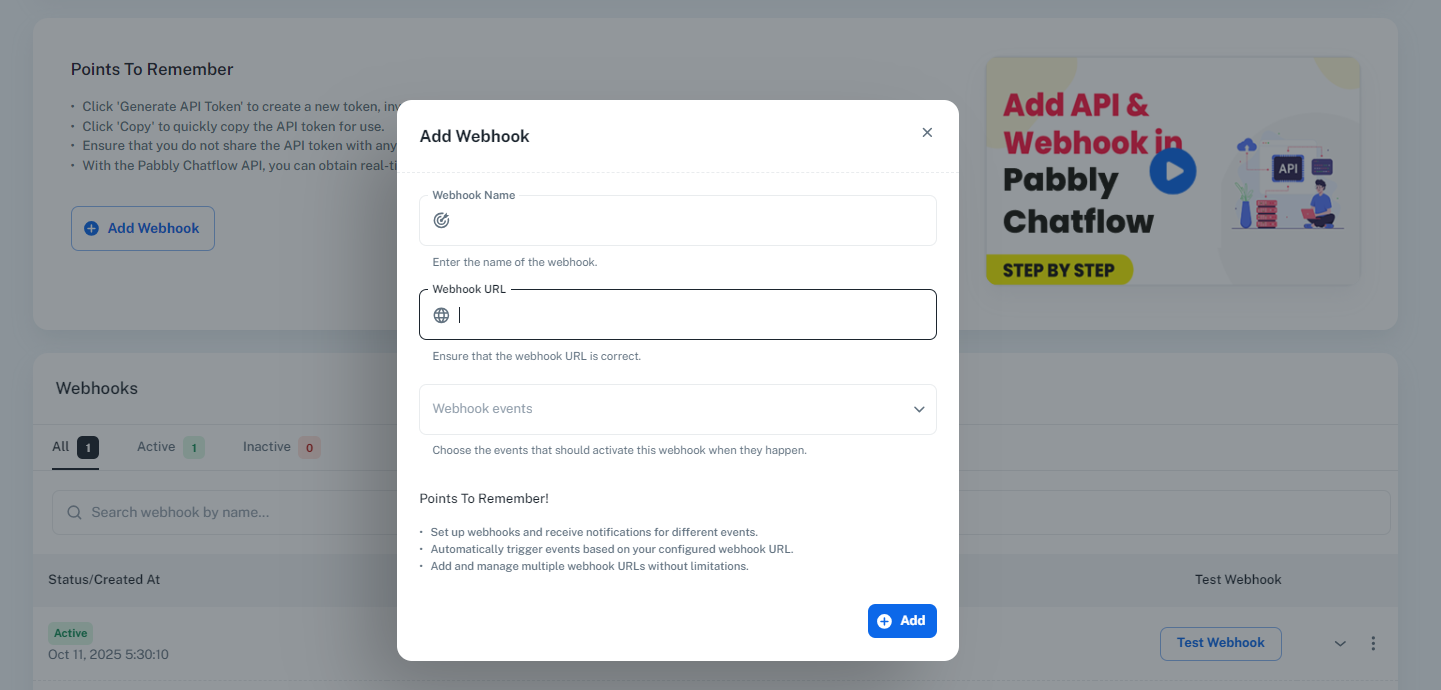
Once selected, Pabbly Connect will generate a Webhook URL. You can then add this webhook URL in Pabbly Chatflow → Settings → API & Webhooks → Add Webhook and select the "New Message Received" event.
After the webhook is configured, every incoming message (whether from a new contact or an existing contact) will be sent to Pabbly Connect automatically.
Please refer to the attached screenshots for the configuration steps.
I tried doing the contact list filter method, its showing invalid flow
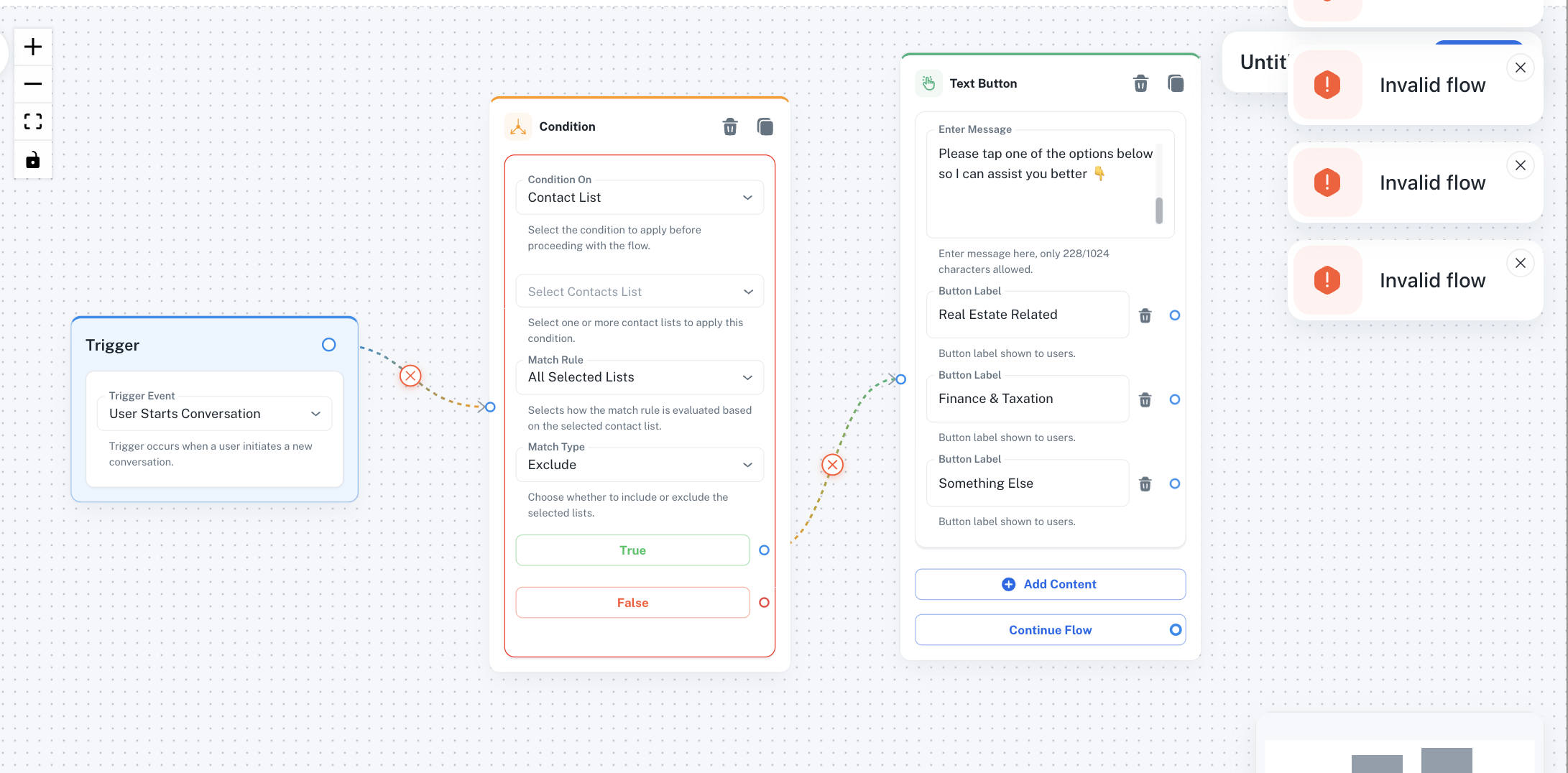
I tried doing the contact list filter method, its showing invalid flow
Based on the screenshot you shared, it appears that no contact list has been selected for exclusion.
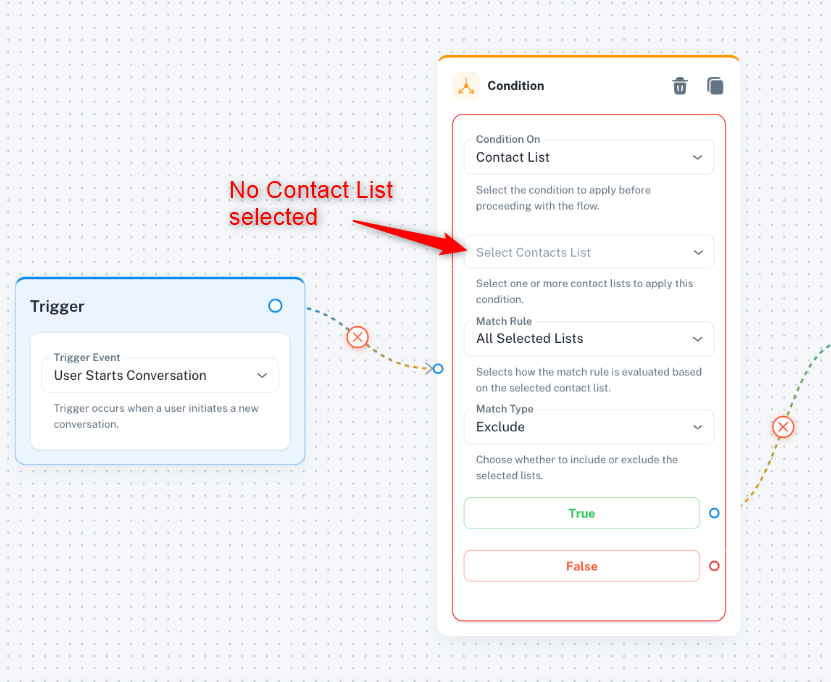
Please create a new contact list in your Pabbly Chatflow account and add your existing contacts to that list. Then, while creating the flow, select that contact list in the exclusion settings.
This should ensure that the existing contacts in the selected list are excluded as intended.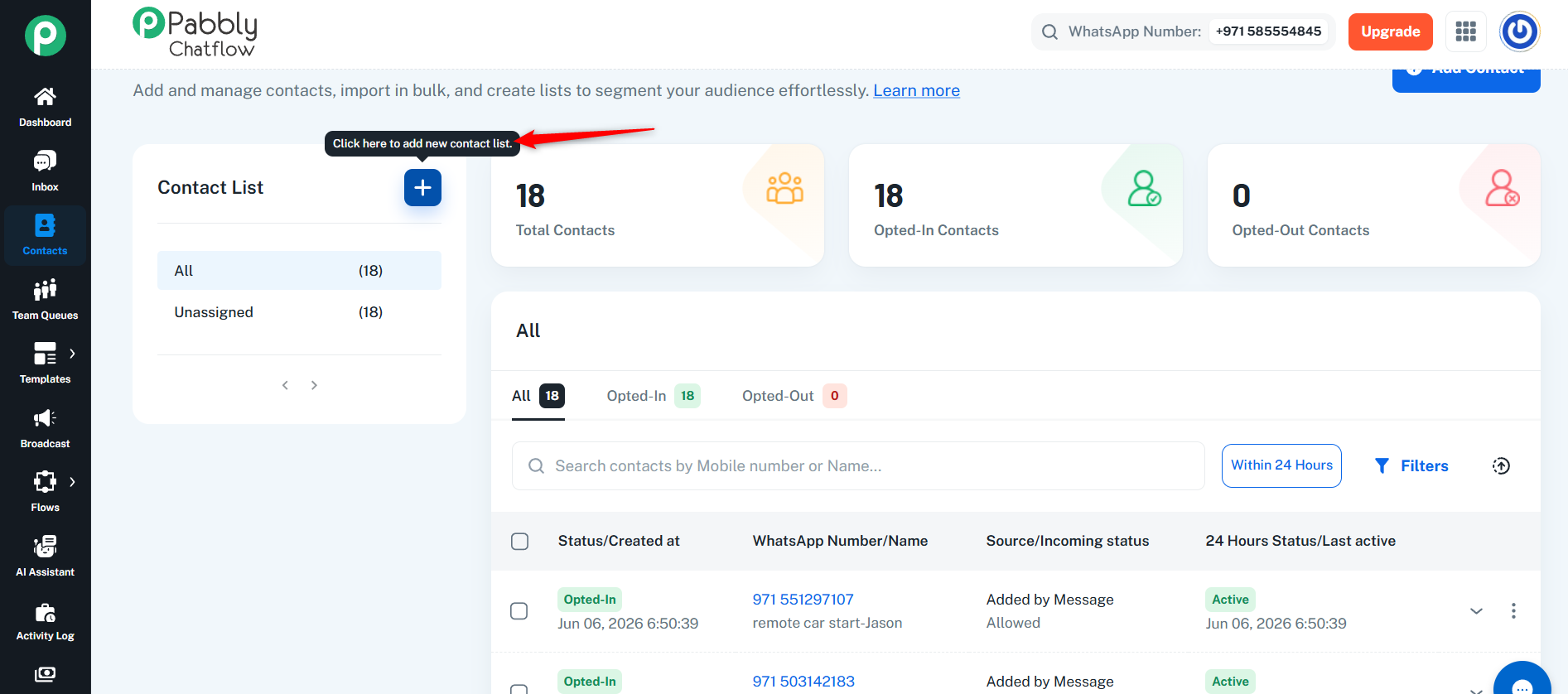
Thanks & Regards,
Arshil Ahmad
Customer Support Associate
? Pabbly.com
Thanks this is done