I'm stuck with Iterator/Loop
Status: Open · Asked by Tamosukas on · 0 views
Hi,
I'm trying to build a workflow in Pabbly Connect and I'm stuck with Iterator/Loop.
My workflow receives Fotocasa alert emails via Gmail. One email can contain between 1 and 6 property URLs depending on how many new listings are available.
I use Extract Pattern to extract the URLs from the email, but the result is returned as separate fields:
- result 0
- result 1
- result 2
- result 3
- result 4
- result 5
The number of URLs varies in each email.
My goal is to process each URL individually (one by one) through the following steps:
Gmail → Extract Pattern → Firecrawl → Google Sheets → Telegram
I tried using Code (JavaScript) to create an array and then pass it to Iterator, but Iterator does not detect the output as an array and shows "No options found".
What is the recommended way in Pabbly Connect to:
- Take multiple extracted URLs (result 0, result 1, result 2, etc.).
- Convert them into a format that Iterator or Loop can process.
- Run the same set of actions for each URL individually.
Could you please provide the correct workflow structure or an example?
Thank you.
Hey @Tamosukas,
Thank you for sharing the details.
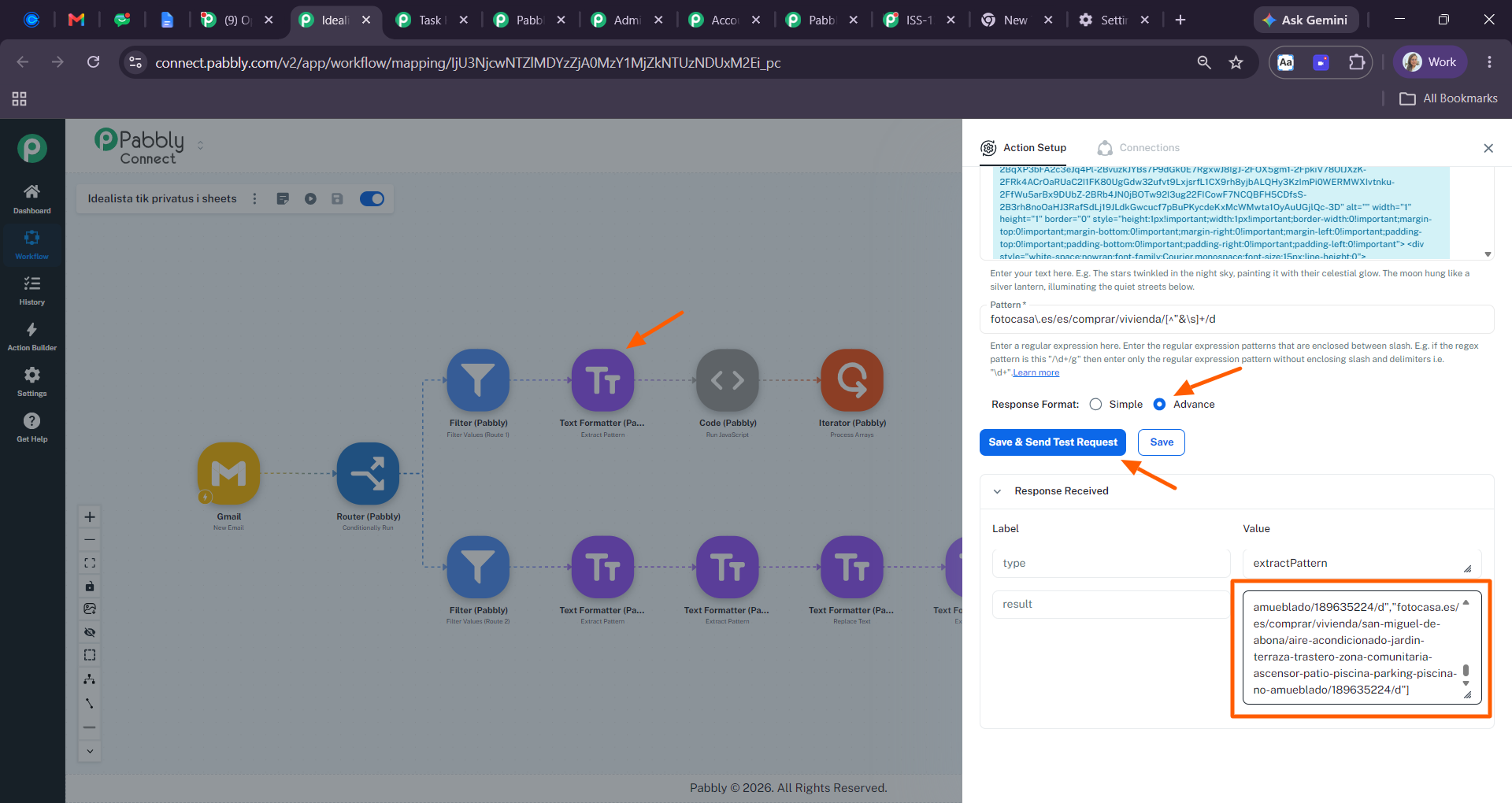
We checked the setup and found that the response from the Text Formatter/Extract Pattern step was being captured in Simple Response format. Because of this, the extracted URLs were returned as separate fields (result 0, result 1, result 2, etc.) instead of an array.
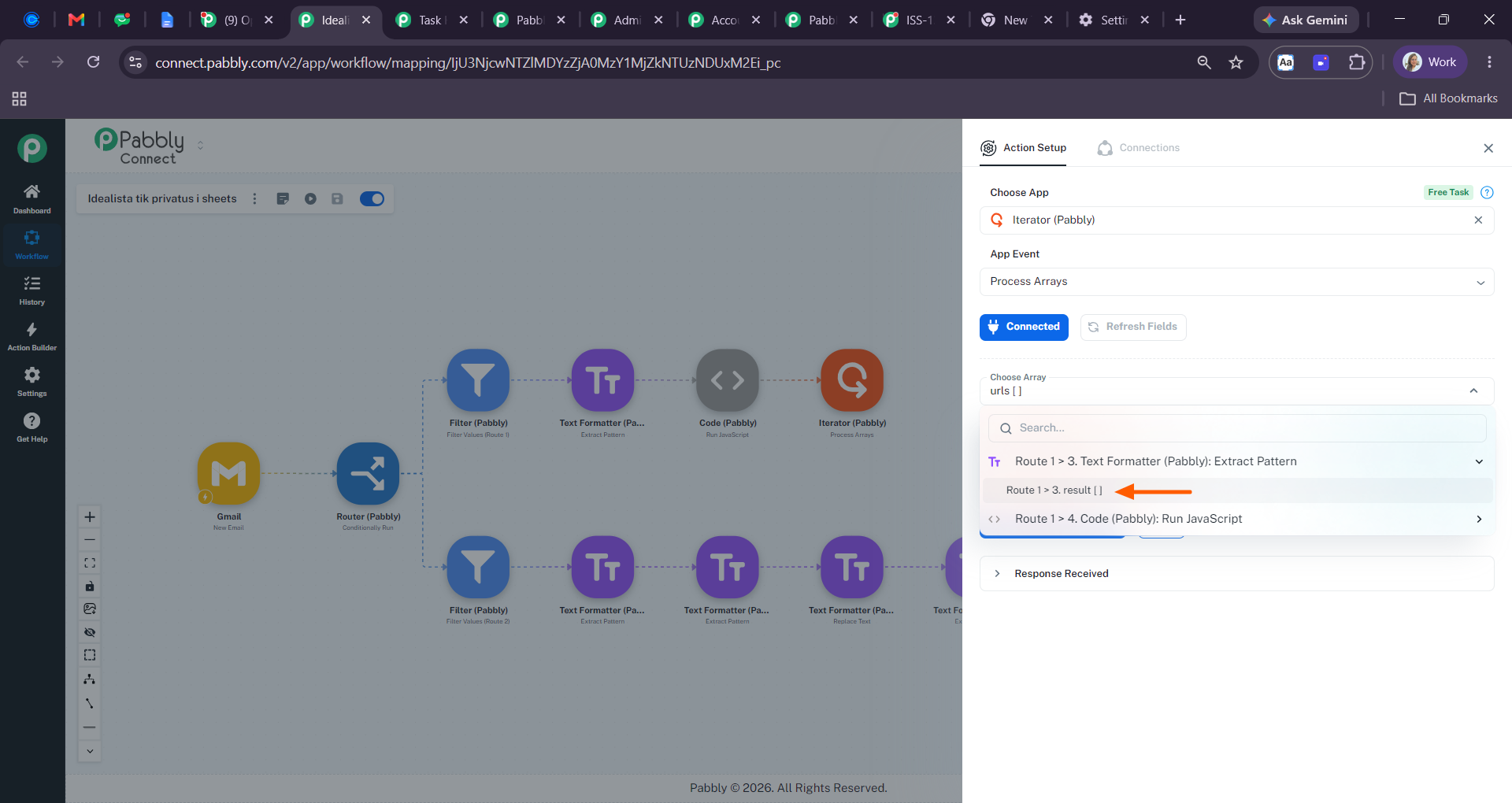
We made a small adjustment by switching the response format to Advance and recapturing the response. With this change, the extracted URLs are now returned as an array rather than separate key-value pairs.
You can directly use this array in the Iterator step, and it should process each URL individually as expected.
Please refer to the attached screenshots for a better understanding and let us know how it goes.
yes this was solution, but you need maybe to mark in the app some menion about that, as I see alot people have this simple problem
Hey @Tamosukas,
Thank you for confirming that the solution worked for you.
Please note that there is already a tooltip available for the Response Format options (Simple, Advance, and Raw). If you hover your cursor over these options, you'll find additional information about how each format structures the captured response.