I'm trying to publish several photos on facebook using Imgur , but it doesn't work . Can you help me to solve this problem?
Status: Open · Asked by pavel on · 0 views
Salut
J'essaie de publier plusieurs photos sur Facebook en utilisant Imgur, mais cela ne fonctionne pas. Pouvez-vous m'aider à résoudre ce problème ?
C'est bloqué dans Imgur
Merci
Hello @pavel
As we have checked the workflow, it can not fulfill the requirement as while uploading the image URL to Imgur multiple comma-separated URLs are sent and hence it throws an error.
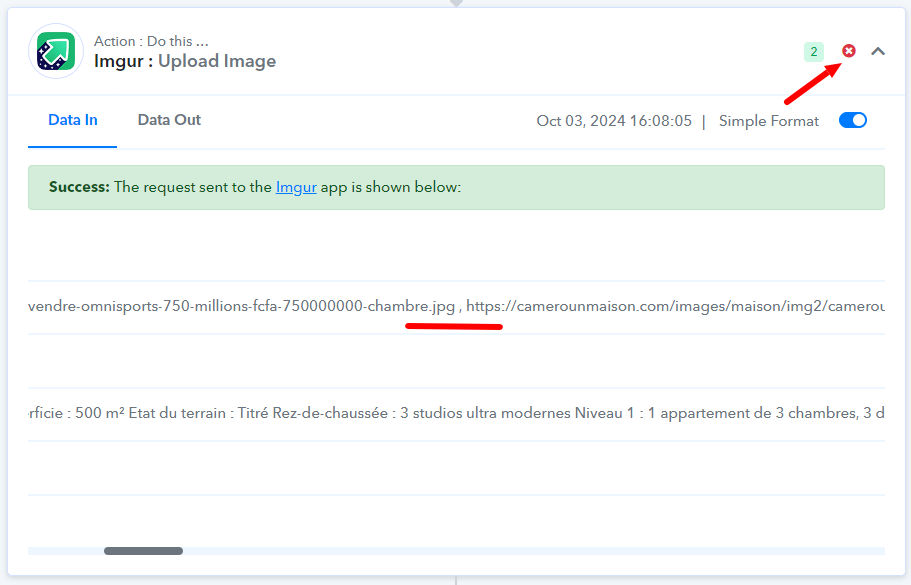
To make the use case achievable you have to add data to your Google sheets in a way that the Image URLs are entered in separate rows.
Bonjour @pavelComme nous avons vérifié le flux de travail, il ne peut pas répondre à l'exigence car lors du téléchargement de l'URL de l'image sur Imgur, plusieurs URL séparées par des virgules sont envoyées et génèrent donc une erreur.
Pour rendre le cas d'utilisation réalisable, vous devez ajouter des données à vos feuilles Google de manière à ce que les URL des images soient saisies dans des lignes séparées.
Bonjour
Merci pour votre réponse.
J'ai regardé cette vidéo, mais je n'arrive pas à l'appliquer :
. Titre : Comment créer une publication Facebook avec plusieurs images à partir de Google Sheets | Intégration Facebook de Google Sheets
youtube.com/watch?v=GrD2k3P6ZVI
D'après cette vidéo, vous devez mettre une virgule « , » entre chaque lien photo si vous souhaitez créer une publication Facebook avec plusieurs photos. mais cette vidéo ne parle pas d'Imgur.
Il y a quelques jours, je n'arrive pas à créer un workflow pour publier sur Facebook, et votre équipe m'a conseillé d'utiliser Imgur. Depuis, j'utilise Imgur et mon workflow fonctionne bien. Mais le problème avec ce workflow est qu'il ne permet de faire qu'une publication avec une seule photo, alors que je souhaite faire une publication avec plusieurs photos. Le problème vient d’Imgur. Je ne sais pas comment utiliser Imgur pour faire une publication avec plusieurs photos. Pour le moment, je n'arrive pas à créer un workflow pour publier sur Facebook avec Pabbly Connect sans utiliser Imgur.
J'aimerais une réponse à 2 questions ?
- Est-il possible de publier plusieurs photos sur Facebook en utilisant un workflow ?
- Si la réponse à la première question est « oui », pouvez-vous me montrer comment faire un workflow qui réalise une publication avec plusieurs photos sur Facebook ?
Parce que je ne sais pas comment faire un workflow qui fait une publication sur facebook avec plusieurs photos bien que j'ai regardé la vidéo sur la chaîne Youtube Pabbly Connect qui explique comment le faire.
Merci beaucoup pour votre support client
Hello @pavelAs we have checked the workflow, it can not fulfill the requirement as while uploading the image URL to Imgur multiple comma-separated URLs are sent and hence it throws an error.
To make the use case achievable you have to add data to your Google sheets in a way that the Image URLs are entered in separate rows.
Hi
I modified my Google Sheet file and I put each photo in a single cell.
My workflow is still blocked in Imgur . I don't know if you can help me to correct this problem so that my workflow works ?
Thanks in advance
@pavel, In this workflow you don't need Imgur action step, you can delete it from this workflow.
You need to add all the image URLs from a row into a single cell, separating each URL with a comma.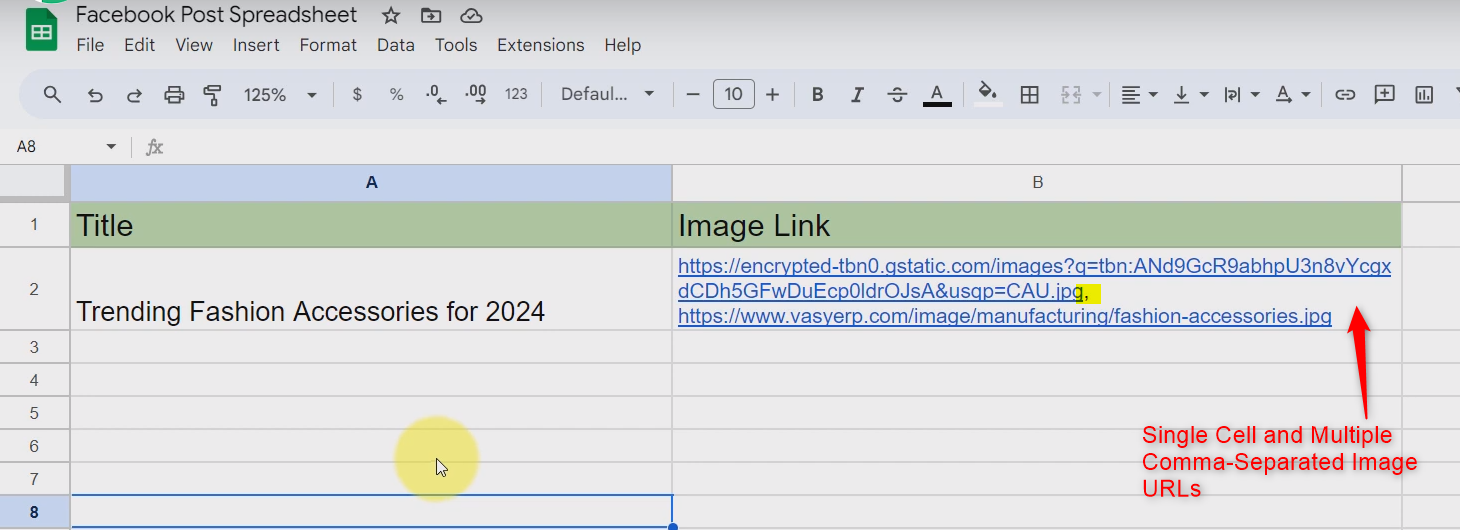
Then click on 'Save & Send Test Request' in 'Get Row(s)' action step, to capture comma-separated image URLs in this action step.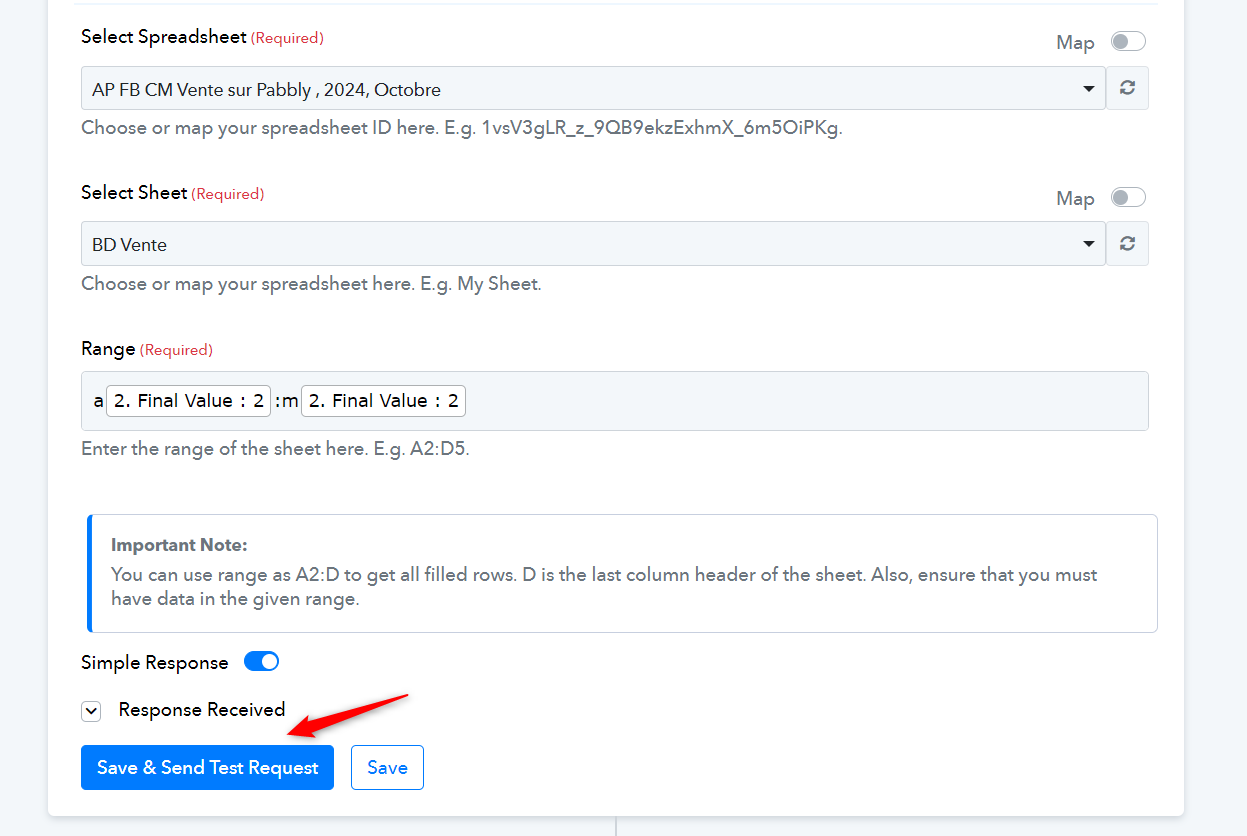
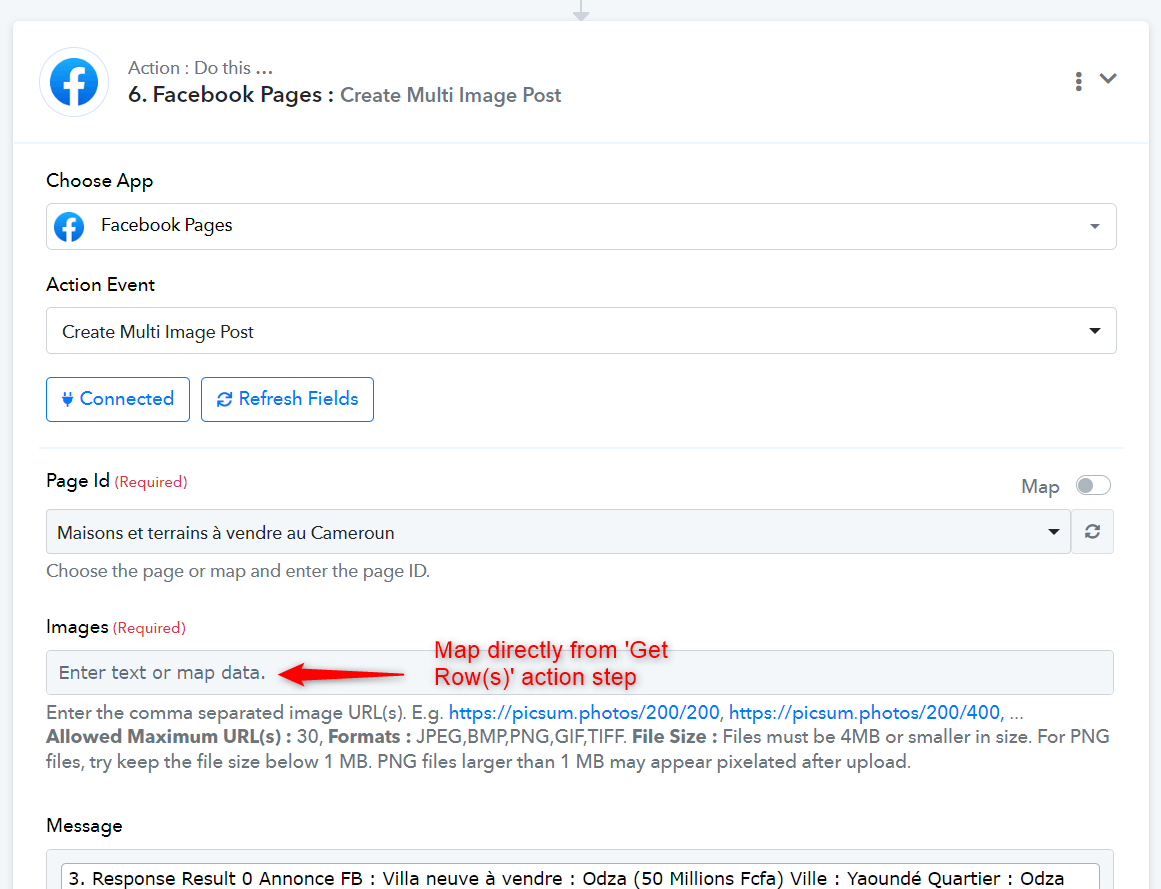
Once you have done that, map the comma-separated image URLs directly to the Facebook step.
=========================================================================
https://connect.pabbly.com/workflow/mapping/IjU3NjYwNTZkMDYzMDA0M2Q1MjZhNTUzNzUxMzYi_pc
In this workflow, you do need the Imgur action step because 'Facebook: Create Multi-Image Post' doesn't support Google Drive URLs directly. You can create multi-image posts in this workflow as well, but only if the number of images remains the same in all posts.
For example, you can set up this workflow to make a post with 5 images. Each time, you must add 5 images to your Google Sheets (each in a different cell). You cannot decrease or increase the number of images in a post; it has to remain the same for each post.
If the number of images is different for each post, then I am afraid posting multiple images through this workflow is not possible.
https://connect.pabbly.com/workflow/mapping/IjU3NjYwNTZkMDYzNTA0MzI1MjY1NTUzYzUxMzIi_pc
@pavel, In this workflow you don't need Imgur action step, you can delete it from this workflow.You need to add all the image URLs from a row into a single cell, separating each URL with a comma.
Then click on 'Save & Send Test Request' in 'Get Row(s)' action step, to capture comma-separated image URLs in this action step.
Once you have done that, map the comma-separated image URLs directly to the Facebook step.
=========================================================================
https://connect.pabbly.com/workflow/mapping/IjU3NjYwNTZkMDYzMDA0M2Q1MjZhNTUzNzUxMzYi_pcIn this workflow, you do need the Imgur action step because 'Facebook: Create Multi-Image Post' doesn't support Google Drive URLs directly. You can create multi-image posts in this workflow as well, but only if the number of images remains the same in all posts.
For example, you can set up this workflow to make a post with 5 images. Each time, you must add 5 images to your Google Sheets (each in a different cell). You cannot decrease or increase the number of images in a post; it has to remain the same for each post.
If the number of images is different for each post, then I am afraid posting multiple images through this workflow is not possible.
Hello
I have two questions.
I managed to make Facebook posts with several photos without using Imgur , because the photo links came from my website .
1. I'd like to know if it's mandatory to use Imgur to make Facebook posts with photo links coming from Google Drive?
2. I'd also like to know if it's possible to publish on Facebook with several photos when the photo links come from Google Drive?
Thanks in advance for the answers
1. I'd like to know if it's mandatory to use Imgur to make Facebook posts with photo links coming from Google Drive?
Yes, it’s necessary to change the format of the Google Drive file URL to one accepted by Facebook, which is why you have to use Imgur.
2. I'd also like to know if it's possible to publish on Facebook with several photos when the photo links come from Google Drive?
It's not possible to make a multi-image post on Facebook from Google Drive.
Oui, il est nécessaire de modifier le format de l'URL du fichier Google Drive en un format accepté par Facebook, c'est pourquoi vous devez utiliser Imgur.Il n'est pas possible de créer une publication multi-images sur Facebook à partir de Google Drive.
Ok