"Image Format Not Supported & Missing creation_id Error When Using Google Drive Image URL in Pabbly Connect"
Status: Open · Asked by muhamed on · 0 views
Hi everyone,
I'm getting two errors when trying to post an image using Pabbly Connect with a Google Drive URL:
- "The image format is not supported"
- "(#100) The parameter creation_id is required."
I'm using an image hosted on Google Drive, and I passed the public shareable link in the image URL field. Here's the URL format I used:
bash
CopyEdit
https://drive.google.com/file/d/FILE_ID/view?usp=sharing
Pabbly returns the following:
- Error Type: OAuthException
- Error Code: 36001
- Subcode: 2207005
- Error Message: The image format is not supported.
- (#100) The parameter creation_id is required.
I'm not sure if the Google Drive link is the issue, or if I need to first upload the image and get a creation_id before publishing.
Can anyone help me understand:
- How to properly use an image URL in this case?
- What is the correct flow to handle the creation_id requirement?
- Should I use another image hosting service?
Thanks in advance for any guidance!
Hello @muhamed,
Could you please provide us with the Workflow URL where you are facing this issue? This will help us investigate the problem more effectively and assist you accordingly.
[IMG width="622px" height="187.397px"]https://lh7-rt.googleusercontent.com/docsz/AD_4nXehSgkTPqsACJpENKI6UgJrF6BQw55mzuubusJaqgAUb9YOCpmlXP1cjWfupFmrjrvBag3NRHlwlwKBXix3yJ_lAtETpT68pe_h-niKdXkioXpu11r_s6h2oCEWYcqrz1fb3ZaJ?key=PL4GUVQWZ8u13PditD4i_cYb[/IMG]
Hello @muhamed,
Could you please specify the action step in which you are getting the above error?
when i try to publish that Google drive link in Instagram ( 2 step ) and facebook ( 3 step ) , im getting error in uploading , below is fyr 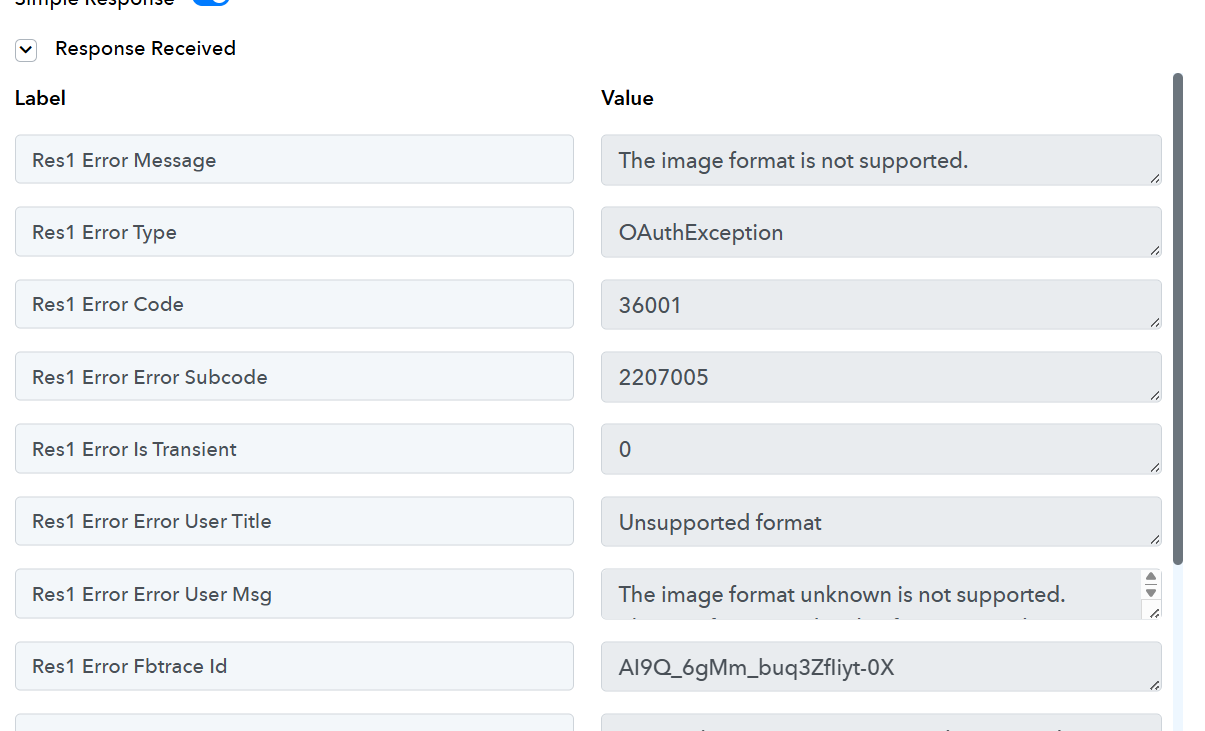
Hey @muhamed
The URL that you are currently using, appears to be private. The file must be publicly accessible in order to upload it on Instagram.
https://drive.google.com/uc?export=download&id=1srIP_ap5xhp3p_J5qMG-O1T4pOKNHWiu
Further, you can use "File Uploader by Pabbly" to get a URL to be entered in the Instagram step.
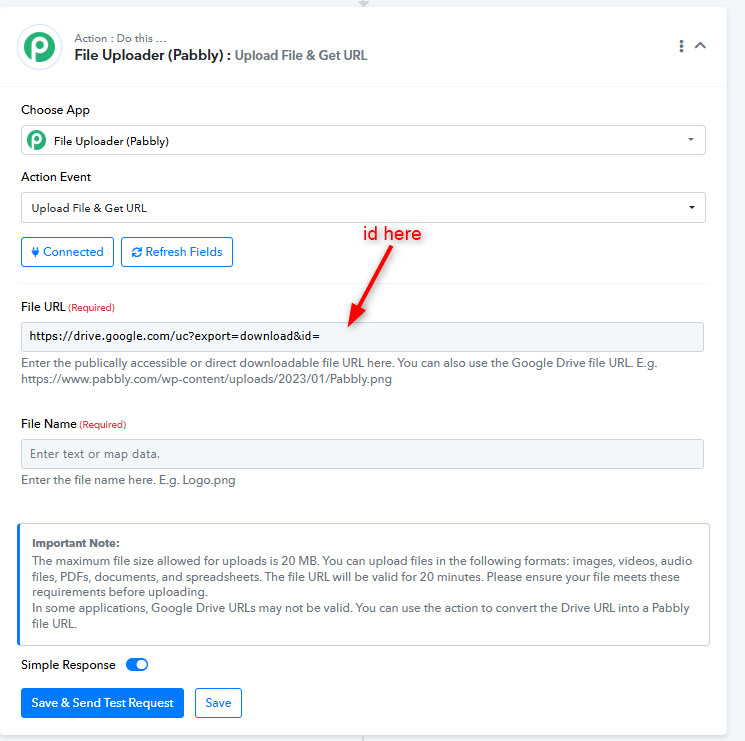
Kindly try it out and let us know if it works for you.
its still the same
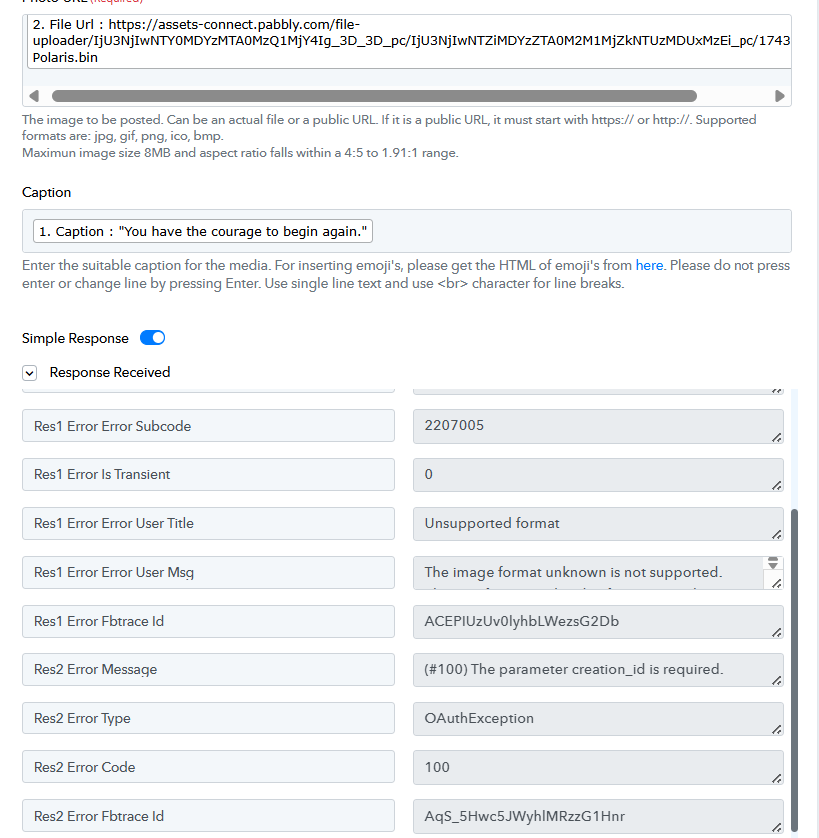
Hey @muhamed
We have checked and added the steps properly, but the file is still in a private Google Drive access.
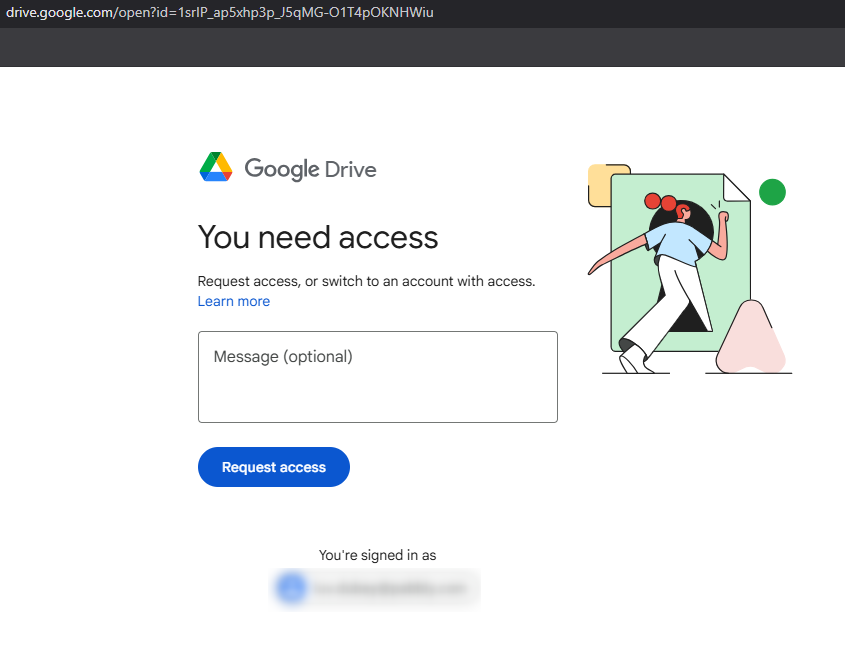
Kindly re-capture a webhook response with a publicly accessible file an try again.