image upload in api workflow to get binary data.
Status: Open · Asked by serwar habib on · 0 views
i am trying to create video automation for jogg ai. i need to create a video using google sheet that has image url. but jogg ai wants me to first upload the image on their platform and they dont accept the image upload directly from url. they want me to convert the image into binary data and then passon that data. this is where is i am getting stuck.
i need help in finishing this workflow please.
Hi @serwar24554,
Could you please share the cURL command and API documentation for the endpoint you are attempting to use in Jogg AI to pass the binary data? This will help us look into the feasibility of your use case.
Thanks & Regards,
Arshil Ahmad
Customer Support Associate
? Pabbly.com
?Rate your support
you could use any url. i just need the workflow to work.
The API documentation suggests that we can pass the image URL without converting it to binary data. We executed the endpoint you shared using only the image URL and were able to successfully execute it without any binary data. Please check if the video has been created in your Jogg AI account.
https://connect.pabbly.com/workflow/mapping/IjU3NjcwNTZmMDYzMTA0MzQ1MjY5NTUzNTUxMzYi_pc
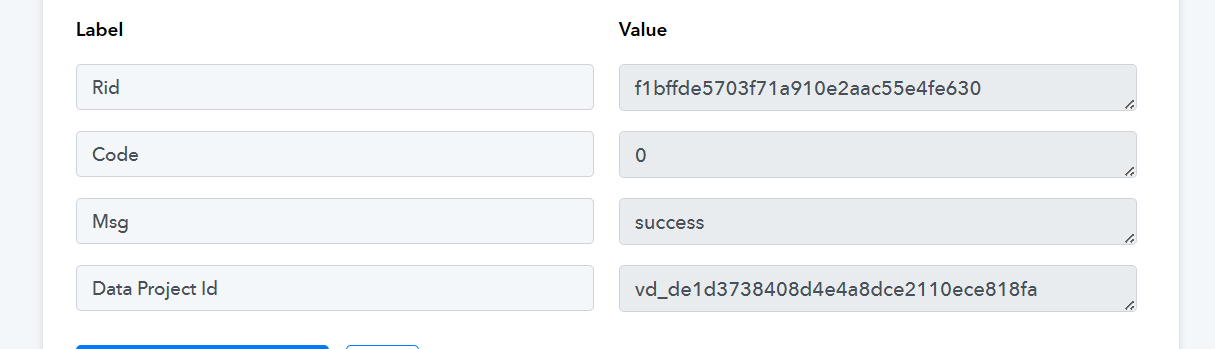
Thanks & Regards,
Arshil Ahmad
Customer Support Associate
? Pabbly.com
?Rate your support
thank you i really appreciate the response. and i have to say pabbly has the best customer support. you always provide solution and actually try to help. when i can i am just going to buy another lifetime deal just to support you guys.
now the question.
you did create the video but it did not replace the image in template video.
i see the the jogg api documentation is a little different to what you did. for example i want to know how did you come up with these values.
"asset_id": 12345,
"webhook_url": "https://example.com/webhook"
how were you able to get the asset id of the image url. and what i change the image would i need to change the asset id too? and how will i get that asset id.
and how did you come up with the webhook prompt, why is it needed, what it does and is it mandatory. thank you.
and i created a video by just changing the image url but that changed nothing in the output video so it means asset id is important. but i dont know how to get that.
secondly in your worfklow that you created and the output of that workflow did not change the image and script was not changed, the output script was just the template script and not what you sent. basically everything in output video was the template design itself. not was replaced in template video. please help me fix this.
thank you i really appreciate the response. and i have to say pabbly has the best customer support. you always provide solution and actually try to help. when i can i am just going to buy another lifetime deal just to support you guys.
Thank you so much for your kind words and support—we truly appreciate it and are always here to help!
you did create the video but it did not replace the image in template video.
i see the the jogg api documentation is a little different to what you did. for example i want to know how did you come up with these values."asset_id": 12345,
"webhook_url": "https://example.com/webhook"how were you able to get the asset id of the image url. and what i change the image would i need to change the asset id too? and how will i get that asset id.
and how did you come up with the webhook prompt, why is it needed, what it does and is it mandatory. thank you.and i created a video by just changing the image url but that changed nothing in the output video so it means asset id is important. but i dont know how to get that.
secondly in your worfklow that you created and the output of that workflow did not change the image and script was not changed, the output script was just the template script and not what you sent. basically everything in output video was the template design itself. not was replaced in template video. please help me fix this.
Basically, we tested the endpoint in Jogg’s API documentation playground to check whether converting the URL to binary was necessary, and by simply passing the same image URL used in your workflow, it executed successfully without any additional changes.
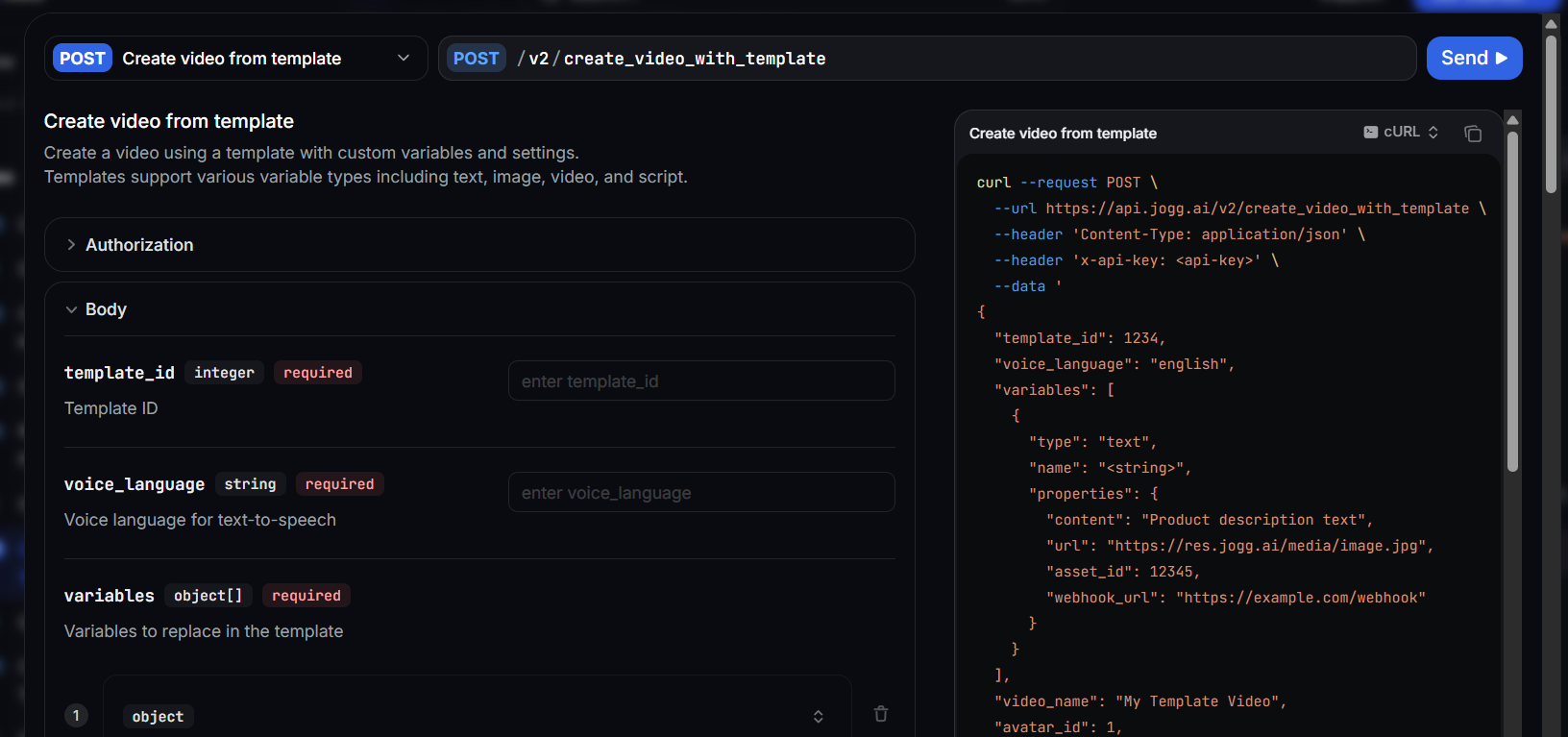
The same applies to the asset ID—we used the exact ID from the cURL without any changes; for uploading the file to Jogg AI, we recommend using our integrated Jogg AI: Upload Media action step.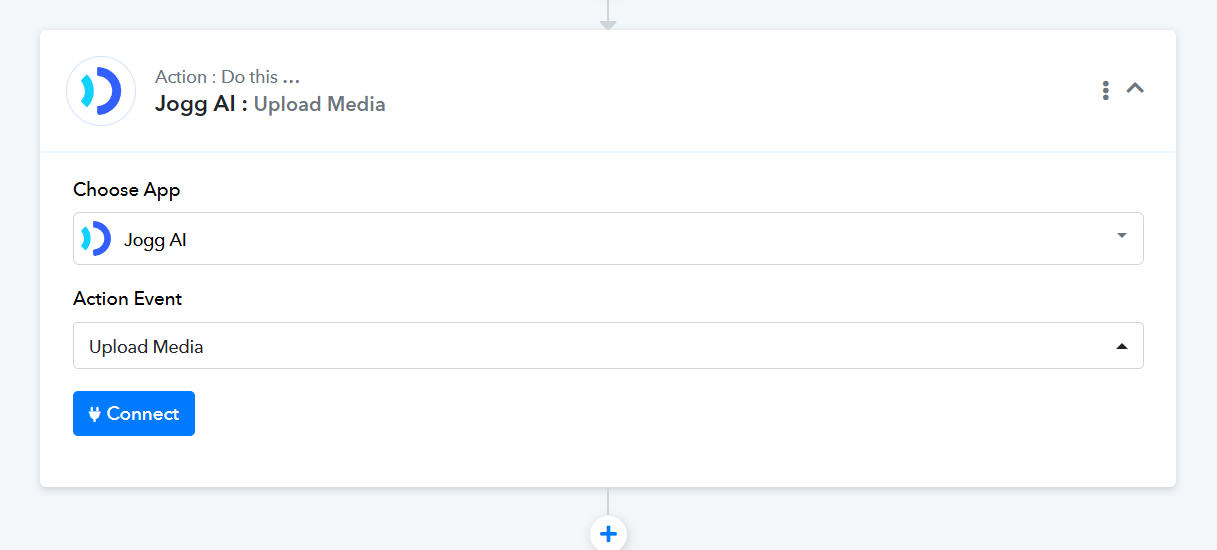
Then use the 'Jogg AI: Create Video From Template' action step to create the video from a template.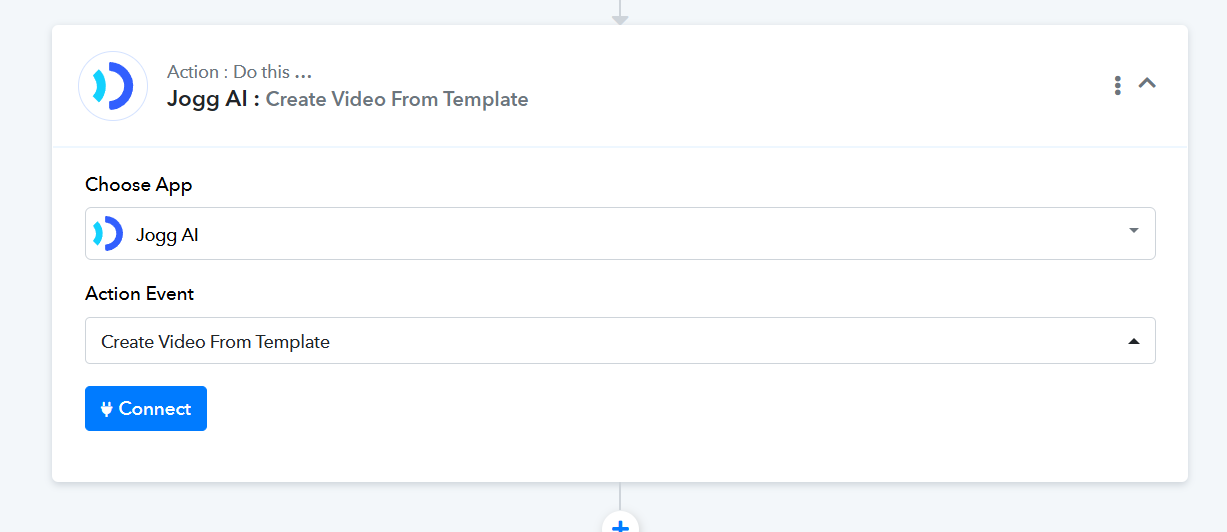
Thanks & Regards,
Arshil Ahmad
Customer Support Associate
? Pabbly.com
?Rate your support
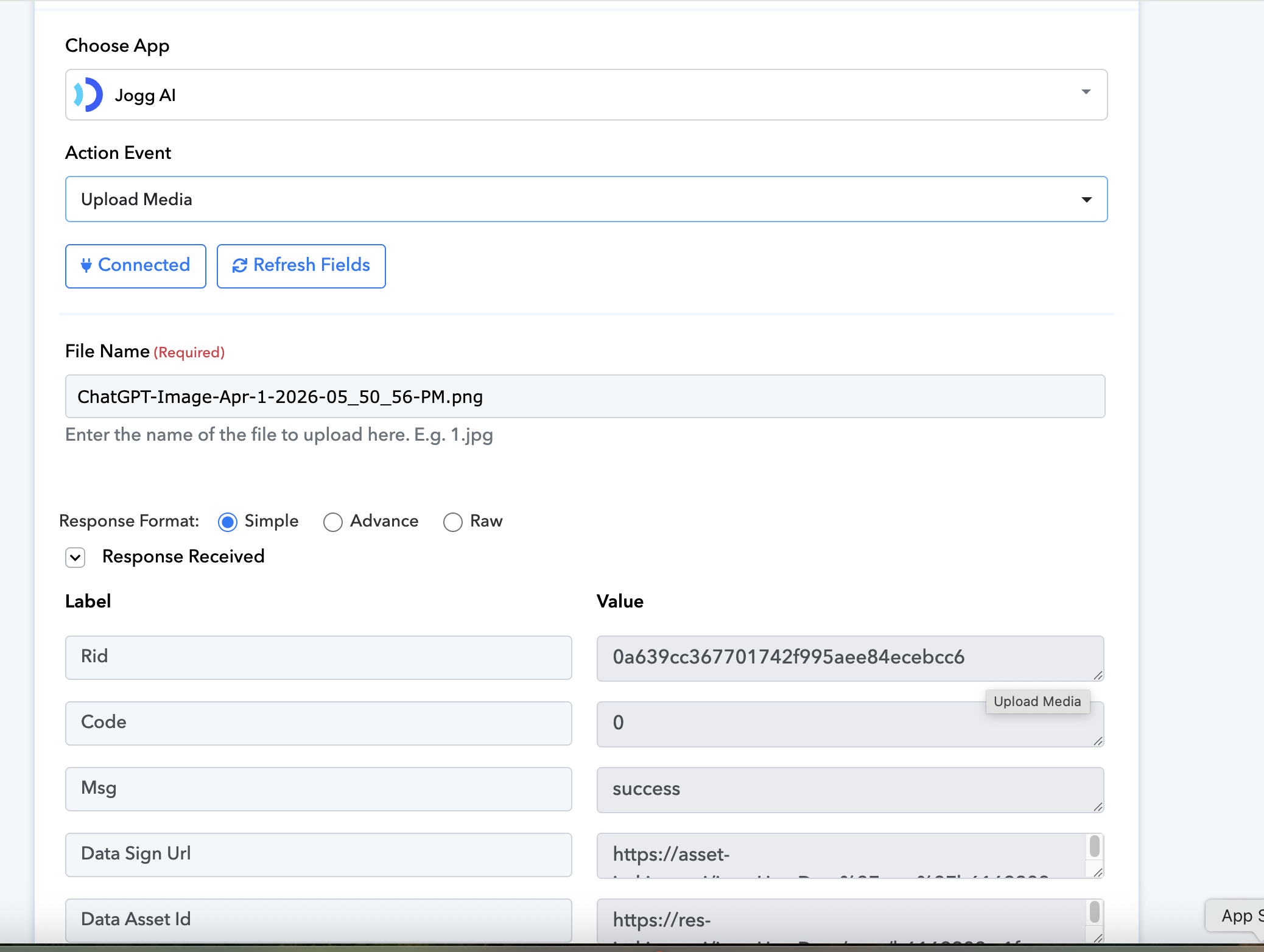
upload media step only asks me to provide filename and then returns the asset url. and does not ask me to provide image url. what do i do after this step? and which values do i map in that step.
Please allow us some time to discuss this with our team. We will get back to you with an update soon.
Thanks & Regards,
Arshil Ahmad
Customer Support Associate
? Pabbly.com
?Rate your support
thank you i am waiting.
We will get back to you as soon as we receive an update from our technical team.
Thanks & Regards,
Arshil Ahmad
Customer Support Associate
? Pabbly.com
?Rate your support
Our technical team has informed us that you need to pass the file URL in the "Upload Media" action step. It will then return the data.asset_id.
Step 1: Use the "Upload Media" action with your original URL; you will receive the asset_id in the response.
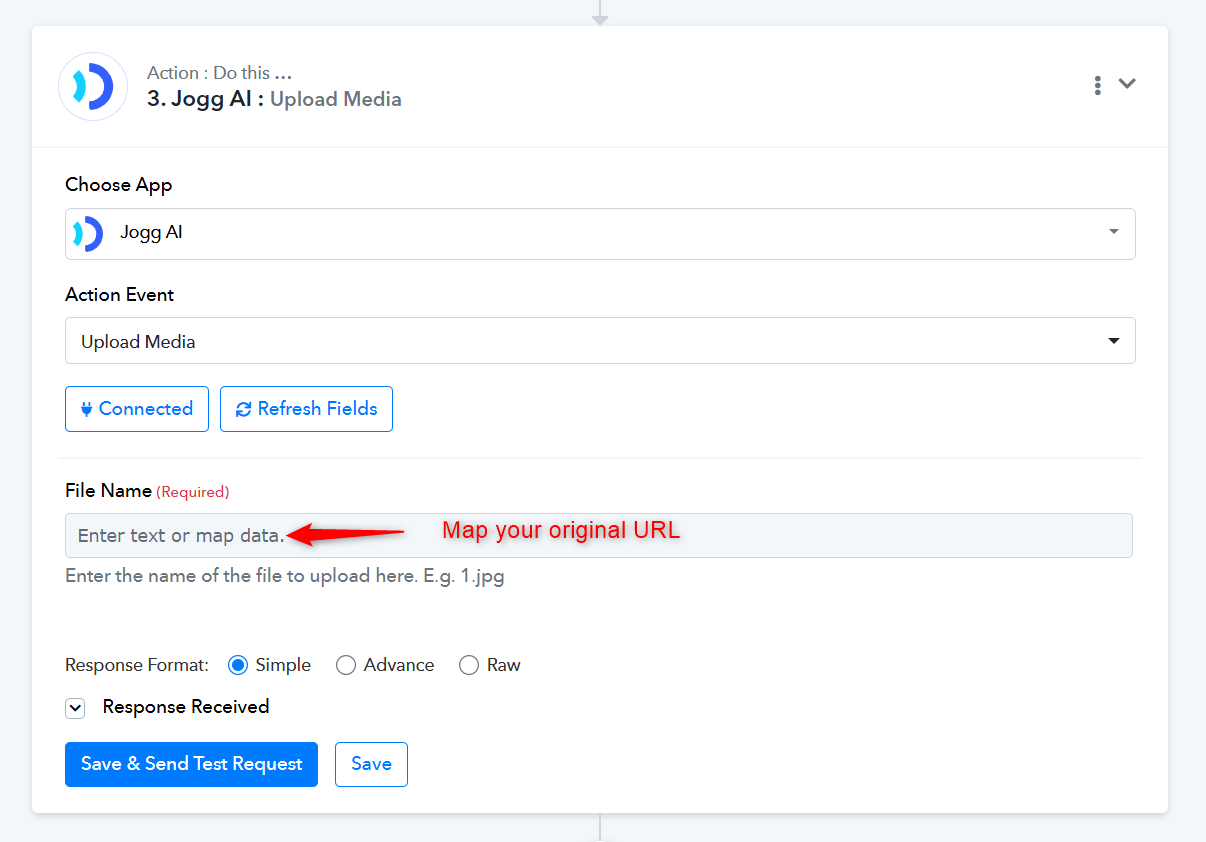
Step 2: In the "Create Video From Template" action, use the asset_id from the previous response as the URL in the following manner.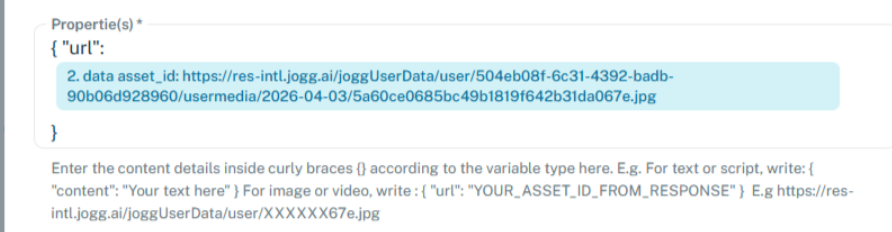
Thanks & Regards,
Arshil Ahmad
Customer Support Associate
? Pabbly.com
?Rate your support
Just a follow-up—did you get a chance to test the Jogg AI action step in the manner we suggested above?
If not, please follow the steps suggested above and let us know.
Thanks & Regards,
Arshil Ahmad
Customer Support Associate
? Pabbly.com
?Rate your support