Inbuilt action chaining and array extraction
Status: Closed · Asked by ewake on · 0 views
Hi there, I'm building an integration for an email system I'm using, it's called emailchef (https://emailchef.com/integration/#emailchef-public-api)
The app is using a token-based authentication with a custom header named "authkey". I know Pabbly has "Basic Auth (Access Token Response)" available but I couldn't get it to work using this API so I put the token in the app credentials.
I want to build an action to add a contact to a list (https://emailchef.com/integration/#contacts-create-instance). I got the basic endpoint call working, now I want to make it dynamic.
To make it dynamic I need to:
- fetch the lists (https://emailchef.com/integration/#lists-get-collection)
- make the user pick one
- fetch the custom fields for the list (https://emailchef.com/integration/#custom-fields-get-collection)
- build the array to be passed to the create contact
I tried building the fetch lists and the custom fields fetching as inbuilt actions but I got some problems so far.
The first inbuilt action has the following config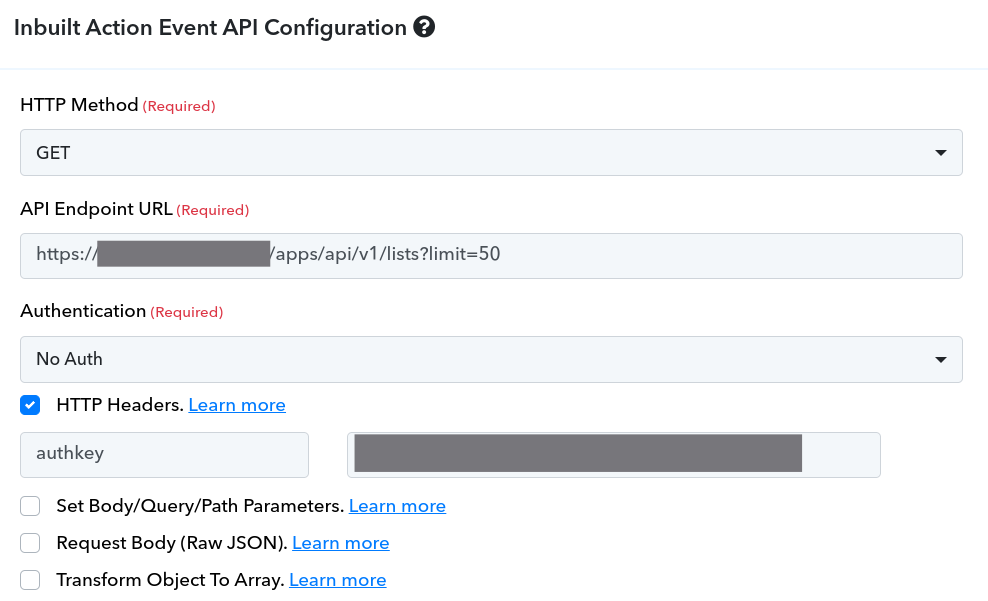
First problem is that the fetch lists endpoint outputs an array
[
   {
      "name":"Test List Zero",
      "id":"487",
      "description":"First list to play with",
      "active":"26",
      "segments":"0",
      "unsubscribed":"0",
      "bounced":"0",
      "in_newsletter":"0",
      "date":"2015-10-08 10:22:09"
   },
   {
      "name":"Test List One",
      "id":"488",
      "description":"Second list to play with",
      "active":"20",
      "segments":"2",
      "unsubscribed":"0",
      "bounced":"0",
      "in_newsletter":"0",
      "date":"2015-10-09 12:22:09"
   }
]
but the response I get is just the first element of the array
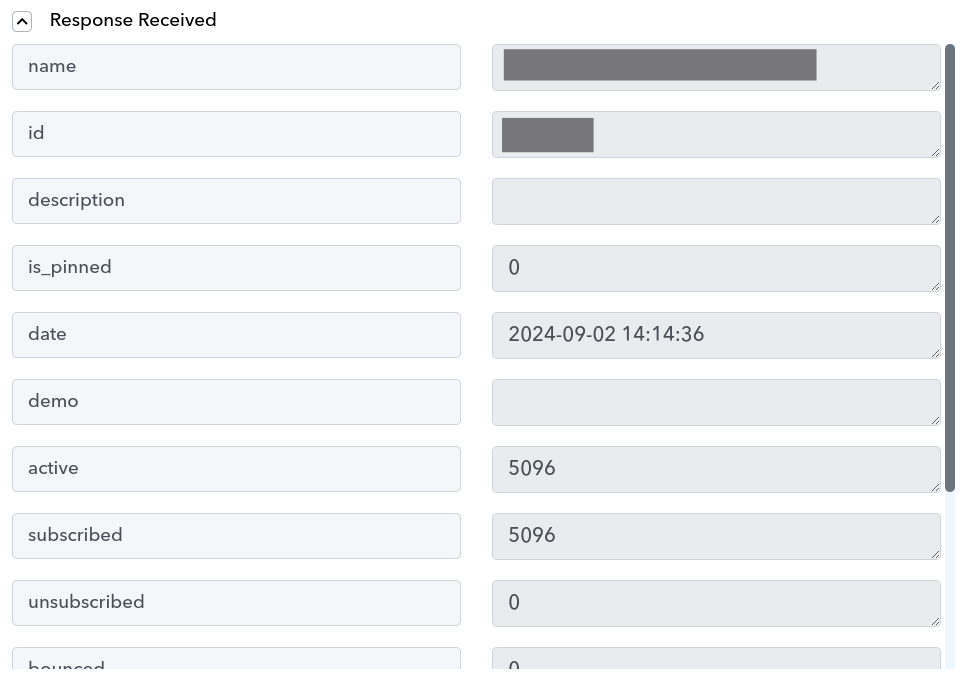
Basing on this, I cannot get the second step to work because I need to get the output of this into the second inbuilt action.
What am I missing? What am I doing wrong?
Hey @ewake
You will need to capture the response from the API step in advanced format. You can do this by turning off the "Simple response" button.
Further, once you get the response in Array Format, kindly user "Line Itemizer" by Pabbly. Please refer to the video below for instructions -
youtube.com/watch?v=GqaiQO_ekUQ
Let us know if it works for you.
Hey @ewakeYou will need to capture the response from the API step in advanced format. You can do this by turning off the "Simple response" button.
Further, once you get the response in Array Format, kindly user "Line Itemizer" by Pabbly. Please refer to the video below for instructions -
youtube.com/watch?v=GqaiQO_ekUQ
Let us know if it works for you.
Thanks for the response but I think I'm still missing something.
I have two inbuilt actions, the first is to fetch the lists and is built this way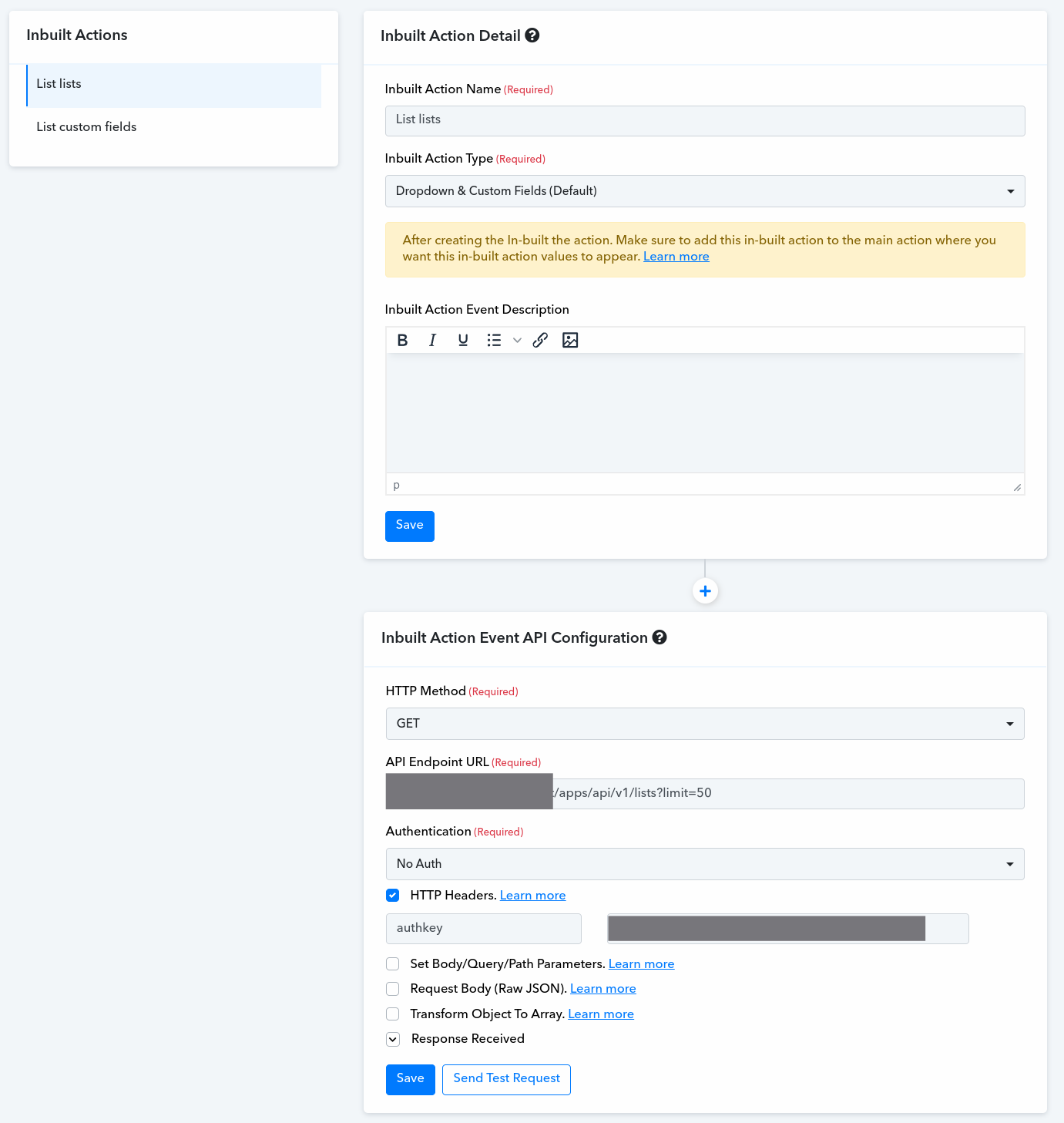
I don't see any flag for the simple response here, am I missing something?
Shouldn't this call or the other to fetch the custom fields of a given list be "Inbuilt actions"?
Hey @ewake
Kindly refer to this thread in order to fetch the custom fields of a given list.
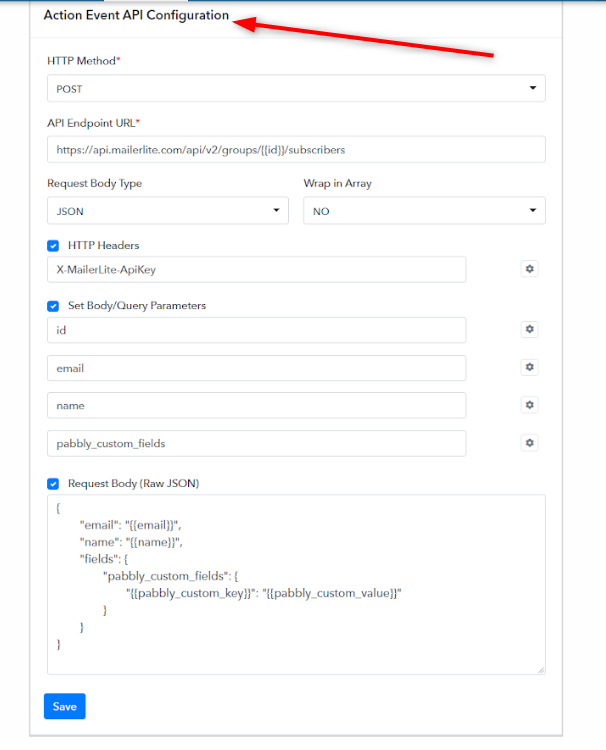
Let us know if it works for you.
Hey @ewakeKindly refer to this thread in order to fetch the custom fields of a given list.
Let us know if it works for you.
That's partially the point I want to reach. My "List custom fields" depends on "Fetch lists".
I should
- Fetch lists. Ex: subscriber fb, subscriber ig, etc...
- Let the user pick one. Say: subscriber fb
- Fetch the custom fields for the given list
So that's why the "List custom fields" should be chained to the "Fetch lists".
Can I do this with inbuilt actions?
Hey @ewake
Kindly let us know if you are from the EmailChef team. You can email us on [email protected]
We can schedule a Google Meet with you to guide you through with inbuilt app integrations.
Hey @ewakeKindly let us know if you are from the EmailChef team. You can email us on [EMAIL][email protected][/EMAIL]
We can schedule a Google Meet with you to guide you through with inbuilt app integrations.
I'm not from the Emailchef team, I'm from a small company named ewake and I need to setup emailchef for one of our customer's workflow. May I reach you too?
Hey @ewake
Yes, surely you can. Please make sure to describe your use case thoroughly and share the API doc with us.