Incorrect Behavior in Filter Conditions
Status: Open · Asked by Bobby on · 0 views
Hello Pabbly Support Team,
I have discovered an issue in the Filter (Pabbly) step that causes inconsistent and incorrect evaluations when checking whether a field is empty.
The Problem
When using a filter condition such as:
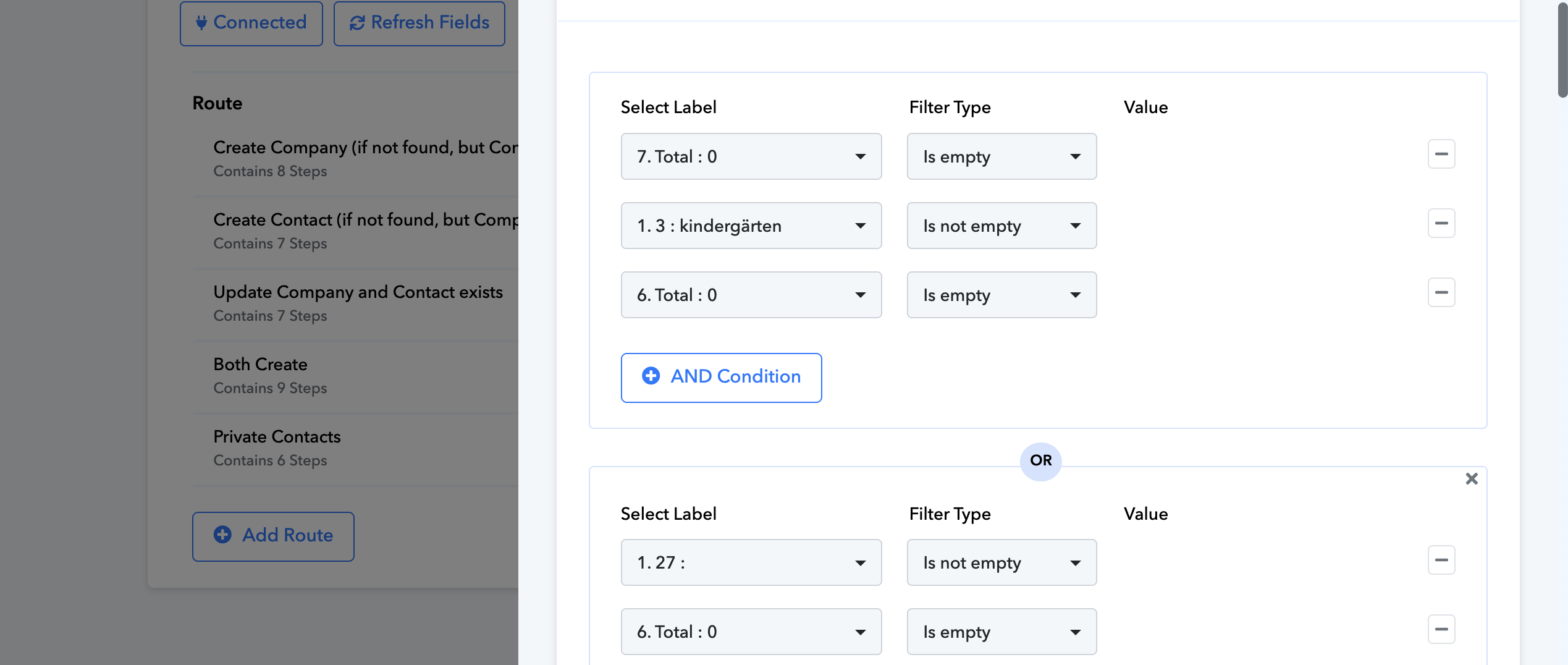
its showing false but its empty its working before
new one task Task History ID that not working -
IjU3NjUwNTZhMDYzZTA0M2Q1MjZjNTUzNTUxMzc1MTY2NTQzMTBmMzci_pc
old task Task History ID that working
IjU3NjUwNTZhMDYzMTA0MzA1MjZmNTUzNjUxMzY1MTY3NTQzMDBmMzEi_pc
Hello @kumarbobbyldh,
Upon reviewing both task histories, it appears that some changes were recently made to the filter conditions. We recommend avoiding further modifications to the route filters for now. Please monitor the workflow’s performance and let us know if you encounter any issues with the filters moving forward.
Now it's showing a 0, not empty, but previously it was counted as empty
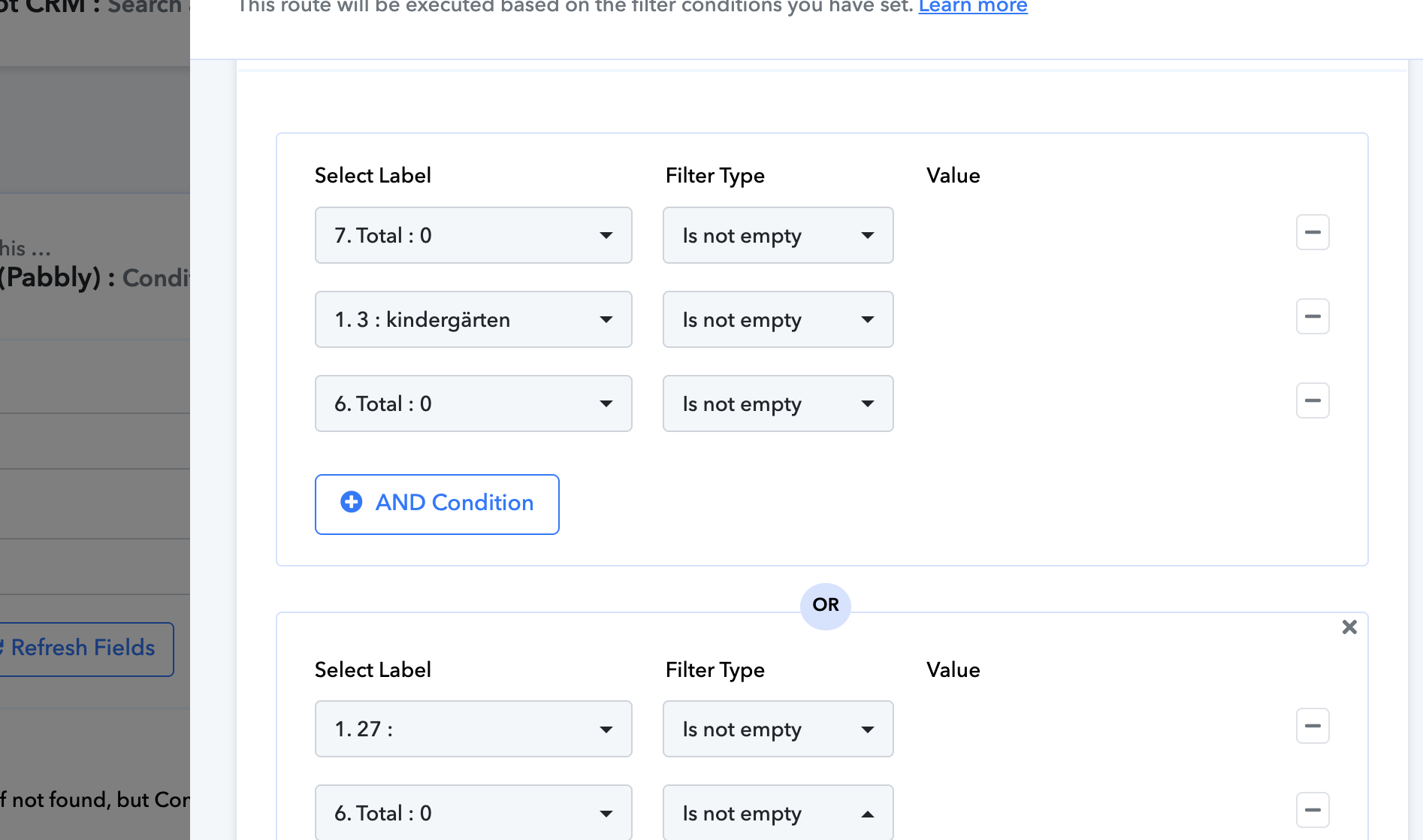
When I select a now filter type like this, then it's working, but previously it was working, which I sent you image on top
Maybe because previously, a different response would have been mapped in the specific filter.
Now it's showing a 0, not empty, but previously it was counted as empty
Could you please specify the exact filter condition you require to add so we can assist you with it?
No, it's the same response I received its not working from 26 nov
It's working when I change a condition
Hello @kumarbobbyldh,
To assist you better, please book a slot with us using the following link: https://calendly.com/d/cw7t-csv-mwz/support-from-pabbly-preeti
sure
Hello @kumarbobbyldh,
Thanks for joining the meet. I hope your queries were answered during the meeting.
PS: We are closing this thread as of now. Please feel free to reach out to us if you face any issues in the future.
This issue is fixed but i have a other issue
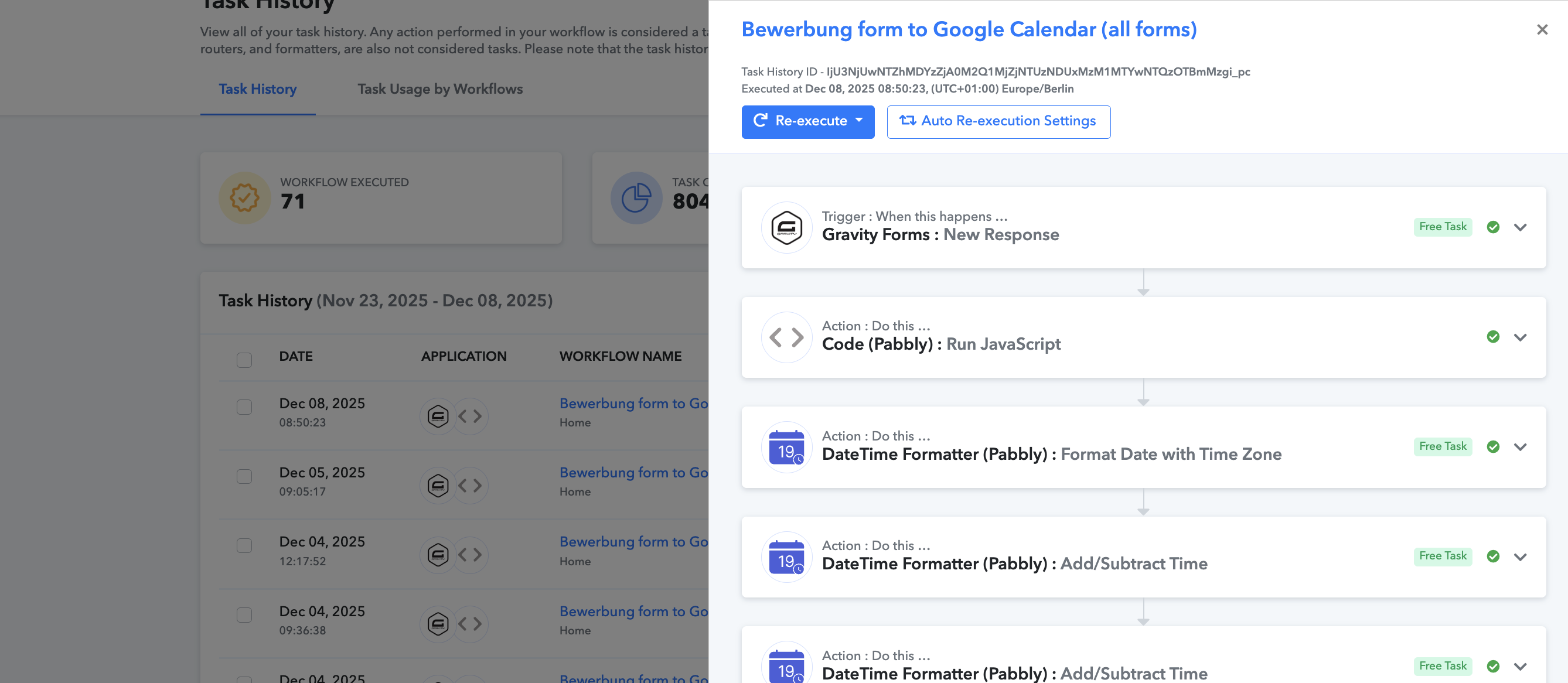
Task History ID -
IjU3NjUwNTZhMDYzZjA0M2Q1MjZjNTUzNDUxMzM1MTYwNTQzOTBmMzgi_pc
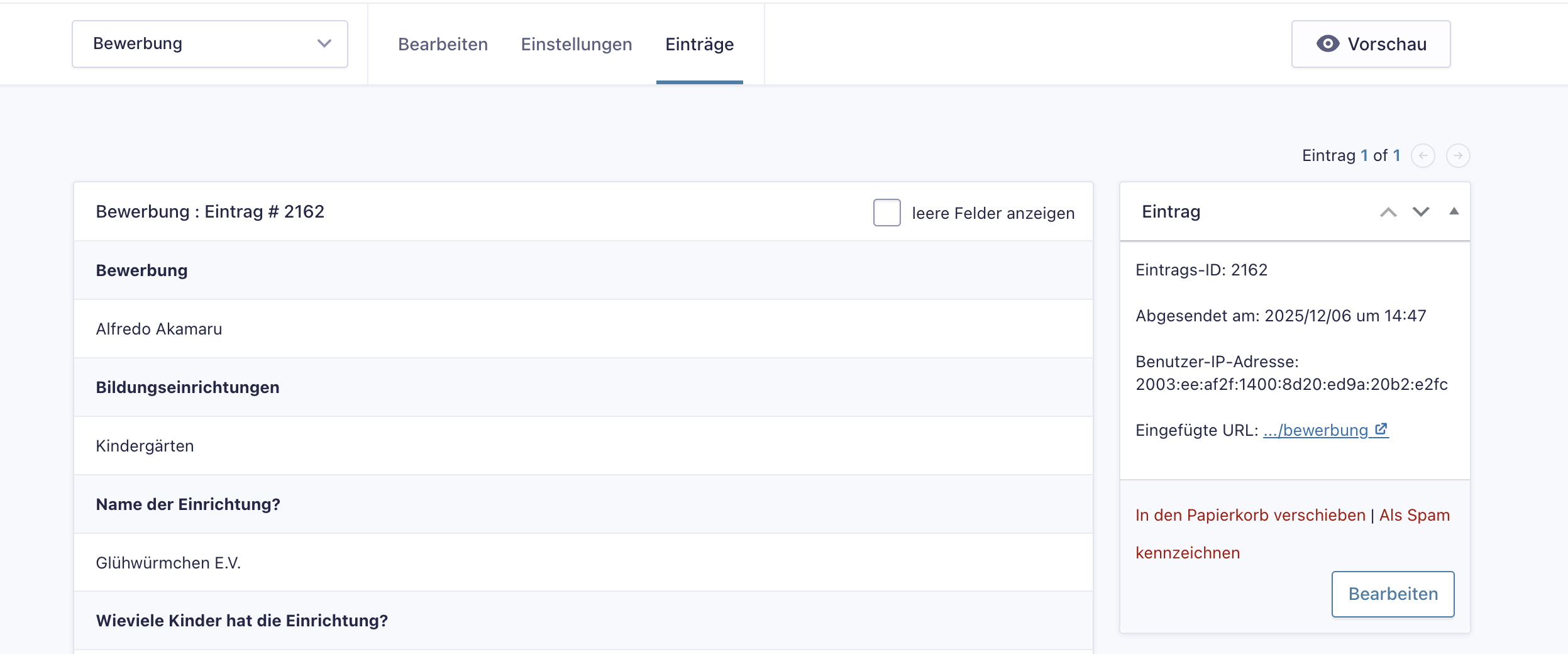
Abgesendet am look at it
I’m having an issue with my workflow. The trigger is firing very late. It triggered today, but on Gravity Forms the submission shows as December 6. The response arrived two days later. Why is there such a delay?
Hello @kumarbobbyldh,
Thanks for sharing the Task History ID.
The trigger you are using is a POST Webhook–based trigger, which means the workflow only fires when Gravity Forms actually sends the data to the webhook URL. Pabbly Connect cannot trigger earlier than the moment it receives the webhook.
In this case, the delay indicates that Gravity Forms sent the webhook two days after the form submission, which is why it was captured late in the Task History.
For such issues, we highly recommend reaching out to the Gravity Forms team or your website/hosting provider, as the delay is caused by the webhook not being delivered from their side.
ok i will ask