Instagram Carousel & GMB Post Event
Status: Open · Asked by Dinarway Dinarway on · 0 views
Hi!
As I try to make a workflow to autopost IG carousel, I found some problem. The status code is 200 and published but when I check the instagram profile, the carousel image is not posted. I attached the workflow url below.
Workflow URL: https://connect.pabbly.com/workflow/mapping/IjU3NjYwNTY5MDYzMzA0MzU1MjZhNTUzNTUxMzMi_pc
One more problem I find is when I tried to run the GMB event post, I get response error Invalid JSON payload received. Unknown name "": Root element must be a message. Tried to add some " or ' but still not resolved. I attached the workflow url below.
Workflow URL: https://connect.pabbly.com/workflow/mapping/IjU3NjYwNTY5MDYzMDA0MzE1MjZkNTUzNzUxMzIi_pc
Thanks before
Hello @Dinarway Dinarway,
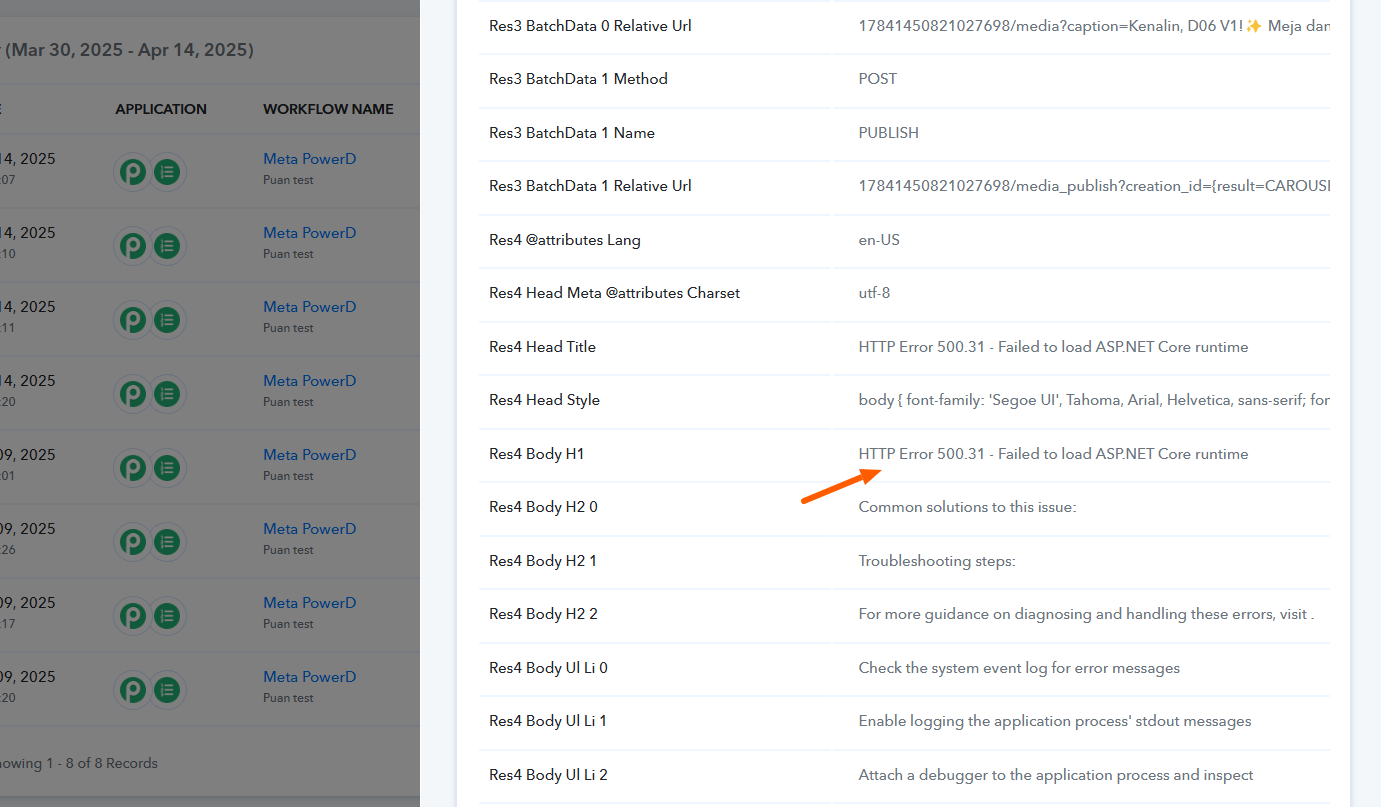
Upon reviewing the Instagram for Business: Carousel Posts (Images Only) action, we noticed that it failed due to a timeout. This may have been caused by a larger file size. Please refer to the attached image for more details.
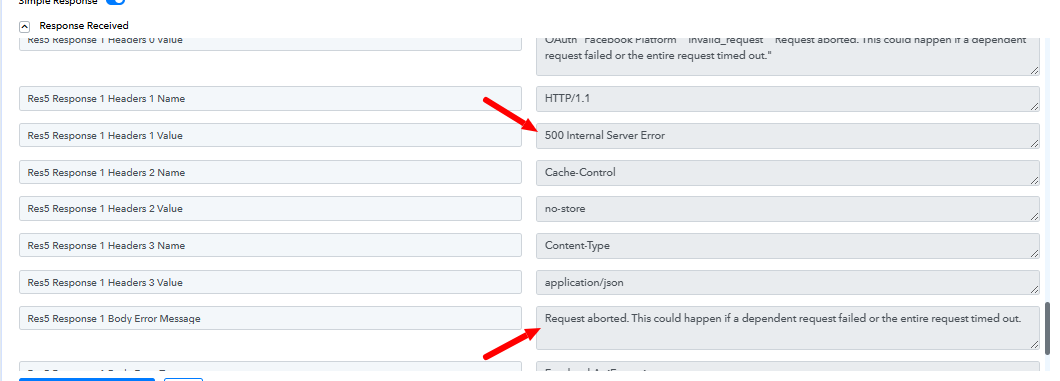
Additionally, the GMB action steps are failing due to an error in the JSON structure. Upon reviewing the mapped values, we noticed that the start date is set to January. Please try using today’s date or a future date and see if this resolves the issue.
Hi, Preeti Paryani!
Thanks for replying. For the GMB event, I've tried to set the event the date to future date (28-03-2025), but it still shows the same error. Any suggestions on what to do to resolve it?
Hello @Dinarway Dinarway,
We have made changes to a few of your fields and it resolved the issue, the action is now working fine.
Thank you!
Finally after some modification on the data, the workflow is working fine.
Hello @Dinarway Dinarway,
Thanks for the update, we'd love to hear your thoughts! If you have a moment, please rate us on Google. Your feedback helps us improve.
Hi, Preeti Paryani!
For the instagram carousel, we've been tried to compress the file size to 50kb and 100kb but it still shows response code 400.
Hello @Dinarway Dinarway,
We have escalated this concern to our technical team they are currently looking into it. Please allow us some time and we will get back to you as soon as we receive any update from their end.
Hi, Preeti Paryani!
Thanks. I will gladly wait for the update for instagram carousel.
So for Google My Business's action in pabbly right now only consist of 3 create method (post, offer, event), could we request one feature for create product?
Thanks in advance.
Hello @Dinarway Dinarway,
Yes, as soon as we receive any updates from our team, we'll definitely let you know. Also, for the "Create Product" action, you can add your feature request on our integration board, and our team will look into it.
You can add your request here - https://pabbly.hellonext.co/b/Update-Existing-Application.
Hello @Dinarway Dinarway,
This issue has now been resolved. Kindly test it at your end and let us know how it goes.
As I try to make a workflow to autopost IG carousel, I found some problem. The status code is 200 and published but when I check the instagram profile, the carousel image is not posted. I attached the workflow url below.
Workflow URL: https://connect.pabbly.com/workflow/mapping/IjU3NjYwNTY5MDYzMzA0MzU1MjZhNTUzNTUxMzMi_pc
Hi, Preeti Paryani!
The carousel is working fine now. But we found another issue with method Get Media Details after the carousel action as below. When we set the schedule, sometimes it's working but sometime we got an error. 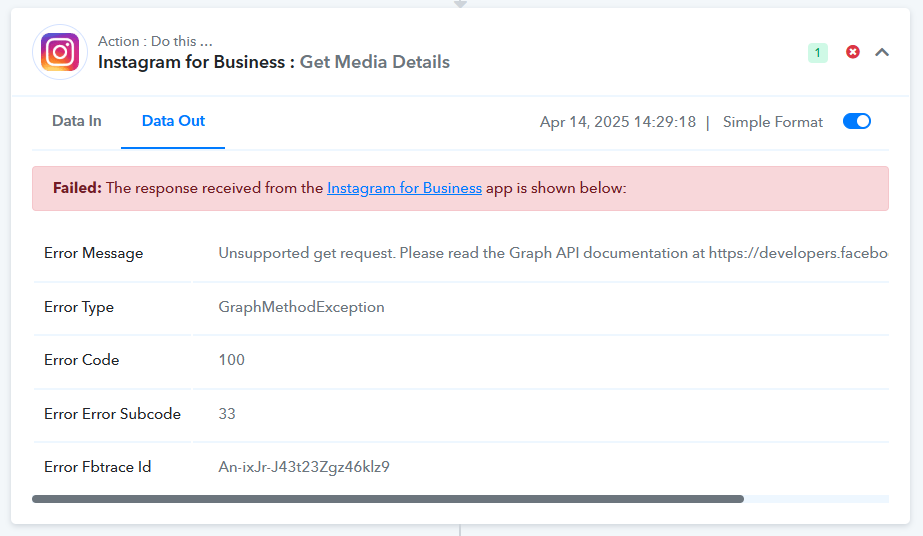 |
|
Could you please help for this?
URL: https://connect.pabbly.com/workflow/mapping/IjU3NjYwNTY5MDYzMjA0M2M1MjZjNTUzZDUxMzAi_pc
Thanks in advance.
Hello @Dinarway Dinarway,
Thanks for the update!
The issue you're facing with the Get Media Details action seems to occur when the Carousel Post creation fails. This is usually due to exceeding the supported image limit. Currently, the Carousel Post action supports a maximum of 10 images.
If the number of images exceeds this limit, the carousel post won't be created successfully, which then causes the subsequent Get Media Details action to fail.
Please ensure that you're using no more than 10 images in your carousel post and let us know if the issue persists.