Internal Server Error on Text Formatter
Status: Open · Asked by Anne Alexander-Sieder on · 0 views
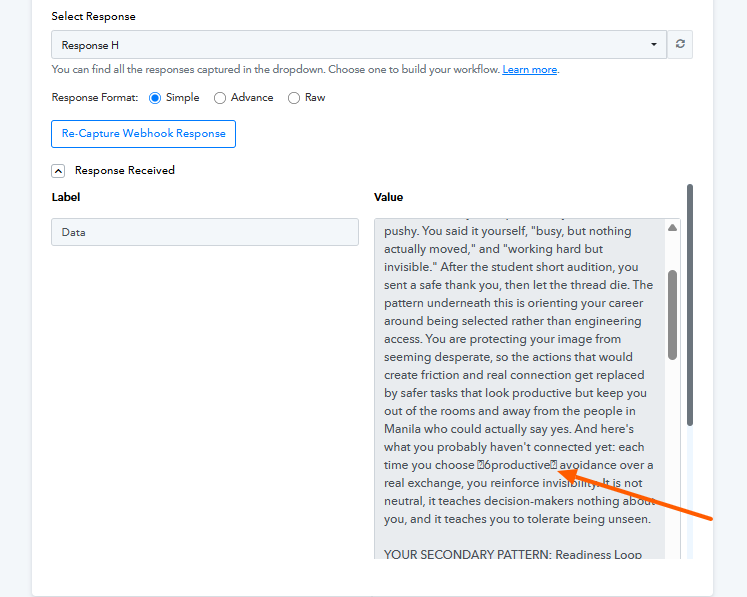
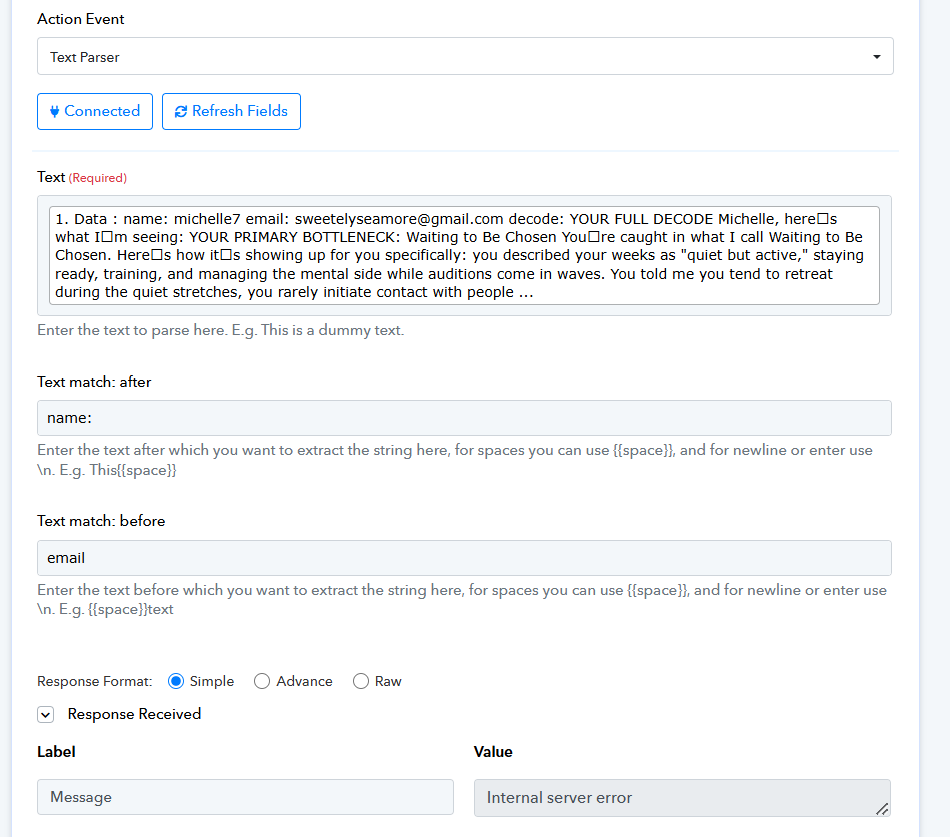
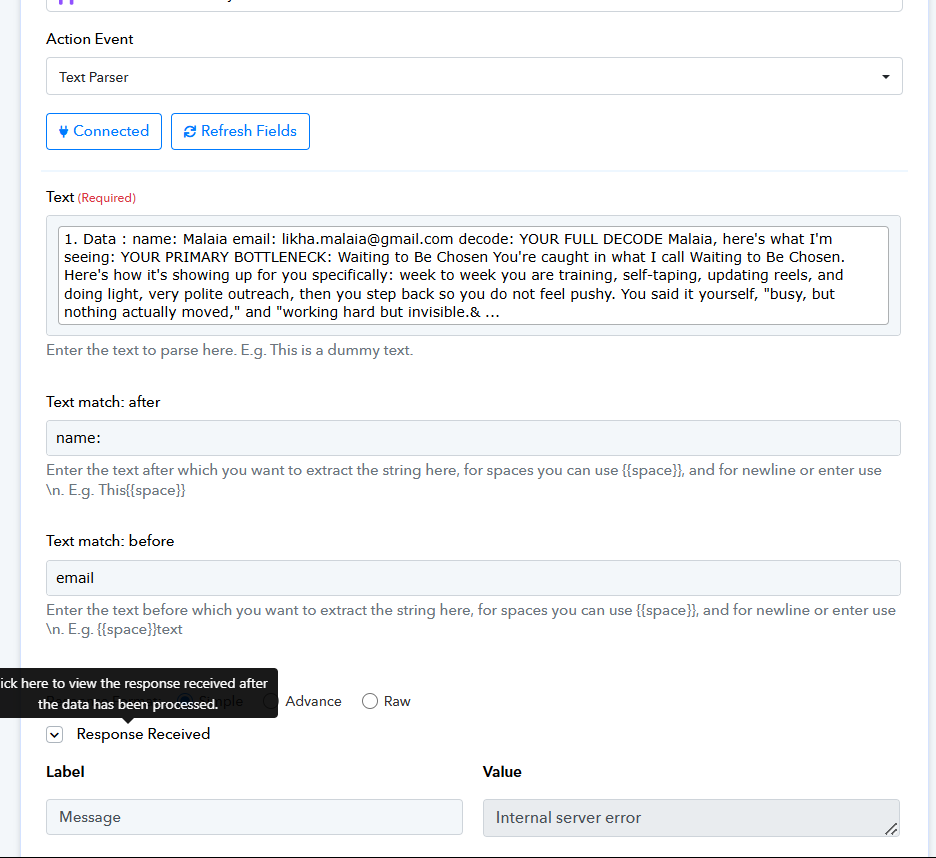
I’ve used the same setup in previous tests and it worked fine, but now it’s showing an internal server error. Could this be caused by the strange box characters in the text? I checked the original app where the text came from, and those characters weren’t there. Do you know how I can fix this?
Hi @Anne Act Bold,
Thank you for reaching out.
Could you please let us know the source from which the data is being sent to the Webhook trigger in this workflow?
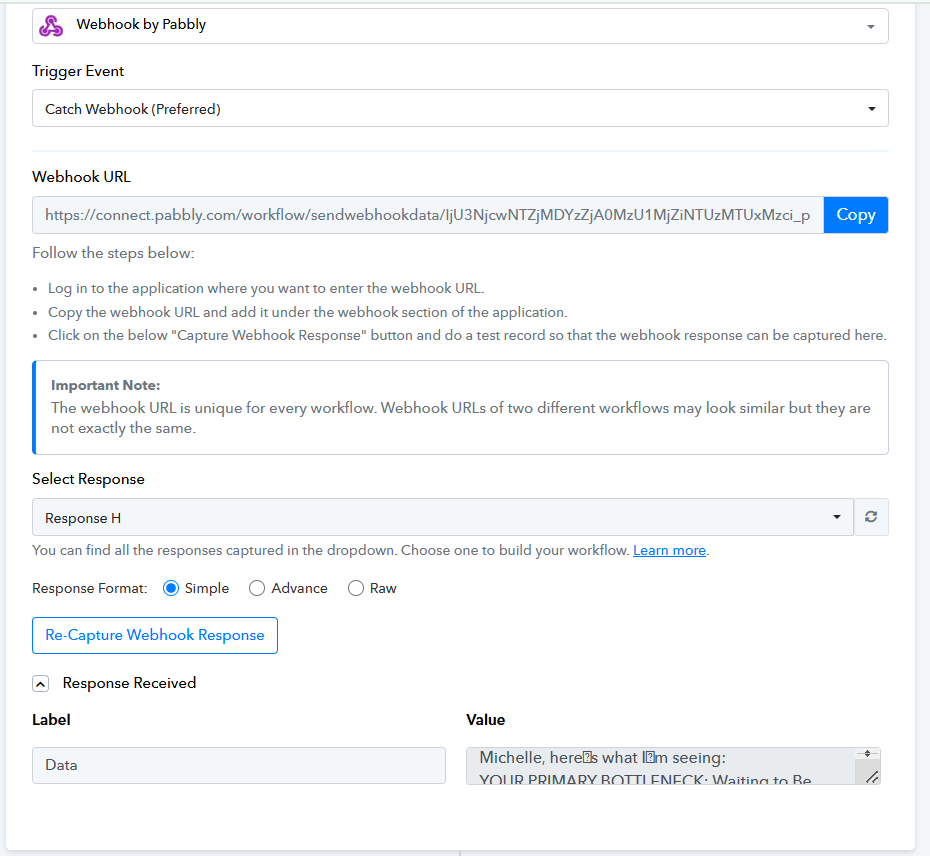
Upon checking your task history, we noticed that some executions are working correctly while others are failing. The failures appear to occur when the text received in the webhook contains unexpected box-like characters, instead of ' as shown in the screenshots. These characters are altering the content structure and breaking the JSON, which results in the Internal Server Error in the Text Parser step.
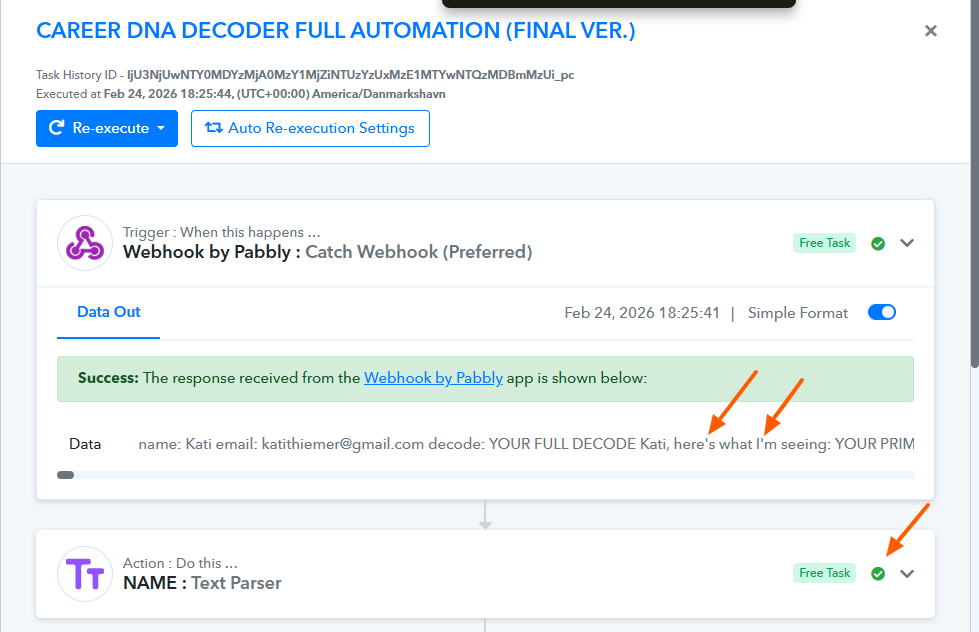
To avoid this issue, please make sure that the source application sending data to the webhook is passing properly formatted text without special or corrupted characters.
Once confirmed, please let us know so we can assist you further if needed.
Hey Preeti,
I received the same error but this time there's no weird characters. The webhook source is Pickaxe. I used the same format for the other tests and they were okay, but now it's experiencing the same error.
Hey @Anne Act Bold,
The latest response still appears to contain the same unexpected characters. We recommend reaching out to the source application’s support team to verify why these characters are still being included in the responses being sent to the webhook.
Once the source data is corrected, the issue should be resolved. Let us know if you need any further assistance.