Invalid JSON for Excel Action
Status: Open · Asked by Leo1995 on · 0 views
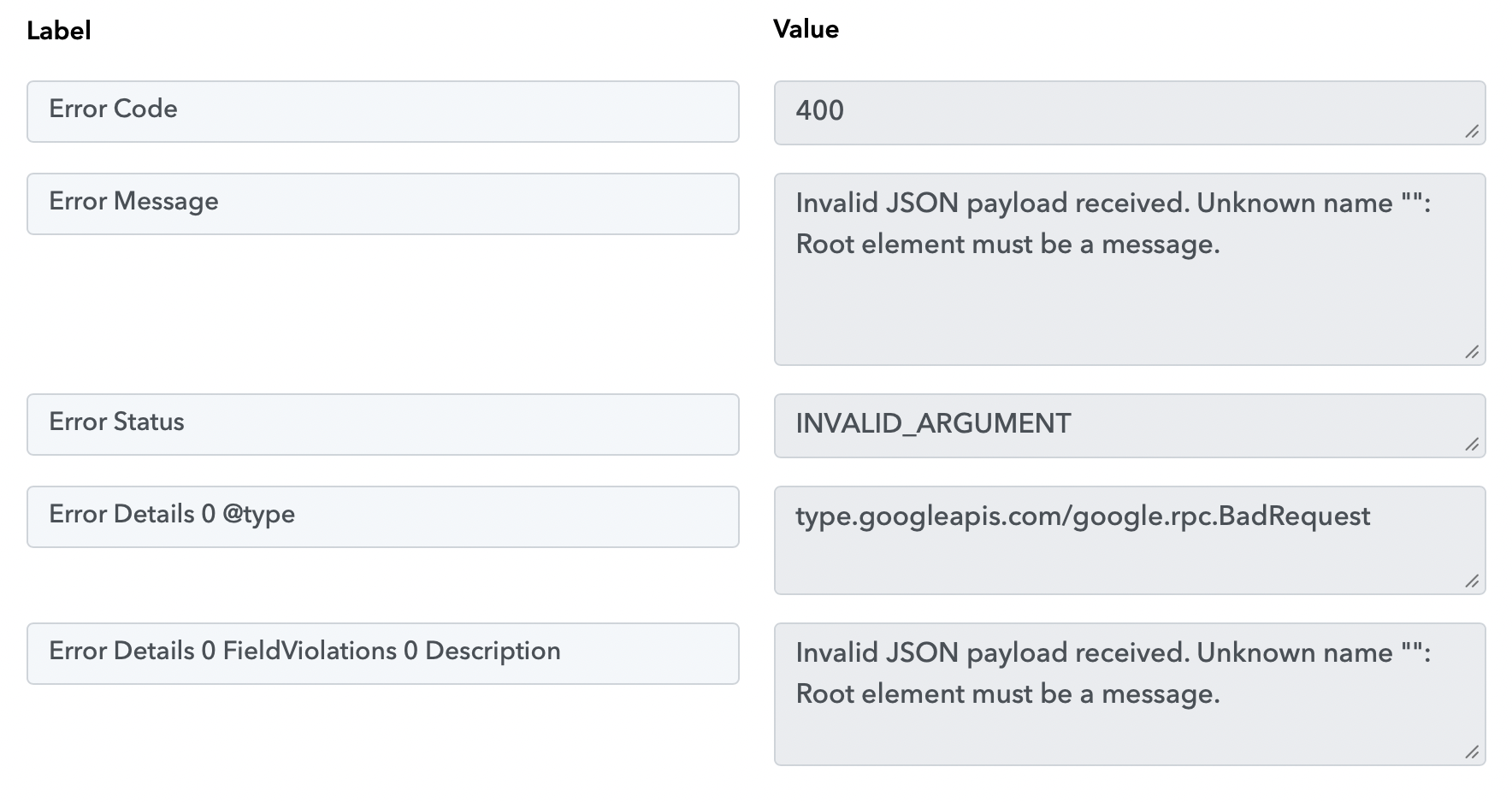
Hi, I'm having this error message when trying to execute the Excel action. What could be the problem?
Workflow ID: IjU3NjcwNTZmMDYzMTA0MzQ1MjY1NTUzNDUxMzIi_pc
Hi @Leo1995,
Thanks for reaching out.
Upon checking your workflow, it appears that you’re encountering this issue in the Google Sheets → Add New Row action because the selected sheet does not contain any headers.
Please follow these steps:
- Add headers (column names) in the first row of your Google Sheet.
- Go back to the action step in your workflow.
- Click on “Refresh Fields.”
- The headers will now appear—map the required values accordingly.
- Click on “Save & Send Test Request” to test the step.
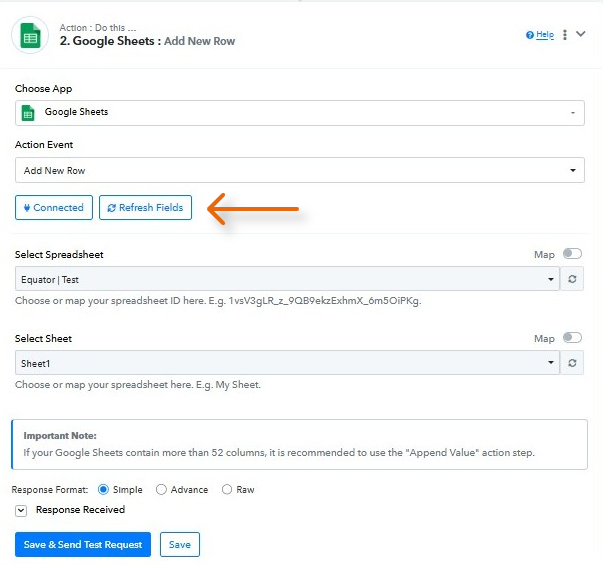
You can refer to this tutorial for a better understanding:
youtube.com/watch?v=KKfvRE_iBEQ:319
Let us know how it goes—we’ll be happy to assist further if needed. ?
thank you dear! it works
Hi @Leo1995,
Glad to hear everything is working smoothly now! ?
Since your concern has been resolved, we’d really appreciate your feedback:
PS: We are closing this thread as the issue is resolved. Please feel free to reach out to us if you face any issues in the future.