Is it possible to connect Facebook Paid Ad comments to GHL?
Status: Open · Asked by Carlos Lupiac on · 0 views
Hello Carlos,
You can use the Facebook Pages: New Comment trigger step to capture comments from a Facebook page.
https://youtu.be/Qjf6TPLssBY?si=Gkz0za315TYvrt5d&t=198
But what exactly are you trying to do in GHL with these comments? Currently, we have action events to create contacts, users, conversations, opportunities, tasks, etc.
Arshil Ahmad
🌐 Pabbly.com
Arshil:
Trigger needed is for comments on specific paid ads, not for our business page (or will it capture all??)
Import into GHL so we can reply through a workflow in GHL.
Todd Kevitch
Marketing Director
The Exam Pros
4801 Johnson Road, #13-14 | Coconut Creek, FL 33073
Direct: 954-317-2548 | Office: 954-908-7010
[email hidden] | www.TheExamPros.com
The Facebook Pages: New Comment trigger captures comments made on your connected Facebook Page, including comments on posts published by that page. If your paid ads use your Facebook Page's posts (which is the standard setup), those comments should also be captured.
However, the trigger does not provide an option to monitor comments for only specific ads—it captures all supported page comments.
Regarding GoHighLevel, Pabbly Connect can create contacts, conversations, opportunities, tasks, and other supported records in GHL. Could you please let us know how you're expecting the Facebook comment to be recorded in GHL?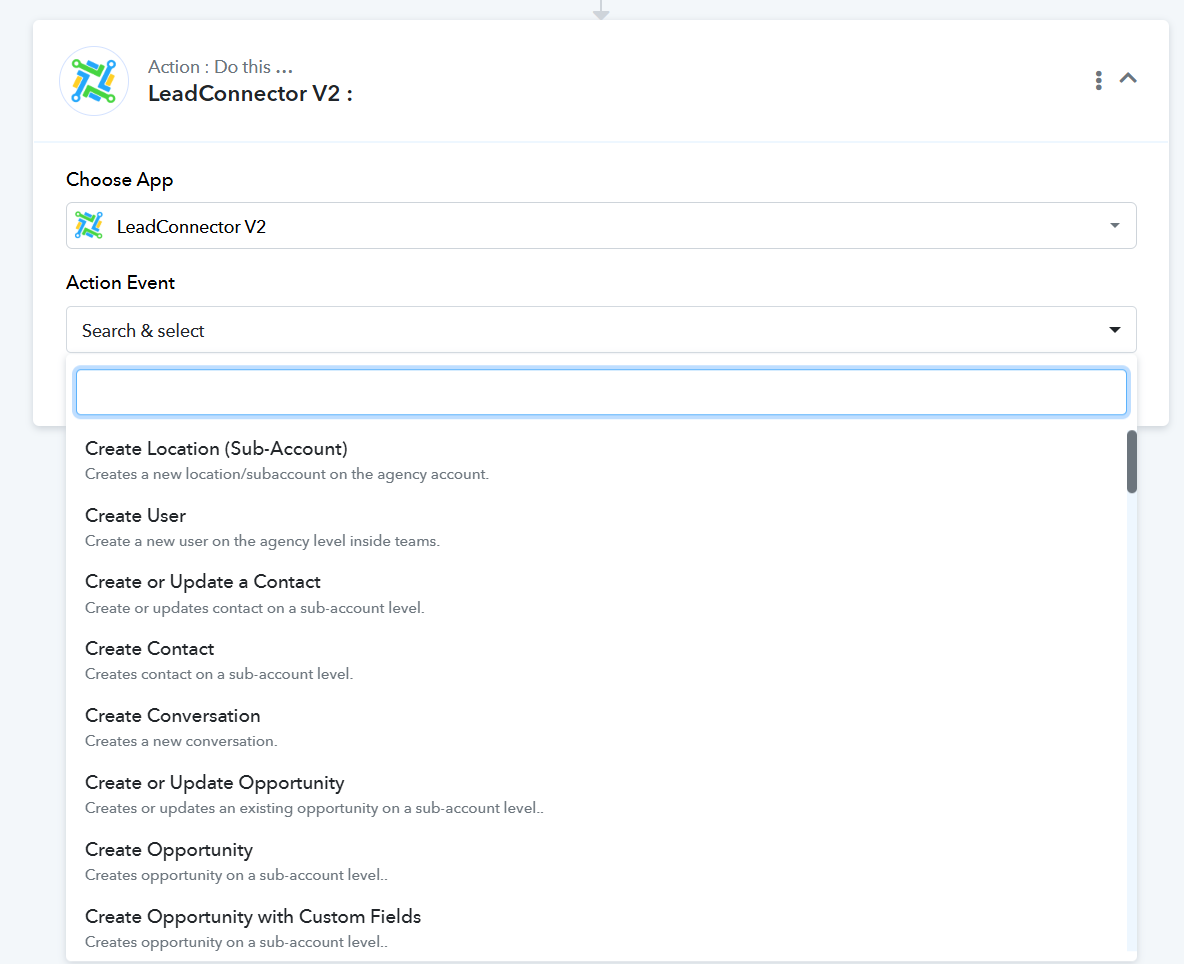
Arshil Ahmad
🌐 Pabbly.com
Just following up on this.
Could you please let us know how you expect the Facebook comment to be recorded in GoHighLevel so we can suggest the most suitable workflow?
Arshil Ahmad
🌐 Pabbly.com
Just following up on this.
Could you please let us know how you expect the Facebook comment to be recorded in GoHighLevel so we can suggest the most suitable workflow?
Arshil Ahmad
🌐 Pabbly.com
The comment would enter as CONVERSATIONS
Again, I would like to capture comments from Facebook paid ads. From what I was told, this is only possible if the ad was created from a FB post to our business page.
Todd Kevitch
Marketing Director
The Exam Pros
4801 Johnson Road, #13-14 | Coconut Creek, FL 33073
Direct: 954-317-2548 | Office: 954-908-7010
[email hidden] | www.TheExamPros.com
Currently, it is not possible to trigger the workflow only for paid posts. The workflow will trigger for any comment made on your business page.
For this, you can set up your workflow with Facebook Page: New Comment as the trigger step and LeadConnector V2: Create Conversation as the action step.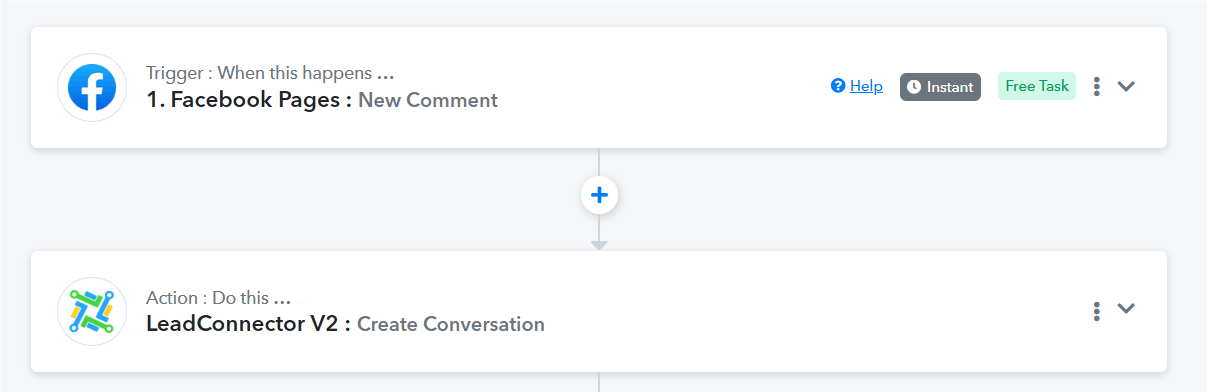
Arshil Ahmad
🌐 Pabbly.com
Just following up on our previous message.
Currently, it isn't possible to trigger the workflow only for paid posts. The workflow will trigger for any comment made on your business page. You can use Facebook Page: New Comment as the trigger step and LeadConnector V2: Create Conversation as the action step for your use case.
Thanks & Regards,Arshil Ahmad
🌐 Pabbly.com
Just following up on our previous message.
Currently, it isn't possible to trigger the workflow only for paid posts. The workflow will trigger for any comment made on your business page. You can use Facebook Page: New Comment as the trigger step and LeadConnector V2: Create Conversation as the action step for your use case.
Thanks & Regards,Arshil Ahmad
🌐 Pabbly.com