Is there a way pass different values to CRM based on the dropdown selected by user?
Status: Open · Asked by Pmanifold on · 0 views
Hi Team,
Here is my workflow- https://connect.pabbly.com/workflow/mapping/IjU3NjYwNTY1MDYzZjA0MzE1MjZmNTUzNDUxMzci_pc
I have mapped a dropdown field to related CRM field. So it is passing the same value to the CRM.
I'am looking for any options where I can pass a different value based on the selection done by user.
eg. If a user selects one of the dropdown value, We need to make some arrangement that corresponding CRM Mapping Value us passed. Need your assistance for this.
[TABLE]
[TR]
[TD]Dropdown value[/TD]
[TD]CRM Mapping value[/TD]
[/TR]
[TR]
[TD]PG Executive Program in Net Zero Strategy & Sustainability Leadership[/TD]
[TD]PGEP-NZSSL[/TD]
[/TR]
[TR]
[TD]PG Certificate in e-Drives & Battery Systems[/TD]
[TD]PGC e-Drives & Battery Systems[/TD]
[/TR]
[TR]
[TD]Executive M.Tech. in EV Technology[/TD]
[TD]MTech in EV Technology[/TD]
[/TR]
[TR]
[TD]Post Graduate Diploma in EV Technology[/TD]
[TD]Post Graduate Diploma In EV Technology[/TD]
[/TR]
[/TABLE]
Hello @Pmanifold
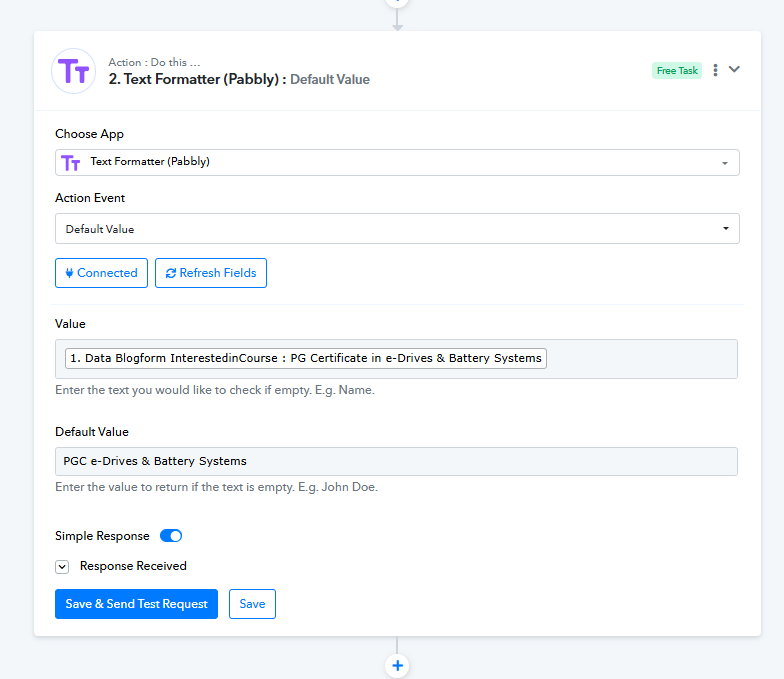
You can use “Text Formatter (Pabbly): Default Value” to replace the dropdown values with corresponding CRM mapping values, as shown in the image. However, since you have four values, you’ll need to use the Router (Pabbly): Conditionally Run feature to create four separate routes — one for each dropdown value. Under each route, add the “Text Formatter (Pabbly): Default Value” step for its respective dropdown value.
Hi Soumya,
I tried connecting the Router (Pabbly) and every time it displays that it is loading but does not open.
Is there any issue here?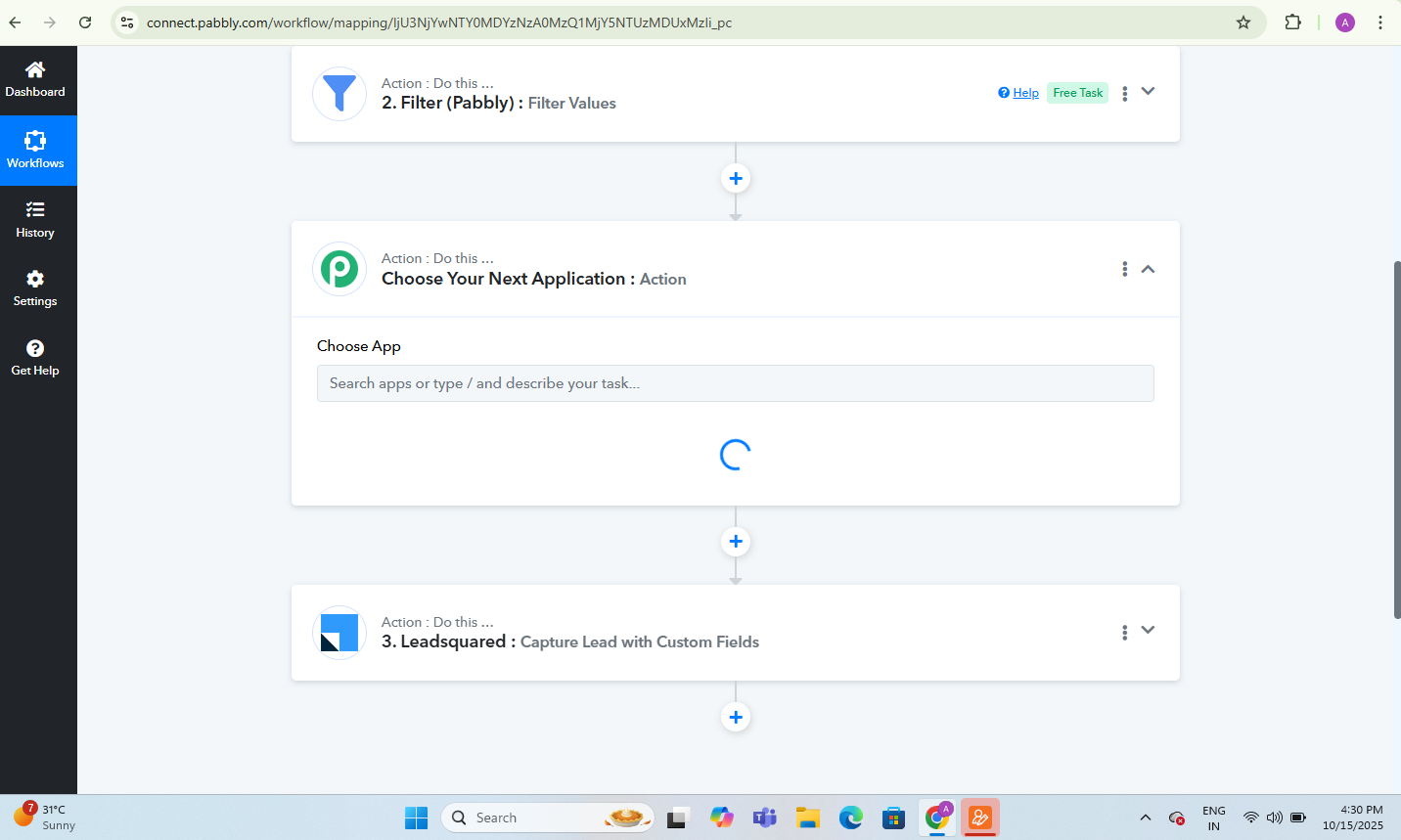
Hello @Pmanifold,
If you’re trying to add a Router between the steps, please note that a router can only be added at the last step of the workflow. Any steps you want to add after the router should be placed under the respective routes.
Please try adding the router at the end of your workflow. If you still face the same issue, try clearing your browser cache and attempt again. Let us know how it goes.
Hello Preeti,
I have made the steps as guided by your team.
Could you check this workflow? It's somehow not working for me.
I have disabled it after testing.
You may have a look.
https://connect.pabbly.com/workflow/mapping/IjU3NjYwNTY0MDYzNzA0MzQ1MjY5NTUzMDUxMzIi_pc
Hello @Pmanifold,
Thanks for sharing the workflow.
Please try setting up the workflow in the way I have shown in the attached video, and let us know if it works well then.
https://www.awesomescreenshot.com/video/45354797?key=ad6814c71db582bacf9d722b1a19fe85