Is there any change from Instagram API?
Status: Open · Asked by stevenphan on · 0 views
Previously I used the image link: https://imagizer.imageshack.com/v2/1600x1200q70/924/c0mstf.png
It can post effectively, however, in the past 1-2 days, IG no longer accepts this link. Please let me know the reason and is there any effective way to fix it.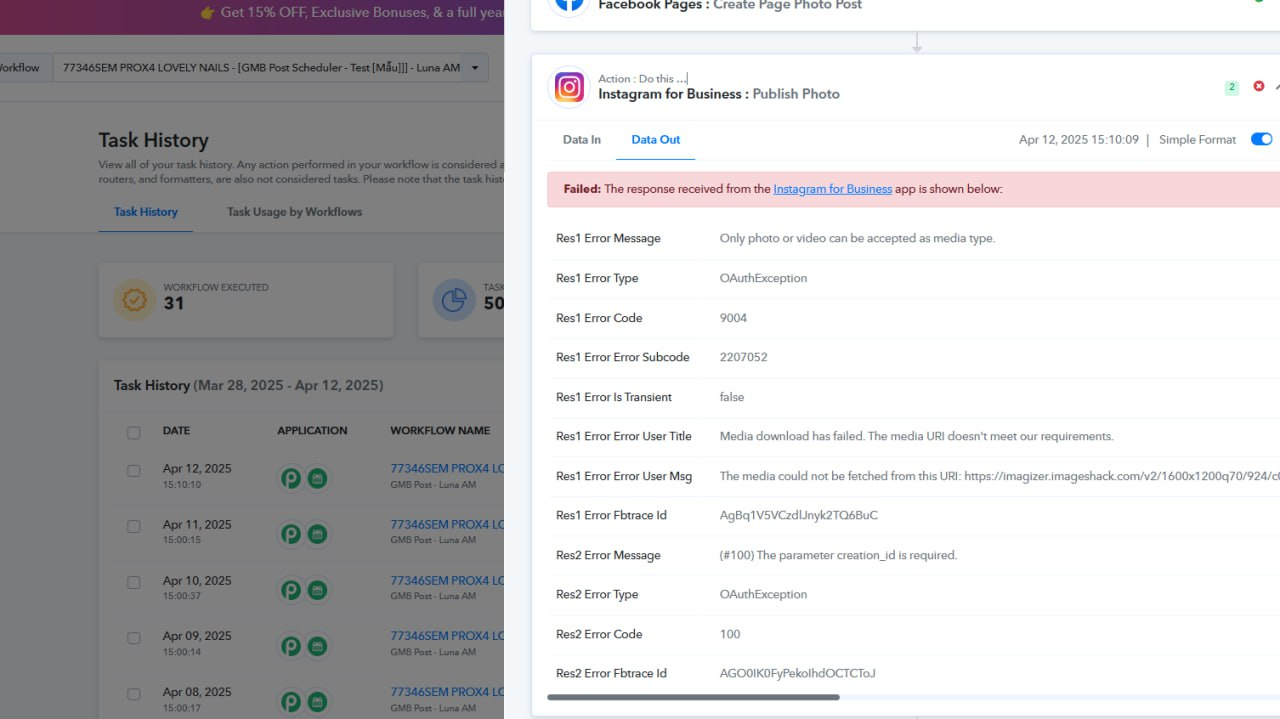
Hi @stevenphan,
Could you please share the Workflow URL where you have this concern?
Hi @stevenphan,Could you please share the Workflow URL where you have this concern?
Link 1: https://connect.pabbly.com/workflow/mapping/IjU3NjYwNTZmMDYzMjA0Mzc1MjY5NTUzMjUxMzAi_pc
Link 2: https://connect.pabbly.com/workflow/mapping/IjU3NjYwNTZmMDYzMTA0MzU1MjY5NTUzZDUxMzAi_pc
and many other processes are the same
It appears that Instagram requires the image to be in JPEG format, which is likely what's causing the issue.
https://developers.facebook.com/docs/instagram-platform/instagram-graph-api/reference/ig-user/media#creating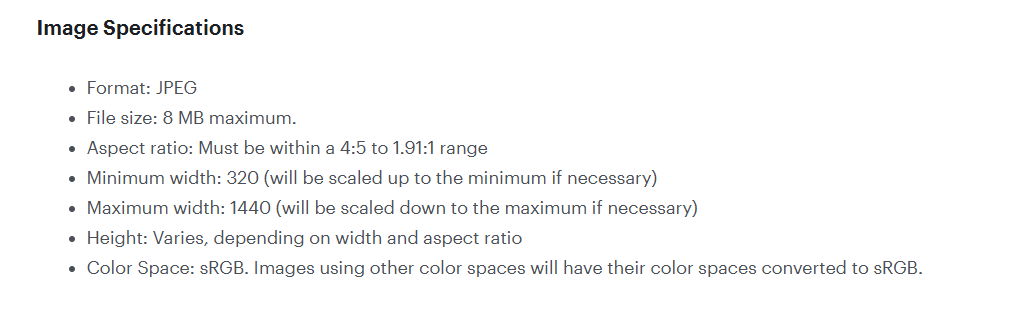
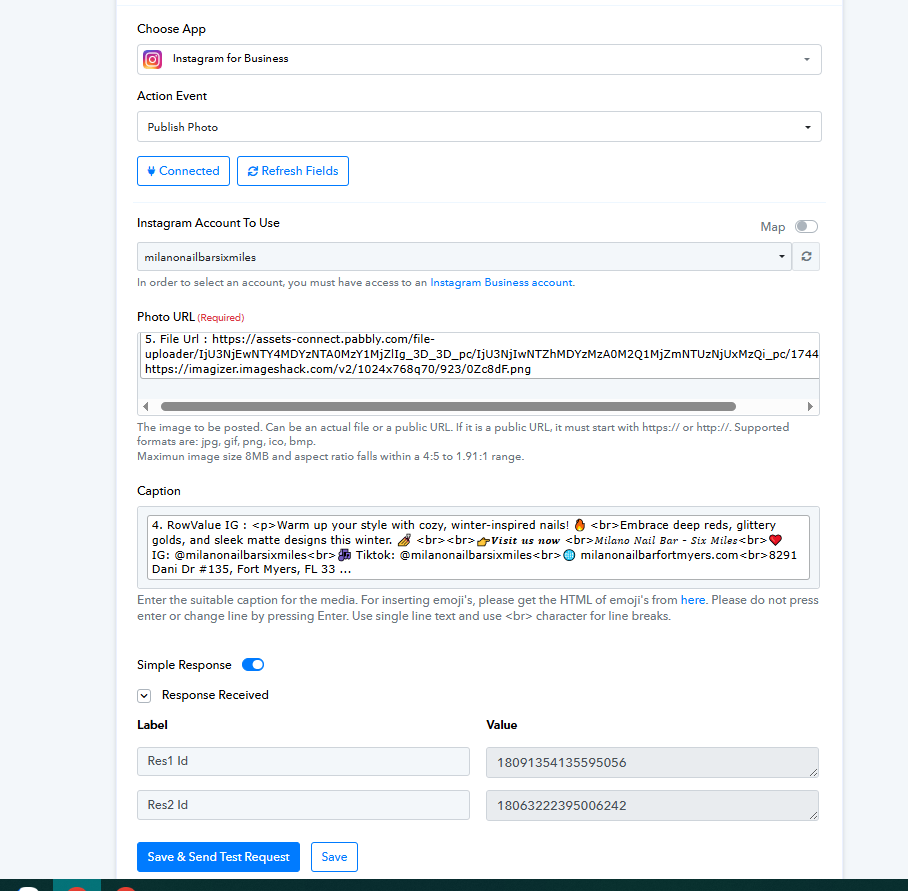
Hello @stevenphan,
Yes, you can certainly use the File Uploader (Pabbly) to convert the file into a supported format. Based on the screenshot you shared, it appears that the URL is working correctly for you. Please let us know if you encounter any further issues.
If so, can I use the google drive link for my photos? However, will there be any changes in the future? Because I do a large quantity, it takes a long time to set up.
Hello @stevenphan,
Yes, you can use Google Drive URLs and convert them using the File Uploader. However, please note that the limitation around Google Drive file URLs being unsupported comes from Instagram’s end, not Pabbly.
If there are any updates or changes regarding this in the future, we’ll be sure to keep you informed.
Even though I switched to file upload to process the image, I still have this problem.
https://connect.pabbly.com/workflow/mapping/IjU3NjYwNTZmMDYzMTA0MzU1MjY5NTUzZDUxMzEi_pc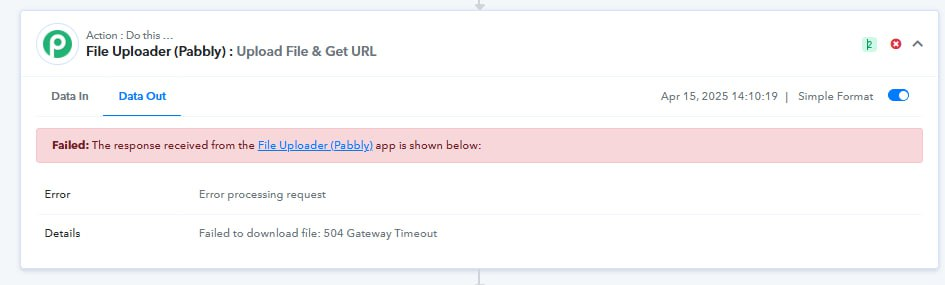
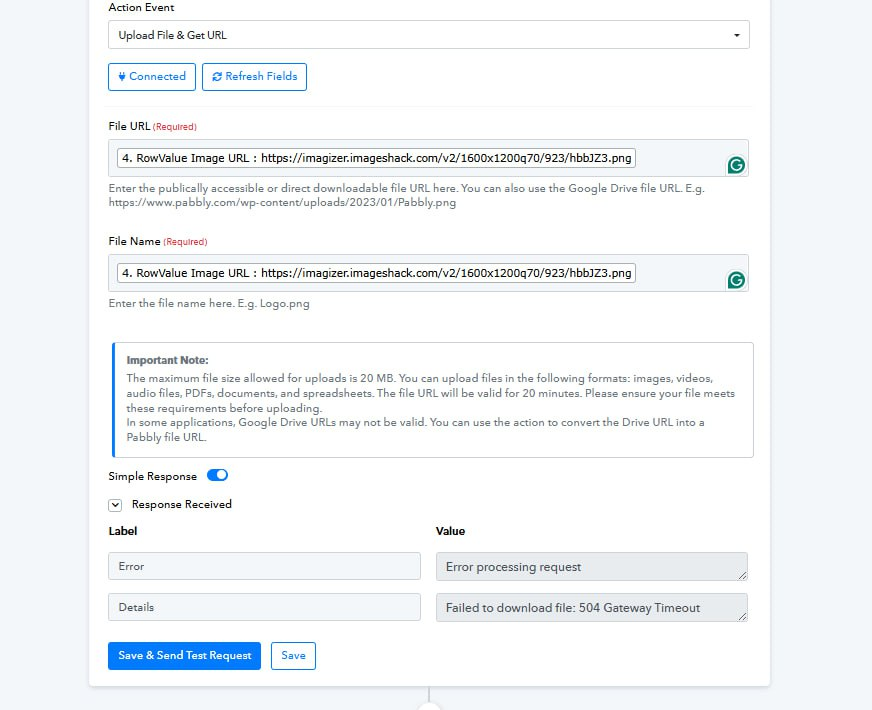
Please allow us some time to look into this concern. We will get back to you with an update soon.
Hello @stevenphan,
Upon reviewing the issue, it appears that the problem is related to the image URL and file format. When accessed via a web browser, the image is being downloaded in WEBP format, whereas when accessed via Postman, it is being downloaded as a PNG file.
This format inconsistency may be causing the issue. We recommend uploading the image correctly to ensure consistent formatting across all platforms.
For your reference, please check the attached images highlighting the difference.
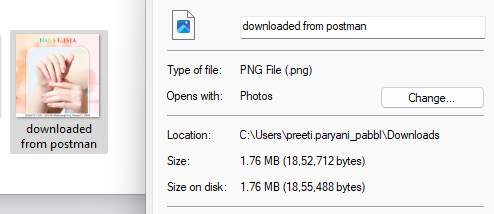
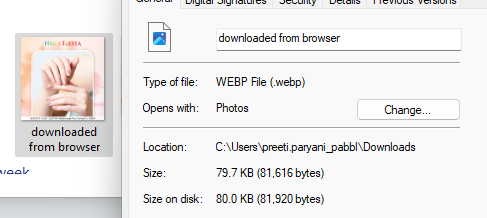
But before that I still used it stably. So if you have any tool to upload photos stably or any way to get the link without errors. Please let me know, thank you very much to your team.
Try uploading the file to Cloudinary, then use the link from Cloudinary in the Instagram action step.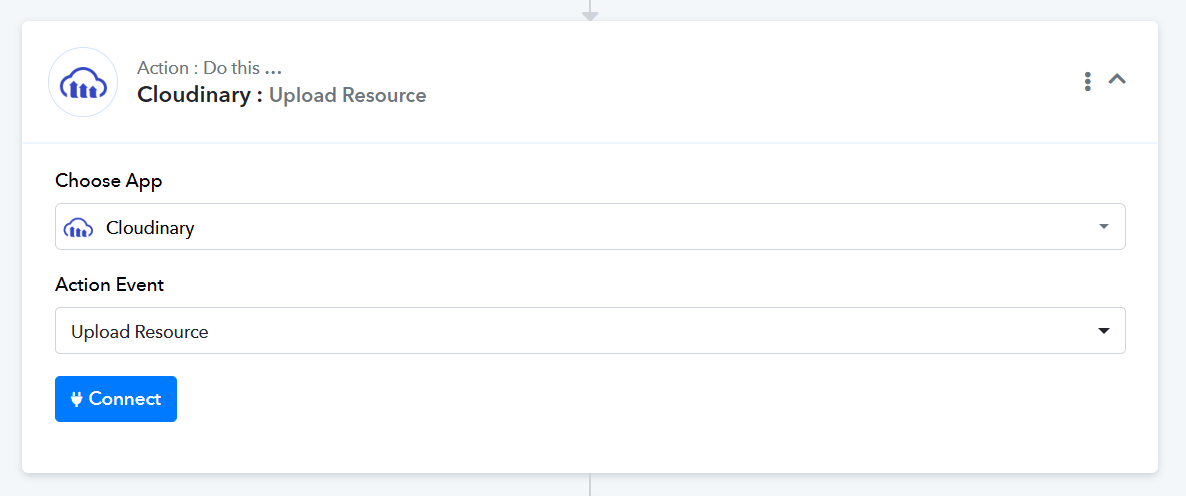
Sorry because I am testing so I can't set up Cloudinary for now. The file uploads still have this error. Another error is Fetching image failed in Step Name: Google Business Profile > Create Call to Action. Although the link is responsive and it can be posted a second time if it fails. I don't understand why this error always occurs the first time.
https://connect.pabbly.com/workflow/mapping/IjU3NjYwNTZkMDYzZTA0Mzc1MjZjNTUzMzUxMzMi_pc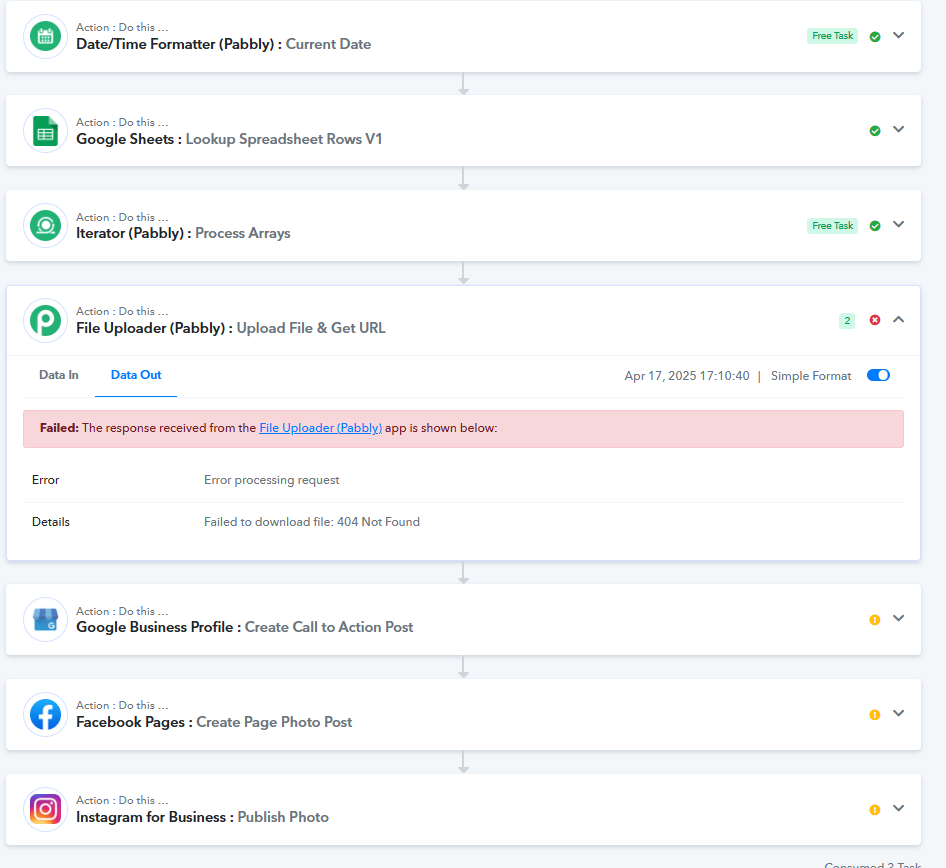
Hello @stevenphan,
Have you tried uploading the files to Google Drive and then using the export URL of Google Drive for the file uploader step? If you haven't, please try it and let us know if it works for you.
The file uploads still have this error.
Could you please share the task history where you have noticed this issue?
Another error is Fetching image failed in Step Name: Google Business Profile > Create Call to Action. Although the link is responsive and it can be posted a second time if it fails. I don't understand why this error always occurs the first time.