Issue: Duplicate Check Field Not Working in Zoho CRM Workflow
Status: Open · Asked by Tulsi Weigh on · 0 views
Hello Pabbly Support Team,
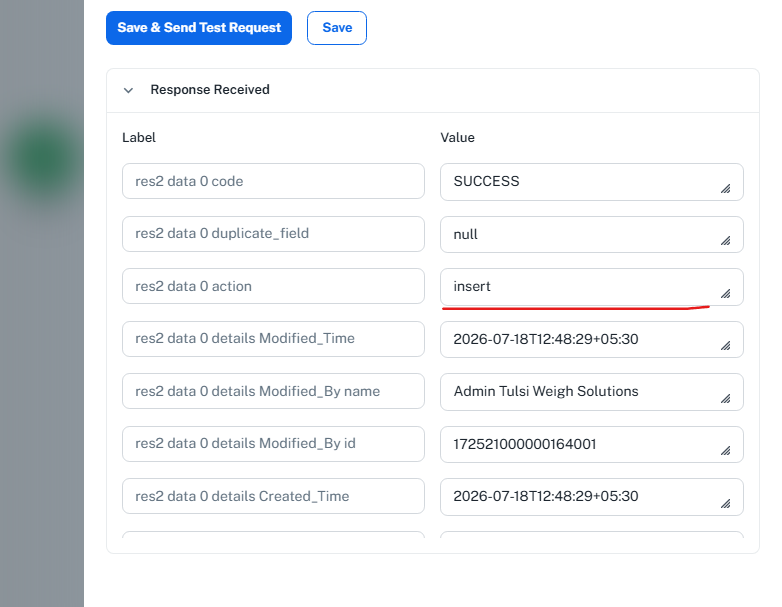
I am facing an issue with my workflow in Pabbly Connect that integrates with Zoho CRM. My intention is to update existing records in Zoho CRM, but instead of updating, the workflow keeps inserting new records. I have already configured the Duplicate Check Field (Ticket_number), but it seems that this functionality is not working as expected.
Could you please investigate why the duplicate check is failing and guide me on how to ensure that existing records are updated rather than new ones being created?
Thank you for your assistance.
Best regards, Tulsi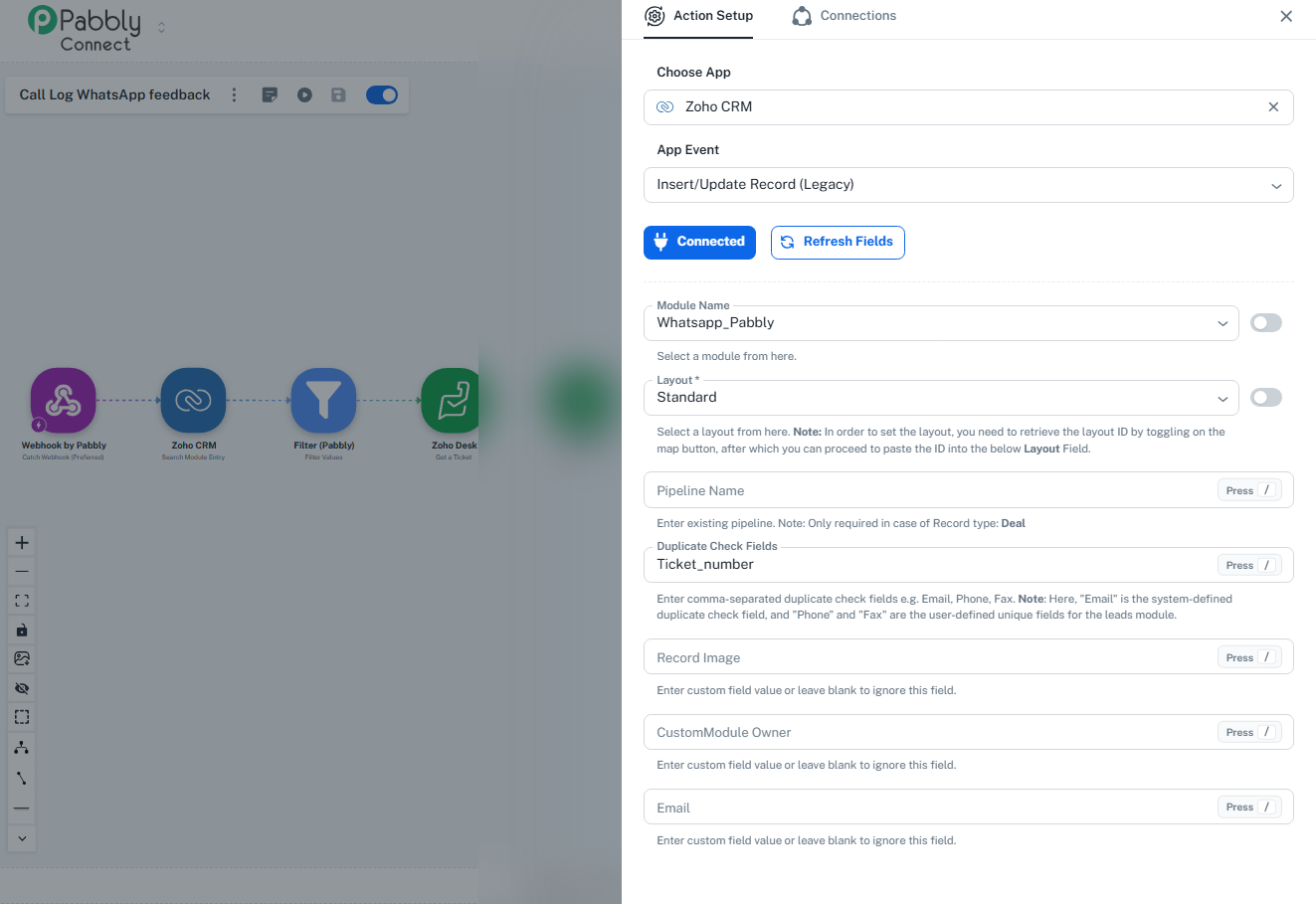
Hello,
To investigate the issue further from our end, we kindly request you to provide us with written permission to access and test your workflow for troubleshooting purposes.
Please write it down and send us stating, "I confirm Pabbly to use my workflow for testing".
Regarding the duplicate records, we recommend using a different Action Event, as the current action event you're using is a legacy action. Kindly try the alternative action event highlighted in the screenshot.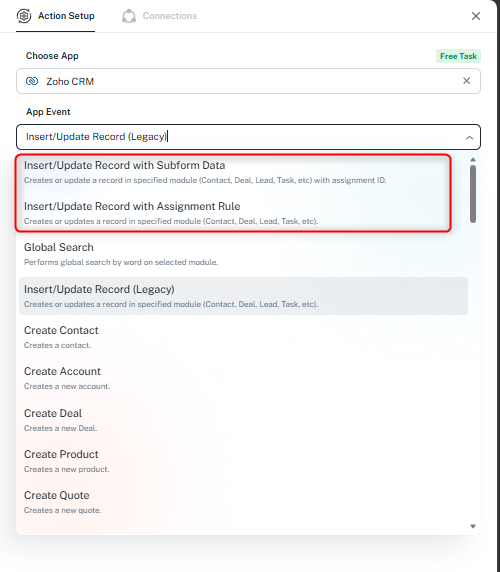
Additionally, please try using the Email field as the duplicate-check field and test the workflow again.
Once you've provided the required permission and tested the updated configuration, please let us know so we can investigate further if the issue persists.
Thanks & Regards,Anushka Sahu
Customer Support Associate
🌐 Pabbly.com
Hello Anushka,
Thank you for your detailed response and guidance. I confirm Pabbly to use my workflow for testing purposes.
I wanted to let you know that I have already tried using the recommended Action Events in Zoho CRM (Insert/Update Record with Subform Data and Insert/Update Record with Assignment Rule) and we do not have an Email field available to use for duplicate checking. Instead, we need to rely on the Ticket_number field, which is already set as the Duplicate Check Field in our configuration. Unfortunately, the issue still persists—the workflow continues to insert new records instead of updating existing ones.
Hello,
Thank you for reaching out to us and for sharing the details.
To help us investigate this further, could you please share a screen recording of the complete process showing:
The existing record in Zoho CRM before the workflow runs.
The workflow execution in Pabbly Connect.
The action step where the record is expected to be updated.
The result after execution, where a new record gets created instead of the existing one being updated.
This will help us verify the behavior and, if required, escalate the issue to our technical team for further investigation.
We look forward to your response.
Hello Anushka,
Thank you for your detailed response and guidance. I confirm Pabbly to use my workflow for testing purposes.
I wanted to let you know that I have already tried using the recommended Action Events in Zoho CRM (Insert/Update Record with Subform Data and Insert/Update Record with Assignment Rule) and we do not have an Email field available to use for duplicate checking. Instead, we need to rely on the Ticket_number field, which is already set as the Duplicate Check Field in our configuration. Unfortunately, the issue still persists—the workflow continues to insert new records instead of updating existing ones.
Thanks and Regards,
Preeti Paryani
Customer Success Associate,
Pabbly.com