Issue with connection to Sendapp
Status: Open · Asked by joelwee on · 0 views
Hi Pabbly Team,
I am trying to automate with Sendapp, but even updating the instance ID and access token, it says that the instance id has error.
The message is Instance ID Invalidated
The task history says it succeeded, but it was not sent. When I tried to troubleshoot, the error appeared and now cannot go away.
Would you be able to check please?
Hello @joelwee,
Could you please try setting up a new connection with SendApp instead of updating the existing one? Kindly let us know if this helps in resolving the issue.
We look forward to your update!
Hi Preeti,
Thank you for the reply. I reconnected and now it the process is a success. However, the message is still not send through.
Hello @joelwee,
Thank you for the update. If the API response from Sendapp indicates a successful status but the message is still not being delivered, we recommend reaching out directly to the Sendapp support team. They will be better positioned to investigate and assist you further with this issue.
Hi Preeti,
I have attempted to troubleshoot and found that if I add a link to an image , the message wouldnt be sent. Would you be able to check on this?
The message sends fine without the image link.
Hello @joelwee,
https://connect.pabbly.com/workflow/mapping/IjU3NjYwNTZjMDYzNzA0MzY1MjZkNTUzNDUxMzQi_pc
We have tested the workflow by sending the message without the image, but unfortunately, the "Instance ID Invalidated" error still persists. This issue seems to be related to SendApp's end. I recommend reconnecting your SendApp integration and checking if the issue is resolved. If the error continues even after reconnecting, kindly reach out to SendApp’s support team for further assistance, as the root cause appears to be on their side.
HI Preeti,
I amended the instance ID already. On my end, it sends the message fine without media. However, once i put a media link in, it doesnt send. Likely to be the way the media is parsed to sendapp. It works fine on Sendapp side when I tested it independently on their side
Hello @joelwee,
Upon checking the workflow URL you shared, it appears that the issue with the instance ID still persists. Could you kindly share the URL of the workflow where this issue is not occurring?
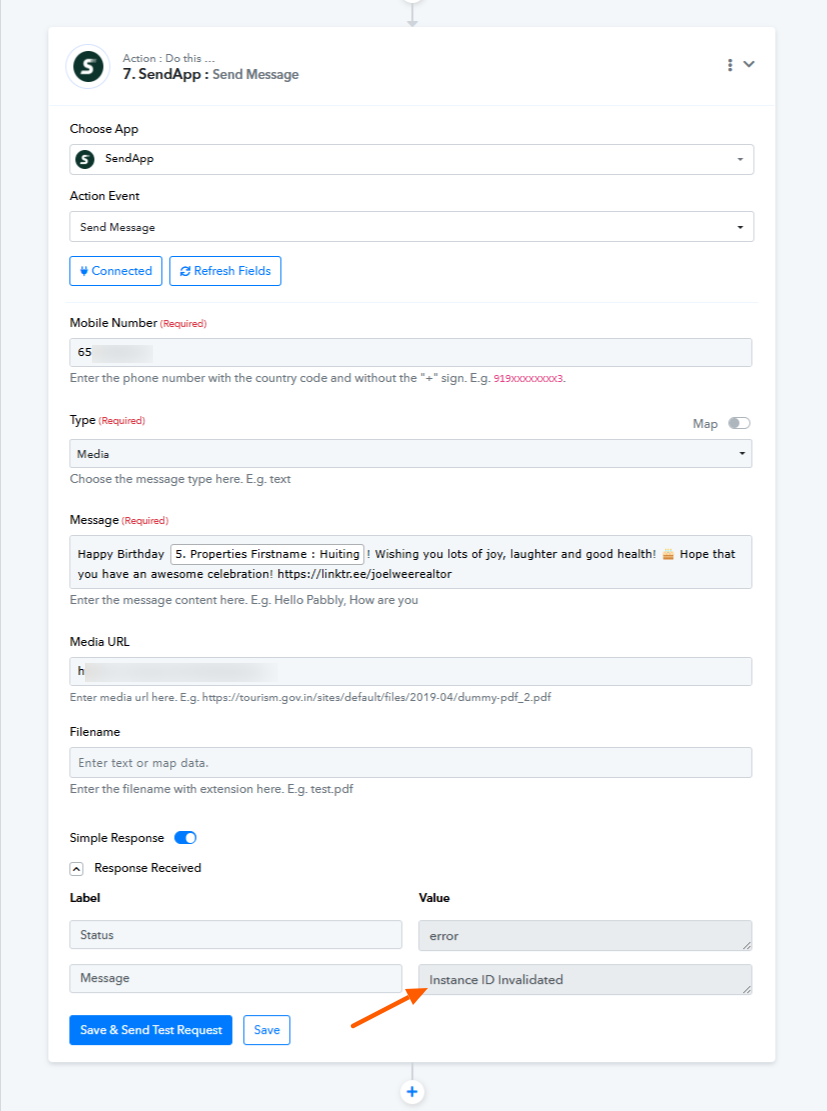
Additionally, since the concern is related to the media ID, having that information will allow us to assist you more effectively.
Looking forward to your response.
Hi Pretti,
I'm using this workflow
https://connect.pabbly.com/workflow/mapping/IjU3NjYwNTY4MDYzNjA0Mzc1MjY5NTUzMzUxMzMi_pc
I have also checked with Sendapp. The format should be like below when sending
https://app.sendapp.cloud/api/send?number=123456789&type=media&message=test+message+&instance_id=XXXXXXX&access_token=XXXXXXXXX&media_url=https://sendapp.live/wp-content/uploads/2024/07/imac-sendapp-007.png&filename=name.png
Hello @joelwee,
Upon testing, we identified that the issue appears to be with the image URL. To troubleshoot, we added a File Uploader step in Pabbly and used the image URL you provided. This generated a working URL, and the message was saved and delivered correctly.
Please refer to the attached image for more details — we successfully tested the message by sending it to our number.
Hi Pretti, thank you. Please remove the images as it contains information
Hello @joelwee,
Thanks for the update.
PS: Deleted the images.