Issue with creating opportunity in Flowlu
Status: Open · Asked by digitalMP on · 0 views
I am attempting to create a new CRM contact and opportunity within Flowlu. I am able to create a new contact, but I am getting the error "Details Name - Name cannot be empty" when I try to create a new opportunity:
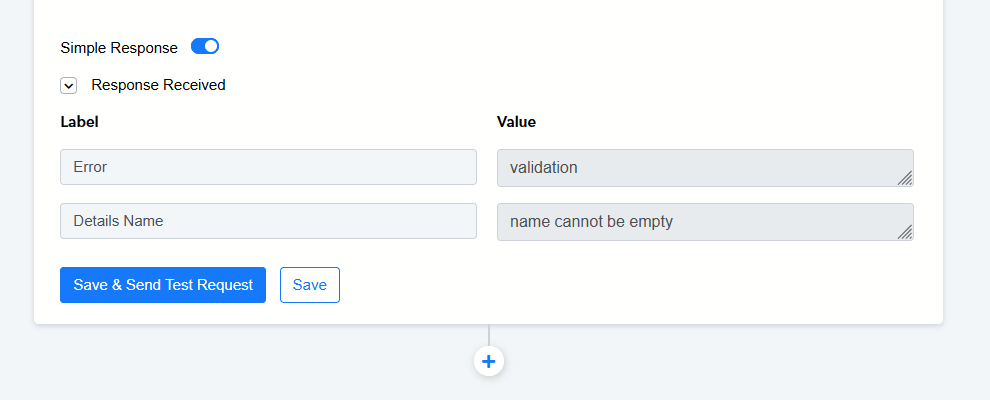
I have followed the instructions for creating a new CRM contact as laid out in this video:
youtube.com/watch?v=kCZXkW3PC60
I have followed the instructions for creating a new opportunity as laid out in this video:
youtube.com/watch?v=wJEvfS4xn5U
This is how my fields are mapped for customer ID: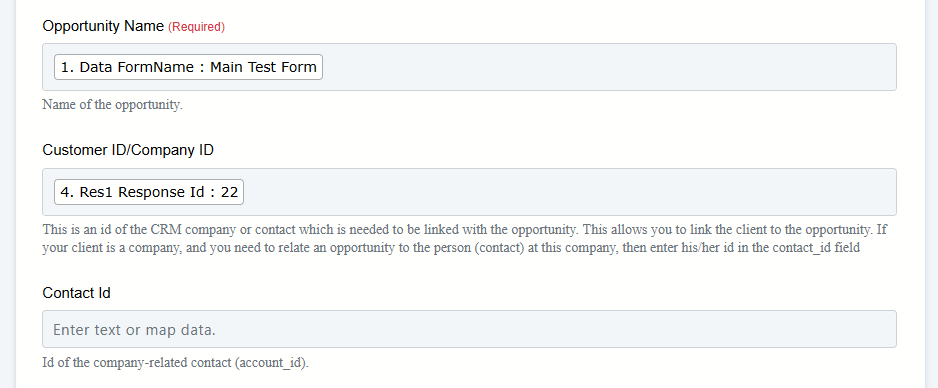
I have followed the instructions for doing a date conversion, as was recommended in this post with the same issue:
Issues with flowlu
This is how my start/end date fields look: 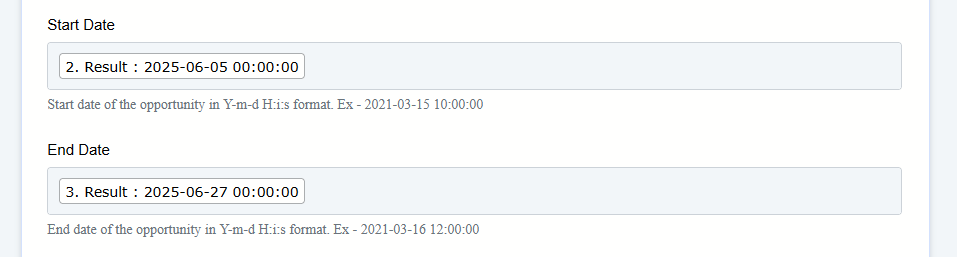
What is causing this error to take place? What is the field "details name"? Does it exist? I have tried running this task with information in all available fields and I still receive this error message.
I seem to be following all of the tutorials/directions and I cannot get this to work.
Hello @digitalMP,
https://connect.pabbly.com/workflow/mapping/IjU3NjYwNTZiMDYzNzA0M2Q1MjY5NTUzNTUxM2Ii_pc
Please allow us some time to look into the issue, and we will get back to you with the updates as we have some.
Hello @digitalMP,
Please try using the Create Opportunity (Beta) action instead and let us know if it works fine for you.
That has fixed the issue - it is now working as expected.
Do I need to do anything to update this task going forward? Should I keep it set to Create Opportunity (Beta)?
Hello @digitalMP,
Thank you for the update.
You can keep the "Create Opportunity (Beta)" action in your workflow as it appears to be working fine.
Thanks, @Preeti Paryani
I do have one other question now. I noticed that I cannot seem to set the Stage ID of the opportunity. I am given the options of 1-4, but none of those options seem to change the Stage ID of the opportunity in the pipeline. Do you know how to update this?
Currently, you have set the Stage ID manually, so each time a new opportunity is created it will always have the ID you have set (New). If you want to create a new opportunity with different stages, you would have to map the value from above.
I understand that, however there is a bug in how it is being set. This bug seems to have been introduced in the Beta version as the original version did not have this problem.
In order for me to see "New" (which is the correct value) I have to have Map selected. But with Map selected, it is looking to map the value from another field. There is no field I can pull the value of "New" from.
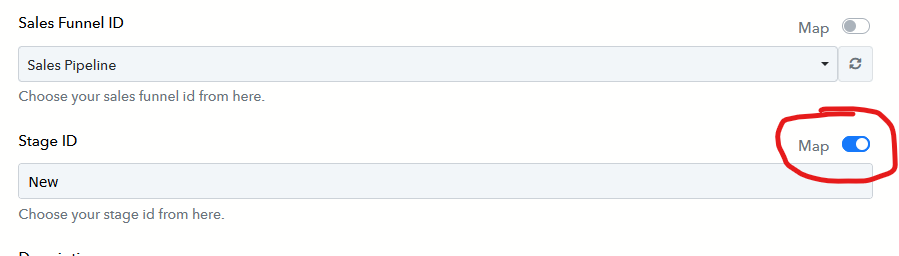
If I deselect Map in order to choose the stage ID, I am only given the option of 1. If I hit the refresh button, I'm given the option of 1-4.
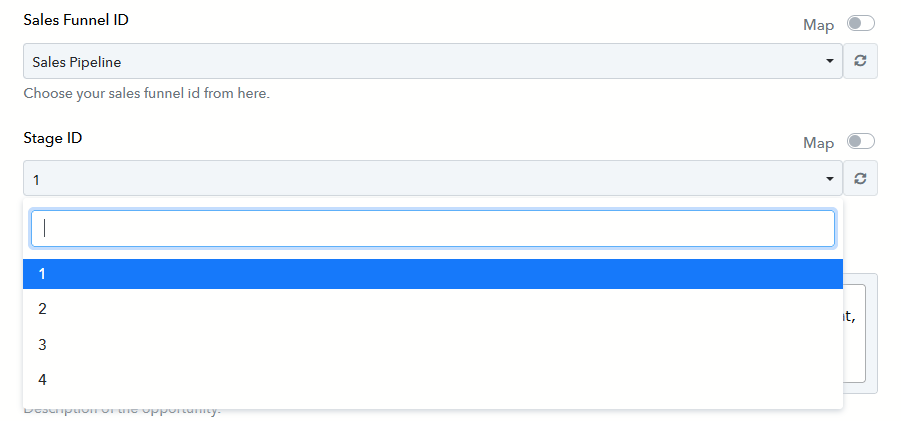
These are not accepted value and do nothing to correctly set the Stage ID in Flowlu:

When I used the original "Create Opportunity" action (not beta) it gave me the correct options of New, Qualification, Proposal, Negotiation. The beta version appears to have broken that.
Hello @digitalMP,
Please allow us some time to look into the issue. We will get back to you as soon as we have some updates.
Hello @digitalMP,Please allow us some time to look into the issue. We will get back to you as soon as we have some updates.
Have you been able to identify the issue yet?
Hello @digitalMP,
Could you please confirm whether the specific stages exist in your sales pipeline? It would be helpful if you could also share a screenshot for reference; this will allow us to assist you more effectively.
Hello @digitalMP,Could you please confirm whether the specific stages exist in your sales pipeline? It would be helpful if you could also share a screenshot for reference; this will allow us to assist you more effectively.
Here, I made a video showing the issue and the specific stages I have in the pipeline, and how the two platforms are not communicating.
1093308323:f8d0143ac6
Hello @digitalMP,
Thanks for sharing the screen recording. Please allow us some time to review it, and we will get back to you shortly.
Hello @digitalMP,Thanks for sharing the screen recording. Please allow us some time to review it, and we will get back to you shortly.
Any update on this?
Hello @digitalMP,
We’re glad to inform you that the issue has now been resolved.
Please click the "Refresh Fields" button in your action step, and then try mapping the Stage ID again. Once done, proceed with the action to see if it works as expected.
Do let us know if you face any further issues.
Everything appears to be working correctly now. Thanks for your help!
I do have one last question - I noticed you added an action in the chain to find and replace a character in one of the text fields:
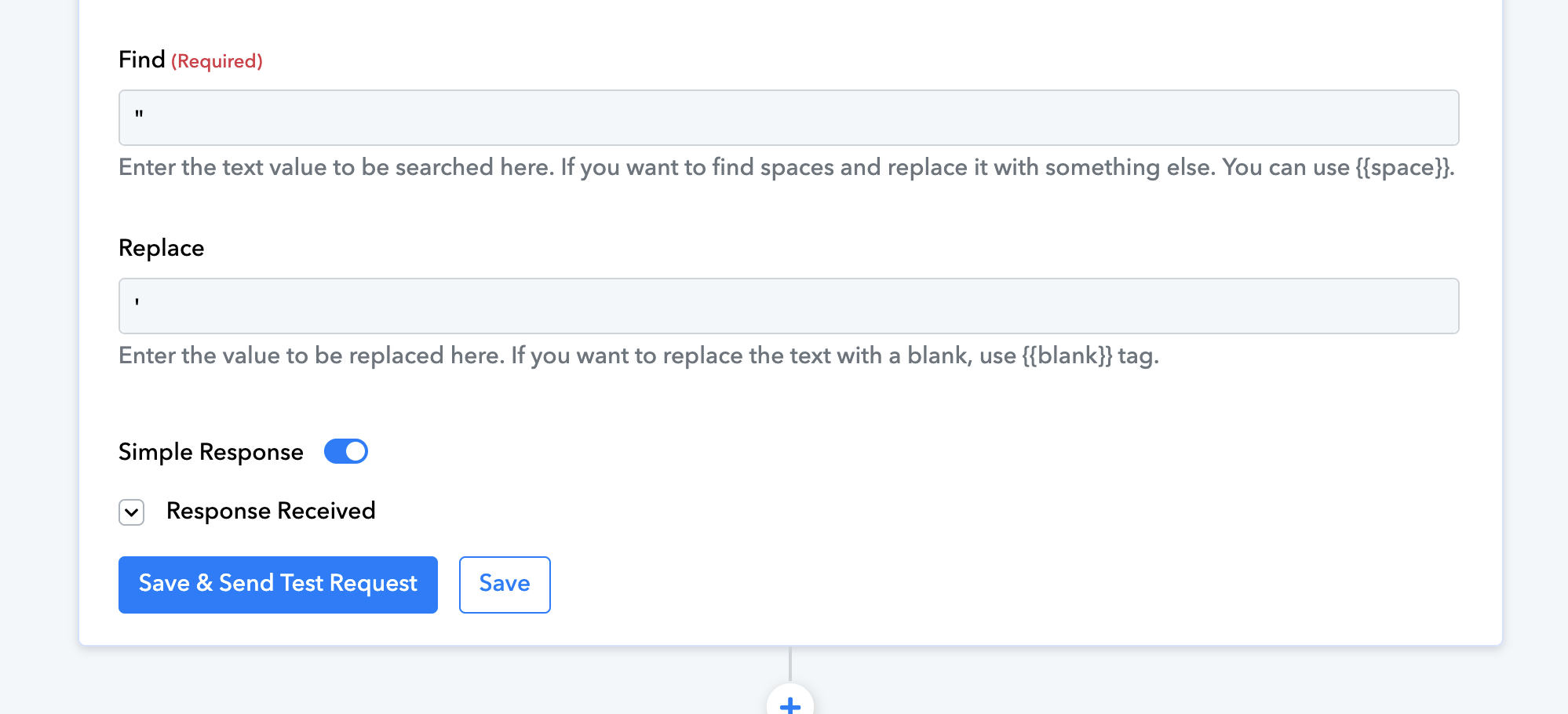
I'm curious if this is a necessary step or something that was added during troubleshooting. I've kept the action in the workflow, but I haven't noticed it having any effect. Should I leave this in or can I safely remove it?
Hello @digitalMP,
Thanks for the update. If you have a moment, please rate us on Google. Your feedback helps us improve.
Also, the concerned step is a free step and is important to avoid any unexpected issues, so we recommend keeping it there in your workflow.