Issue with Facebook Lead Ads Integration, Webhook Not Receiving Test Data.
Status: Closed · Asked by Revann Hiremath on · 0 views
I am experiencing an issue with Facebook Lead Ads integration in Pabbly Connect. Despite following the setup process accurately, I am unable to capture test lead data in Pabbly Connect. Here are the details:
- I have connected my Facebook account and the Cervetti Italia page to Pabbly Connect successfully.
- I am using the Lead Ads Testing Tool (RTU Debugging) in Meta for Developers to send a test lead.
- The Lead Ads Testing Tool indicates that the test lead has been successfully submitted.
- However, in Pabbly Connect, the webhook remains in a "waiting for response" state, and no test data is captured.
I have verified the following:
- The webhook URL from Pabbly Connect has been correctly added in the Lead Ads setup.
- The correct form is selected in the Lead Ads Testing Tool.
- All required permissions for Pabbly Connect have been granted for the page and ad account.
I have also attached a screenshot of the configuration for reference.
Could you please guide me on how to resolve this issue? Your assistance will be greatly appreciated!
Hey @Ajay Jain
Kindly delete the submitted lead once by clicking on "Delete Lead" and submit a new test lead using "Preview Form". Also, please make a screen recording video and share with us so that we can check if there are any discrepancies
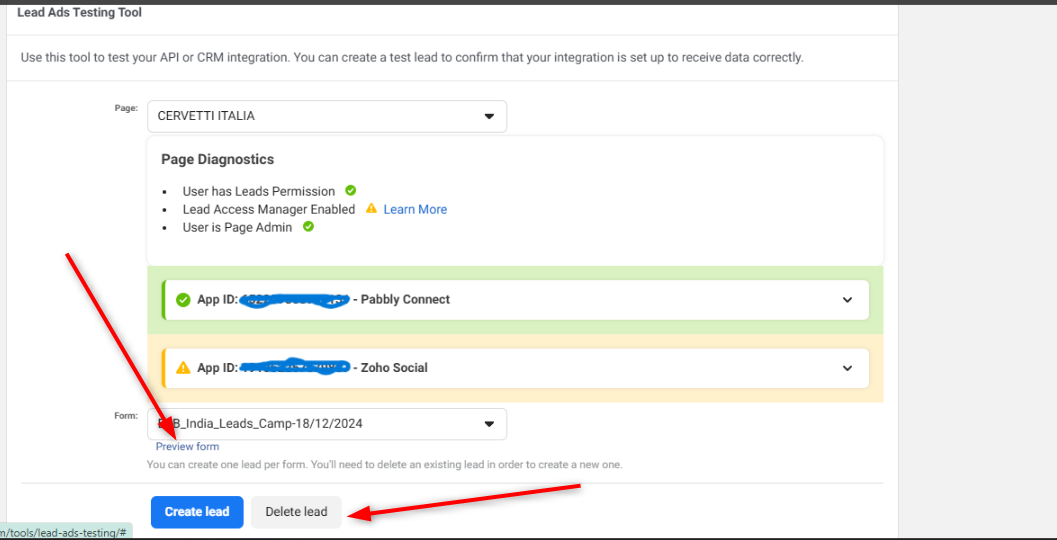
Let us know if it works for you.
Thank you as it is connected and the data too mapped. but the Pabbly account webhook is consuming tasks as expected. However, the lead data is not being triggered or pushed to Zoho CRM. Despite mapping the fields correctly in the workflow, the information is not reflected in Zoho. I have attached the screenshot pls guide me in this.
Hello @Ajay Jain
Kindly make a new connection for Zoho CRM and let us know the ID for Owner "Ajay Jain" as it is the field which is showing error.
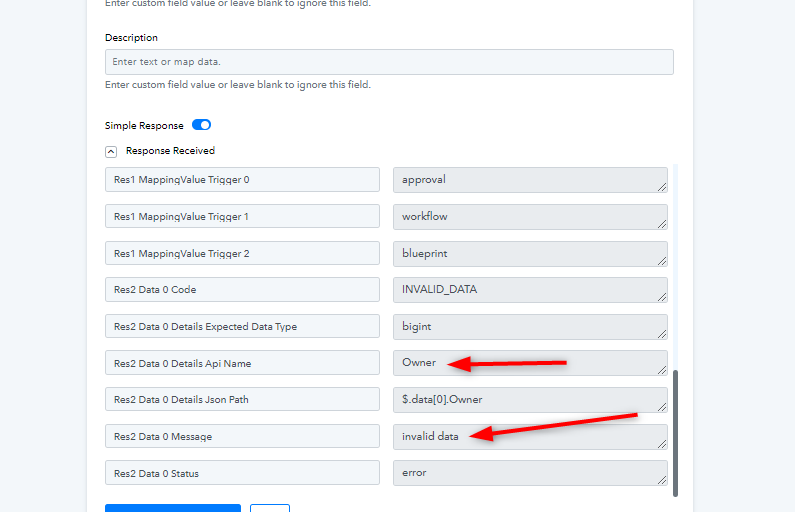
Waiting for your response.
Hey still it is same tried multiple time the test data is not getting triggered to Zoho CRM, Zoho CRM ID is ( 787940001 ) kindly check on this.
Hey @Ajay Jain
You will have to enter the last name too.
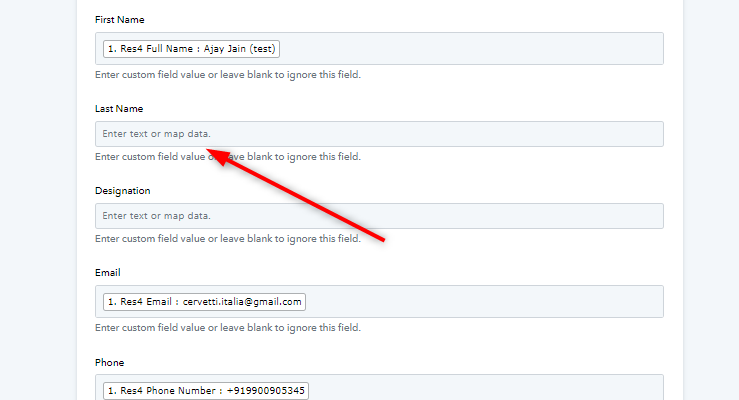
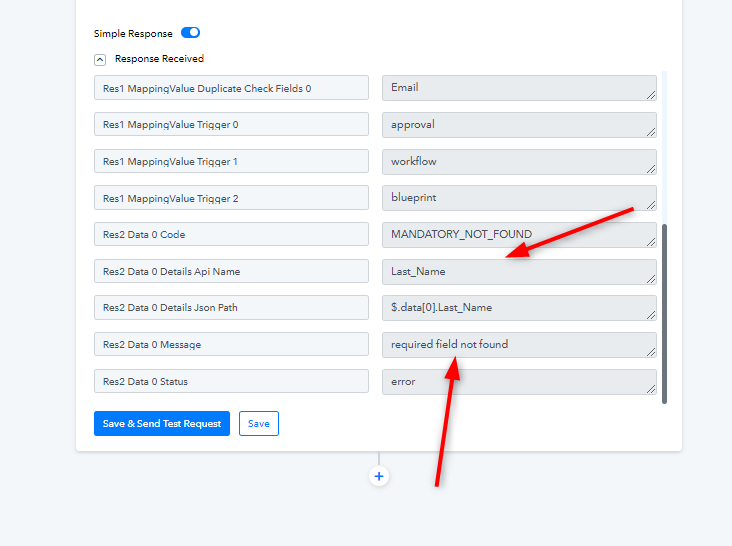
Let us know if it works for you.
Resolved Thank You.