Issue with "Facebook Lead Ads: New Lead Instant (Beta)" Not Triggering Workflow
Status: Open · Asked by William Mory on · 0 views
Hi @ArshilAhmad & @Luv ,
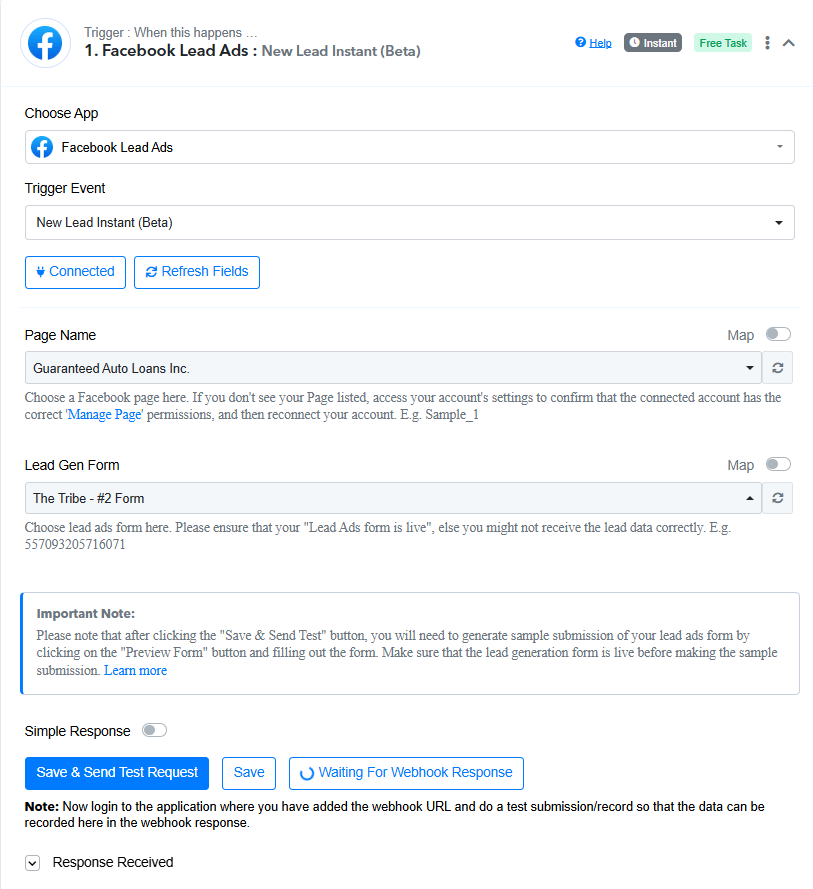
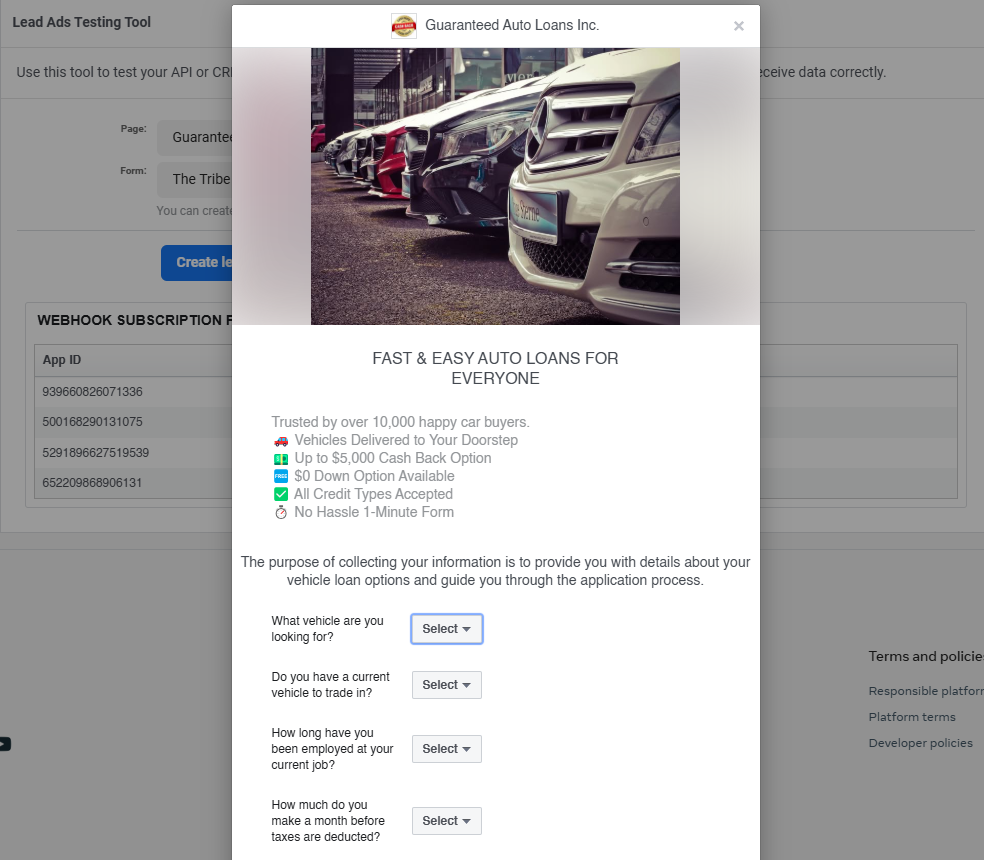
I’m experiencing an issue while integrating my Meta Lead Forms with my CRM using Pabbly. I’ve followed the usual steps, but when I configure the action "Facebook Lead Ads: New Lead Instant (Beta)" and fill out the Lead Form using the "Lead Ads Testing Tool," the information doesn’t reach the workflow. Instead, it gets stuck at "Waiting For Webhook Response."
Here’s what I’ve done so far:
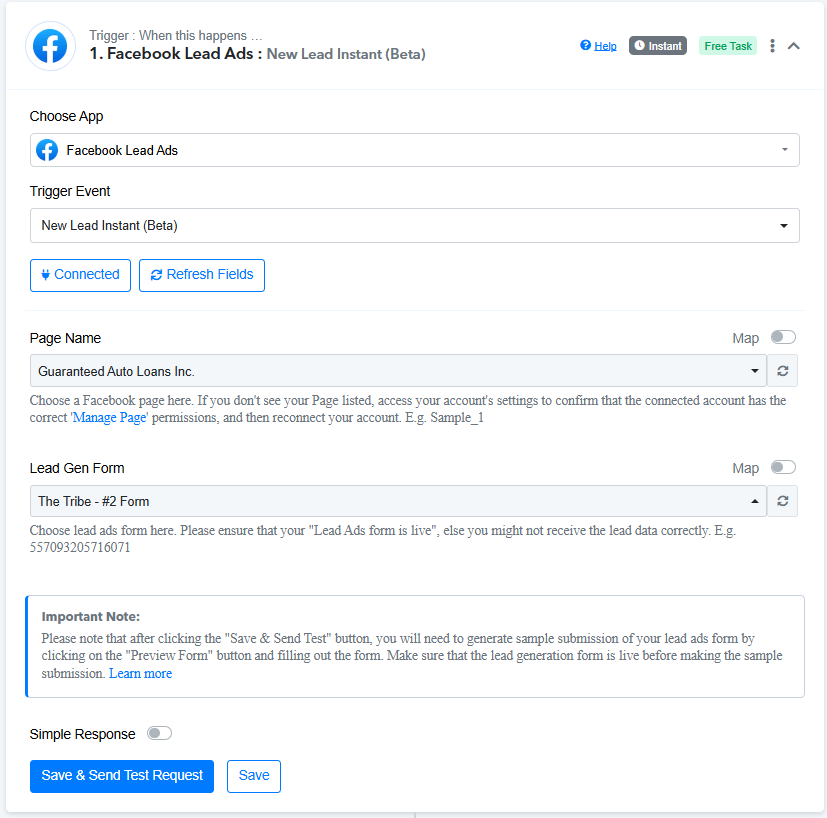
1. Configured the Action in the Workflow:
https://connect.pabbly.com/workflow/mapping/IjU3NjYwNTZmMDYzMzA0M2Q1MjZkNTUzZDUxMzAi_pc
2. Filled out the form in the Lead Ads Testing Tool.
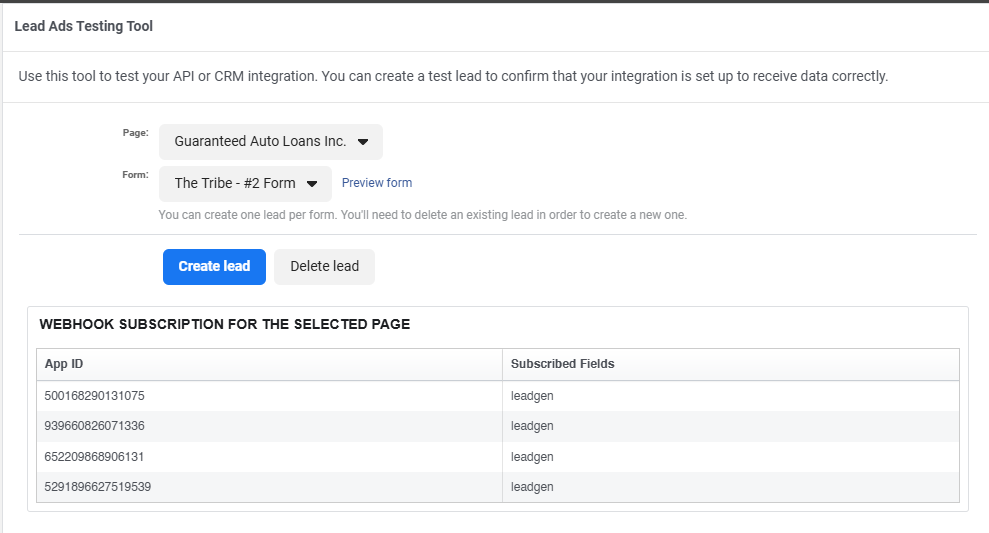
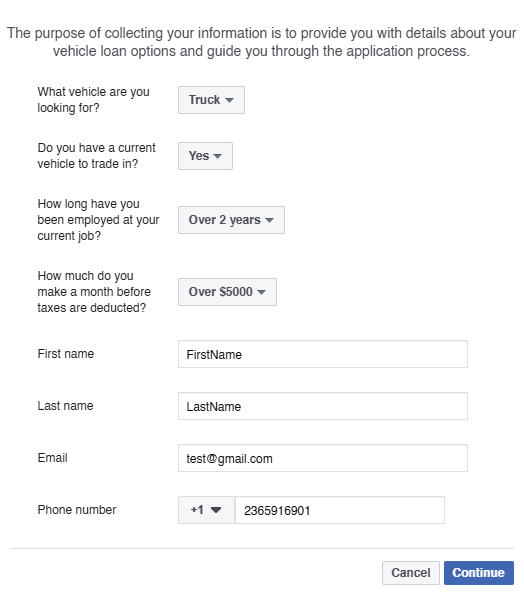


3. Did not receive any response in the Facebook Lead Ads trigger.
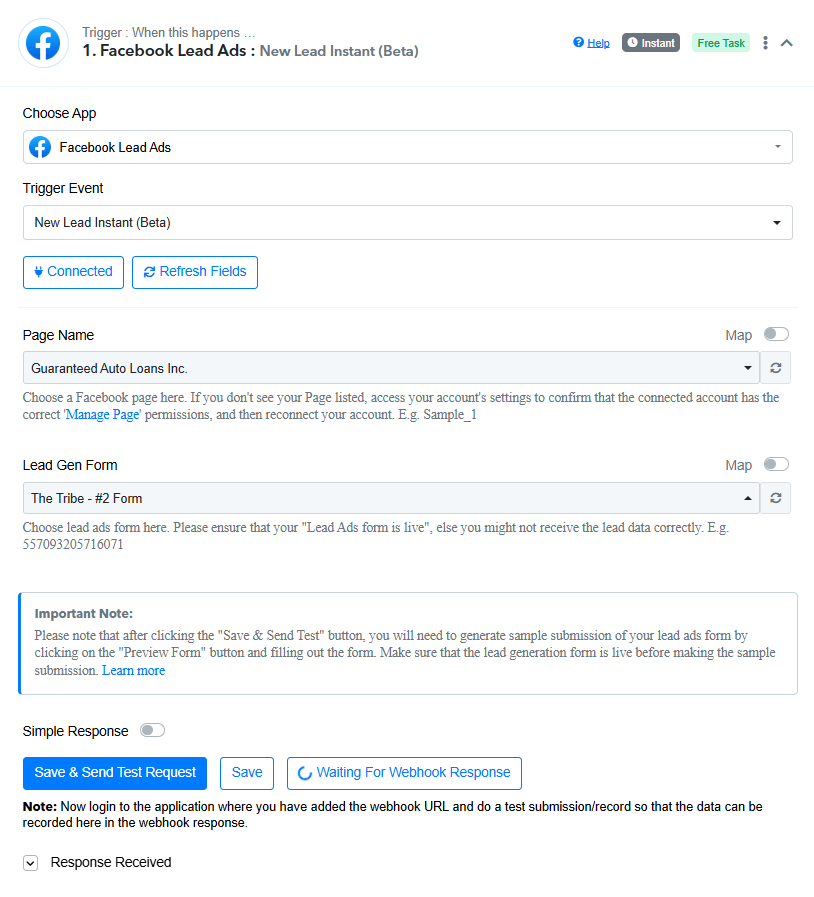
How can I resolve this issue?
Thank you in advance for your help!
Hello @Wmorkan,
Please try setting up a new workflow from scratch and let us know if it resolves the issue. If the issue persists please provide us with a screen recording of the whole process so we can better identify the issue.
Hi @Preeti Paryani !
Thank you for getting back to me. I’m sharing a video I recorded that walks through the entire process I followed to create the workflow.
https://vento.so/view/660f09ad-ee7e-473b-ae85-e47528106544?utm_medium=share
Here’s the workflow:
https://connect.pabbly.com/workflow/mapping/IjU3NjYwNTZmMDYzMDA0MzA1MjY0NTUzZDUxMzYi_pc
I’m looking forward to your feedback on how to resolve the issue.
Thanks!
Hello @Wmorkan,
Could you please delete the test lead added to your form "The Tribe - #2 Form" so we can perform testing on our end?
Please note that, for now, we have added a paid step (Delay) to your workflow, as workflows get disabled after a certain time if they don’t contain a paid step.
Once the test lead is deleted, please let us know.
Hi @Preeti Paryani ,
All set, it’s now deleted from both Pabbly Connect and the Lead Ads Testing Tool.
https://connect.pabbly.com/workflow/mapping/IjU3NjYwNTZmMDYzMDA0MzA1MjY0NTUzZDUxMzYi_pc
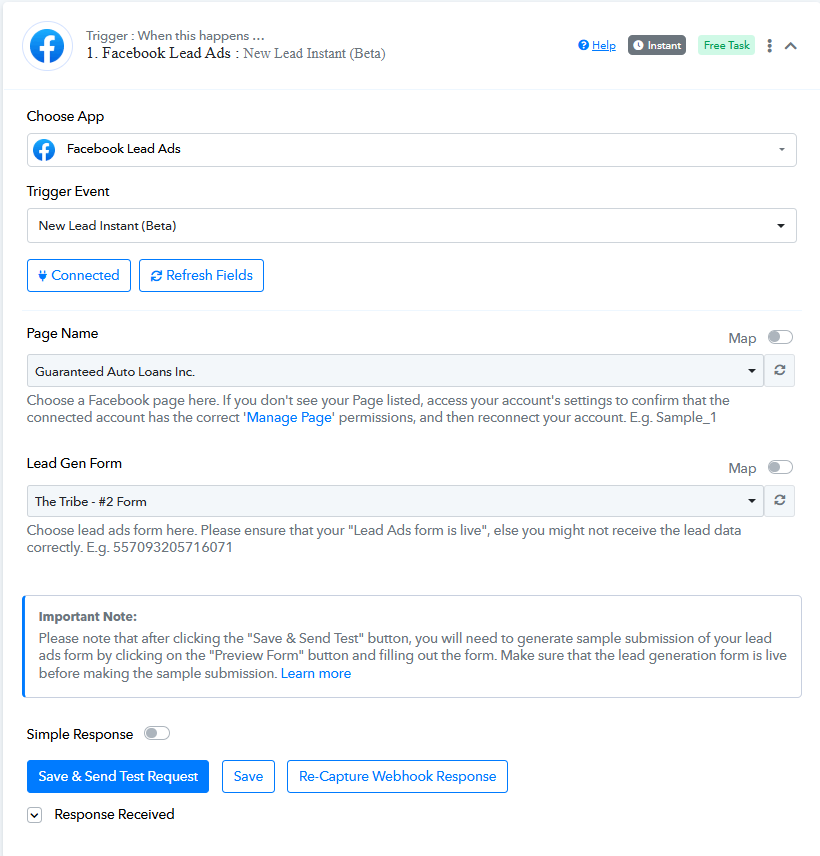
Let me know if there’s anything else I need to do.
Thanks for your help!
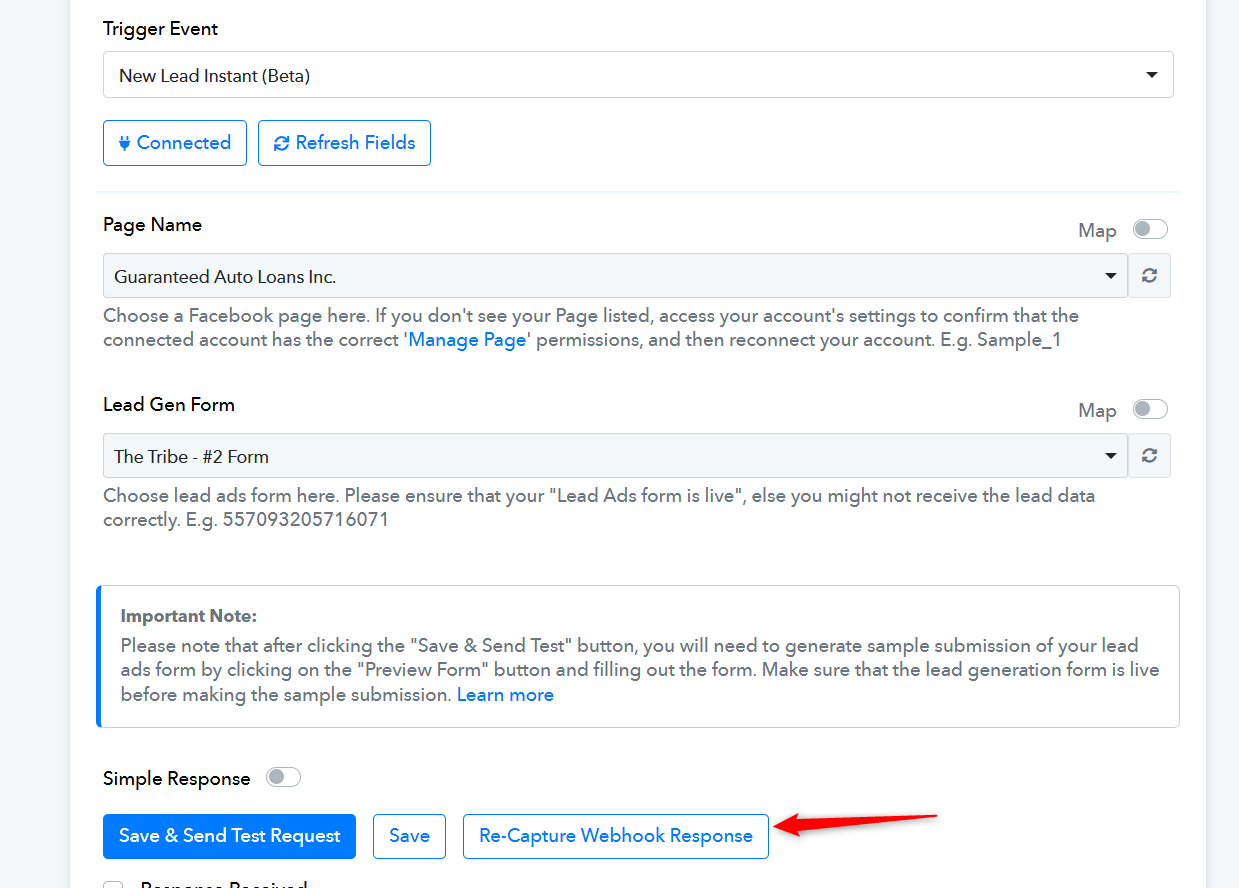
Please click on the 'Re-Capture Webhook Response' button, submit another form, and check if it gets captured in your trigger step.