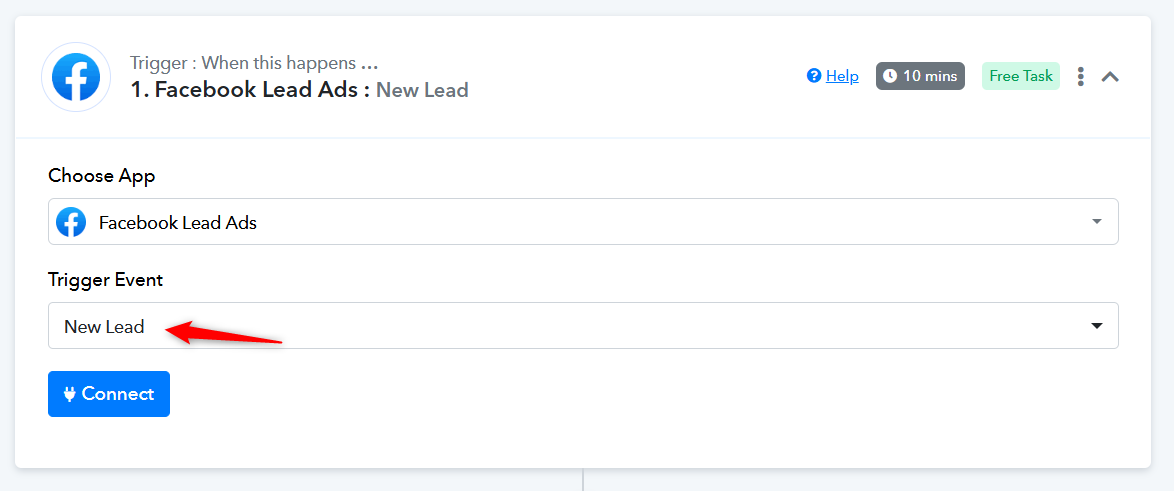
issue with Facebook Lead Ads trigger.
Status: Open · Asked by elhanan cohen on · 0 views
Hi Pabbly team,
I'm having an issue with my Facebook Lead Ads trigger.
The connection to my Facebook page seems fine (the page name appears and the form is listed),
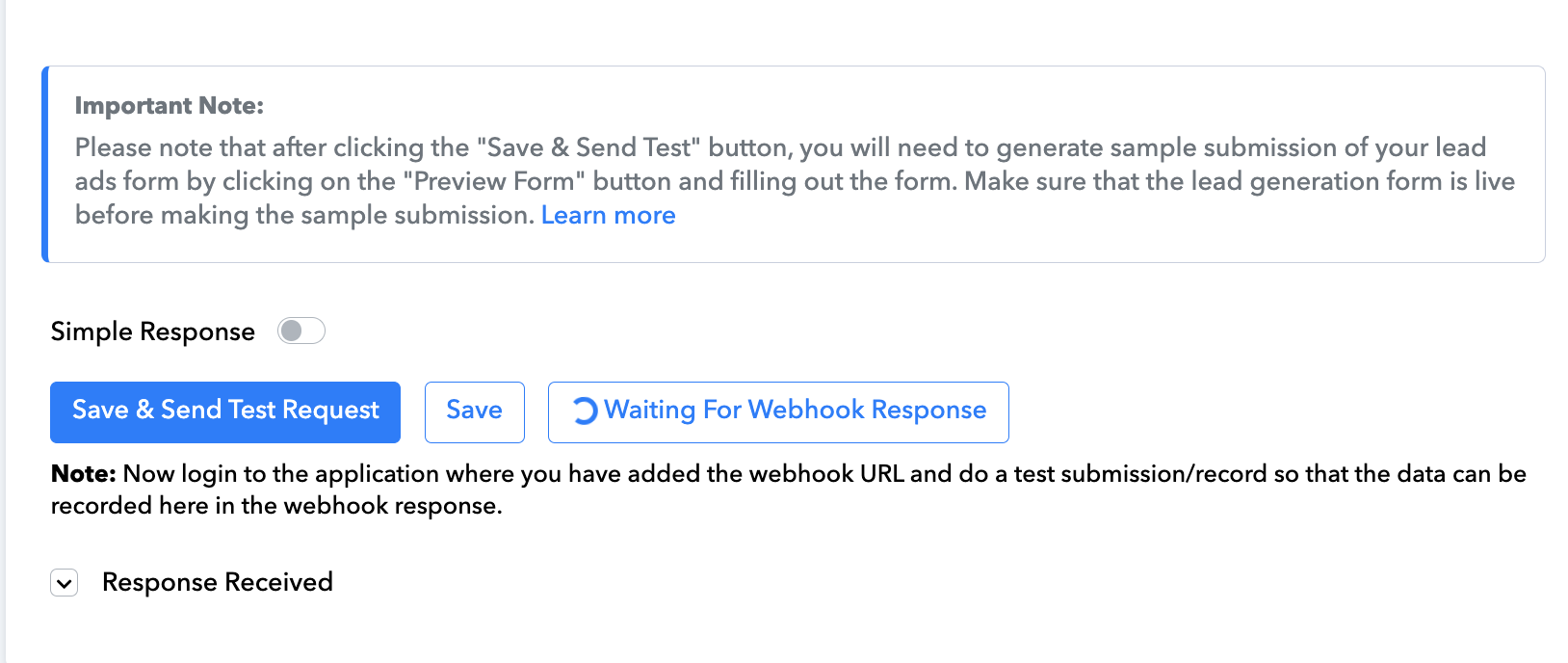
but when I test or submit a lead, no data is received in Pabbly.
The status shows “Waiting for 'Webhook' Response” and it never receives the lead data, even after submitting a test lead using the “Preview Form” button in Facebook.
I’ve already confirmed:
- The form is live and published
- Pabbly has the correct permissions (“manage_page”, “leads_retrieval”)
- The Facebook page and form are correctly connected
Could you please check why the webhook is not capturing the leads or guide me on how to fix it?
Thank you!
Hello @elhanan cohen,
Could you please try setting up the workflow in the Classic Workflow Builder and let us know if you are able to capture the lead there?
still not working...
Hello @elhanan cohen,
Could you please confirm whether you are the owner of the account you are trying to capture leads from?
If you are the owner, kindly refer to the attached Loom video and check whether your Facebook setup looks similar. Alternatively, if possible, you can share a short screen recording of your setup, similar to the one provided. This will help us understand the issue better and assist you more effectively.
https://www.loom.com/share/326b3e6b49ad4bc9975c1a49d6331920?sid=bc6d8b6e-e6fd-4250-aca5-90ac827d4d78
Thanks & Regards,
Preeti Paryani
Customer Support Associate
Pabbly.com
Rate your support
These are exactly the same settings... I can't figure out where the problem is. And it happens with all the pages I have.
This problem has been ongoing for more than two months. At first I thought it would work out but apparently not..
https://www.loom.com/share/efad4a05057943c7adde24eff4c0ddc6?sid=8eba80fe-05df-4263-bafd-aed435391a9d
Please confirm whether you are the owner of the page from which you are trying to capture leads.
yes i am the owner
Hello @elhanan cohen,
To assist you better with this issue, please schedule a Google Meet with us using the following booking URL: https://calendly.com/d/cwcp-j62-q5d/pabbly-support-with-preeti
Hi there,
I'm having the same problem but I'm not the owner of the page, I mean, I'have permission through the Meta business manager as a Partner of the BM which is the owner of the page. May it work this way as well?
I don't know if the following message may refer to a previous tried when I actually had't permission that I solved then:
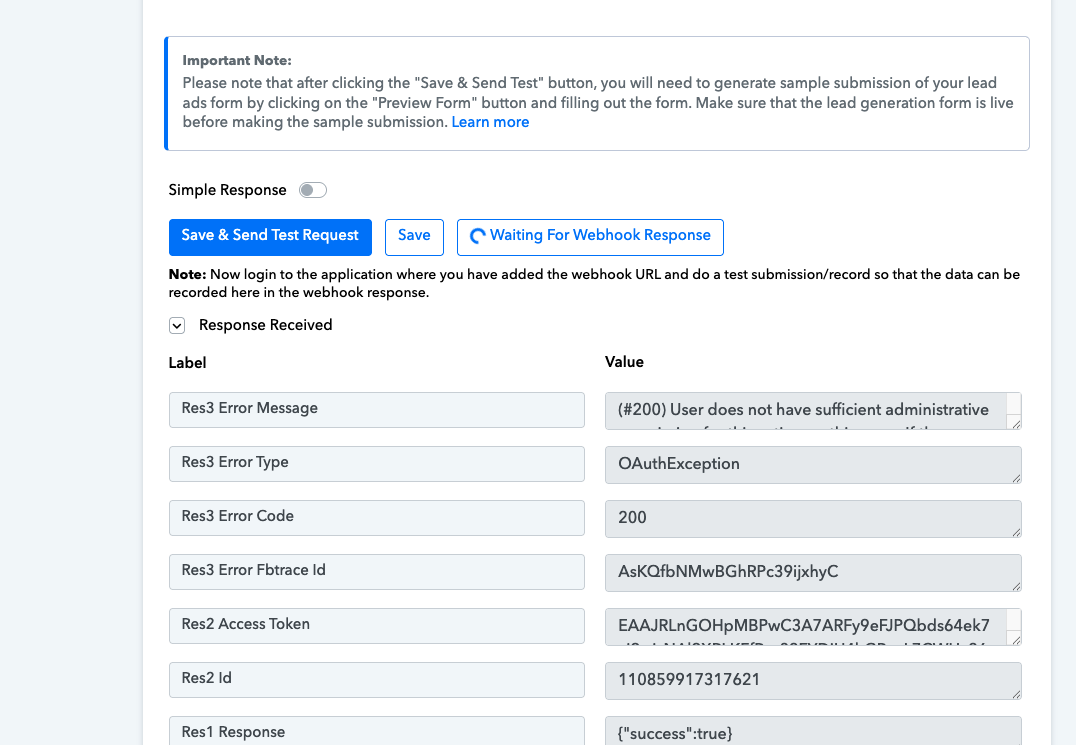
(#200) User does not have sufficient administrative permission for this action on this page. If the page business requires Two Factor Authentication, the user also needs to enable Two Factor Authentication.
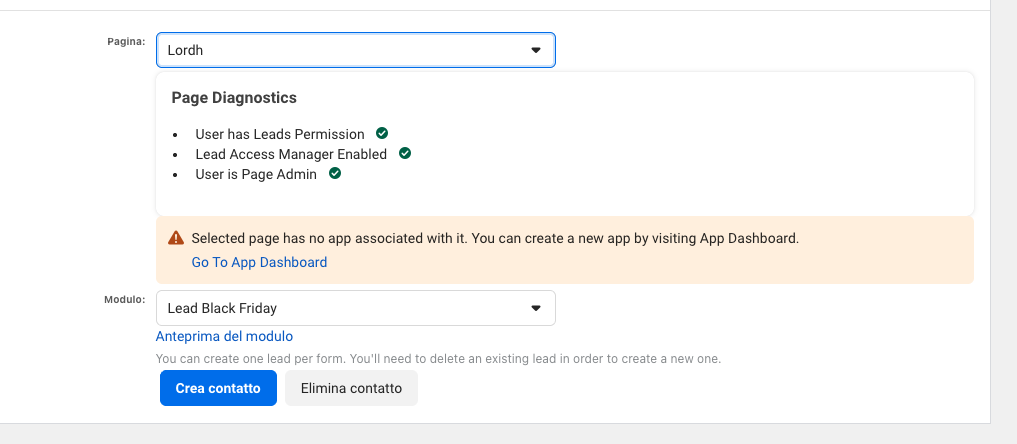
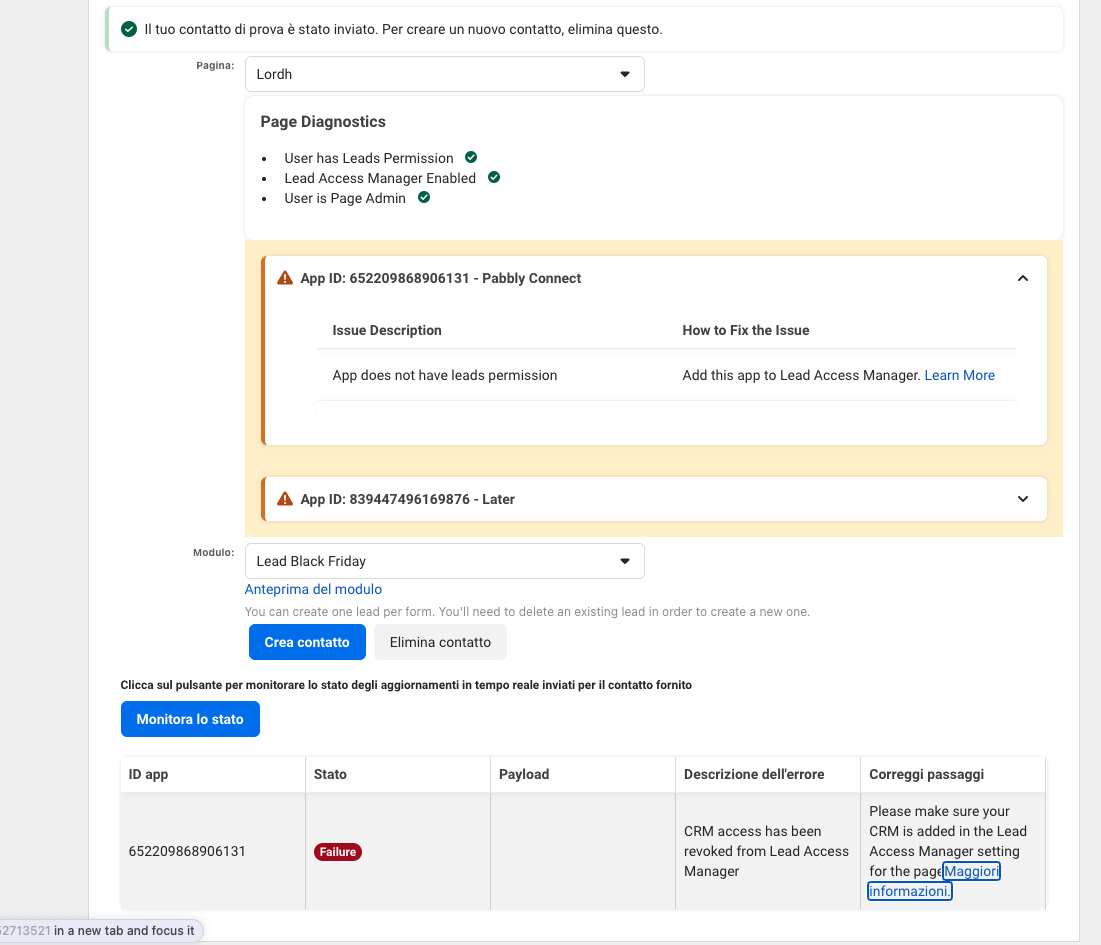
Update: I got more permission from my client, which gave me full control, always as a partner. here is the situation now.
Please follow the steps shown in the video linked below and see if that fixes the issue. Make sure to allow all the necessary permissions while creating the new connection with your Facebook Lead Ads account.
Hi there, I've tried but is not working, this is the error:

I've tried to check the Lead Access Manager, but I don't understand hot to add a CRM
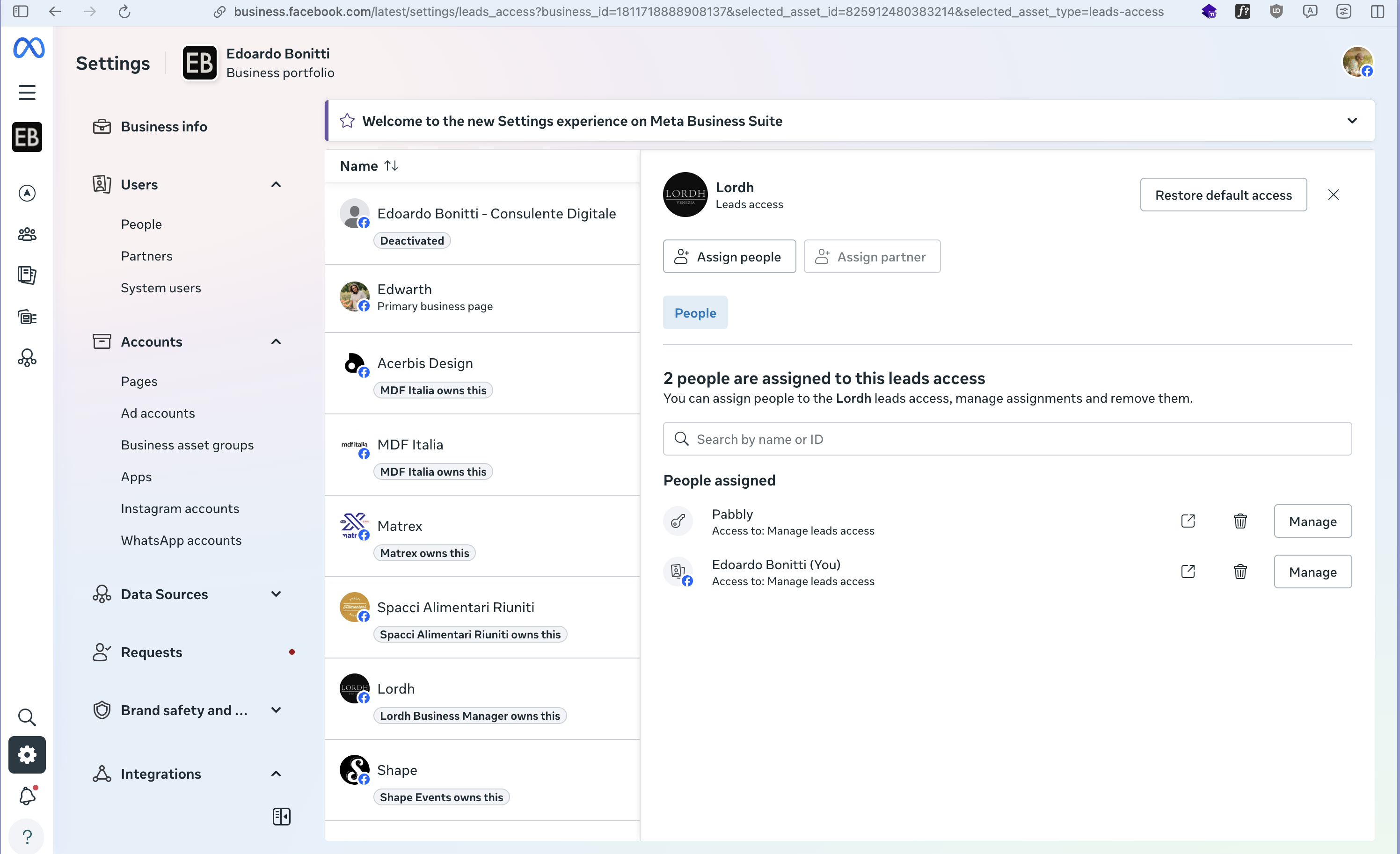
Delete the already existing 'Pabbly' app from your Facebook account.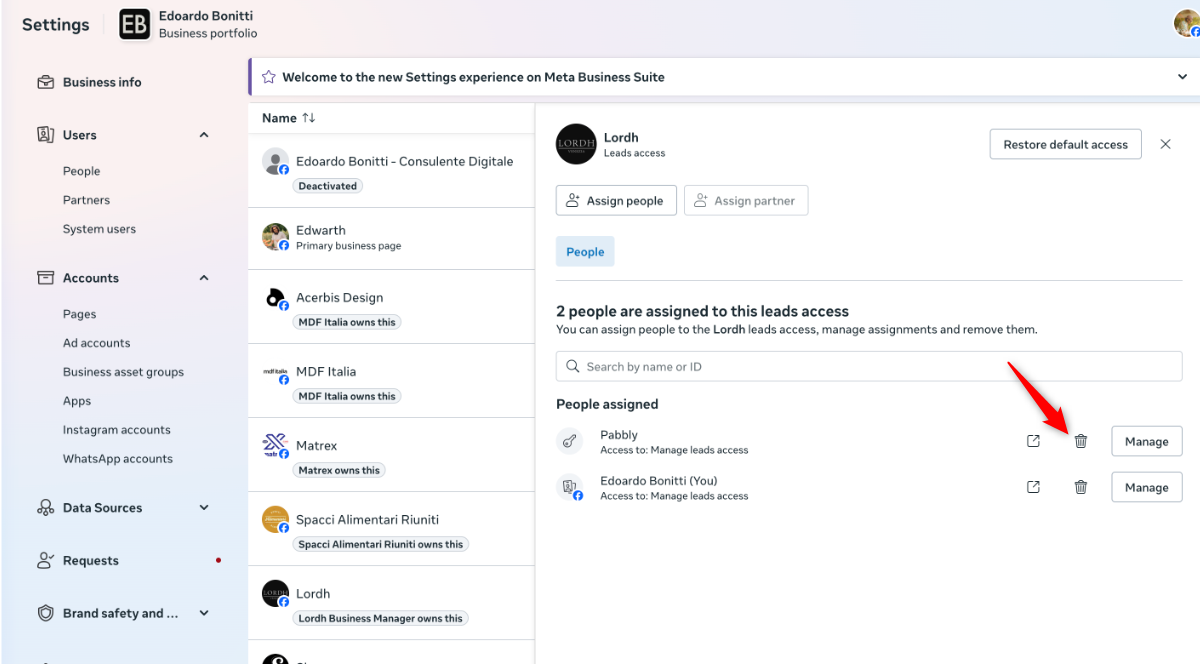
Then create a new connection with your Facebook Lead Ads account, grant all the necessary permissions, and the CRM will be added back to your Facebook account.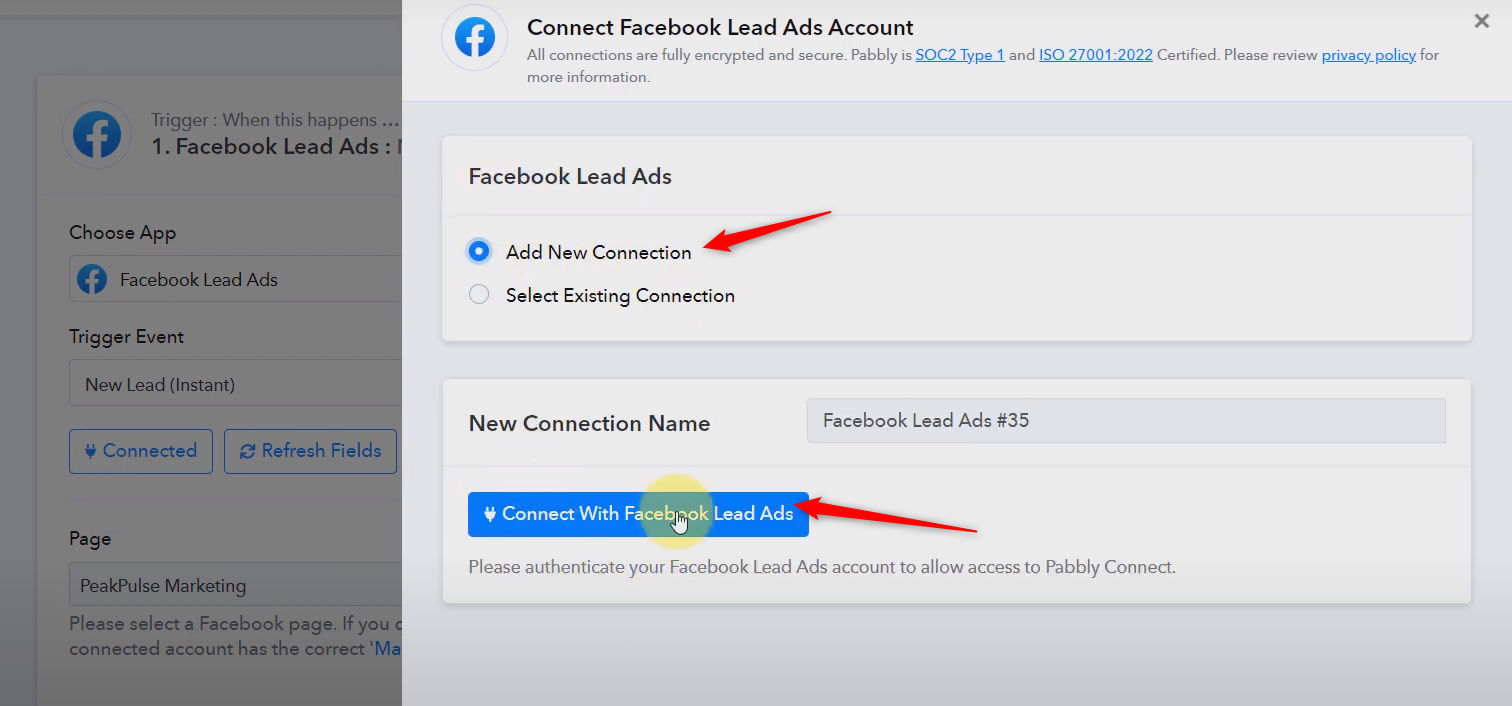
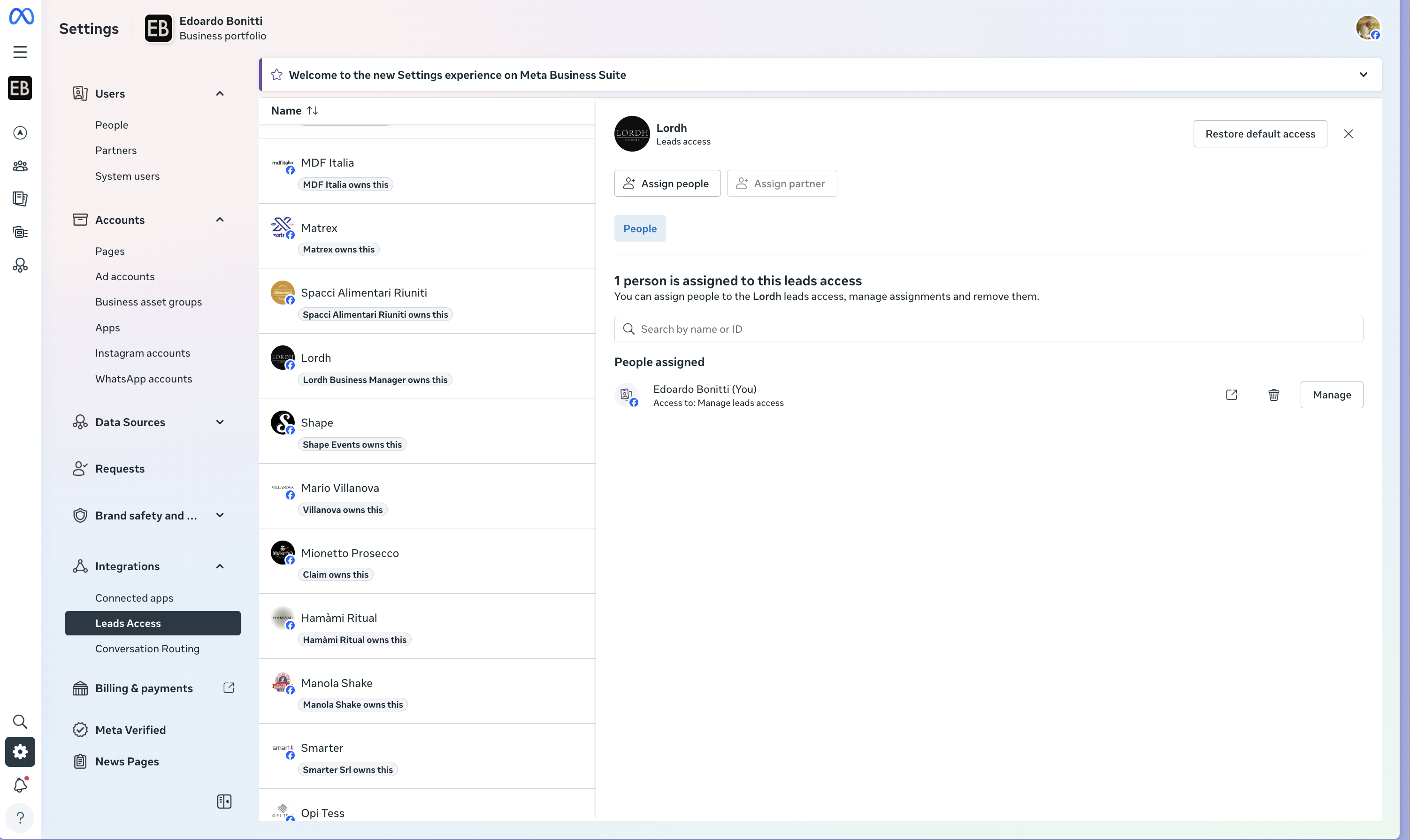 ok I've delete but it remain with this issue and still not working.
I don't think is because the app is missing on lead access manager as Mete suggests, also for other pages but with those works fine. I think it is just due to this page because of some permissions missing as a partner.
I think this should be solved because usually I work for clients as a Partner on Business Manager.
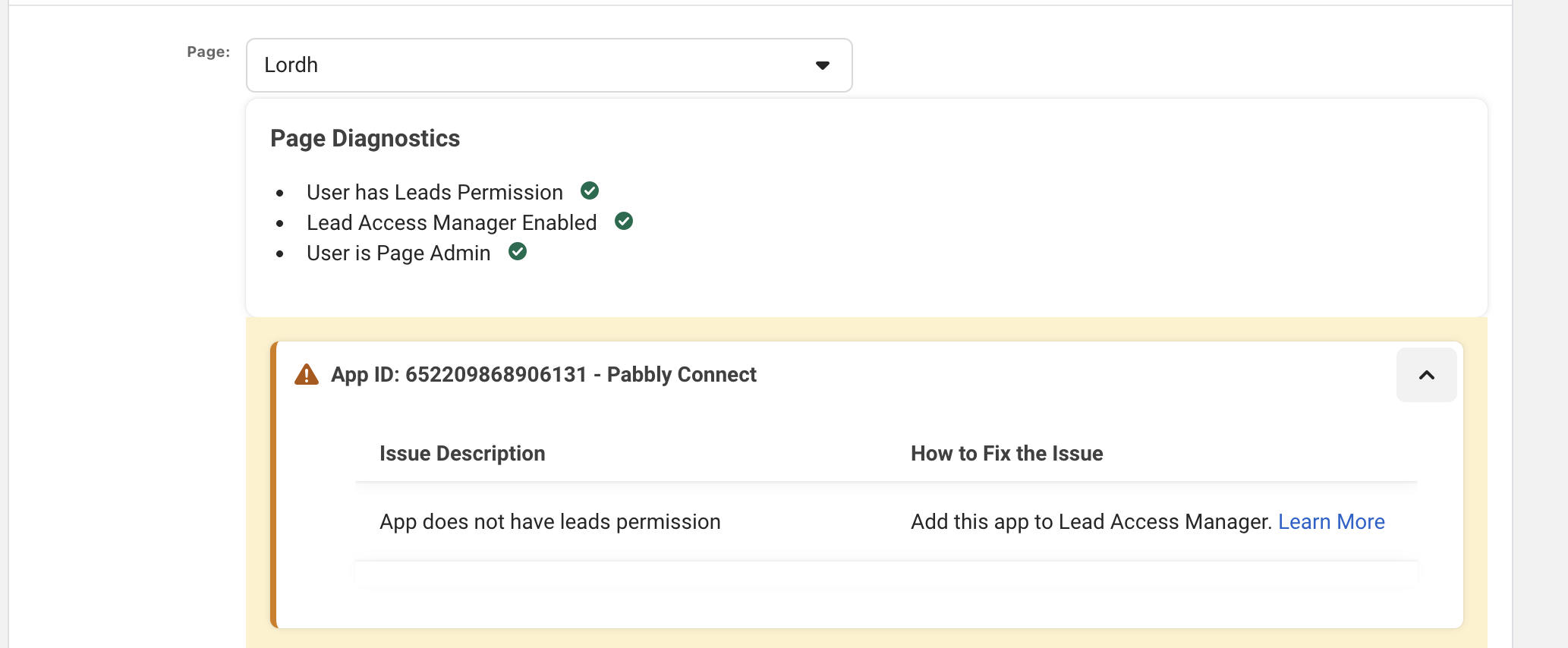
Delete the already existing 'Pabbly' app from your Facebook account.Then create a new connection with your Facebook Lead Ads account, grant all the necessary permissions, and the CRM will be added back to your Facebook account.
I could remove it from my facebook profilo setting, under business integration and did it again through pabbly connection with all permissions. 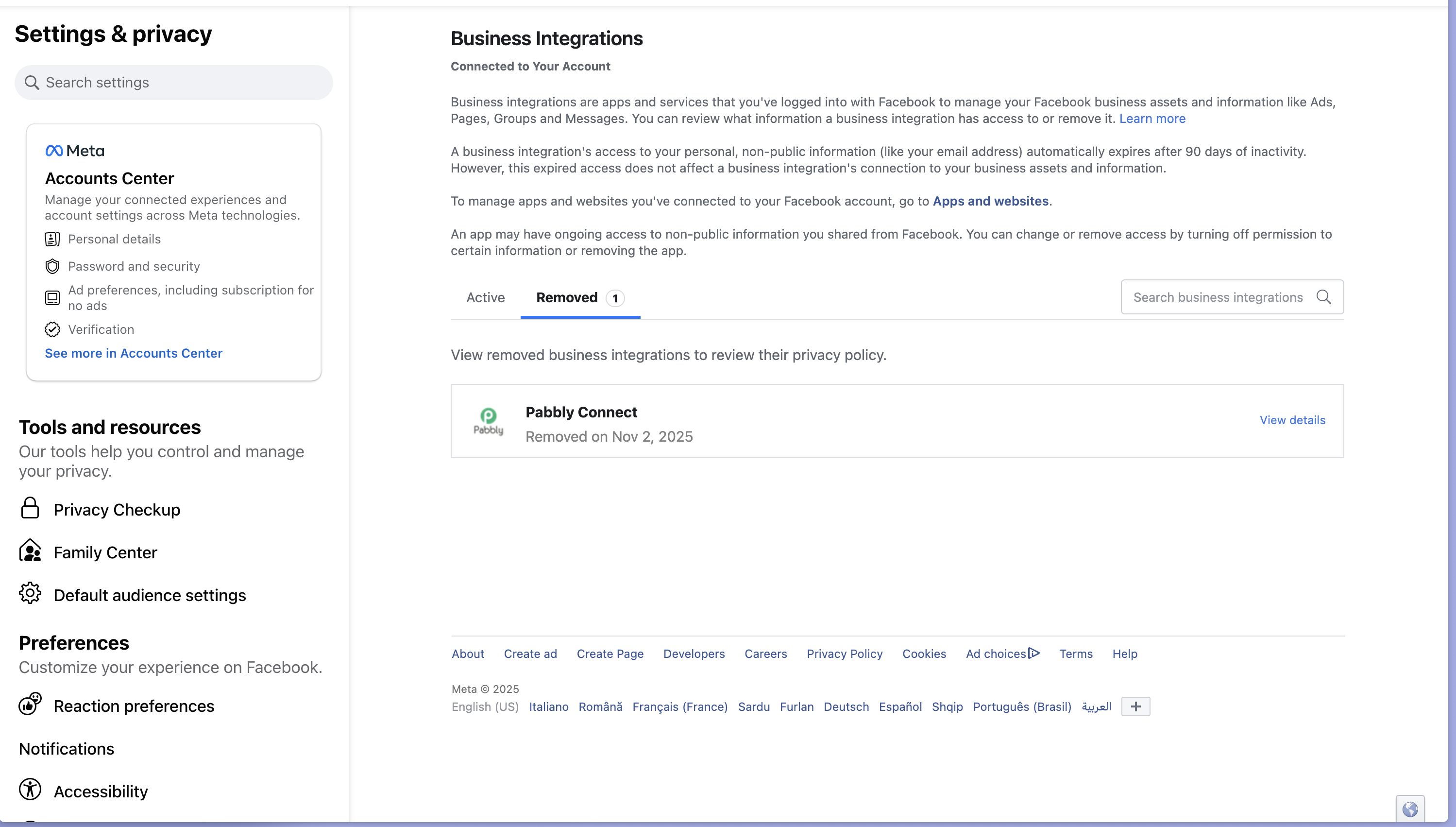
Can we connect on a short Google Meet so we can look into this issue?
https://calendly.com/d/ctgq-j5c-p78/support-from-pabbly-arshil
We would also suggest you try using 'Facebook Lead Ads: New Lead' trigger event instead of 'New Lead Instead' trigger event to capture the leads.