Issue with Incorrect Time in Zoom Meeting Data via Pabbly
Status: Open · Asked by abhishek verma on · 0 views
Dear Pabbly Support Team,
I have integrated my Zoom meeting with Pabbly, and while the data is being received correctly, the timestamp appears incorrect. For example:
- The received timestamp: 2025-03-07T06:57:04Z
- The actual current time: 2025-03-07T12:38:04
It seems there is a time zone mismatch or conversion issue. Please guide me on how to correct this so that the received time matches my local time.
Hello @Abhishek Verma,
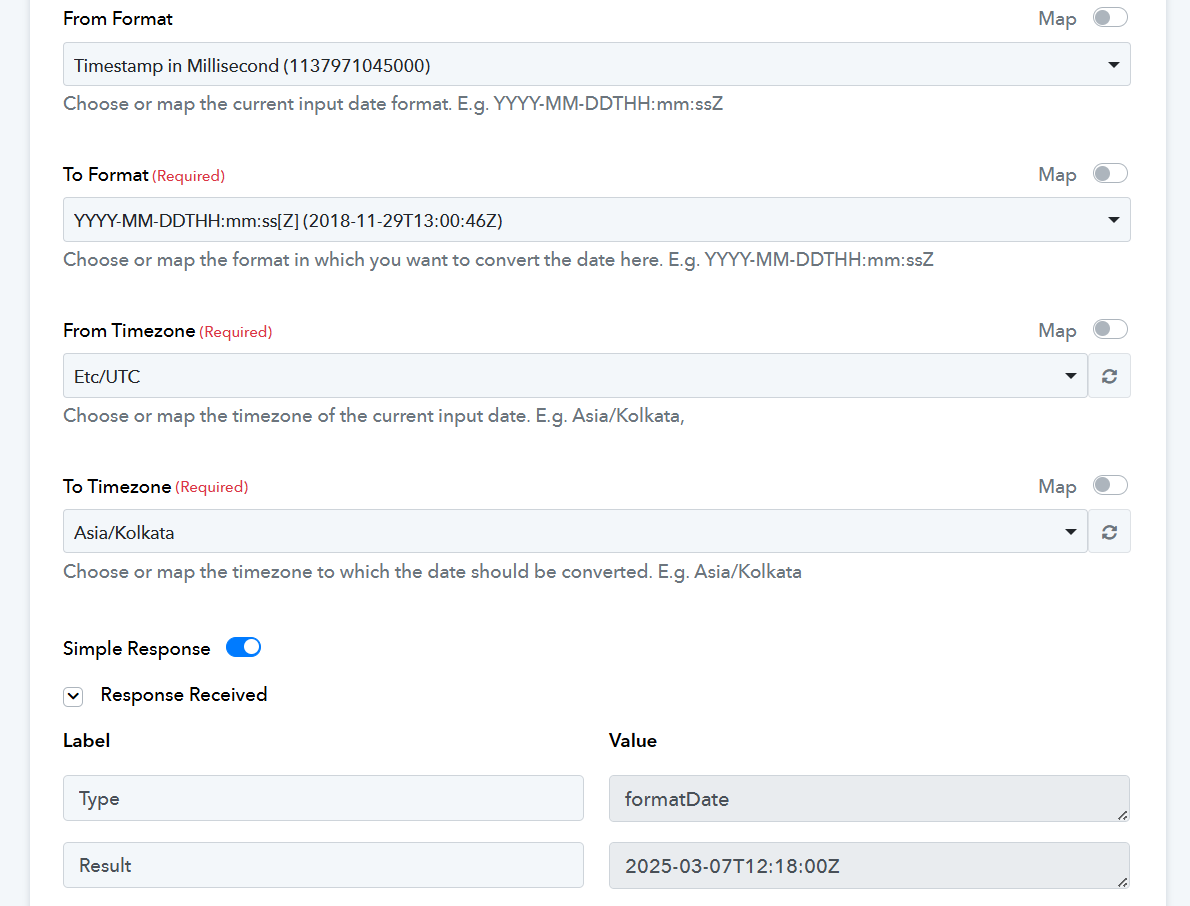
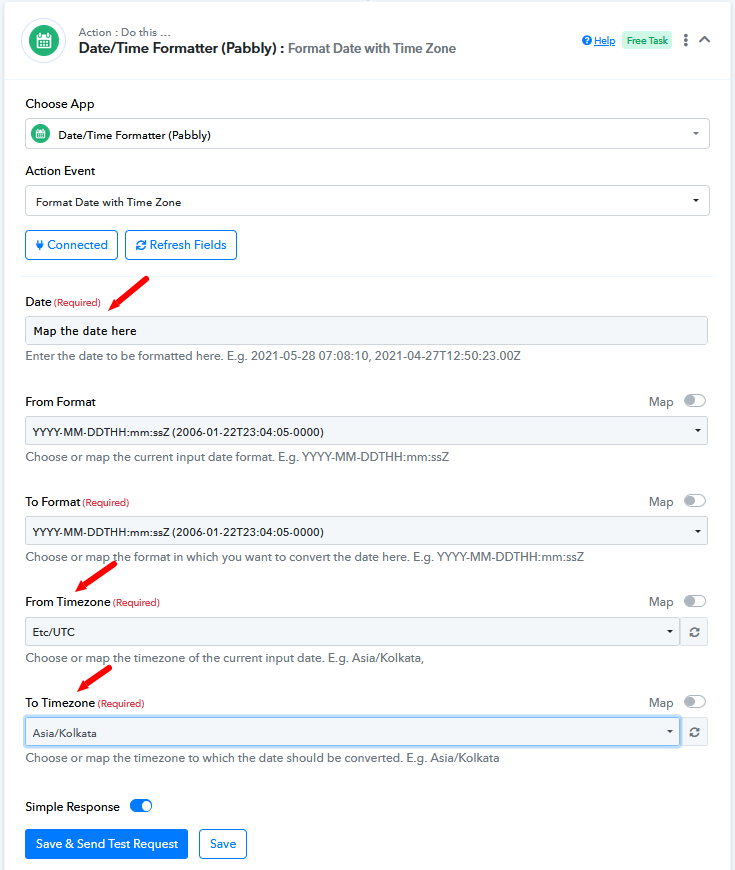
This is because the timestamp returned is in UTC timezone. To convert it into the required time zone you can use the Date/Time Formatter (Pabbly): Format Date with Time Zone.
Request for Step-by-Step Guide or Video for Time Zone Conversion in Pabbly
Thank you for your response regarding the timestamp issue in my Zoom integration. However, I am having difficulty understanding where exactly I need to set up the Date/Time Formatter (Pabbly): Format Date with Time Zone in my workflow.
Could you please provide me with a step-by-step guide or a video tutorial in Hindi explaining how to configure this setting? Alternatively, if possible, could you share a pre-built workflow that I can directly apply to my setup?
this is my work flow
We have added the 'Date/Time Formatter' to your workflow on your behalf. Please watch the video below to understand how the Date/Time Formatter works for future reference.