Issue with Instagram posting
Status: Open · Asked by arsachdeva on · 0 views
Workflow link:
https://connect.pabbly.com/v2/app/workflow/mapping/IjU3NjYwNTZhMDYzNzA0MzI1MjY4NTUzNjUxMzQi_pc
Trying to make a simple automation to post quotes on IG.
Getting error at last step: Error: (#100) The parameter creation_id is required.
Can you guide please?
Hello @arsachdeva
Please be aware that to assist you effectively, we may need to access your Pabbly Connect account. If you're comfortable with this, please grant us permission by stating in your next message: "You have my permission to log into my Pabbly Connect account, and edit workflow {If required}. Here is the registered email address associated with it."
Looking forward to assisting you further.
Hi
You have my permission to log into my Pabbly Connect account, and edit workflow {If required}.
Hello @arsachdeva
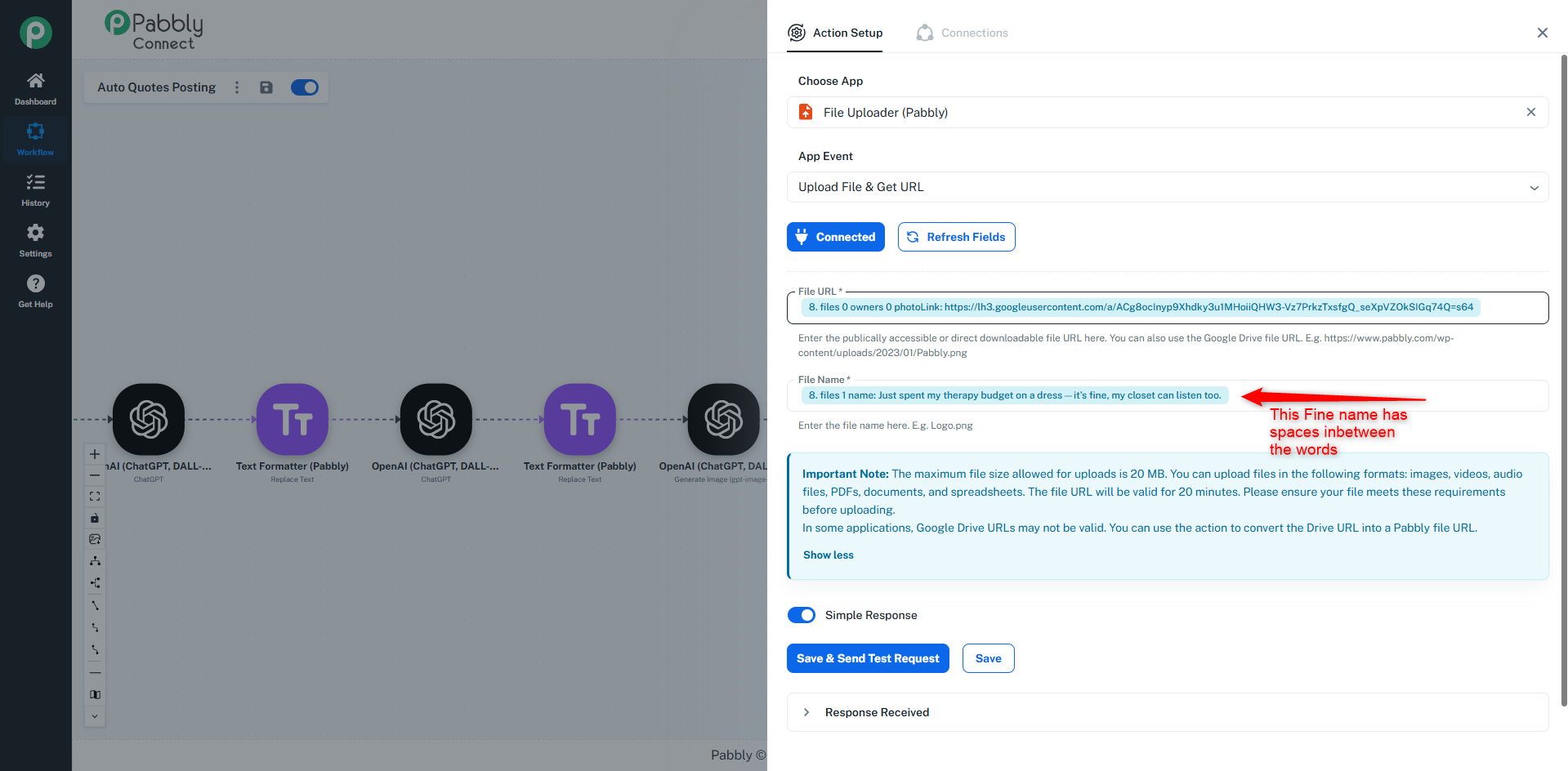
As we have checked, you were adding the "File Name" with spaces in between the word, for the action step "File Uploader (Pabbly)", which caused the generated URL to contain spaces. This resulted in the URL being rejected in the next action step "Instagram."
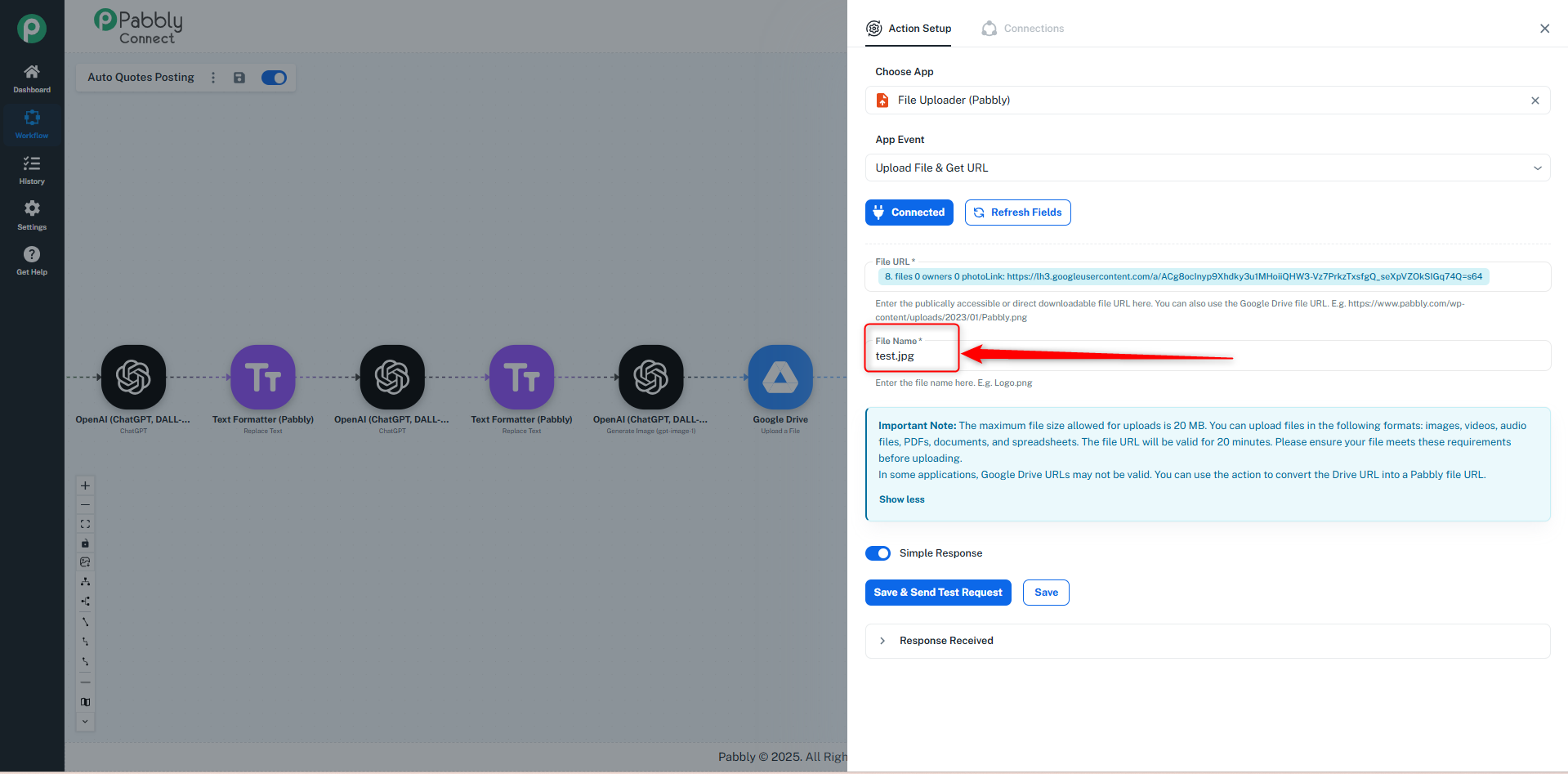
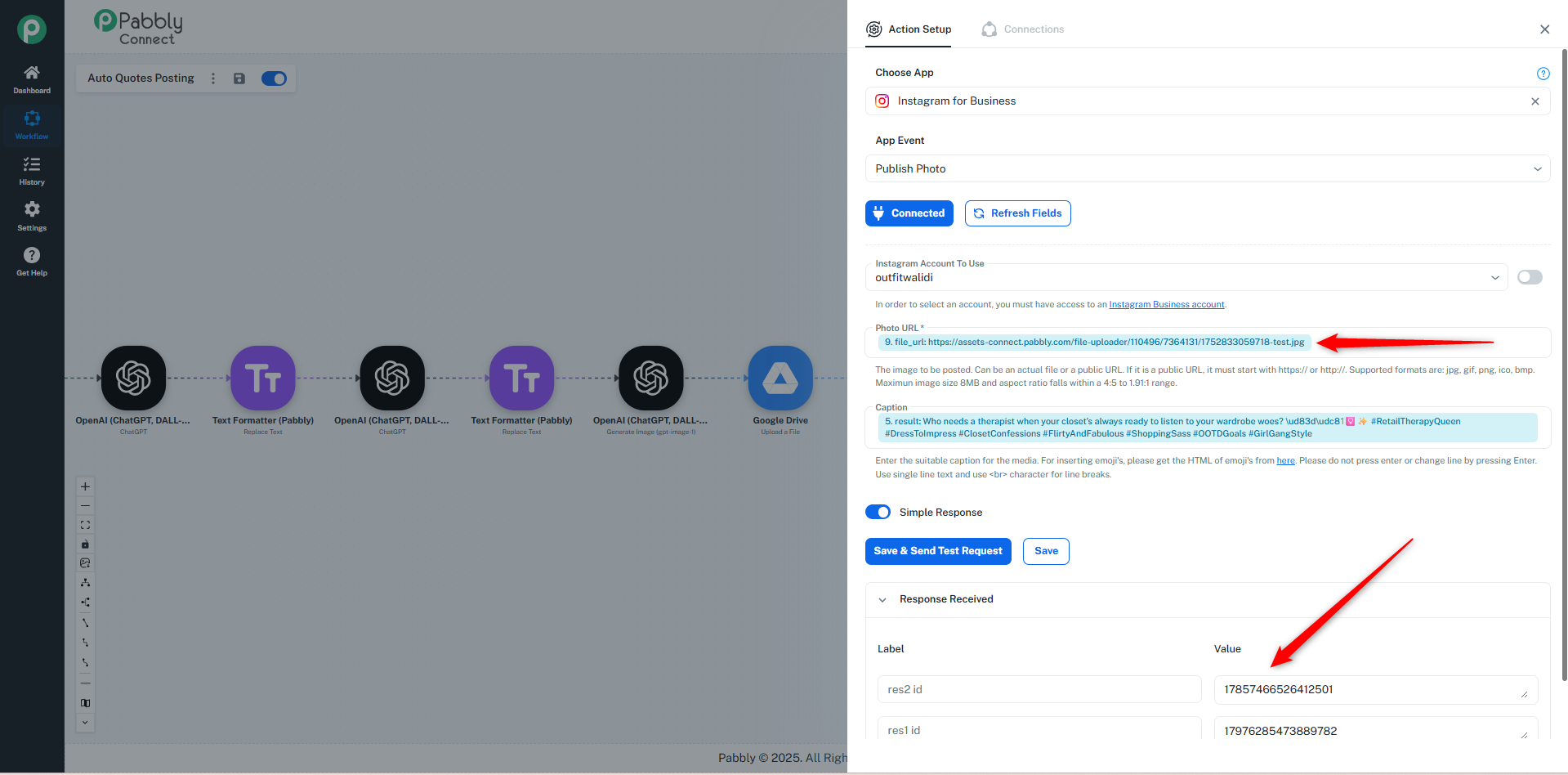
When we tested it using the file name test.jpg and mapped the URL in the Instagram step, it returned a success response.
Please refer to the images below:
Ok thanks for troubleshooting. Much appreciated.