Issue with sending bulk whatapp with jpeg header with pabblyconnect using 360dialog API
Status: Open · Asked by Jewel Aeida on · 0 views
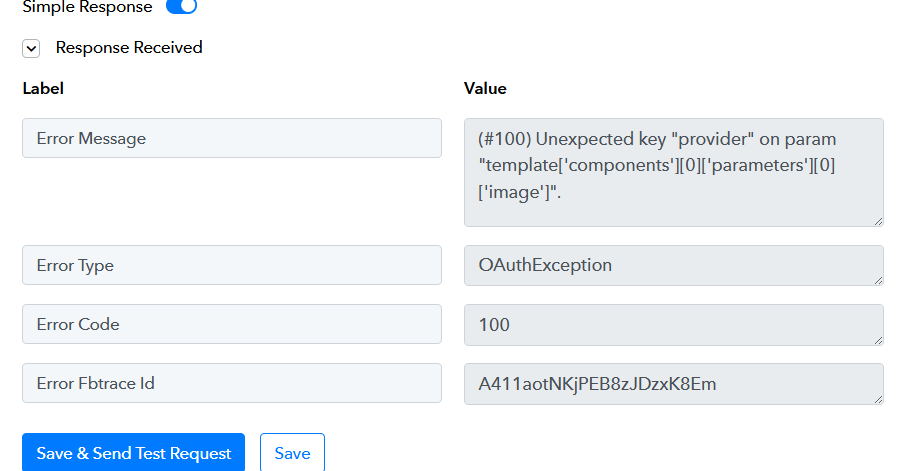
I want to send an invite on Pabllyconnect using 360dialog for my API. After i have done everyting correctly by creating template from meta, synchronised with 360dialogue linked with pabblyconnect... every infomation i have put in Media ID nothing worked. I keep getting error message. like
(#100) Unexpected key "provider" on param "template['components'][0]['parameters'][0]['image']".
OAuthException
100
A411aotNKjPEB8zJDzxK8Em
Pls i need help seriously!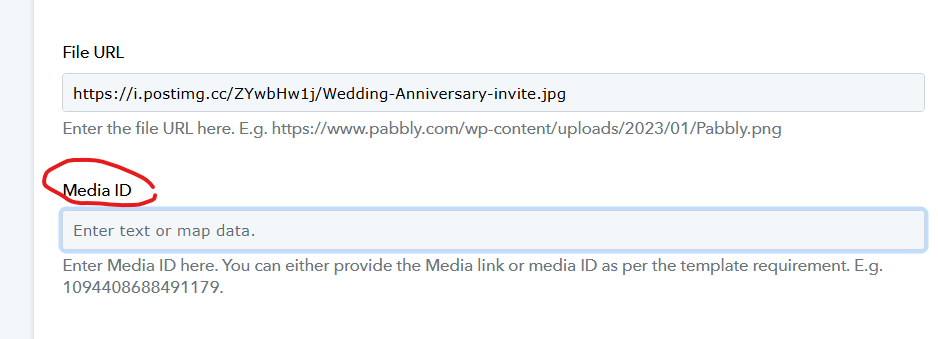
Hi @Thejewelaeida,
Could you please share the Workflow URL where you have this concern?
Hi @Thejewelaeida,Could you please share the Workflow URL where you have this concern?
Pls find below link
https://connect.pabbly.com/workflow/mapping/IjU3NjYwNTZhMDYzMzA0MzY1MjZkNTUzNjUxMzQi_pc
Hello @Thejewelaeida,
Could you please share a short screen recording or screenshot showing the template from your 360Dialog or Meta account? This will help us better understand the type of template you're using, the fields included, and specifically which field is causing the issue.
Kindly ensure that the screenshot or recording also clearly shows the language of the template, so we can assist you more effectively.
Looking forward to your response.
Pls find attached images the side that is giving me nightmare. Particularly. I don't know what to put on Image ID
Hello @Thejewelaeida,Could you please share a short screen recording or screenshot showing the template from your 360Dialog or Meta account? This will help us better understand the type of template you're using, the fields included, and specifically which field is causing the issue.
Kindly ensure that the screenshot or recording also clearly shows the language of the template, so we can assist you more effectively.
Looking forward to your response.
Hello @Thejewelaeida,Could you please share a short screen recording or screenshot showing the template from your 360Dialog or Meta account? This will help us better understand the type of template you're using, the fields included, and specifically which field is causing the issue.
Kindly ensure that the screenshot or recording also clearly shows the language of the template, so we can assist you more effectively.
Looking forward to your response.

Hello @Thejewelaeida,
Thank you for sharing the details.
However, we would specifically need to see the template you are trying to use in the workflow, rather than the account profile or general settings. Could you please open the exact template and share a screenshot or short screen recording showing:
- The header type (e.g., image, text, document, etc.)
- Whether the image (if any) is added statically or expected to be passed dynamically
This will help us understand the structure and assist you more effectively.
Looking forward to your response.