Issue with ThriveCart "Cart Abandonment" Trigger - Webhook not receiving data
Status: Open · Asked by Nutrizione nutrizione on · 0 views
Hi Pabbly Support Team,
I am experiencing a persistent issue capturing the ThriveCart Cart Abandonment trigger. I have followed the recommended troubleshooting steps, but it is not working.
Details of my setup and tests:
- I am using the ThriveCart App trigger in Pabbly.
- The Test: I went to the checkout page, entered my name and email, and then closed the browser tab.
- The Result: - In Pabbly Connect, the "Waiting for Webhook Response" gives an error after 2 minutes due to inactivity/timeout.
- Following expert advice, I ignored the 2-minute error and waited for more than 16 minutes (to account for ThriveCart's internal delay) while keeping the search/capture active, but no data was received in the task history or the trigger.
Request: Could you please check if there is a specific configuration or way to ensure that the response will be received?
The flow name is: CARRITO ABANDONADO MEMBRESIA NUTRE TU MATERNIDAD
Thank you.
Hi @ANA MARIA VILAS,
It appears that you are using the Webhook by Pabbly trigger step to connect with your ThriveCart account. Please note that ThriveCart uses POST-based webhooks, so you won’t be able to establish the connection using the Webhook by Pabbly trigger step.
We suggest creating a new workflow from scratch (without cloning) and setting up the dedicated ThriveCart trigger step instead. Please watch the video shared below to understand how to set up ThriveCart as your trigger step.
youtube.com/watch?v=szhrDxnvyRo:196
Thanks & Regards,
Arshil Ahmad
Customer Support Associate
? Pabbly.com
Hi Pabbly Support Team,
Thank you for your response. I have done exactly as you suggested.
I created a completely new workflow from scratch (without cloning) and set up the dedicated ThriveCart trigger step following the exact steps in your video tutorial.
The new workflow is named: CARRITO ABANDONADO NUTRE TU MATERNIDAD
To help you investigate, here is the specific checkout URL where I am performing the tests: https://anamariavilas.thrivecart.com/membresia-nutre-tu-maternidad1/
However, the exact same issue persists. I performed the test again using that link:
- I entered my name and email on the checkout page.
- I closed the tab without purchasing.
- I waited for more than 16-20 minutes (as ThriveCart requires 15 minutes to send the data).
The Pabbly trigger still times out after 2 minutes, and absolutely no data is captured or shown in the Task History even after waiting 20 minutes.
Since I am now using a fresh workflow with the official ThriveCart trigger step and providing you with the live URL, could you please check your logs to see if ThriveCart is sending the data and why Pabbly is not receiving it?
Thank you.
The issue appears to be related to your use of an old connection. Please establish a new connection with your ThriveCart account and let us know so we can attempt to set up the trigger step on your behalf.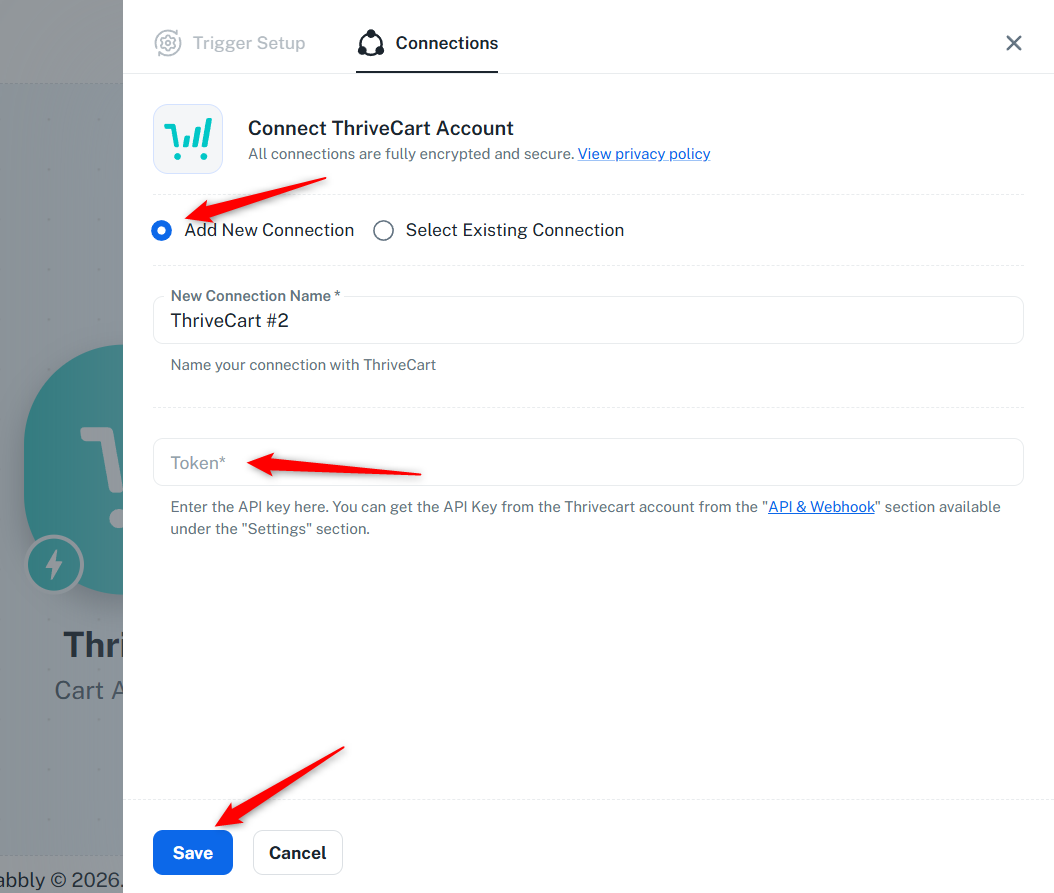
Thanks & Regards,
Arshil Ahmad
Customer Support Associate
? Pabbly.com