Issues with Swipe Pages Webhook Integration - Placeholder Data Instead of Actual Responses
Status: Open · Asked by muhiyaddin rahid on · 0 views
Hello Pabbly Support Community,
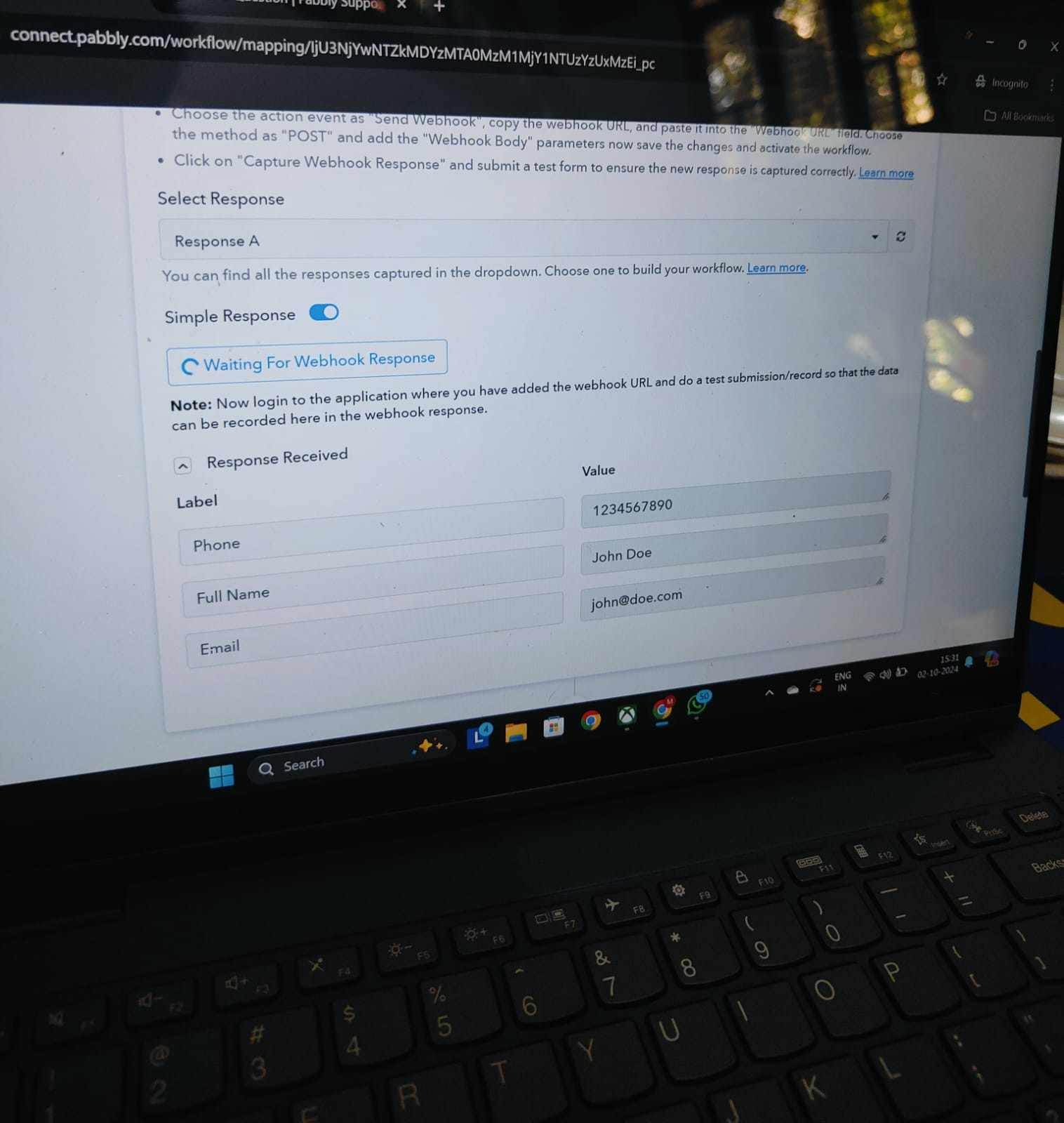
I’m experiencing an issue with my webhook integration between Swipe Pages and Pabbly. Despite following the setup instructions, I'm only receiving placeholder data (e.g., "John Doe") instead of the actual responses filled in my form which is muhiyaddin rahid.
Here’s what I have done so far:
1. Setup in Swipe Pages:
Created a form with fields for Full Name, Email, and Phone.
Copied the webhook URL provided by Pabbly into my Swipe Pages form configuration.
2. Testing with Postman:
I attempted to manually send data using Postman but received a generic success message without reflecting the actual form data.
1. Mapping Fields:
Are there specific field names I need to use in Swipe Pages to ensure Pabbly correctly captures the data?
2. Webhook Configuration:
Are there any additional settings I should configure in Pabbly to ensure that the webhook is set up correctly?
3. Testing Tips:
What are the recommended steps to test webhook integration to confirm that it's working as expected?
4. Debugging Placeholder Responses:
If I'm consistently getting placeholder data instead of the actual form inputs, what might be causing this, and how can I resolve it?
I have attached screenshots of my setup and the responses I’m receiving for reference.
Thank you for your assistance!
Best regards,
Muhiyaddin Rahid
Attachments
Hi @muhiyaddin rahid,
Please follow the steps provided in the video shared below to set up Swipe Pages as your trigger step, capture form responses, and see if that fixes your issue.