Json Extractor and Pabbly Iterator
Status: Open · Asked by sameerjain1 on · 0 views
My workflow triggers when a new file is added to a specified folder in Google Drive. The task is to extract specific data from this file which is a text file of whatsapp messagges in a group. The data is to be extracted in Json format and then added to a google sheet one row at a time.
I have used OpenAi twice, once for uploading the file from the google drive and the second time for chat completion in a structured format.
the Json extractor extracts the data however the iterator does not show the fields extracted, it falls back on the openai module.
Can someone please check and confirm as to what is the issue.
Thanks
Hello @sameerjain1,
Thank you for reaching out.
Our team has recently implemented fixes related to this action. We request that you reconfigure the OpenAI (ChatGPT – Structured AI Output) step in your workflow and test it again.
After setting it up again, please check the task history and see how it goes.
If the issue still persists, do let us know so we can escalate it further to our technical team.
I tried that and tested it however there seems to be a problem with the ITERATOR as it does not pick data from the JSON Extractor. Instead, it shows data option only from the OPEN AI module.
Request your help in this. Also request you to check if the modules used are correct as per the objective
Thanks
Hello @sameerjain1,
Thank you for getting back to us.
We have accessed your workflow and made a few changes. The issue was that the data coming from the JSON Extractor was not in the proper array format required by the Iterator, which is why it was not appearing correctly.
To resolve this, we have added Text Formatter steps to convert the data into the correct format. After this adjustment, the fields are now visible and working properly in the Iterator.
For better clarity, we have recorded a detailed screencast explaining the changes:
https://www.awesomescreenshot.com/video/52118831?key=d9a08f31177d73ca6806614def81a6ec
Please review it and test the workflow from your end. Let us know if it resolves your concern or if you need any further assistance.
I tried reconfiguring the OPENAI module. Can you please recheck. It is giving a static response of some random data. It does not seem to be processing the prompt.
Thanks
Hello @sameerjain1,
Thank you for the update.
Could you please trigger the workflow once again so we can check the latest execution in the Task History? This will help us better understand the current behavior.
If needed, we will escalate it to our technical team based on the latest execution.
Looking forward to your update.
Helo @Preeti Paryani
I retriggered the workflow however it gives the same result.
Can you please have it checked if the workflow is correct and if yes then why is the result a random case
Hello @sameerjain1,
We have checked your workflow from our end, and currently the workflow is executing fine as per its existing configuration.
Could you please elaborate a bit more on the exact issue you are facing? From our end, the steps seem to be processing according to the configured setup.
If possible, please share a short screencast highlighting the issue and the expected behavior. That will help us understand the concern more effectively and assist you accordingly.
The expected behaviour from this workflow is as follows
WhatsAPP messages from a property group chat is exported and unzipped. The file is then unzipped and the text file is uploaded on a Google Drive.
Task
1. Trigger - When the text file is uploaded on the google drive
2. Action - The commercial properties from this text file are to be extracted based on the prompt given in Open AI
3. Action 2 - These commercial properties should be uploaded to a Google Sheet on a Google Drive one line at a time.
4. If no line items are remaining the loop should end
In the workflow that I have made, it does not seem to be doing the above. Infact it gives out one line item and that too does not exist in the text file. It seems to be hallucinated. Check the date and phone number..it does not exist in the text file
Can you please check the workflow now based on the expected behaviour and confirm.
Thanks so much
Could you please make another submission and share its Task History ID? We need to check whether the file uploaded to Google Drive is publicly accessible or not.
We suggest adding the "Share a File with Anyone" action step as Step 2 of your workflow to make the file publicly accessible. Then, pass the file URL to the OpenAI: Upload File action step and see if that fixes your issue.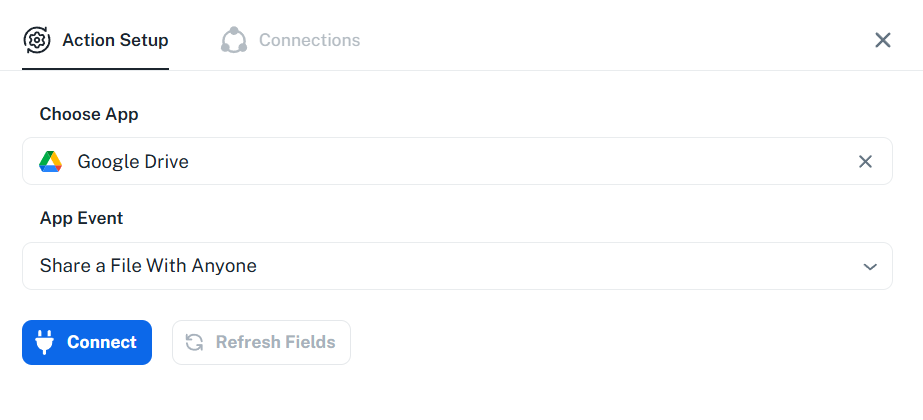
Thanks & Regards,
Arshil Ahmad
Customer Support Associate
? Pabbly.com