JSON parse error
Status: Open · Asked by fisto on · 0 views
I am having a JSON parse error when I try to create an opportunity in Moxie.
The error is at Step 28.
Please help.
Hello @fisto,
Upon checking we have noticed that the description received from step 26 contains double quotes which leads the JSON to malfunction. Please add a text formatter action to replace the double quotes with single quotes from description and map the response to step 28 then and let us know if it works fine for you.
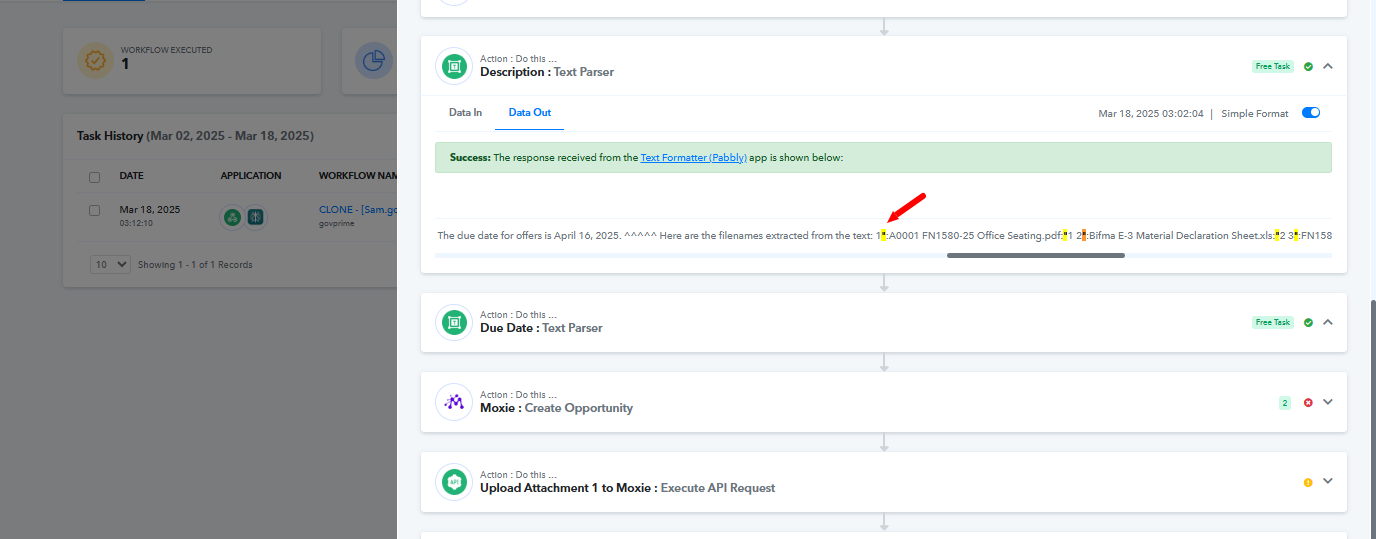
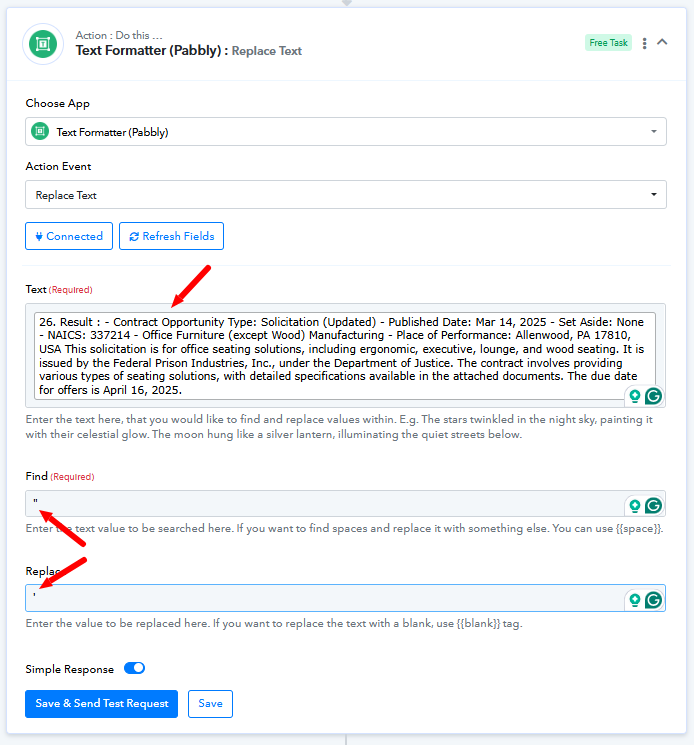
That didn't fix it.
I removed all double quotes and I still get that same error.
Task History ID - IjU3NjUwNTZlMDYzNTA0MzI1MjZiNTUzMDUxMzc1MTYyNTQzNDBmMzci_pc
Try passing the Estimated Close Date in the 'YYYY-MM-DD' format and see if that resolves your issue.
I did that, and now I got a new JSON error:
[TABLE]
[TR]
[TD]JSON parse error: Cannot deserialize value of type `app.struxture.api.domain.discovery.Answer` from Array value (token `JsonToken.START_ARRAY`); nested exception is com.fasterxml.jackson.databind.exc.MismatchedInputException: Cannot deserialize value of type `app.struxture.api.domain.discovery.Answer` from Array value (token `JsonToken.START_ARRAY`) at [Source: (org.springframework.util.StreamUtils$NonClosingInputStream); line: 1, column: 746] (through reference chain: app.struxture.api.domain.integrations.api.OpportunityCreate["leadInfo"]->app.struxture.api.domain.discovery.FormData["answers"]->java.util.ArrayList[0])[/TD]
[/TR]
[TR]
[TD][/TD]
[/TR]
[/TABLE]
Can you please help my above error?
Task History ID - IjU3NjUwNTZlMDYzNTA0M2M1MjZjNTUzNDUxMzM1MTY3NTQzNjBmMzki_pc
Based on your Task History, it appears that you are not passing any data to the 'Answer' field, which seems to be causing the issue this time.
https://drive.google.com/file/d/1iibAiQsYqn6a2n5lqgUHRC102R1Pncbg/view?usp=sharing
Task History ID - IjU3NjUwNTZlMDYzNTA0M2M1MjZjNTUzNDUxMzM1MTY3NTQzNjBmMzki_pcBased on your Task History, it appears that you are not passing any data to the 'Answer' field, which seems to be causing the issue this time.
https://drive.google.com/file/d/1iibAiQsYqn6a2n5lqgUHRC102R1Pncbg/view?usp=sharing
Thank you for sharing the video.
I made the fixes you suggested, and I made sure data is passing to all Answer fields.
However I continue to get the same error. Can you please help me with this? Thank you.
We removed the square brackets present in your Answer field, and it appears to have fixed your issue.
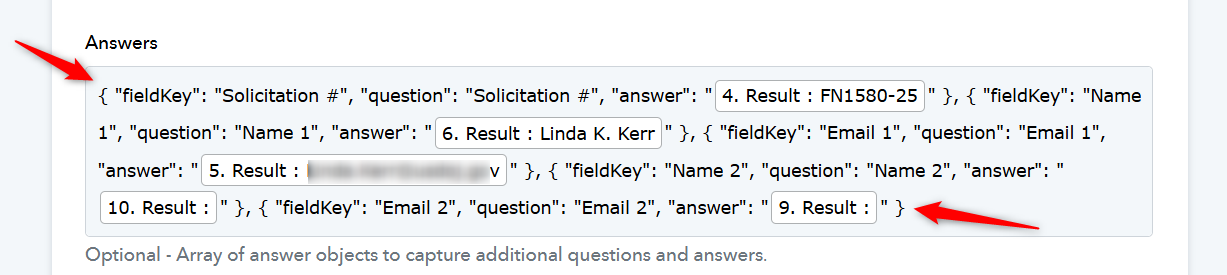
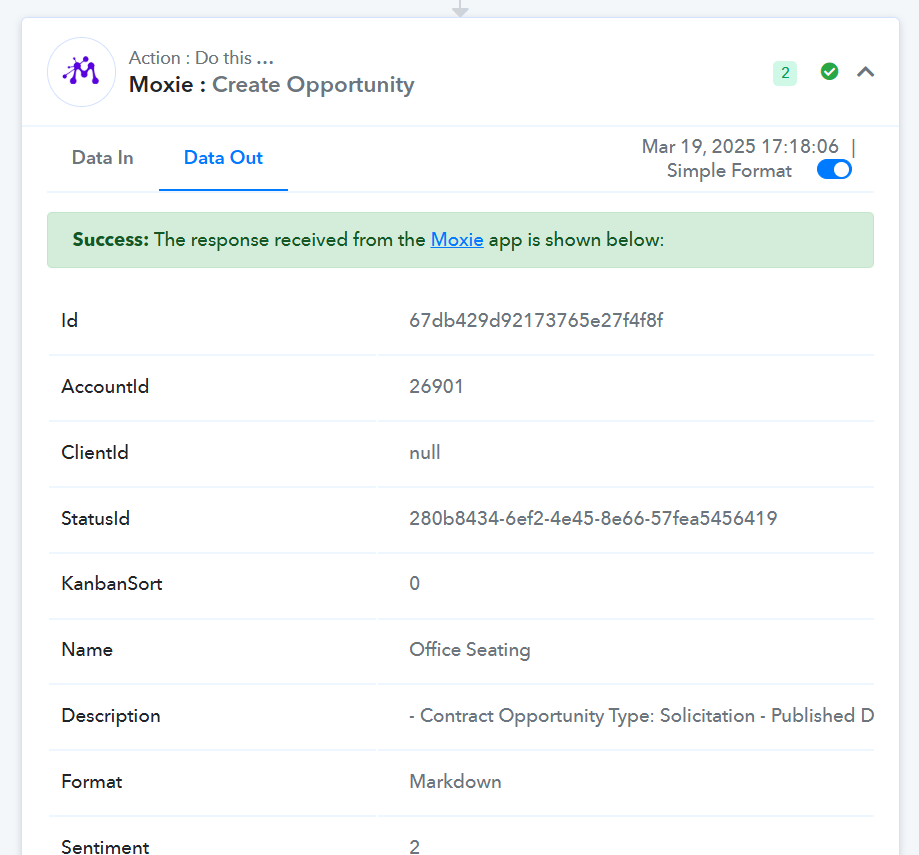
I got the JSON Parse Error again.
Task History ID: IjU3NjUwNTZlMDYzMjA0Mzc1MjZjNTUzMDUxMzA1MTYzNTQzODBmMzki_pc
Can you please help with this one?
The description you are trying to pass to the Moxie action step contains double quotes, which appears to be causing the issue.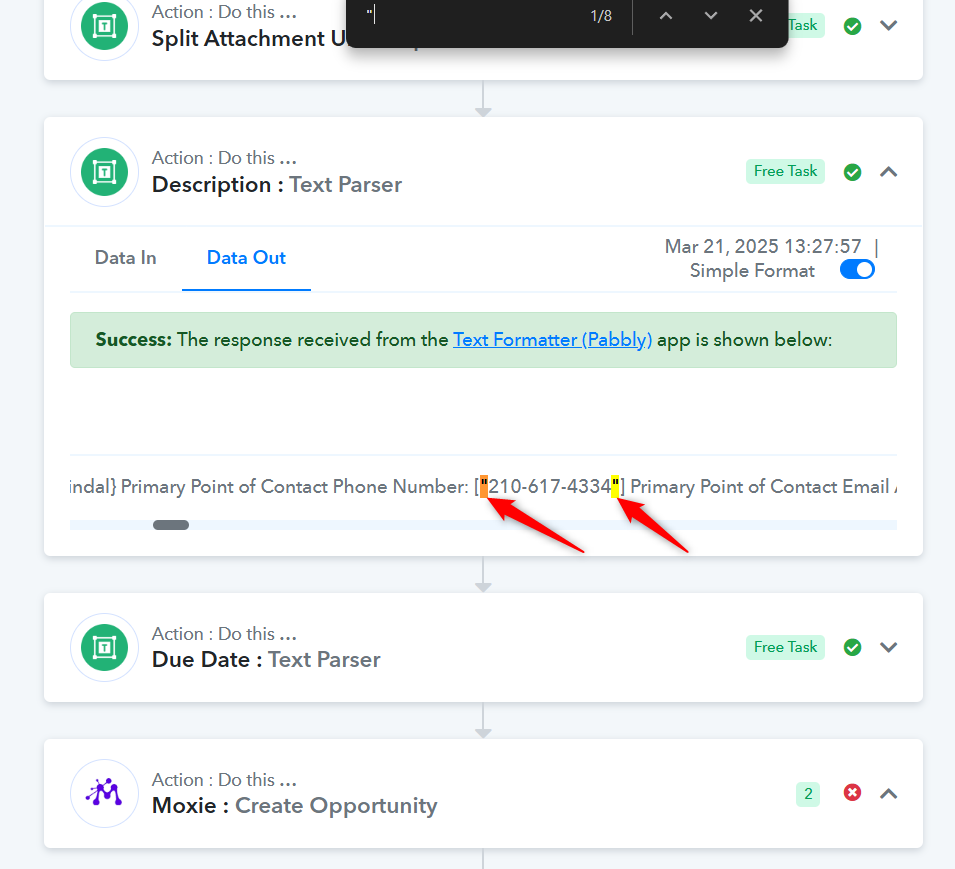
We have added a Text Formatter to your workflow to automatically replace double quotes with single quotes. Please check if this resolves the issue.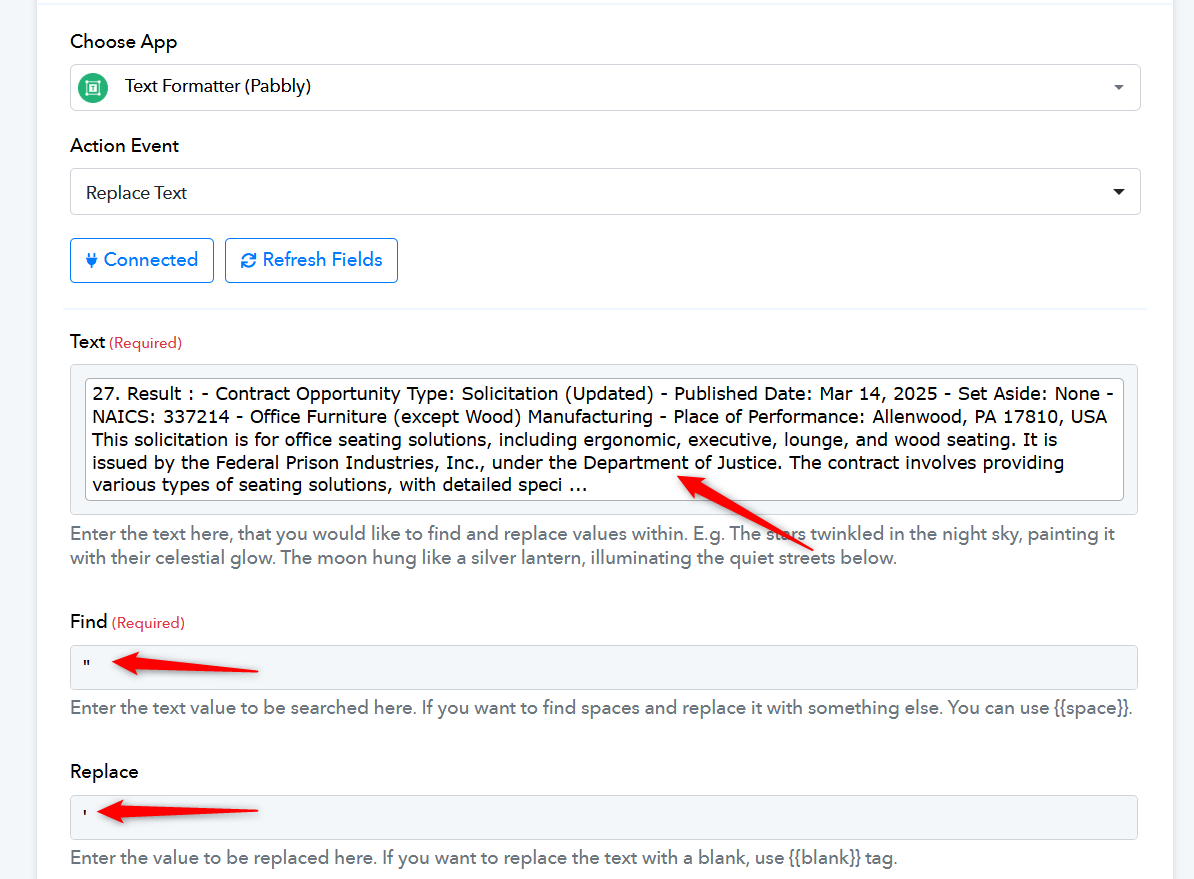
I continue getting this error:
Illegal unquoted character ((CTRL-CHAR, code 9))
Please review TASK History ID: IjU3NjUwNTY5MDYzMDA0M2M1MjZjNTUzNTUxMzA1MTYwNTQzNDBmMzgi_pc
Could you please re-execute this task and see if that fixes your issue?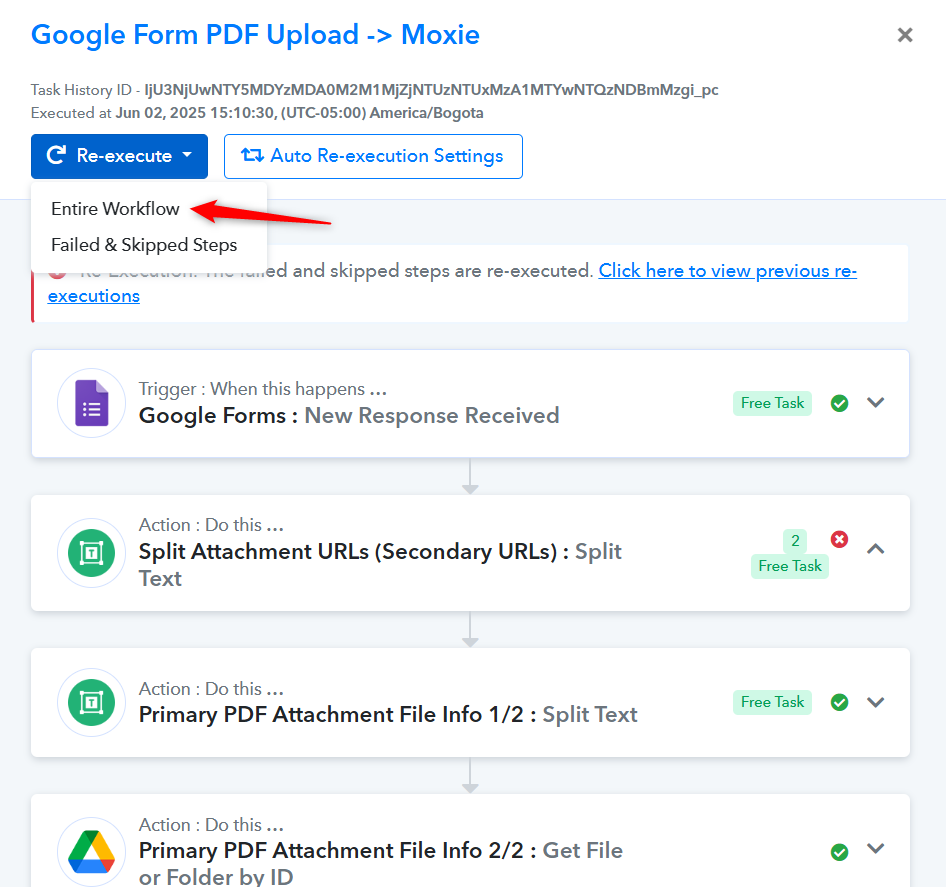
I did it and got a similar error.
Task History ID -
IjU3NjUwNTY5MDYzMTA0Mzc1MjZmNTUzNDUxMzY1MTYzNTQzNzBmMzUi_pc
Hello @fisto,
Upon checking, we found that the issue is occurring due to the mapping of an invalid data type, which is causing the JSON parse error. Specifically, the "Due Date" field is being returned by Perplexity as "Not available" and is being mapped as such, instead of a valid date format. Please refer to the attached image for more details.
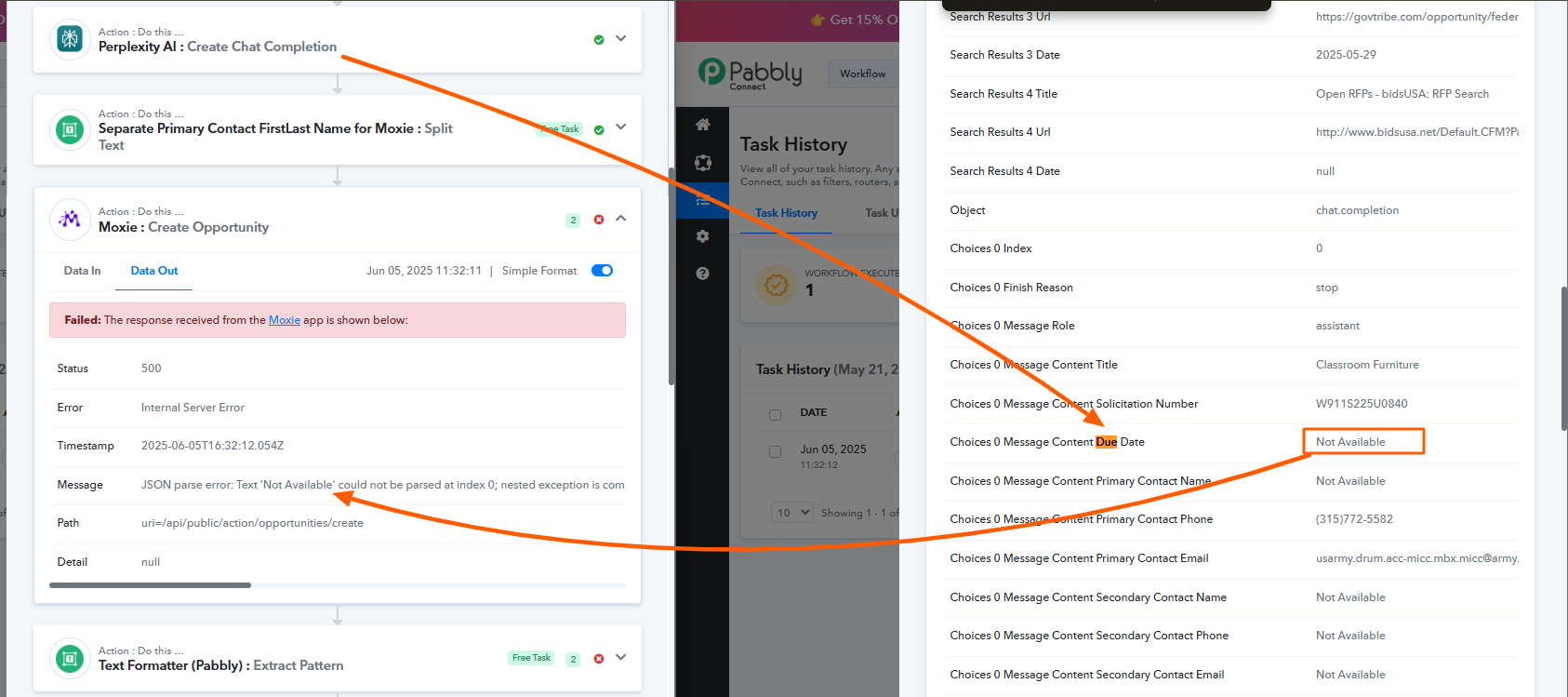
To avoid this issue, we recommend either:
- Adding a filter step to check the value before mapping it, or
- Modifying your prompt for the AI request to ensure that the returned value matches the expected data format.