lead not transfering from google sheets to system.io
Status: Closed · Asked by MikeR on · 0 views
Hello,
Im using the pabbly connection for meta instaleads to google sheets then to system.io with tags.
the test worked but when i get leads from facebook to google sheets there not transfering to system.io
Hello @MikeR,
Could you please let us know how the leads are being added to your Google Sheets? Since the trigger of this workflow is Google Sheets, it is important to confirm whether the leads are being added manually or through another workflow.
If they are being added through another workflow, please ensure that you follow the steps below so that the trigger can execute correctly when new data is added to the sheet.
- Log in to a single Google Sheets account.
- Open the spreadsheet from where you wish to send data. Make sure your sheet has a header column and at least one row of data in it.
- Navigate to "Extensions" in the Sheets menu and click on "Apps Script" to open the Apps Script editor.
- Remove any existing Apps Script code visible in the Code.gs file. Paste the entire App Script code from this link: Webhook Custom App Script. Save the project and close the Apps Script page.
- Reload the spreadsheet. A new menu called "Pabbly Webhooks" will appear in the menu bar. Click on "Pabbly Webhooks" and select "Send rows every minute".
- Authorize the script when prompted by Google. Once authorization is complete, navigate again to "Pabbly Webhooks" and click "Send rows every minute".
- Enter your Pabbly Connect webhook URL in the dialog box that appears. You can also add the webhook URL and trigger column name, separated by a comma. Click "Yes" to confirm the setup.
Thank you it worked but now my tag is not being added to the lead
Hello @MikeR,
Your workflow currently only contains two steps. In order to add a tag to a contact, add an action after the create contact action to add a tag to the contact.
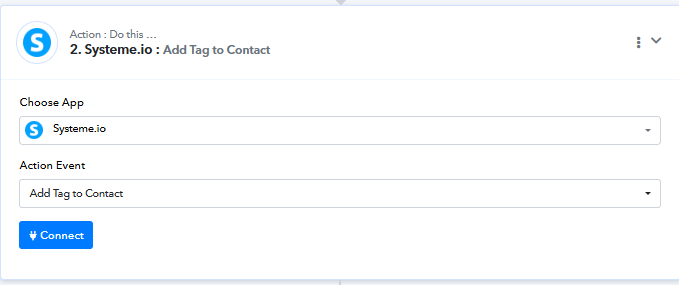
the System.io add tag action keeps deleting, when i refresh the page. When I try an add the tag name, its not showing up in the data drop down. So i cant save it
Hello @MikeR,
Please try adding the particular step after clearing your browser cache, and let us know if it helps resolve the issue. Since at our end the tags are visible under the dropdown, refer to the attached image.
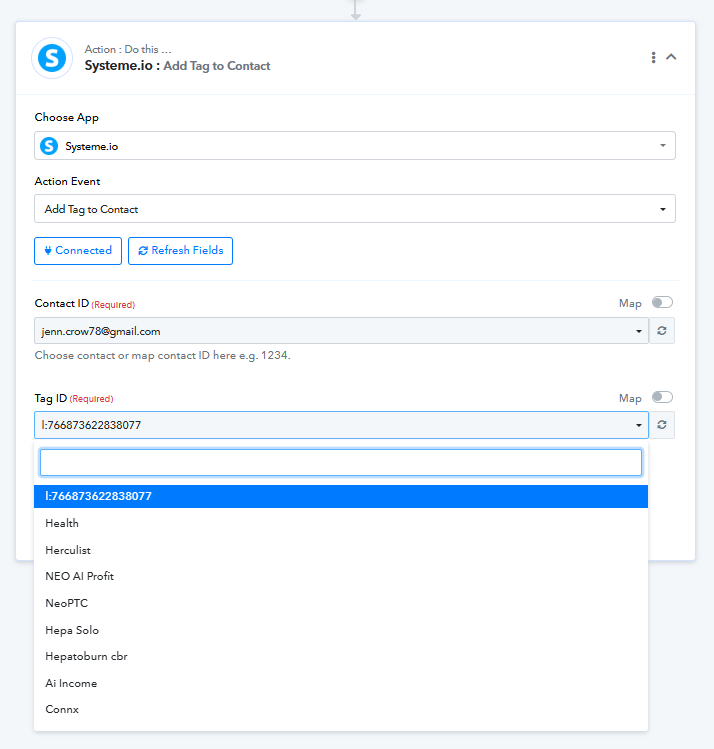
Ok thank you, i was able to add the tag now I will see what happens when i get a subscriber thanks.
Hello @MikeR,
Sure, please let us know how it goes.
Hello, the add contact didnt work when i got some leads
Hello @MikeR,
Upon checking the task history, it appears that the leads are being processed through Systeme.io; however, the latest one failed because no response was received within the designated 25-second window. This may have been due to some downtime on Systeme.io’s end.
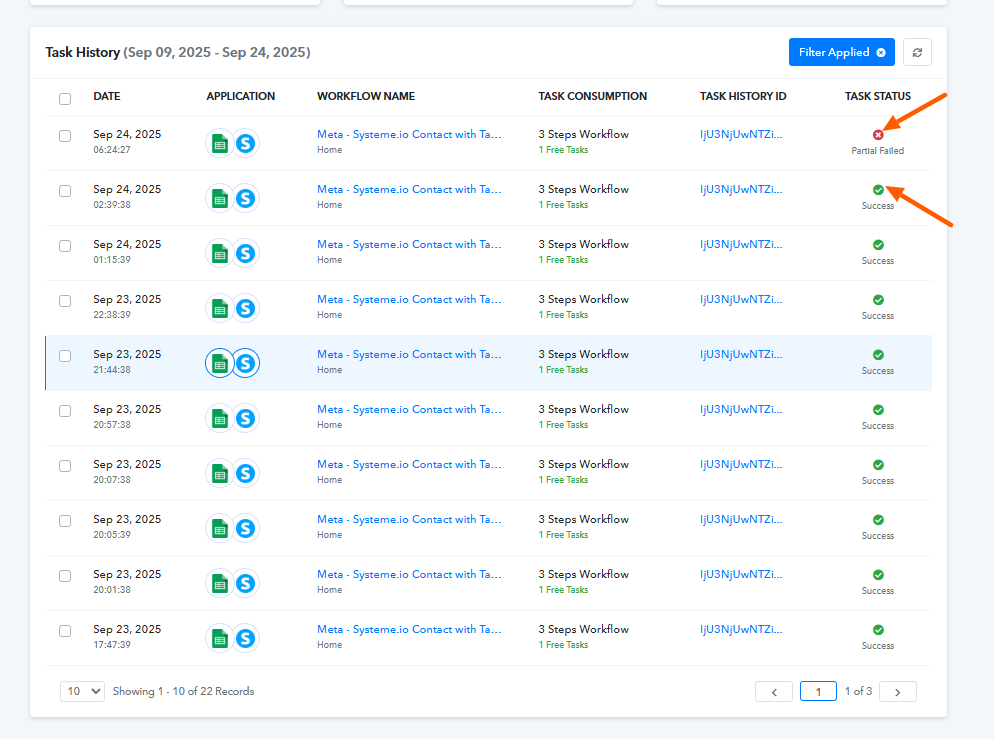
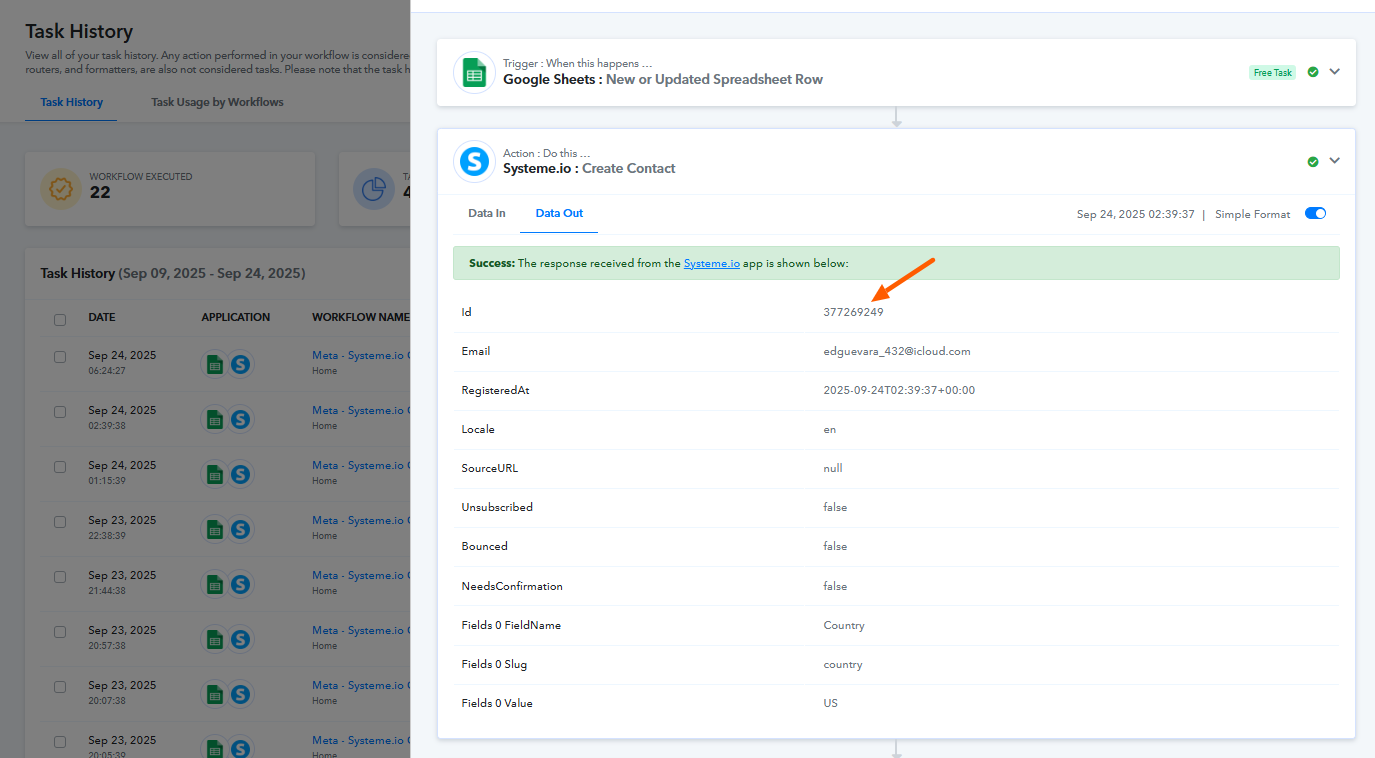
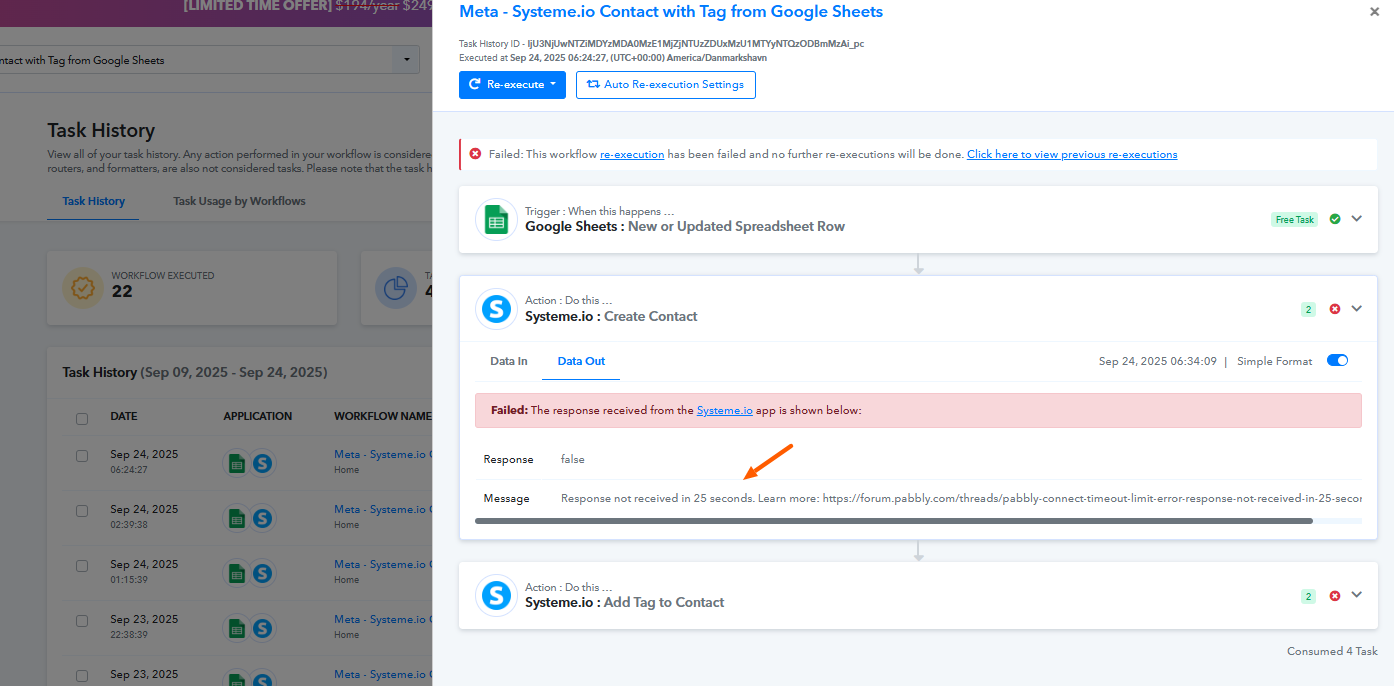
so is this on the system.io side i got 3 leads this morning and all of them didnt get the tag. if so is there anything i can do
Hello @MikeR,
Could you please share the lead details that were captured or provide the Task History IDs associated with them?
where do you need the information from?
here is the last lead
It seems like in 'Add Tag to Contact' action step, you hadn't mapped the 'Contact ID' from above, because of which the same contact was being tagged repeatedly.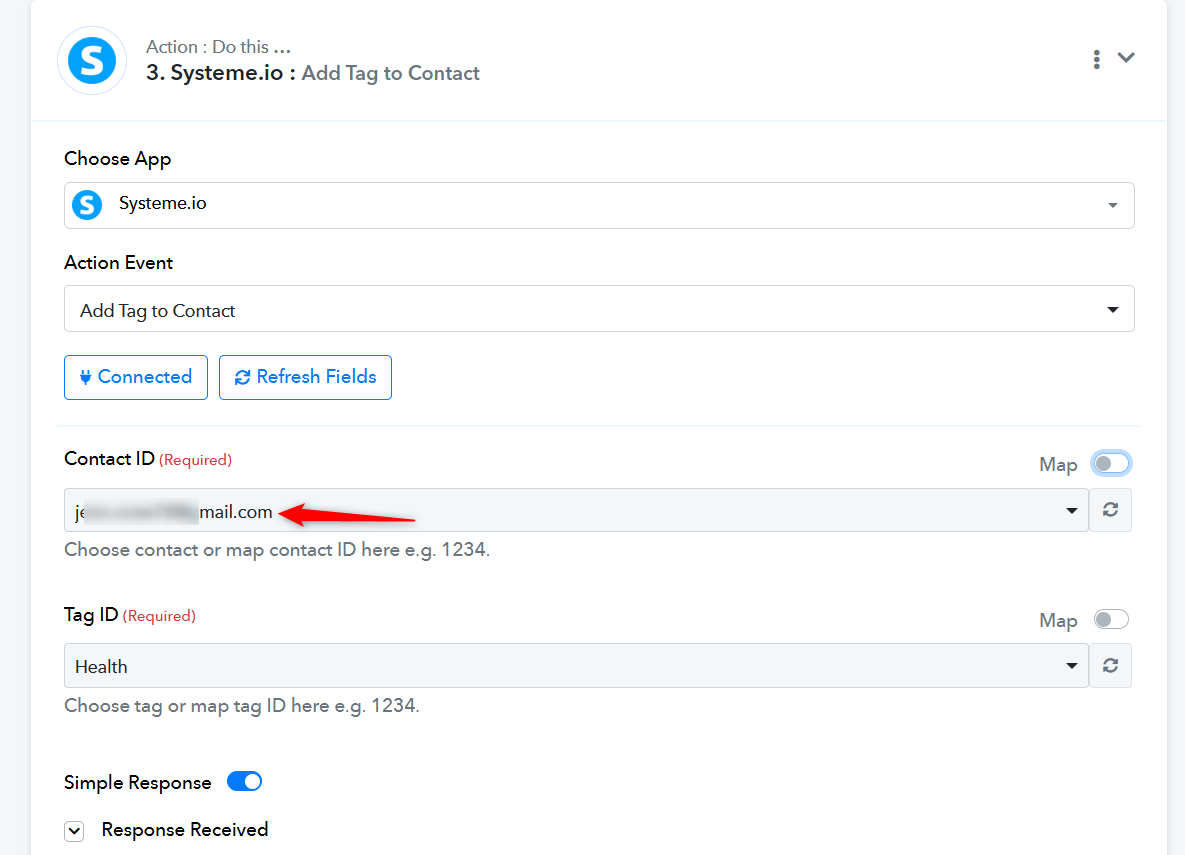
We have made the necessary changes on your behalf, which should resolve the issue.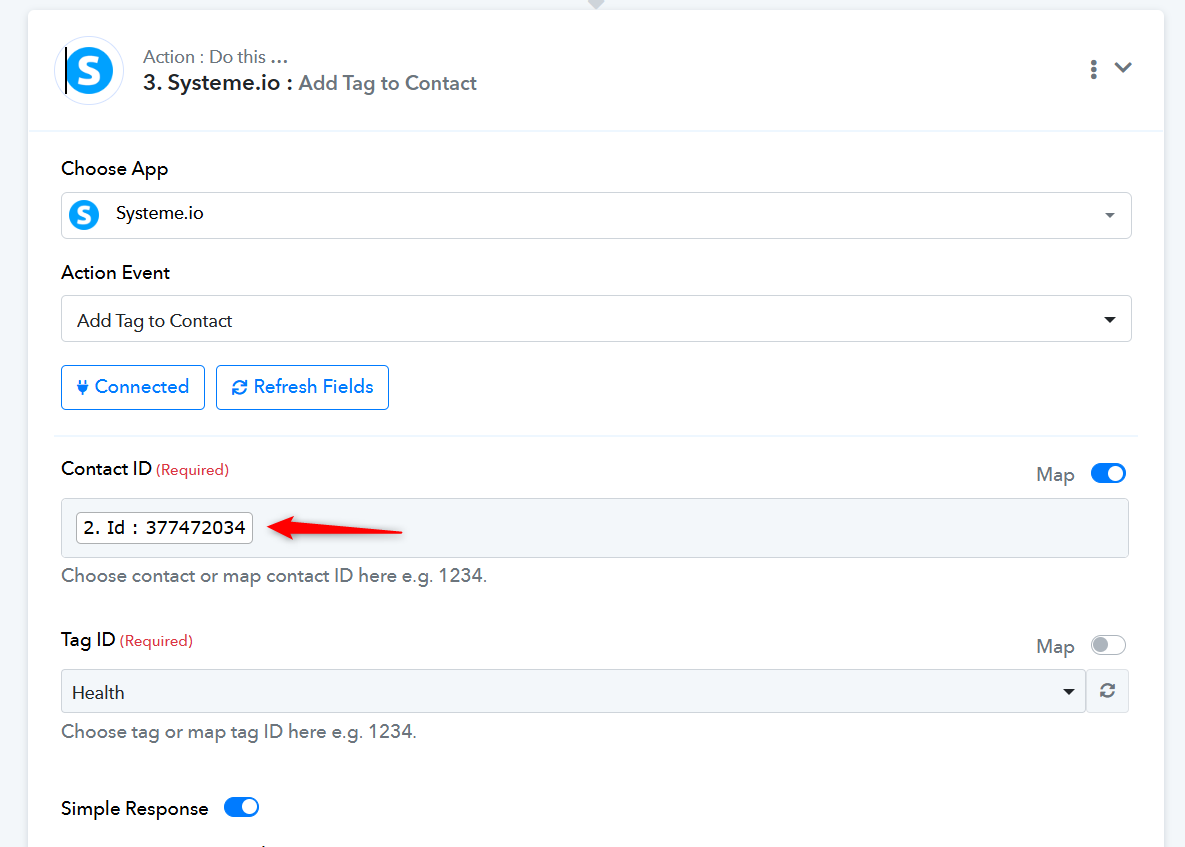
Thanks & Regards,
Arshil Ahmad
Customer Support Associate
? Pabbly.com
?Rate your support
the tag did not show up with the lead,
[email hidden]
did you use this email to opt in?
Ok I will check to see if this works when a new lead comes in
the tag did not show up with the lead,
[EMAIL][email hidden][/EMAIL]did you use this email to opt in?
We added that email as a contact to set up the 'Add Tag to Contact' action step. We didn’t actually tag it.
Ok I will check to see if this works when a new lead comes in
Sure, please let us know your results.
Thanks & Regards,
Arshil Ahmad
Customer Support Associate
? Pabbly.com
?Rate your support
It worked thanks so much for your help.
We're glad we were able to help.
As your issue has been resolved, we’d appreciate it if you could share quick feedback on the support received so far:
https://forms.gle/GAjS4wdPYKuhnEYV9