LeadConnector to Google Sheet
Status: Open · Asked by susie on · 0 views
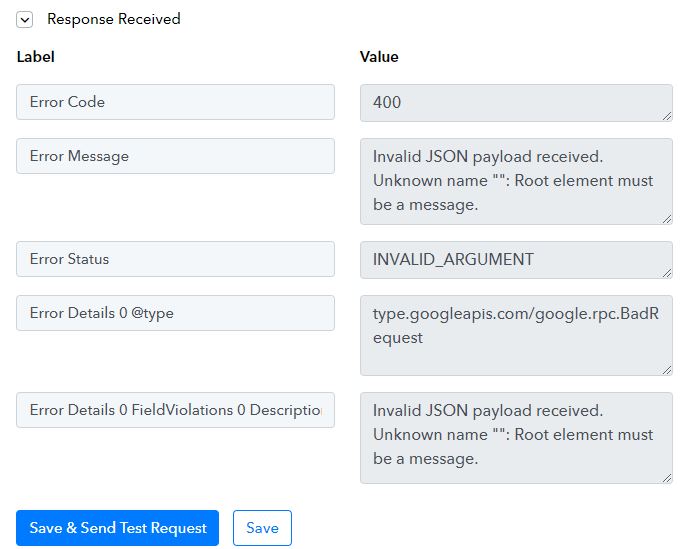
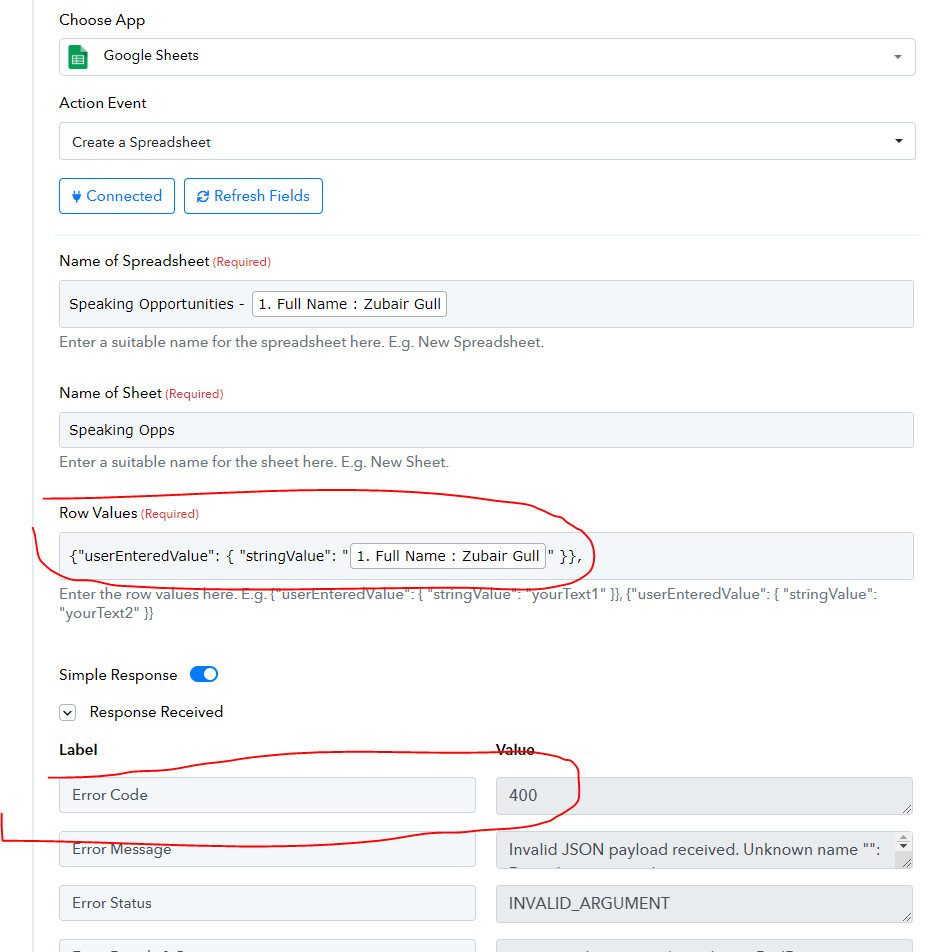
My workflow is set up to create a new Google Sheet when a tag is added to a contact in LC. The first part works—I received the response from LC via my Pabbly webhook—but the second part is giving an error (400). (See attached).
Attachments
Hello @susie
Kindly mapp the details in the "Row Values" field as mentioned in the help text. Also, you can refer to this tutorial to learn more about the same -
youtube.com/watch v=sn1jpZ_lGOQ
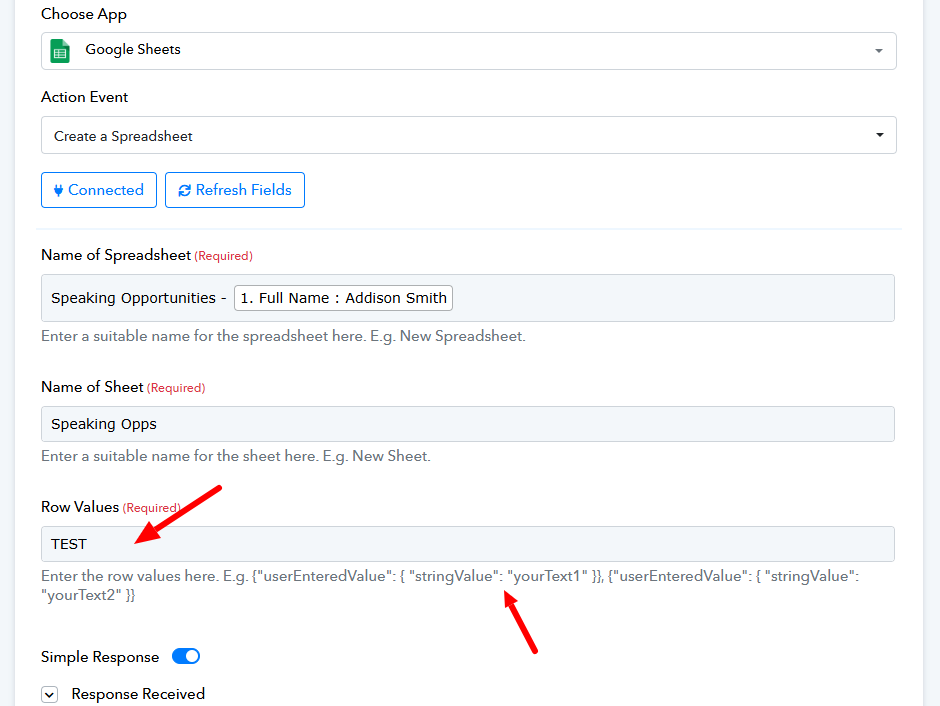
Still not working @Preeti Paryani
Attachments
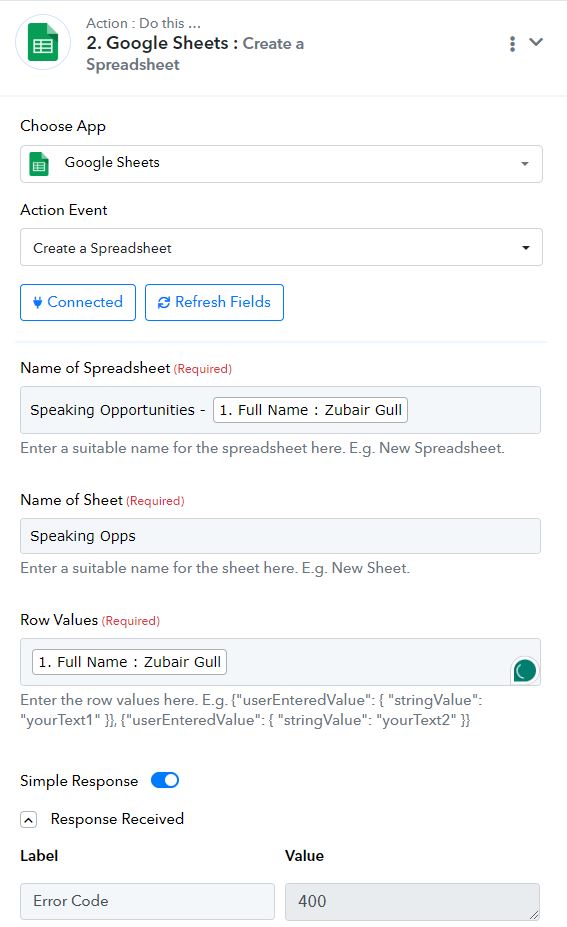
You are supposed to enter the row values as shown in the help text. We have made the necessary changes on your behalf, and it seems to have resolved your issue.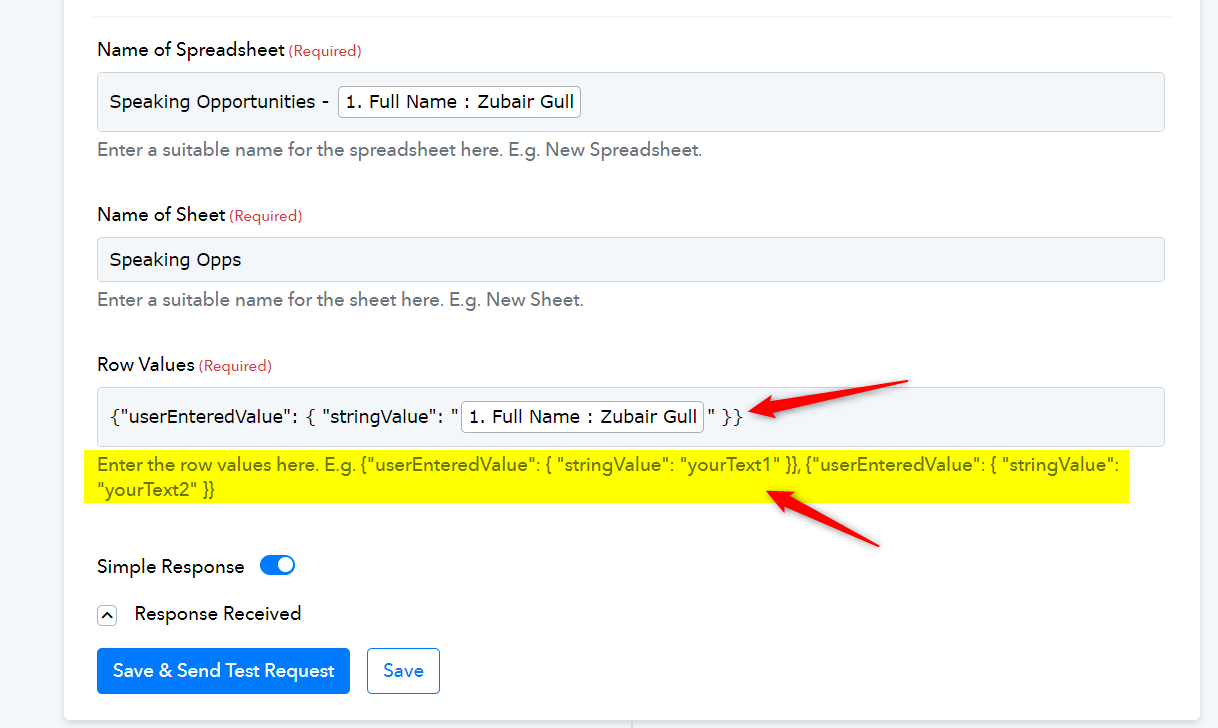
Hello @susie
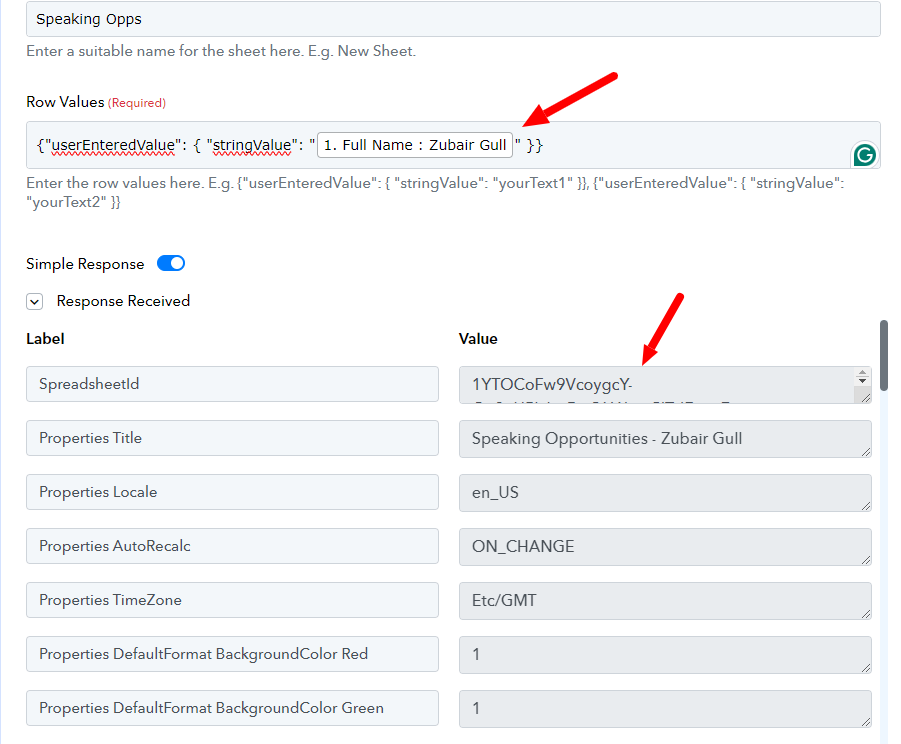
The error might have occurred due to the comma(,), I have removed it and it's working fine now. Please refer to the attached screenshot for more info.