LeadConnector V2 app connection failed and can't create a new one
Status: Closed · Asked by Hello on · 0 views
I'm having an issue with the LeadConnector V2 app. My workflow is erroring with the following error:
[TABLE]
[TR]
[TD]OAuthException Error Description[/TD]
[TD]Invalid Refresh Token[/TD]
[/TR]
[TR]
[TD]OAuthException ErrorTip[/TD]
[TD]Try Creating A New Connection To Resolve The OAuthException Error. Learn More: Https://forum.pabbly.com/threads/how-to-solve-oauthexception-error.18724/[/TD]
[/TR]
[/TABLE]
I have tried to reconnect to the app and also create a new connection to LeadConnector V2 and neither are working - it just gives me an error. This is an urgent issue as my automation can't run without this connection.
Hello @Dom,
Could you please provide us with the Workflow URL where you are facing this issue? This will help us investigate the problem more effectively and assist you accordingly.
[IMG width="609px" height="183.481px"]https://lh7-rt.googleusercontent.com/docsz/AD_4nXdW30Y5mLcN42zCBVeY6U4VX8QW7ucrsXcTmrtcLP7-2_T2pwr91DJqwXmWBfxjrG0eQXPSUfGfm5TcYvQS5SIIxyDP0rV7TY5kp5NdpsjQe3N8EcrXgrTiDx5OKpop9rYFuZpq?key=PL4GUVQWZ8u13PditD4i_cYb[/IMG]
Hello @Dom,Could you please provide us with the Workflow URL where you are facing this issue? This will help us investigate the problem more effectively and assist you accordingly.
[IMG width="609px" height="183.481px"]https://lh7-rt.googleusercontent.com/docsz/AD_4nXdW30Y5mLcN42zCBVeY6U4VX8QW7ucrsXcTmrtcLP7-2_T2pwr91DJqwXmWBfxjrG0eQXPSUfGfm5TcYvQS5SIIxyDP0rV7TY5kp5NdpsjQe3N8EcrXgrTiDx5OKpop9rYFuZpq?key=PL4GUVQWZ8u13PditD4i_cYb[/IMG]
Sure, it is happening on two workflows - maybe all of them that have that app connected, but here is one example: https://connect.pabbly.com/workflow/mapping/IjU3NjUwNTY1MDYzMDA0MzI1MjY0NTUzMjUxMzUi_pc
Based on the workflow you shared, we can see that you haven't created a new connection with your GHL account—the connection you're using is from last year.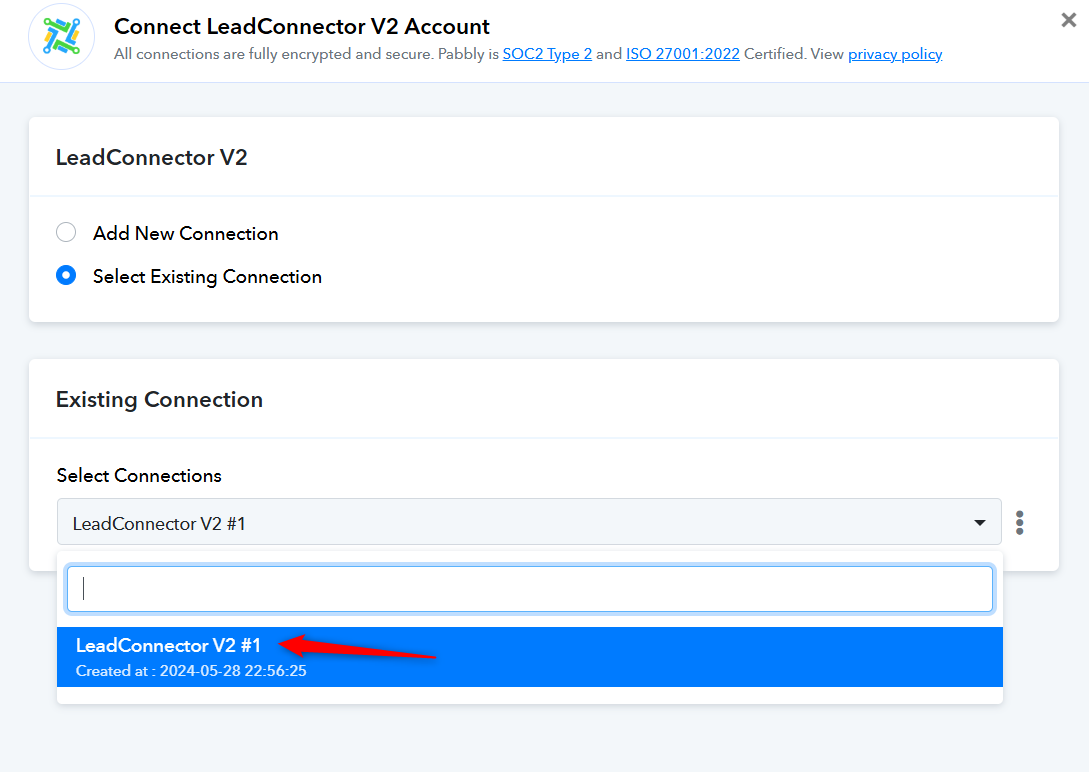
Kindly establish a new connection with your GHL account and try again.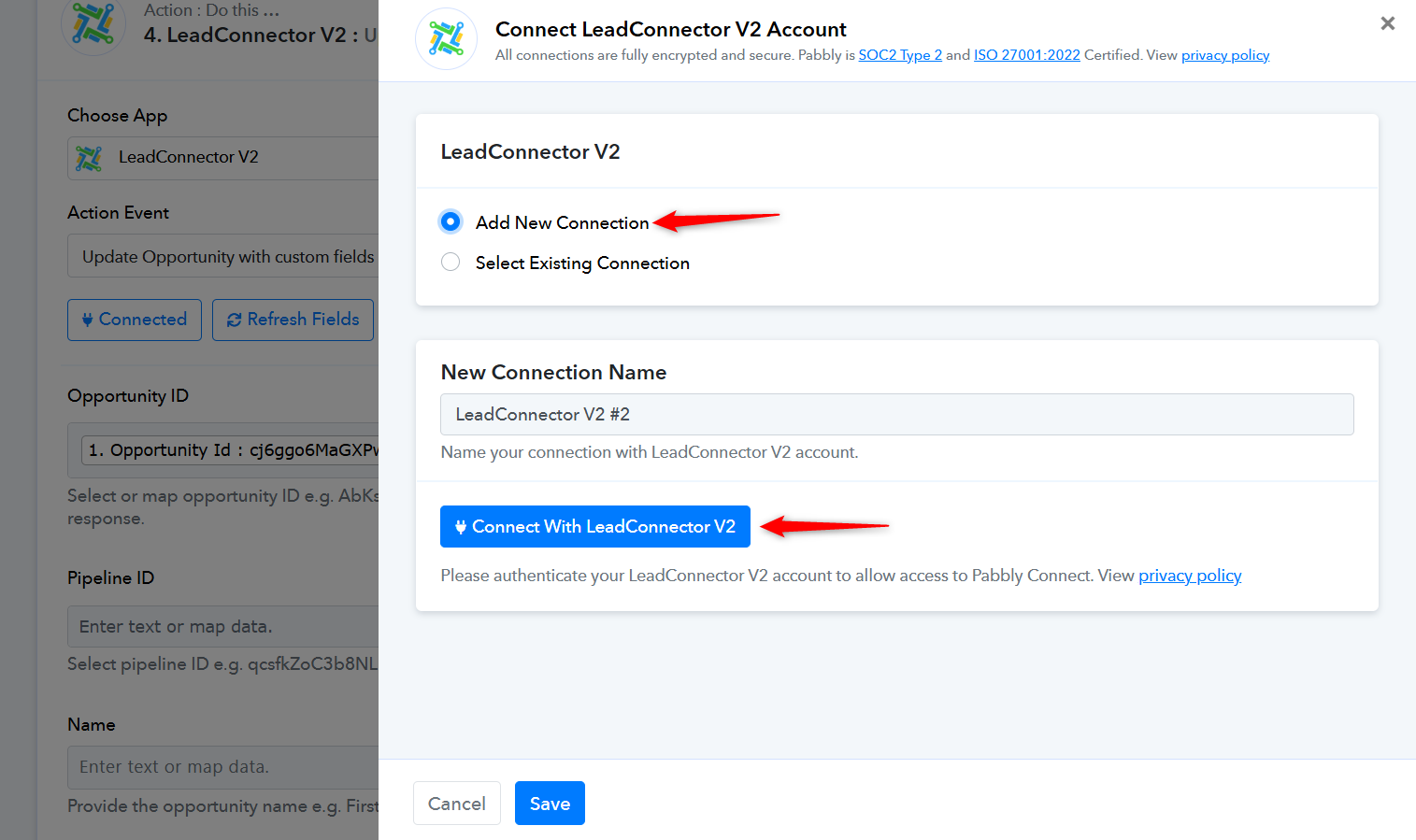
Ok when I tried to reconnect last week it gave an error. It worked now. However, I am getting a different error on that workflow now:
"This AuthClass Type Is Not Allowed To Access This Scope. Please Verify Your IAM Configuration If This Is Not The Case."
Workflow URL: https://connect.pabbly.com/workflow/mapping/IjU3NjUwNTY1MDYzMDA0MzI1MjY0NTUzMjUxMzUi_pc
Hello @Dom,
Could you please confirm whether you have set up the connection using an Agency account or a Sub-account? This will help us assist you more effectively.
Hello @Dom,Could you please confirm whether you have set up the connection using an Agency account or a Sub-account? This will help us assist you more effectively.
Thank you, it was an agency account with access to all sub-accounts.
Hello @Dom,
This action requires a connection with a sub-account. Unfortunately, connecting an agency account will not work for this purpose.
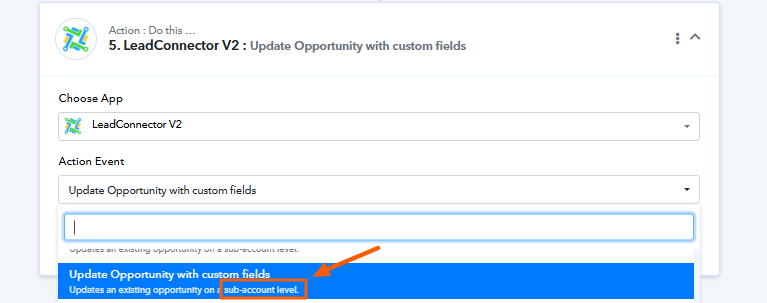
Please try connecting with the appropriate sub-account and let us know if you need further assistance.
Hello @Dom,This action requires a connection with a sub-account. Unfortunately, connecting an agency account will not work for this purpose.
Please try connecting with the appropriate sub-account and let us know if you need further assistance.
Ah I see, ok thank you for the advice. All seems to be working now!