LeadConnectorV2 Error 401
Status: Closed · Asked by sarveshpandey1989 on · 0 views
Hi,
I am trying to connect a website form with a GHL sub account via webhook. I have connected Pabbly with GHL successfully but when I try to "Create or update a contact" event, I keep getting error 401 "This authClass type is not allowed to access this scope. Please verify your IAM configuration if this is not the case."
Pabbly is installed on agency and as well on sub-account level. How do I resolve this please?
Hello @sarveshpandey1989,
Could you please provide us with the Workflow URL where you are facing this issue? This will help us investigate the problem more effectively and assist you accordingly.
Please be aware that to assist you effectively, we may need to access your Pabbly Connect account. If you're comfortable with this, please grant us permission by stating in your next reply:
"You have my permission to log into my Pabbly Connect account and edit the workflow, if required. Here is the registered email address associated with it."
Looking forward to assisting you further.
[IMG width="631px" height="190.109px"]https://lh7-rt.googleusercontent.com/docsz/AD_4nXc59jVK_i3TcPnzbe1N3DquhjKLpG26w0iXjuBFHE5AhppcxtWWzvUtu-eNB9gHcMsL8c8h6QvwSmnH0W8f5Oge9VwM4uaygvEKrUs1wWMmMGFs_4Q21p80tEiMLEWtyGQQD8fYog?key=nsDumdqHFySLv4i3KkkEsp9o[/IMG]
You have my permission to log into my Pabbly Connect account and edit the workflow, if required. Here is the registered email address associated with it.
url: https://connect.pabbly.com/workflow/mapping/IjU3NjYwNTZhMDYzMDA0MzQ1MjZkNTUzMzUxM2Ii_pc
Could you please confirm whether the connection in your workflow is set up using a sub-account (location-level) or an agency-level account? Based on the error message:
"This authClass type is not allowed to access this scope..."
—it appears that the connected account may not have the necessary permissions to perform this action.
How do I check that please?
To determine your GoHighLevel account type, navigate to the "Settings" section, then "Company," and finally "Business Profile." Here, you'll find details about your account, including whether it's a standard account or an agency account with sub-accounts.
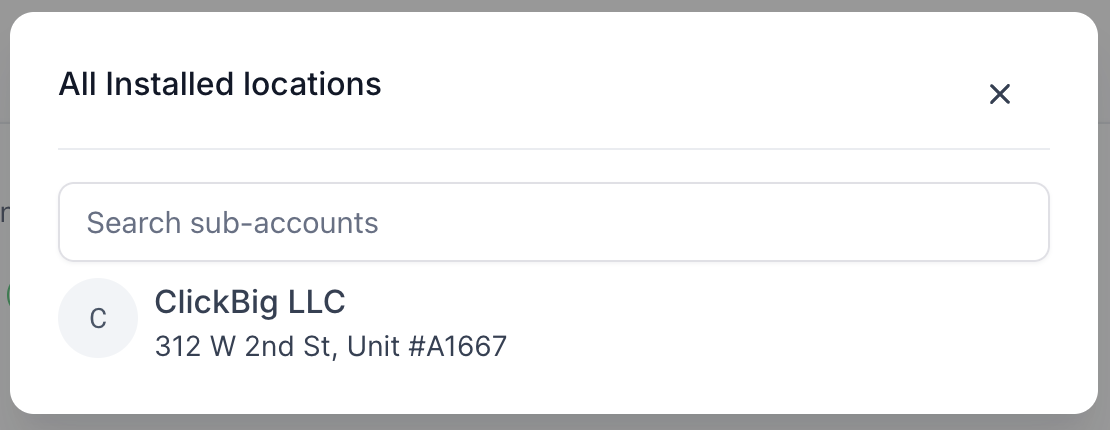
I can see it is installed at sub-account level. This is the same sub account where I am trying to create/update the contact through webhook
Please check out this thread:
https://forum.pabbly.com/threads/leadconnector-v2-app-connection-failed-and-cant-create-a-new-one.28953/post-139580
Please check out this thread:
https://forum.pabbly.com/threads/leadconnector-v2-app-connection-failed-and-cant-create-a-new-one.28953/post-139580
I have installed it in Sub-account only. See the screenshots below
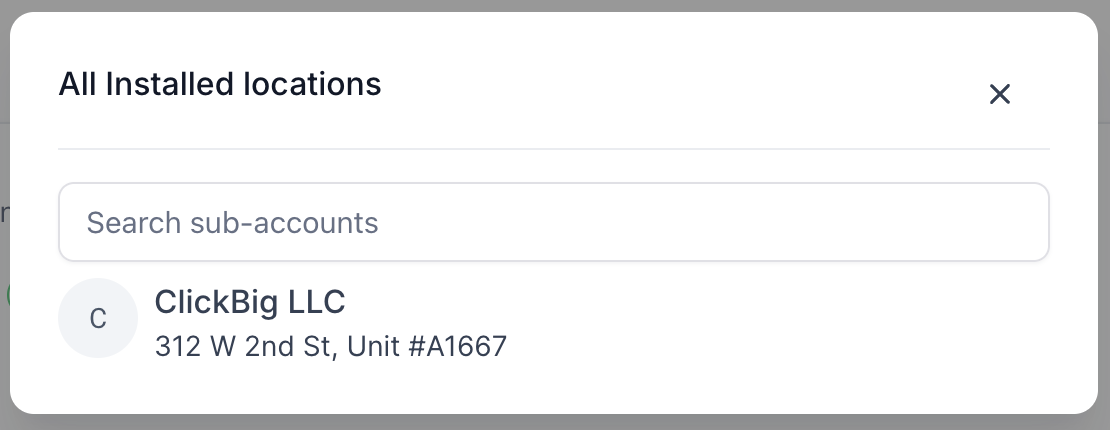
Hello @sarveshpandey1989,
Could you please share a screen recording demonstrating the connection process, including the type of account you are trying to set up the connection with? After that, kindly try performing the action and let us know if it works correctly with the sub-account connection. We look forward to reviewing your screen recording.
Hey, I was able to resolve it. I was actually adding Agency level account. My sub account and agency both had same name so by mistake I had selected agency account rather than sub account.
thanks for helping though
Sarvesh
Hello @sarveshpandey1989,
Thanks for adding the update. We're closing this thread as the reported issue is now resolved.