LinkedIn Leadgen Form - New Update - Not Working
Status: Open · Asked by Raam on · 0 views
Hi,
Got the deprecation email for the existing LinkedIn Leadgen forms.
As per the instructions, working on recreating the connection.
Workflow URL: https://connect.pabbly.com/workflow/mapping/IjU3NjYwNTZhMDYzNzA0MzA1MjZmNTUzMzUxMzci_pc
First of all, I don't see the form ID or form name to choose (I have multiple leadgen forms on LinkedIn). I have submitted TEST LEAD multiple times.
And, it also looks like I am stuck here (I don;t see the form to select):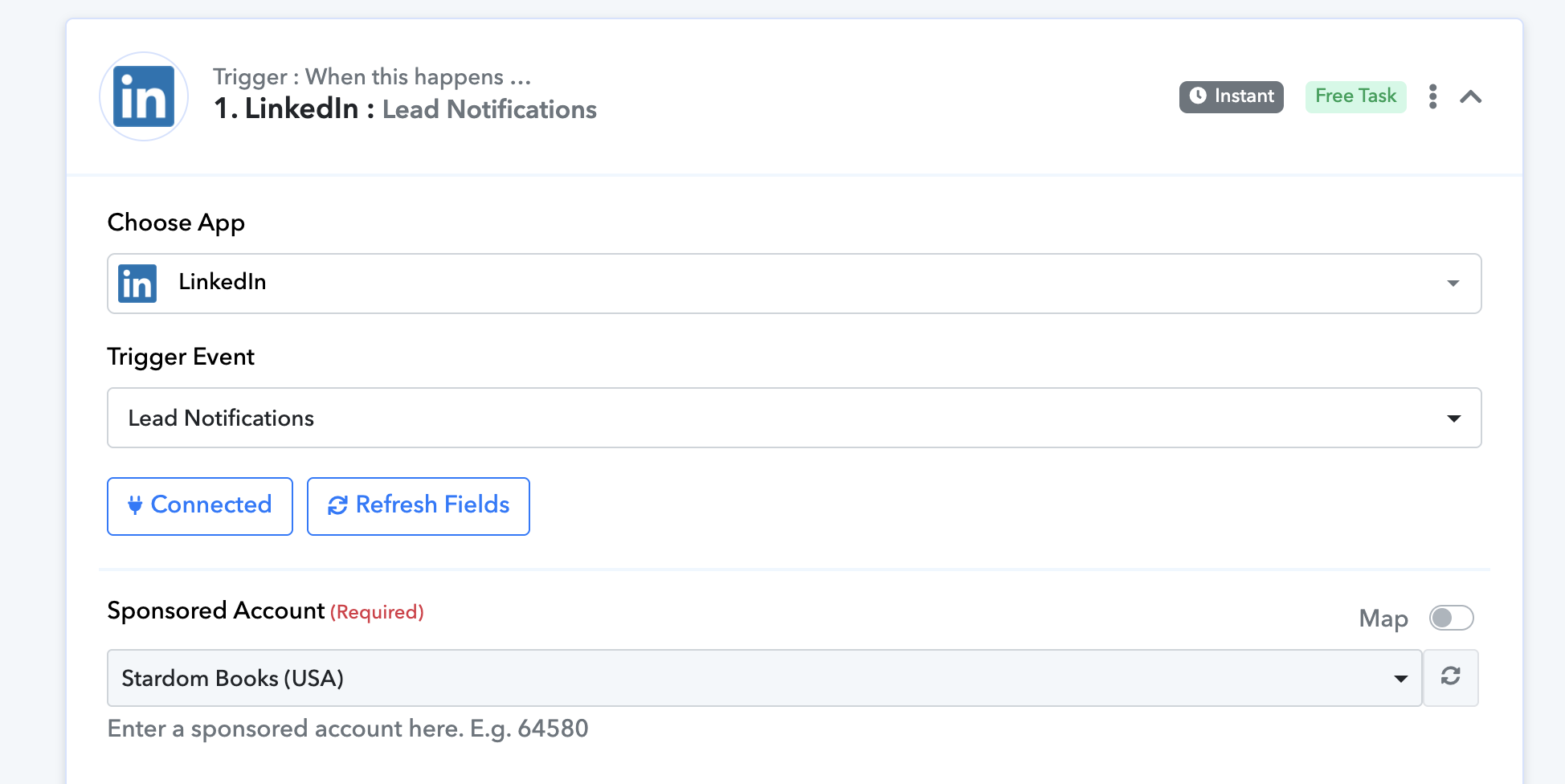
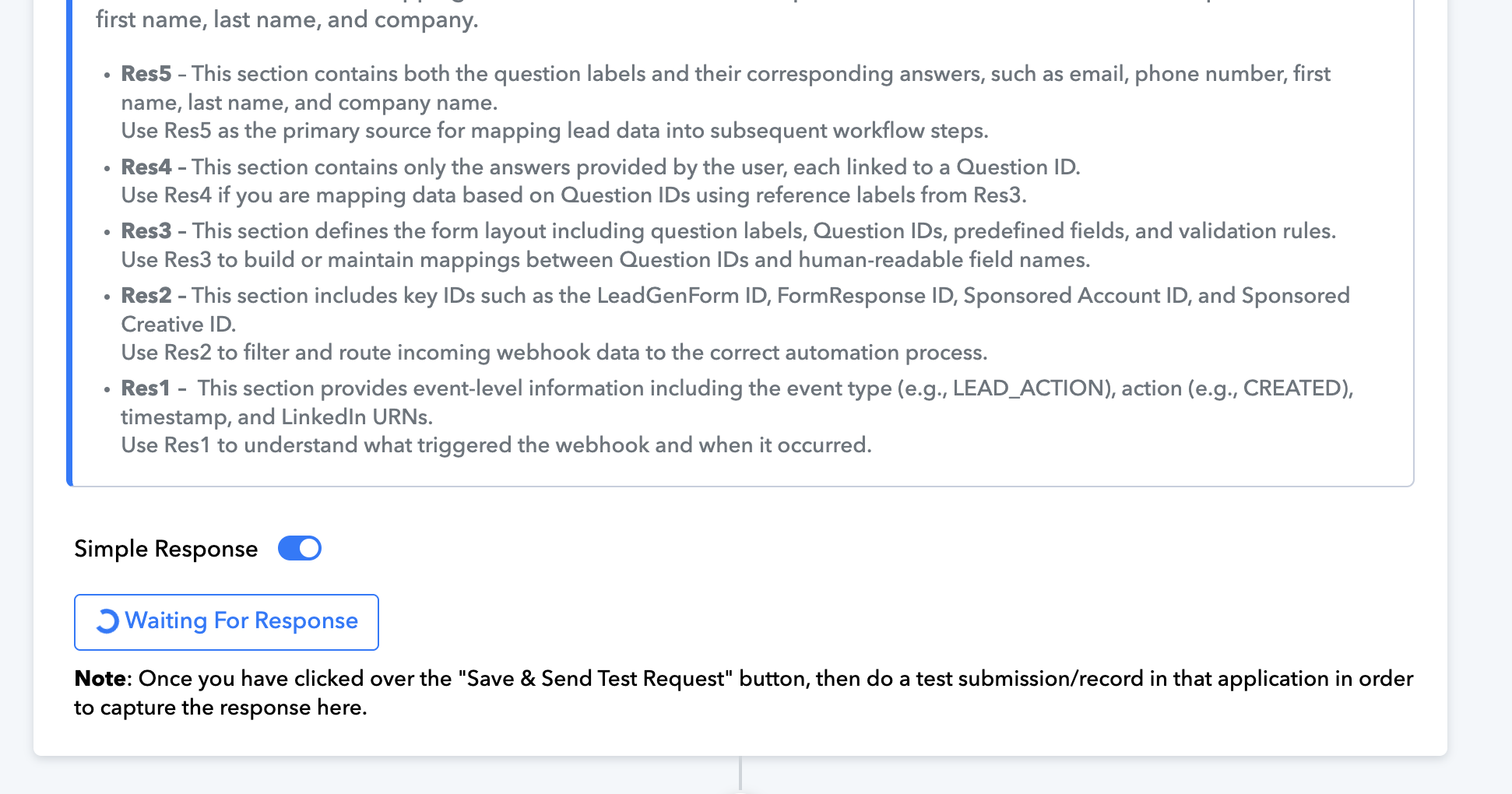
Same issue here☝️
Hope it has been fixed soon. The old migration is sending a lot of empty rows too.
Hello @raamanand and @geertjan,
Could you please try setting up a new workflow and add a test lead to check if the response is successfully captured under the return step?
Kindly ensure you record your screen while performing the test. If the issue persists, please share the recording with us so we can escalate the concern to the relevant team, if necessary.
Looking forward to your response.
@@raamanand
It's working again. You only need to wait now about 5 minutes while the testlead has been captured. It's a bit delayed. But it works @@Preeti Paryani
Well... I tried both -- edit existing workflow and create a new workflow -- same result. It's stuck at waiting for the form submission.
Also, how do I choose which form to use? In the earlier workflow, there was a form dropdown. I don't see that in the new workflow. I use multiple forms and want to process each form submit differently.
@@raamanand
It's working again. You only need to wait now about 5 minutes while the testlead has been captured. It's a bit delayed. But it works @@Preeti Paryani
Thanks for the heads-up. I will try. Meanwhile, how do I choose the form?
Could you please share the new workflow you have created?
Also, again, note that I am NOT getting any option/dropdown to select the correct leadgen form from LinkedIn to process:
I have multiple leadgen forms on LinkedIn and I need to choose and map the response to each LinkedIn form.
Hello @raamanand
Please note that in the trigger application "LinkedIn: Lead Notifications," there is no option to select a specific LeadGenForm. It will fetch responses from all LeadGen Forms associated with the selected Sponsored Account.
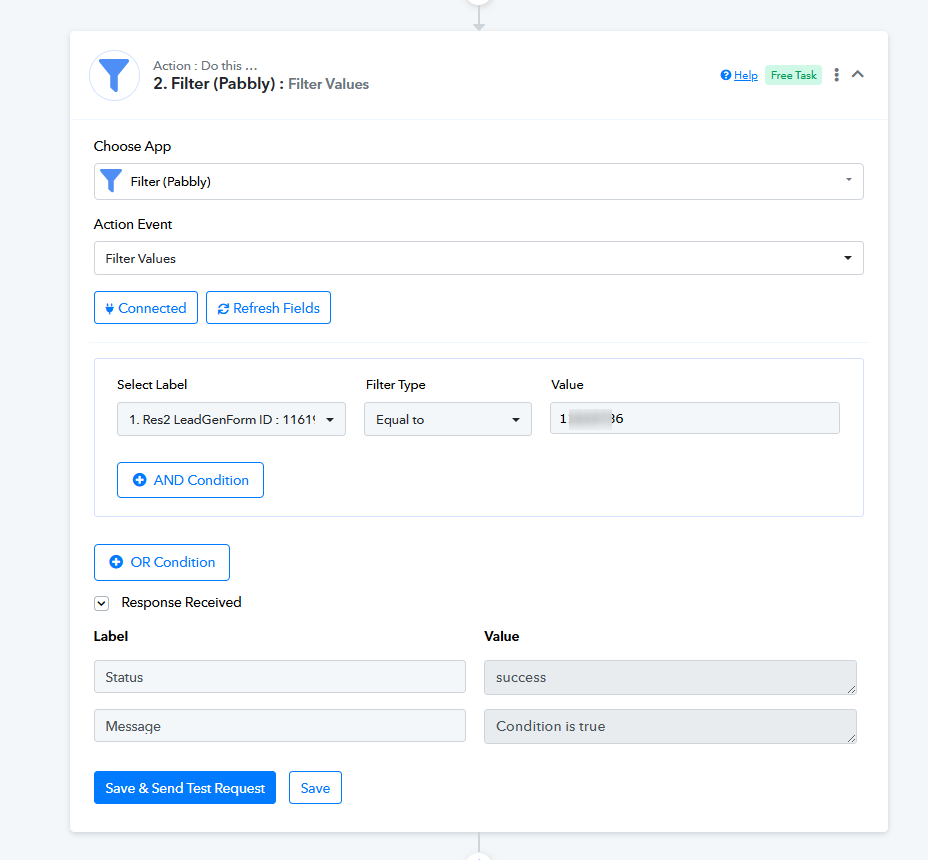
If you want the workflow to proceed only for a specific LeadGen Form, you can add an action step using "Filter (Pabbly): Filter Values" and apply a condition to filter based on the specific LeadGenForm ID.
Please refer to the image:
Hello @raamanand
Please note that in the trigger application "LinkedIn: Lead Notifications," there is no option to select a specific LeadGenForm. It will fetch responses from all LeadGen Forms associated with the selected Sponsored Account.If you want the workflow to proceed only for a specific LeadGen Form, you can add an action step using "Filter (Pabbly): Filter Values" and apply a condition to filter based on the specific LeadGenForm ID.
Please refer to the image:
In this case, for us who have more that one form, the best option is to use the router option? Am I correct?
In this case, for us who have more that one form, the best option is to use the router option? Am I correct?
Yes, that is correct. You will need to add a Router to your workflow with different routes. Each route should have a different filter condition based on the LeadGenForm ID.
Yes, that is correct. You will need to add a Router to your workflow with different routes. Each route should have a different filter condition based on the LeadGenForm ID.
Brilliant! The ideal cenario is to be albe to select the forms as we had before this Pabbly LI update. I hope you guys bring the option to select the form. All other tools like Zapier, Make, Integratelly, etc.. allow us to select the forms. Thank you for your reply.